1. Introduzzjoni
Grazzi tax-xiriasing the QFX PBX-8080 Portable Bluetooth Speaker. This manual provides important information regarding the setup, operation, and maintenance of your device. Please read it thoroughly before use and retain it for future reference.
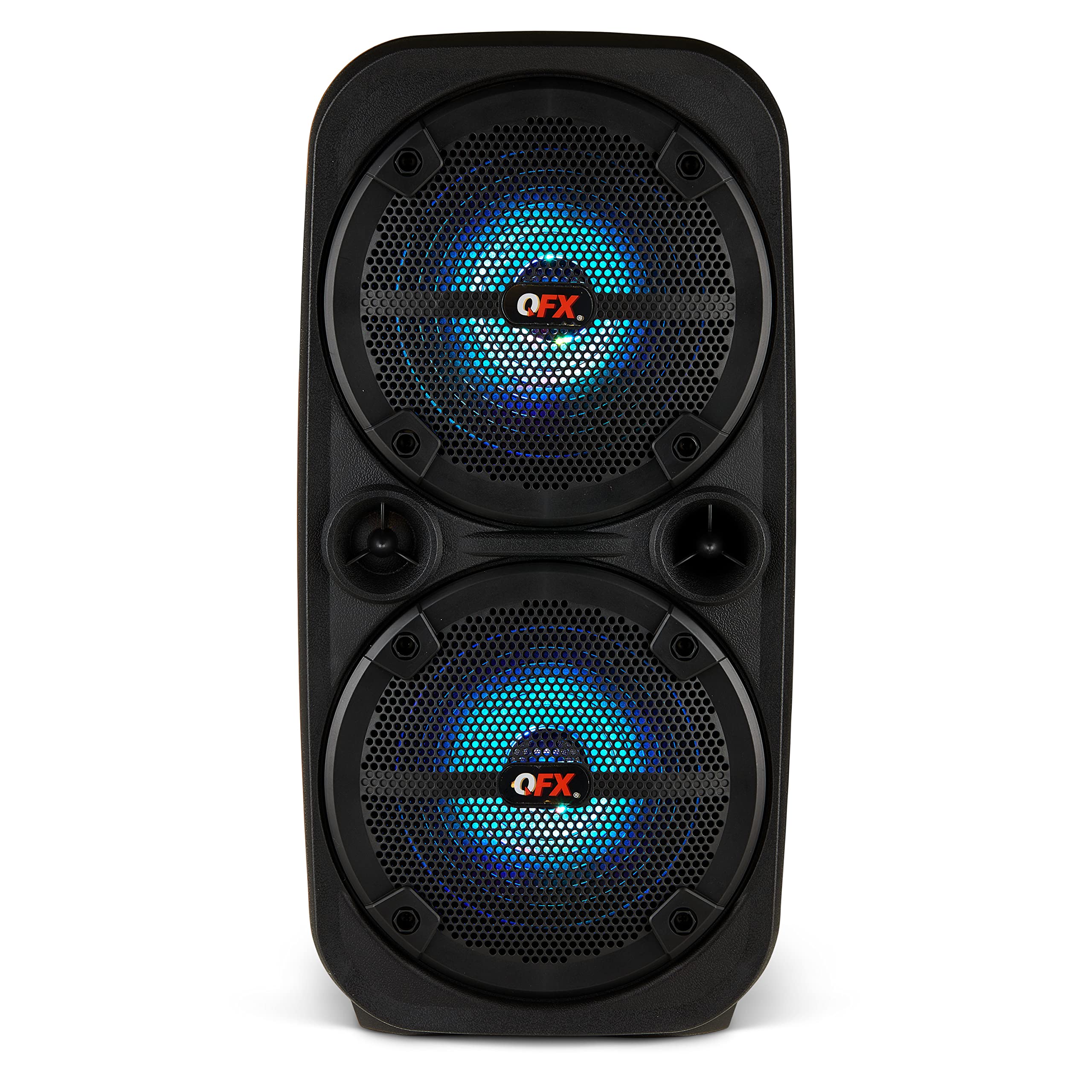
Stampa 1.1: Quddiem view of the QFX PBX-8080 Portable Bluetooth Speaker. This image displays the speaker's robust design, featuring two 8-inch woofers, a central control panel, and illuminated LED party lights, indicating its readiness for use.
2. Istruzzjonijiet tas-Sigurtà
- Aqra l-Istruzzjonijiet: Read all safety and operating instructions before using the product.
- Żomm Istruzzjonijiet: Żomm l-istruzzjonijiet tas-sigurtà u tat-tħaddim għal referenza futura.
- Oqgħod attent it-Twissijiet: Żomm mat-twissijiet kollha fuq il-prodott u fl-istruzzjonijiet tat-tħaddim.
- Segwi l-Istruzzjonijiet: Segwi l-istruzzjonijiet kollha tat-tħaddim u l-użu.
- Ilma u Umdità: Tużax dan l-apparat ħdejn l-ilma.
- Tindif: Naddaf biss b'ċarruta niexfa.
- Ventilazzjoni: Timblokkax il-fetħiet tal-ventilazzjoni. Installa skont l-istruzzjonijiet tal-manifattur.
- Sħana: Tinstallax ħdejn xi sorsi tas-sħana bħal radjaturi, reġistri tas-sħana, stufi, jew apparat ieħor (inkluż amplifiers) li jipproduċu sħana.
- Protezzjoni tal-Korda tal-Enerġija: Ipproteġi l-korda tad-dawl milli timxi fuqha jew maqrusa, partikolarment fil-plakek, ir-reċipjenti tal-konvenjenza, u l-punt fejn joħorġu mill-apparat.
- Annessi: Uża biss aċċessorji/aċċessorji speċifikati mill-manifattur.
- Sajjetti: Aqla’ dan l-apparat waqt maltempati tas-sajjetti jew meta ma jintużax għal perjodi twal ta’ żmien.
- Servizzi: Irreferi l-manutenzjoni kollha lil persunal tas-servizz kwalifikat. Is-servizz huwa meħtieġ meta l-apparat ikun ġie bil-ħsara b'xi mod, bħal korda tal-provvista tal-enerġija jew plagg ikun bil-ħsara, likwidu jkun inxtered jew oġġetti jkunu waqgħu fl-apparat, l-apparat ikun ġie espost għax-xita jew umdità, ma jaħdimx b'mod normali , jew twaqqgħet.
3. Kontenut tal-Pakkett
Jekk jogħġbok immarka l-kaxxa għall-oġġetti li ġejjin:
- QFX PBX-8080 Portable Bluetooth Speaker
- Cable tal-Iċċarġjar tal-USB
- Manwal ta 'Istruzzjoni (dan id-dokument)
4. Prodott Aktarview
The QFX PBX-8080 is a versatile portable speaker designed for powerful audio output and various connectivity options. It features dual 8-inch woofers, LED party lights, and multiple input methods.
Komponenti Ewlenin:
- Dual 8-inch Woofers: For powerful bass and clear audio.
- Panel tal-Kontroll: Located on the top or front, featuring buttons for power, mode selection, volume, playback control, and LED light control.
- Dwal tal-Partit LED: Integrated lights that synchronize with music or can be set to various patterns.
- Portijiet tal-Input: USB, Aux-in (3.5mm), Microphone input.
- Port tal-Iċċarġjar: Għall-konnessjoni tal-kejbil tal-iċċarġjar USB.
- Mankijiet: Għal portabbiltà faċli.
5. Setup
5.1 Iċċarġjar tal-Ispeaker
- Sib il-port tal-iċċarġjar fuq l-ispiker.
- Qabbad il-kejbil tal-iċċarġjar USB fornut mal-port tal-iċċarġjar tal-ispiker.
- Qabbad it-tarf l-ieħor tal-kejbil USB ma' adapter tal-enerġija USB kompatibbli (mhux inkluż) jew port USB li jaħdem bl-enerġija.
- Id-dawl indikatur tal-iċċarġjar (jekk preżenti) jixgħel, tipikament aħmar, waqt l-iċċarġjar.
- Once fully charged, the indicator light may change color (e.g., turn off or turn green). A full charge typically takes several hours.
- The speaker supports "Charge & Play," allowing you to use it while it is charging.
5.2 Tixgħel/Jitfi
- To power on the speaker, press and hold the Power button (usually marked with ⏻ or "POWER") for a few seconds until you hear an audible prompt or see the display/LEDs light up.
- Biex titfi, agħfas u żomm il-buttuna tal-Power mill-ġdid sakemm l-ispiker jintefa.
6. Istruzzjonijiet Operattivi
6.1 Tqabbil tal-Bluetooth
- Ensure the speaker is powered on and in Bluetooth mode. If not, press the "MODE" button until "Bluetooth" or "BT" is displayed/announced. The Bluetooth indicator will typically flash, indicating it's in pairing mode.
- Fuq l-apparat mobbli tiegħek (smartphone, tablet, eċċ.), attiva l-Bluetooth u fittex apparati disponibbli.
- Select "QFX PBX-8080" from the list of found devices.
- Ladarba jkun imqabbad, l-ispiker se joħroġ konferma li tinstema', u d-dawl indikatur tal-Bluetooth jieqaf iteptep u jibqa' mixgħul solidu.
- Issa tista' ddoqq l-awdjo mit-tagħmir tiegħek permezz tal-ispiker.
6.2 Funzjoni Stereo Veru Mingħajr Fili (TWS)
The TWS function allows you to connect two PBX-8080 speakers wirelessly for a stereo sound experience.
- Ensure both PBX-8080 speakers are powered on and in Bluetooth mode, but le konness ma' kwalunkwe apparat.
- On one of the speakers, press and hold the "TWS" button (or a similar button, refer to speaker markings) for a few seconds.
- The speakers will attempt to connect to each other. Once connected, you will hear a confirmation tone.
- Now, connect your mobile device to one of the paired PBX-8080 speakers via Bluetooth (as described in section 6.1). Both speakers will play audio in stereo.
6.3 LED Party Lights
The PBX-8080 features dynamic LED party lights. Use the "LIGHT" button (or similar) on the control panel to cycle through different light modes or to turn the lights off.
6.4 Input tal-mikrofonu
- Connect a wired microphone (not included) to the "MIC IN" jack on the speaker.
- Adjust the microphone volume using the dedicated "MIC VOL" knob or buttons on the control panel.
- You can use the microphone while playing music from other sources.
6.5 Input Aux
- Connect an external audio device (e.g., MP3 player, laptop) to the "AUX IN" jack using a 3.5mm audio cable (not included).
- Press the "MODE" button on the speaker until "AUX" mode is selected.
- Control playback and volume from your connected device or the speaker's main volume control.
6.6 Input USB
- Insert a USB flash drive (containing MP3 audio files) into the "USB" port.
- The speaker will automatically switch to USB mode and begin playing music from the drive. If not, press the "MODE" button to select "USB" mode.
- Use the playback controls (Play/Pause, Next/Previous Track) on the speaker to manage your music.
6.7 Radju FM
- Press the "MODE" button until "FM" radio mode is selected.
- Press the "PLAY/PAUSE" button (or a dedicated scan button) to automatically scan and save available FM radio stations.
- Use the "NEXT/PREVIOUS" buttons to navigate between saved stations.
- For better reception, ensure the speaker is in an open area.
7. Manutenzjoni
- Tindif: Uża drapp artab u niexef biex tnaddaf il-barra tal-ispiker. Tużax prodotti tat-tindif, xama', jew solventi li joborxu.
- Ħażna: Meta ma tkunx qed tużah għal perjodi twal, aħżen l-ispiker f'post frisk u niexef, 'il bogħod mix-xemx diretta u minn temperaturi estremi.
- Kura tal-batterija: Biex ittawwal il-ħajja tal-batterija, evita li tiċċarġja kompletament il-batterija ta' spiss. Iċċarġja l-ispiker regolarment, anke jekk ma jkunx qed jintuża, biex iżżomm il-batterija f'saħħitha.
- Evita l-Ilma: This speaker is not waterproof. Keep it away from water and moisture to prevent damage.
8 Issolvi l-problemi
| Problema | Soluzzjoni Possibbli |
|---|---|
| L-ispiker ma jixgħelx. |
|
| L-ebda ħoss mill-kelliem. |
|
| Tqabbil Bluetooth ifalli. |
|
| Ir-riċeviment tar-radju FM huwa fqir. |
|
9. Speċifikazzjonijiet
| Karatteristika | Dettall |
|---|---|
| Isem tal-Mudell | PBX-8080 |
| Brand | QFX |
| Tip ta' Kelliem | Woofer (2 x 8-inch) |
| Teknoloġija tal-Konnettività | Bluetooth |
| Karatteristiċi Speċjali | Bluetooth, True Wireless Stereo (TWS), LED Party Lights, Microphone Input, Aux Input, USB Input, FM Radio, Rechargeable, Handles |
| Modalità tal-Ħruġ tal-Awdjo | Stereo |
| Sors tal-Enerġija | Corded Electric (for charging), Rechargeable Battery |
| Piż tal-oġġett | 5.73 Lira (2.6 kg) |
| Dimensjonijiet tal-Unità (WxDxH) | 9.65 x 7.36 x 19.69 pulzieri (madwar) |
| UPC | 606540039670 |
10. Garanzija u Appoġġ
QFX products are designed and manufactured to the highest quality standards. For specific warranty information, please refer to the warranty card included with your purchase or visit the official QFX website. If you encounter any issues or require technical assistance, please contact QFX customer support.
QFX Customer Support:
- Għall-aktar informazzjoni ta' appoġġ aġġornata, jekk jogħġbok żur il- QFX Store on Amazon or the official QFX websit.


