1. Introduzzjoni
This manual provides instructions for the Mi-Light MiBoxer FUT007 RF Remote Control. This remote is designed to manage MiBoxer LED receivers for both monocolor and Dual White lighting systems across 4 independent zones. It operates using 2.4G RF transmission technology, offering a control range of up to 30 meters.

Image 1: Mi-Light MiBoxer FUT007 Remote Control and its product packaging.
2. Karatteristiċi tal-prodott
- Dimensjonijiet: 110.5 x 53 x 22 mm.
- Control Zones: 4 independent zones, with the ability to control all zones simultaneously.
- Medda ta' Kontroll: Up to 30 meters via 2.4G RF transmission.
- Funzjonijiet:
- Kontroll mixgħul/mitfi.
- Dual White color temperature adjustment (2700K-6500K).
- Brightness adjustment (10%-100%).
- Night light mode (5% brightness).
- Nota: Available functions depend on the connected LED product. For example, a monocolor LED cannot utilize Dual White CCT Kelvin control.
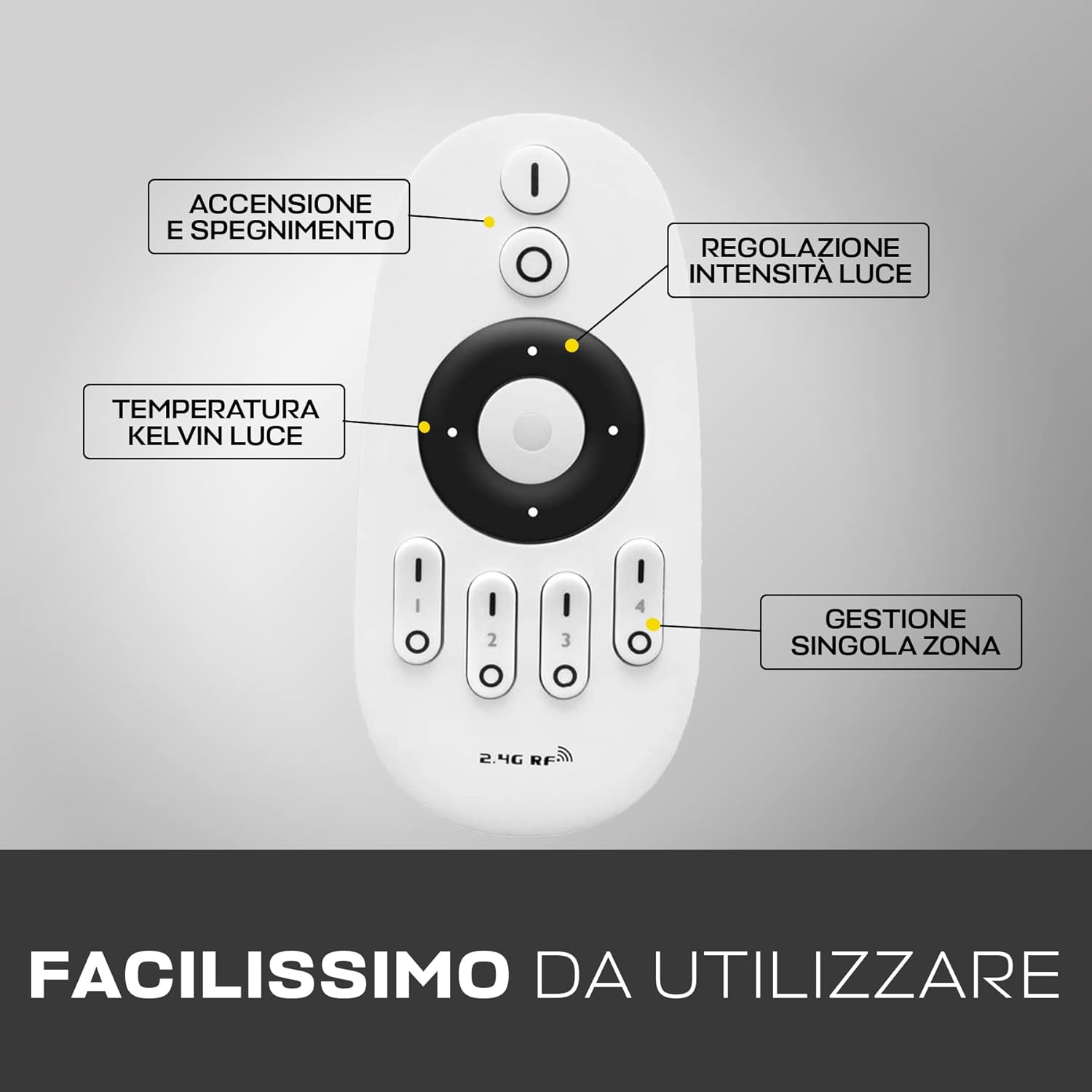
Image 2: Mi-Light MiBoxer FUT007 Remote Control with its various buttons and their functions labeled.
3. Setup
3.1 Installazzjoni tal-batterija
The FUT007 remote control requires two AAA batteries (not included). To install the batteries:
- Iftaħ l-għatu tal-kompartiment tal-batterija fuq wara tal-kontroll mill-bogħod.
- Daħħal żewġ batteriji AAA, waqt li tiżgura l-polarità korretta (+/-).
- Agħlaq l-għatu tal-kompartiment tal-batterija sew.

Image 3: The Mi-Light MiBoxer FUT007 Remote Control with its battery compartment open, showing where to insert two AAA batteries.
3.2 Pairing / Synchronization
To link the remote control with your MiBoxer LED device (receiver), follow these steps:
- Ensure the appropriate MiBoxer LED device is installed and connected.
- Turn off the power to the LED device (e.g., via a wall switch or by unplugging it).
- Turn on the power to the LED device.
- Within 3 seconds of the LED device turning on, repeatedly press (at least once per second) one of the 'I' icons (zone selection buttons 1-4) at the bottom of the remote control. Select the zone you wish to link.
- The LED device will flash multiple times to indicate successful synchronization.
Repeat this process for each zone you wish to control independently.
4. Istruzzjonijiet Operattivi
The FUT007 remote control allows for intuitive management of your MiBoxer LED lighting. Below are the primary functions:
4.1 Power On/Off
- Agħfas il- 'I' button (top button) to turn on the lights for the selected zone(s).
- Agħfas il- 'O' button (second from top) to turn off the lights for the selected zone(s).
4.2 Zone Selection
The remote features four zone buttons labeled 1, 2, 3, and 4 at the bottom. Each button has an 'I' (On) and 'O' (Off) symbol.
- To control a specific zone, press the 'I' button for that zone (e.g., 'I' for Zone 1).
- To turn off a specific zone, press the 'O' buttuna għal dik iż-żona.
- To control all zones simultaneously, ensure no specific zone is selected, or press the master 'I' button at the top.
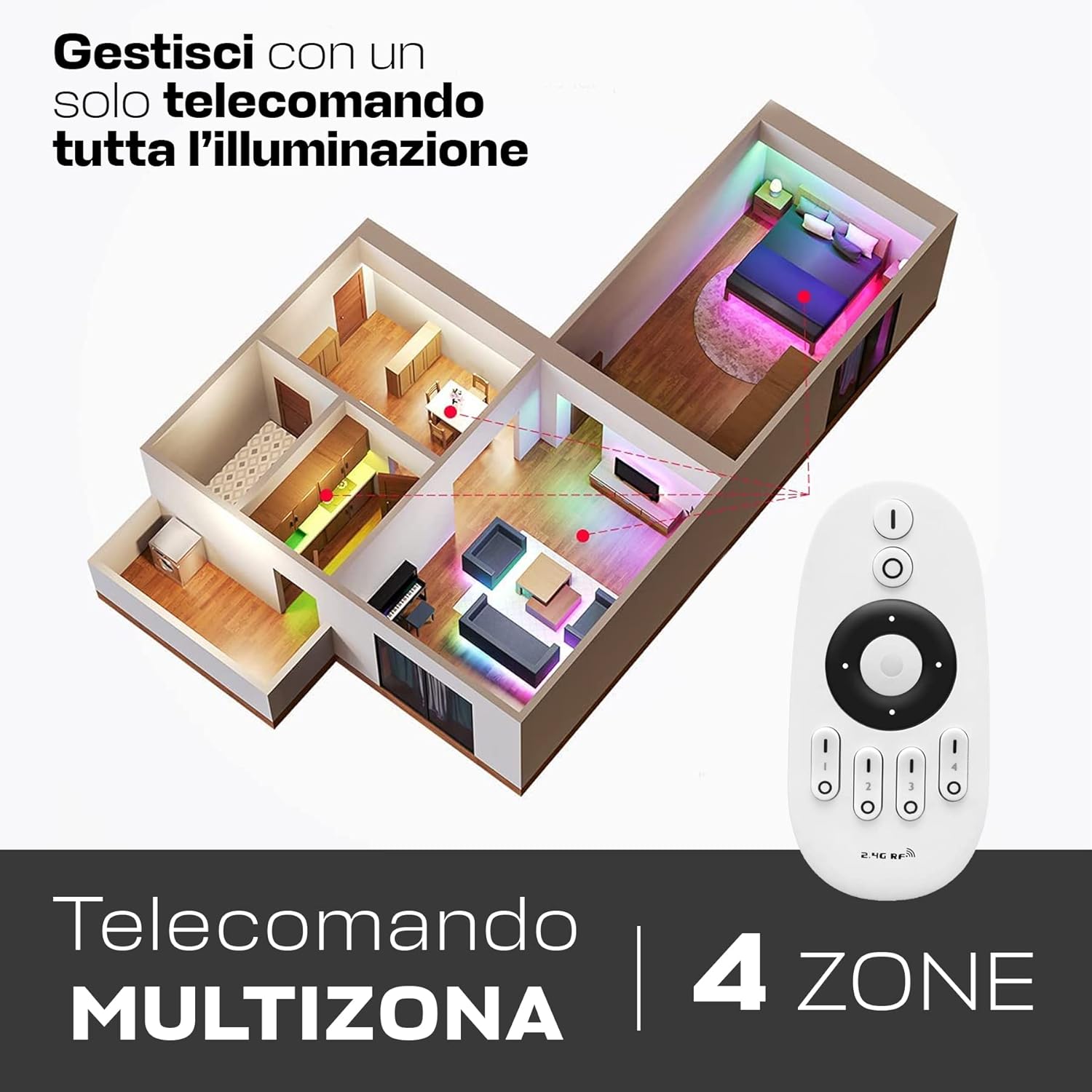
Image 4: The Mi-Light MiBoxer FUT007 Remote Control demonstrating its ability to manage lighting in four distinct zones within a home layout.
4.3 Aġġustament tal-luminożità
Use the central ring to adjust brightness:
- Touch the top part of the central ring to increase brightness.
- Touch the bottom part of the central ring to decrease brightness.
- Il-luminożità tista 'tiġi aġġustata minn 10% sa 100%.
4.4 Color Temperature Adjustment (Dual White)
For Dual White compatible LED devices, use the central ring to adjust color temperature:
- Touch the left part of the central ring to shift towards warmer white (lower Kelvin, e.g., 2700K).
- Touch the right part of the central ring to shift towards cooler white (higher Kelvin, e.g., 6500K).
4.5 Modalità Dawl bil-lejl
To activate the night light mode (5% brightness), press and hold the 'O' (Off) button for the selected zone or the master 'O' button.
5. Kompatibilità
The MiBoxer FUT007 remote control is compatible with a range of MiBoxer LED receivers and devices. Ensure your device is listed below for proper functionality.
5.1 Compatible MiBoxer Receivers for LED Strips:
- WL5
- LS2
- LS4
- FUT036
- FUT036S
5.2 Compatible MiBoxer Dual White Receivers and Devices:
- FUT035
- FUT035S
- LS3
- PL1
5.3 Smartphone and Voice Control Integration:
For smartphone and voice control capabilities, the MiBoxer WL-Box1 module is required (not included). This remote control provides an alternative control method if the WL-Box1 connection is unavailable.
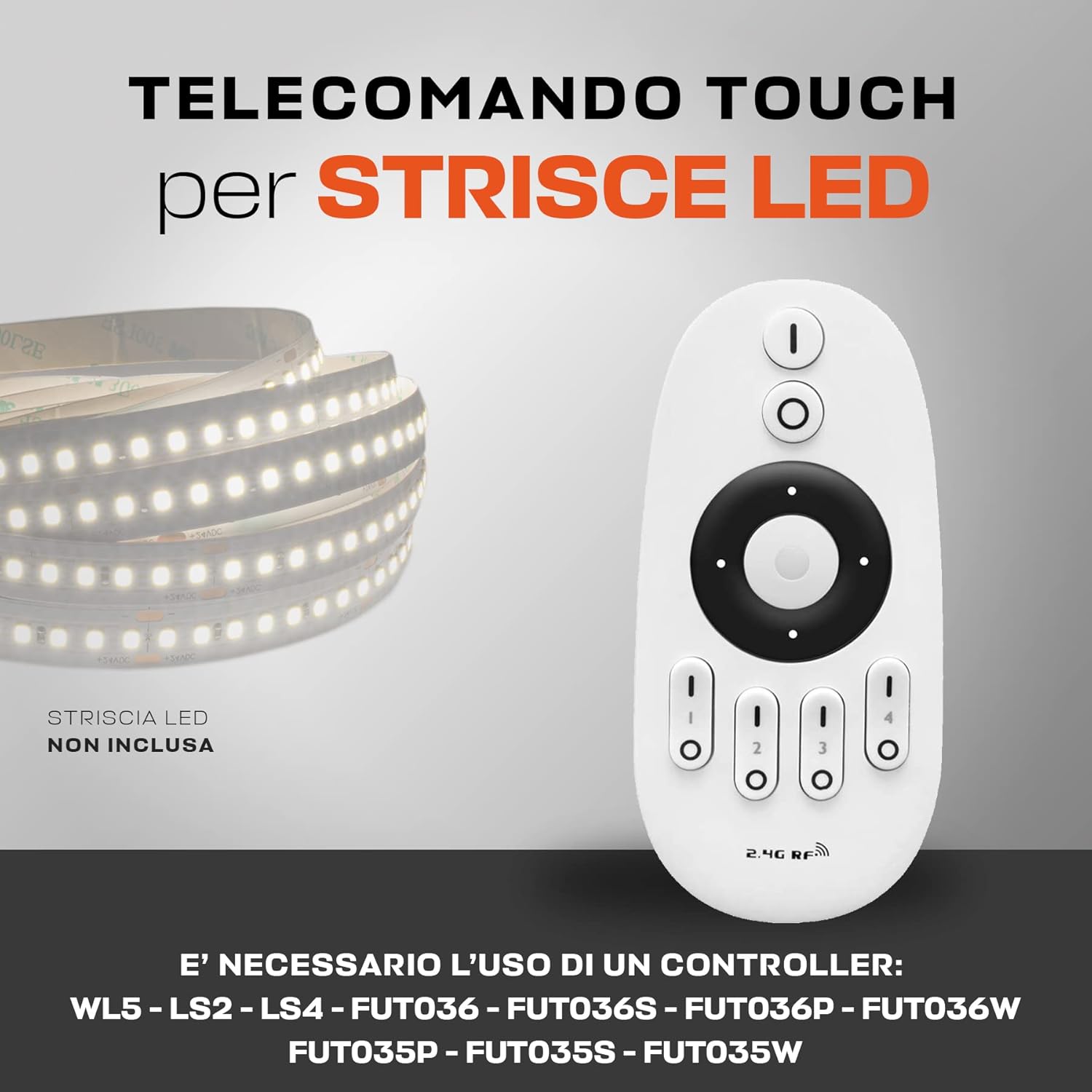
Image 5: The Mi-Light MiBoxer FUT007 Remote Control shown alongside an LED strip, with a list of compatible MiBoxer controllers.
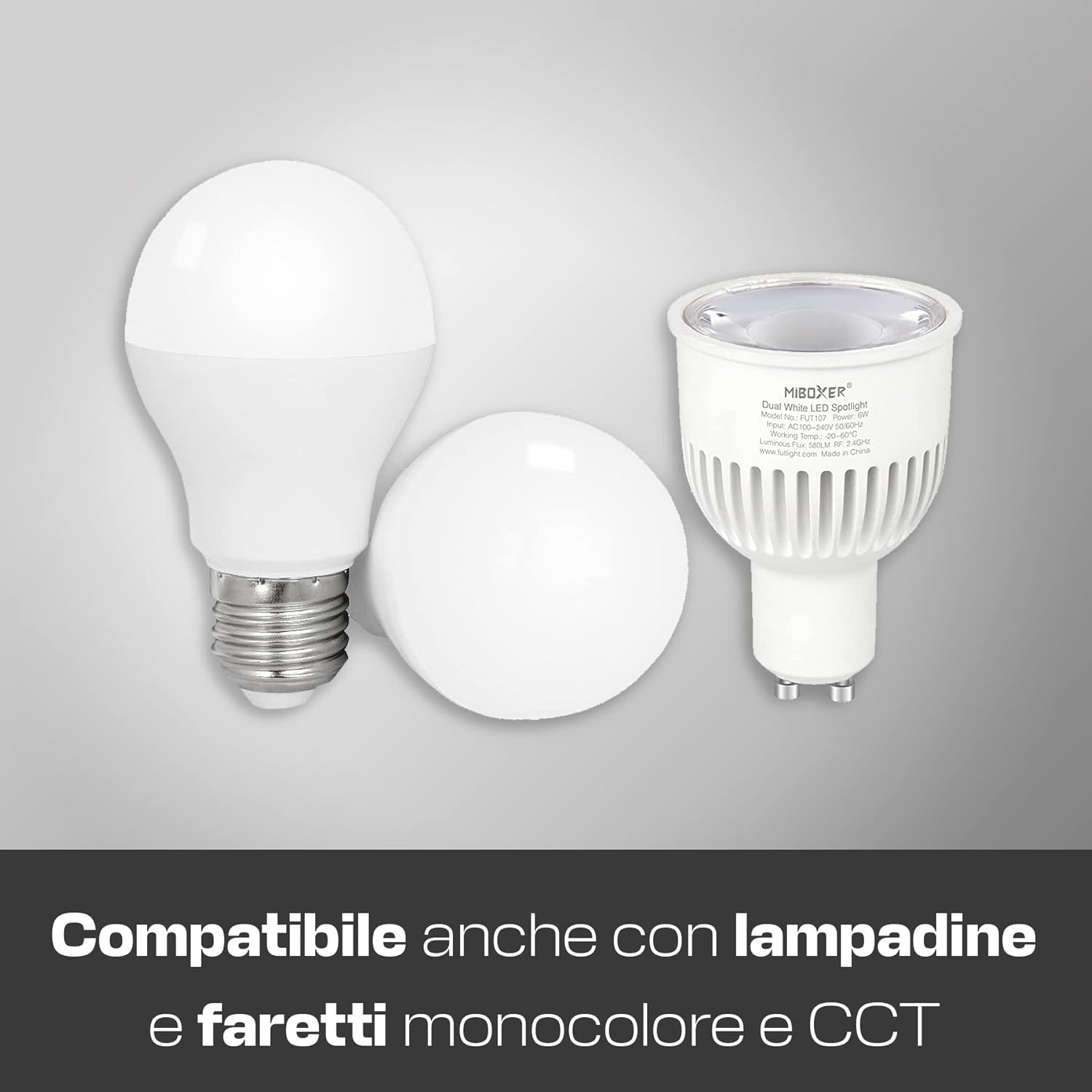
Image 6: The Mi-Light MiBoxer FUT007 Remote Control is compatible with different types of monocolor and CCT (Dual White) bulbs.
6. Speċifikazzjonijiet
| Isem tal-Mudell: | FUT007 |
| Ditta: | Mi Light |
| Dimensjonijiet: | 110.5 x 53 x 22 mm (4.35 x 2.09 x 0.87 pulzieri) |
| Piż: | 50 g (esklużi batteriji) |
| Teknoloġija tal-Konnettività: | 2.4G Radio Frequency (RF) |
| Medda massima: | 30 metru (98 pied) |
| Numru ta' Żoni: | 4 |
| Tip ta 'batterija: | 2 x batteriji AAA (mhux inklużi) |
| Karatteristika Speċjali: | Disinn ergonomiku |

Image 7: The Mi-Light MiBoxer FUT007 Remote Control highlighting its effective control range of up to 30 meters.
7 Issolvi l-problemi
- Ir-remote mhux qed jirrispondi:
- Iċċekkja jekk il-batteriji humiex imdaħħla sew u għandhomx biżżejjed ċarġ. Ibdelhom jekk meħtieġ.
- Ensure the remote is within the 30-meter operating range of the receiver.
- Verify that the remote is properly paired with the LED device (refer to Section 3.2).
- LED device not flashing during synchronization:
- Ensure the LED device was powered off and then on again immediately before attempting synchronization.
- Press the 'I' button for the desired zone repeatedly and quickly within the 3-second window after powering on the LED device.
- Confirm compatibility of your LED device with the FUT007 remote (refer to Section 5).
- Specific functions (e.g., Dual White) not working:
- Verify that your connected LED device supports the specific function. For example, monocolor LEDs do not support Dual White CCT adjustment.
8. Manutenzjoni
- Żomm il-kontroll remot nadif billi timsaħ b'ċarruta ratba u niexfa.
- Avoid exposing the remote to moisture, extreme temperatures, or direct sunlight.
- Jekk il-kontroll remot ma jkunx se jintuża għal perjodu twil ta' żmien, neħħi l-batteriji biex tevita t-tnixxija.
9. Garanzija u Appoġġ
This product typically comes with a manufacturer's warranty. Please refer to your purchase documentation or contact your retailer for specific warranty terms and conditions. For technical support or further assistance, please contact Mi Light customer service or your authorized dealer.
Note: King LED is an official distributor of Mi Light MiBoxer products.


