1. Introduzzjoni
This manual provides instructions for the proper use and maintenance of your MTX Electronic Vernier Caliper, Model 316119. This precision measuring instrument is designed for accurate internal, external, depth, and step measurements up to 150mm.
Constructed from durable tool stainless steel, the caliper features a clear LCD display for easy reading of measurements. Its robust design ensures longevity and resistance to rust, while its compact size makes it highly portable.

Figura 1: B'mod ġenerali view of the MTX Electronic Vernier Caliper.
2. Komponenti tal-Prodott
Familiarize yourself with the main components of the electronic vernier caliper:
- External Jaws: Użat għall-kejl tad-dimensjonijiet esterni.
- Internal Jaws: Użat għall-kejl tad-dimensjonijiet interni.
- Virga tal-Fond: Użat għall-kejl tal-fond.
- Main Scale: Graduated scale for reference.
- Sliding Jaw: Moves along the main scale.
- Romblu tas-saba' l-kbir: For fine adjustment of the sliding jaw.
- Kamin tal-qfil: To fix the sliding jaw in position.
- Display LCD: Digital readout of measurements.
- Buttuna ON/OFF: Powers the caliper on or off.
- Buttuna ZERO: Jissettja d-displej għal żero fi kwalunkwe pożizzjoni.
- Buttuna mm/pulzier: Switches between metric (mm) and imperial (inch) units.
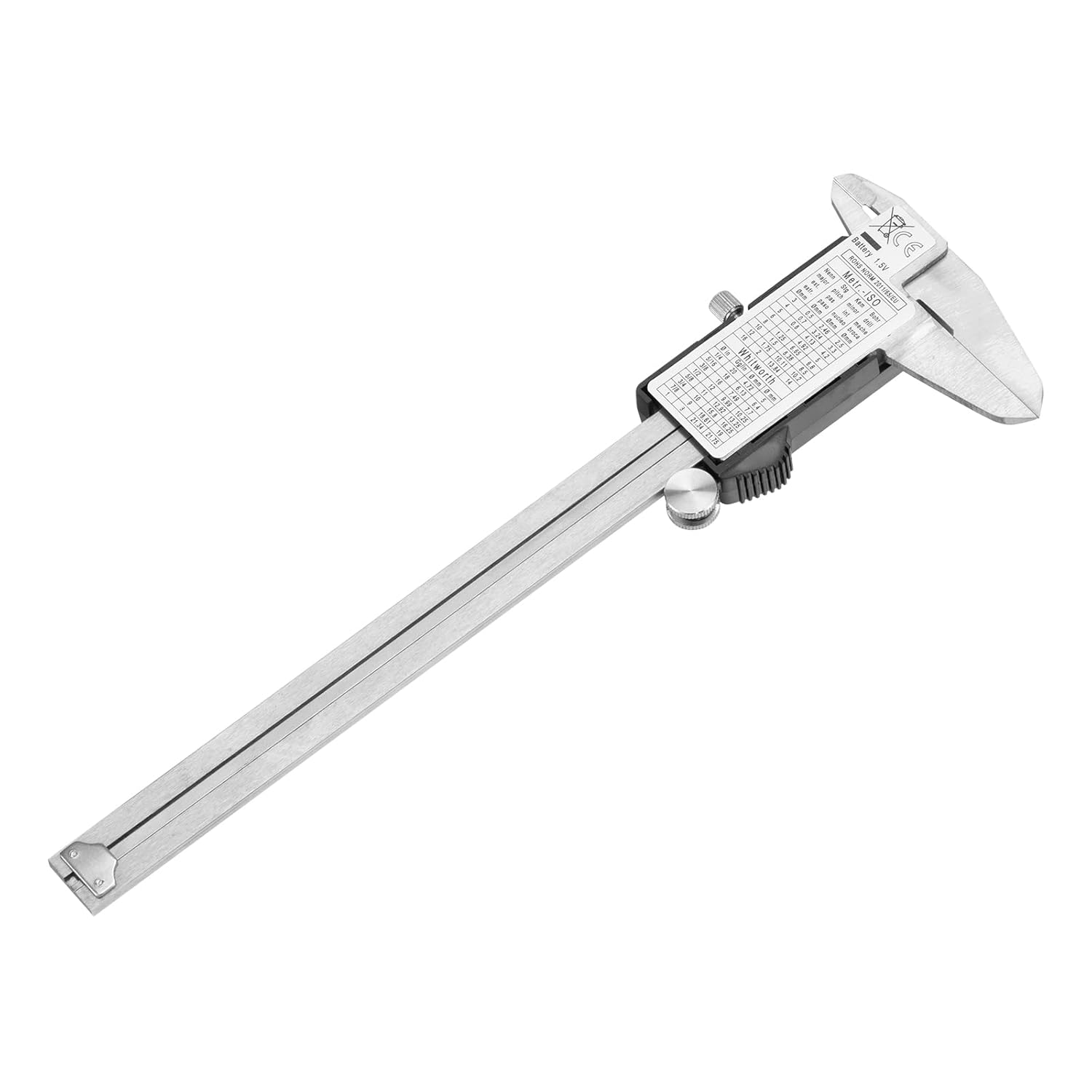
Figure 2: Key components of the electronic vernier caliper.
3. Konfigurazzjoni u Installazzjoni tal-Batterija
3.1 Installazzjoni tal-batterija
The caliper requires one 1.5V SR44 type battery. To install or replace the battery:
- Locate the battery compartment cover on the back of the LCD display unit.
- Żerżaq l-għatu miftuħ.
- Insert the SR44 battery with the positive (+) side facing upwards.
- Agħlaq l-għatu tal-kompartiment tal-batterija sew.
3.2 Tindif Inizjali
Before first use, gently wipe the measuring surfaces with a clean, dry, lint-free cloth to remove any protective oils or dust.
4. Operazzjoni Bażika
4.1 Power On/Off
- Agħfas il- ON/OFF button to turn the caliper on.
- Agħfas il- ON/OFF button again to turn the caliper off. The caliper may also automatically shut off after a period of inactivity to conserve battery.
4.2 Żero tal-Wiri
For accurate measurements, it is crucial to zero the caliper before use:
- Close the external jaws completely, ensuring they are clean and free of debris.
- Agħfas il- ŻERO button. The display should now read 0.00mm or 0.000in.
- The caliper is now ready for measurement.
4.3 Unit Conversion (mm/inch)
Agħfas il- mm/pulzier button to switch between metric (millimeters) and imperial (inches) units at any time during measurement.

Figure 3: Caliper display showing a measurement in millimeters.
5. Measurement Techniques
Always ensure the caliper is clean and zeroed before taking measurements.
5.1 External Measurement
To measure the external dimension of an object:
- Open the external jaws wider than the object.
- Place the object between the external jaws.
- Use the thumb roller to gently close the jaws until they make firm contact with the object. Do not apply excessive force.
- Aqra l-kejl fuq il-wiri LCD.

Figure 4: Measuring an external dimension.
5.2 Internal Measurement
To measure the internal dimension of an object (e.g., a hole or groove):
- Insert the internal jaws into the opening.
- Use the thumb roller to gently open the jaws until they make firm contact with the internal surfaces.
- Aqra l-kejl fuq il-wiri LCD.

Figure 5: Measuring an internal dimension.
5.3 Depth Measurement
To measure the depth of a hole or step:
- Poġġi t-tarf tal-iskala prinċipali sew fuq il-wiċċ ta' fuq tal-oġġett.
- Extend the depth rod into the hole or down to the step until it touches the bottom.
- Aqra l-kejl fuq il-wiri LCD.
6. Manutenzjoni u Ħażna
Proper care will ensure the longevity and accuracy of your caliper.
- Tindif: After each use, wipe the caliper clean with a dry, soft cloth. Avoid using solvents or harsh chemicals, as these can damage the display or measuring surfaces.
- Kura tal-batterija: If the caliper will not be used for an extended period, remove the battery to prevent leakage and damage.
- Ħażna: Store the caliper in its original plastic case with foam insert to protect it from impacts, dust, and moisture. Keep it in a dry environment away from direct sunlight and extreme temperatures.
- Evita l-Ħsara: Do not drop the caliper or subject it to strong impacts. Avoid scratching the measuring surfaces.
7 Issolvi l-problemi
If you encounter issues with your caliper, refer to the following common problems and solutions:
- Id-displej huwa vojt jew qed jitteptep:
Soluzzjoni: Check the battery. Replace with a new 1.5V SR44 battery if necessary. Ensure the battery is inserted correctly. - Qari mhux preċiż:
Soluzzjoni: Ensure the measuring surfaces are clean and free of debris. Close the jaws completely and press the ŻERO button to re-zero the caliper. Avoid applying excessive force during measurement. - Sliding jaw movement is stiff:
Soluzzjoni: Clean the main beam and sliding surfaces with a dry, lint-free cloth. A very small amount of light machine oil can be applied to the main beam, then wiped clean to leave a thin film.
8. Speċifikazzjonijiet
| Karatteristika | Speċifikazzjoni |
|---|---|
| Mudell | 316119 |
| Medda ta' Kejl | 0-150 mm |
| Materjal | Tool Stainless Steel |
| Wiri | Display Diġitali LCD |
| Sors tal-Enerġija | 1 x 1.5V SR44 Battery |
| Żball tal-Kejl | 0.02 mm (up to 100 mm), 0.03 mm (100-200 mm) |
| Dimensjonijiet tal-Prodott | 15 x 15 x 0.1 ċm |
| Piż tal-Prodott | 320 g |
| Manifattur | MTX |


