Introduzzjoni
Thank you for choosing the MOUNTUP MU0039 Ceiling TV Mount. This manual provides essential information for the safe and proper installation, operation, and maintenance of your new TV mount. This mount is designed to securely hold most 24-inch to 65-inch LED, LCD, and OLED TVs, supporting weights up to 99 lbs (45 kg). It is compatible with VESA patterns ranging from 100x100mm to 400x400mm.
For detailed step-by-step installation instructions, please refer to the complete Installation Manual PDF linked in the 'Warranty & Support' section.
Karatteristiċi Ewlenin
Kompatibilità Wiesgħa
The MOUNTUP MU0039 is engineered for broad compatibility, fitting a wide range of TV sizes and VESA patterns. Ensure your TV's VESA pattern falls within the supported range for optimal fit.

Image: Detailed VESA compatibility chart showing suitable and unsuitable patterns for the mount.
Full Motion Flexibility
Experience optimal viewing angles with the mount's full motion capabilities. It offers a +/-3° post-installation adjustment for perfect TV leveling, +5°/-15° tilt for glare reduction, and a 360° swivel function. The base swivels up to 120° to accommodate flat or slanted ceilings.

Image: The ceiling TV mount demonstrating its tilt adjustment feature to reduce glare.

Image: The ceiling TV mount illustrating its 360-degree swivel capability for flexible TV placement.

Image: The ceiling TV mount designed to fit both flat and sloped ceilings, with an adjustable base.
Għoli aġġustabbli
The mount features a pole height adjustment from 20.33 inches to 30.18 inches, allowing for flexible positioning and space-saving solutions in various environments.

Image: The ceiling TV mount illustrating its minimum and maximum height adjustments.
Clean Cable Management
The hollow pole design allows for discreet routing of cables through the center of the mount, ensuring a professional and clean appearance without visible wires.

Image: The ceiling TV mount demonstrating how cables can be routed through its hollow pole for a clean setup.
Diverse Installation Compatibility
This mount is suitable for installation on wood joists (flat or sloped ceilings), solid concrete walls, and brick walls. Necessary anchors are included for concrete and brick installations.
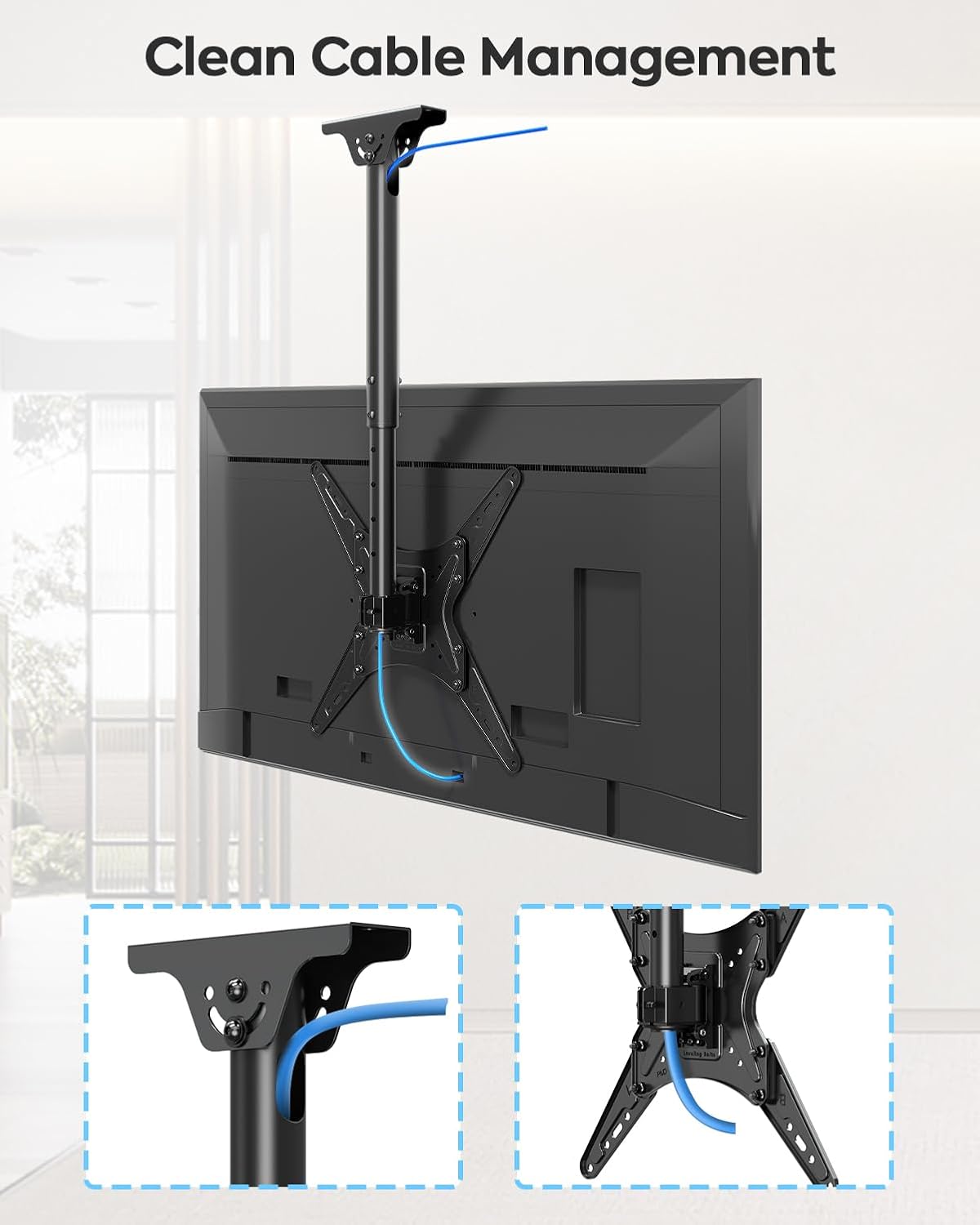
Image: The ceiling TV mount shown installed on wood joist, concrete wall, and brick wall, highlighting its diverse compatibility.
Dimensjonijiet tal-Prodott
Refer to the diagram below for detailed product dimensions, including the wall plate and cable hole measurements.
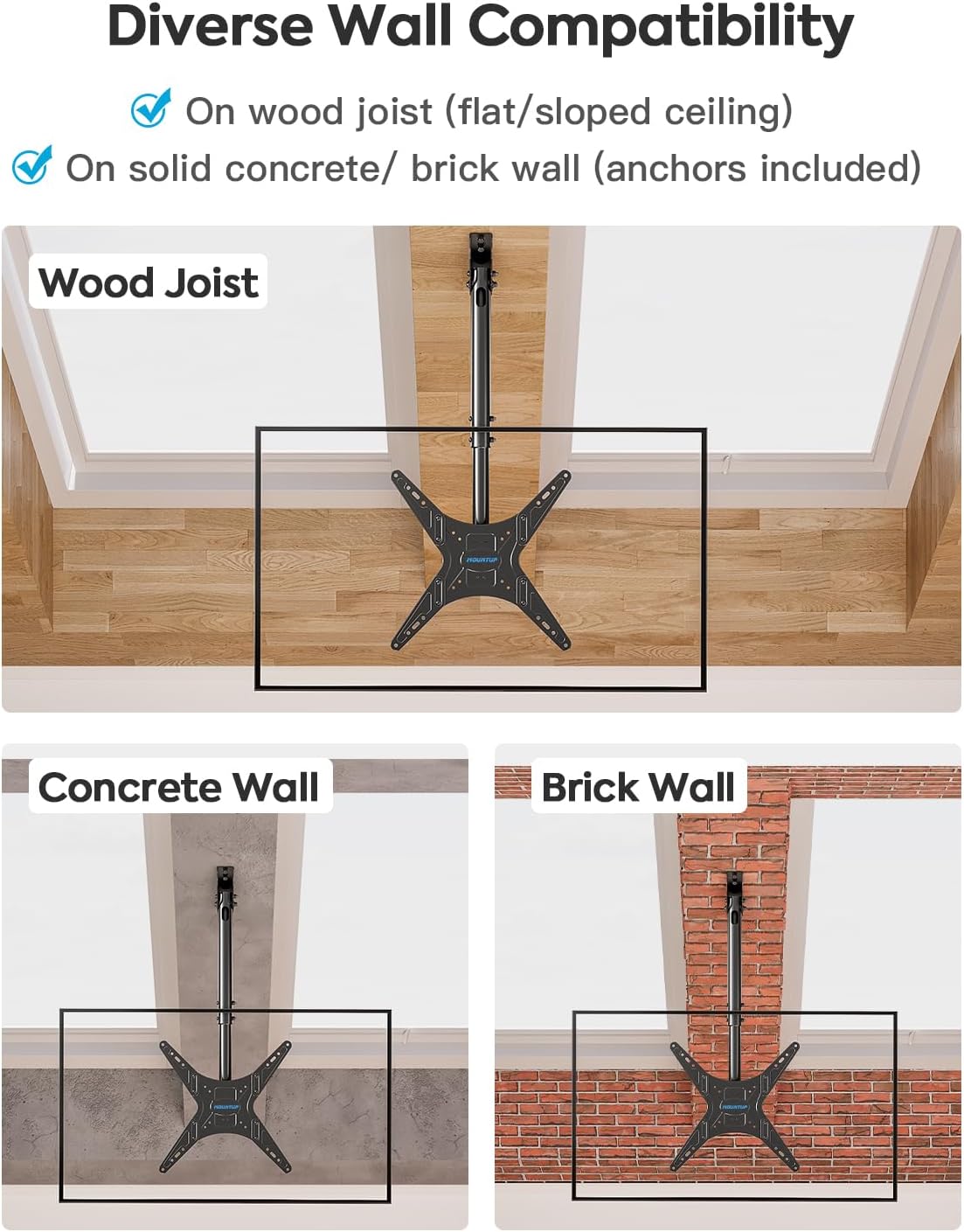
Image: Technical drawing displaying the maximum and minimum height, wall plate, and cable hole dimensions of the mount.
Setup u Installazzjoni
Before beginning installation, ensure you have all necessary tools and hardware as listed in the full instruction manual. It is highly recommended to have a second person assist with the installation for safety and ease.
General Installation Steps Overview:
- Prepare the VESA Plate: Assemble the VESA plate with extenders if needed, ensuring all screws are tightened securely.
- Waħħal il-Pjanċa VESA mat-TV: Secure the assembled VESA plate to the back of your TV using the appropriate screws and washers.
- Immuntar mas-Saqaf: Secure the ceiling plate of the mount to your chosen ceiling structure (wood joist, concrete, or brick) using the provided hardware.
- Assemble Pole and TV: Attach the main pole to the ceiling plate, then carefully lift and attach the TV (with VESA plate) to the pole.
- Aġġusta u Sikura: Make any necessary height, tilt, or swivel adjustments and tighten all locking mechanisms.
For a visual guide on assembling the VESA plate and extenders, please watch the video below:
Video: Demonstrates how to assemble the VESA plate and extenders for the MOUNTUP TV mount.
The main product image below provides an overview of the assembled mount.

Image: The MOUNTUP MU0039 Ceiling TV Mount shown with a television attached, illustrating its primary function.
Operating Your TV Mount
Once installed, your MOUNTUP MU0039 offers various adjustments to optimize your viewesperjenza:
- Aġġustament Għoli: To change the TV's height, loosen the locking screws on the pole, adjust to the desired height (between 20.33" and 30.18"), and re-tighten the screws securely.
- Aġġustament tal-inklinazzjoni: The TV can be tilted +5° upwards or -15° downwards to reduce glare or achieve a better viewing angle. Loosen the tilt adjustment knobs, set the desired angle, and re-tighten.
- Aġġustament tad-dawran: The mount allows for a full 360° swivel of the TV around the pole. Additionally, the ceiling plate allows for up to 120° swivel at the base for angled ceiling installations. Simply rotate the TV to your preferred viewing direzzjoni.
- Aġġustament tal-Livellar: A +/-3° post-installation leveling adjustment ensures your TV is perfectly horizontal after installation.
The following video provides a comprehensive overview of the mount's features, including its motion capabilities:
Video: Official MOUNTUP video showcasing the features of the Ceiling TV Mount, including its full motion and height adjustment capabilities.
Manutenzjoni
To ensure the longevity and safe operation of your MOUNTUP Ceiling TV Mount, regular maintenance is recommended:
- Spezzjoni Perjodika: Every few months, check all screws and connections to ensure they remain tight and secure. Over time, vibrations or movement can cause screws to loosen.
- Tindif: Dust the mount regularly with a soft, dry cloth. For more stubborn dirt, a slightly damp cloth can be used, followed by drying. Avoid abrasive cleaners or solvents that could damage the finish.
- Ġestjoni tal-Kejbil: Periodically check the cables routed through the hollow pole to ensure they are not pinched or stressed, which could lead to damage.
- Partijiet li jiċċaqilqu: If any moving parts (tilt, swivel) become stiff, a small amount of silicone-based lubricant can be applied, but avoid over-lubricating.
Issolvi l-problemi
If you encounter any issues with your MOUNTUP Ceiling TV Mount, please refer to the following common troubleshooting tips:
- It-TV mhux livellat: Check the +/-3° post-installation leveling adjustment. Loosen the leveling bolts slightly, adjust the TV to be level, and then re-tighten the bolts firmly. Ensure the ceiling plate itself is level during initial installation.
- Il-muntatura tħossha maħlula jew imċaqalqa: Immediately check all mounting screws and bolts, both at the ceiling attachment point and where the TV attaches to the VESA plate. Ensure they are all tightened to the recommended torque. If installed on concrete or brick, verify the anchors are properly seated.
- Difficulty adjusting tilt or swivel: Ensure that no locking mechanisms or knobs are fully tightened. Loosen them slightly to allow for movement, make your adjustment, and then re-tighten to secure the position.
- Cables are visible or pinched: Re-route cables through the hollow pole as described in the 'Clean Cable Management' section. Ensure there is enough slack for TV movement without putting strain on the cables.
- Mount does not fit my TV: Double-check your TV's VESA pattern against the compatibility chart in the 'Features' section. Also, confirm your TV's weight does not exceed the mount's maximum capacity of 99 lbs (45 kg).
If these steps do not resolve your issue, please contact MOUNTUP customer service for further assistance.
Speċifikazzjonijiet
| Attribut | Dettall |
|---|---|
| Brand | MONTAĠĠ |
| Numru tal-Mudell | MU0039 |
| Materjal | Metall |
| Kulur | Iswed |
| Tip ta 'Immuntar | Muntatura tal-Limitu |
| Tip ta' Moviment | Dawwar, Mejjel |
| Daqs Massimu tat-TV Kompatibbli | 65 Pulzier |
| Daqs Minimu tat-TV Kompatibbli | 24 Pulzier |
| Kapaċità massima tal-piż | 99 lbs (45 kg) |
| Kompatibilità VESA | 100x100mm sa 400x400mm |
| Medda ta 'Aġġustament Għoli | 20.33" sa 30.18" |
| Angolu Mejjel | +5° / -15° |
| Angolu li jdur | 360° (pole), 120° (base for slanted ceilings) |
| Piż tal-oġġett | 8.71 liri |
| Dimensjonijiet tal-Pakkett | 17.52 x 10.04 x 3.46 pulzieri |
Garanzija u Appoġġ
The MOUNTUP MU0039 Ceiling TV Mount comes with a full 3-year protection plan, ensuring peace of mind regarding your purchase. MOUNTUP is committed to providing quality products and excellent customer service.
Servizz tal-Klijent
If you have any questions regarding pre-purchase inquiries, installation, or require technical support, please do not hesitate to contact our friendly support team. You can typically find contact information on the MOUNTUP official webis-sit jew permezz tal-pjattaforma tax-xiri tiegħek.
Riżorsi Addizzjonali
For a comprehensive guide with detailed diagrams and step-by-step instructions, please download the official Installation Manual PDF:


