1. Introduzzjoni
This manual provides detailed instructions for using the Easy@Home Ovulation Test Predictor Kit. This kit is designed to help women track their menstrual cycles and identify their most fertile days by detecting the surge in Luteinizing Hormone (LH) in urine. For optimal results, it is recommended to use this kit in conjunction with the Premom Ovulation Tracker App.
The kit includes 50 LH test strips and 50 urine collection cups.

Image: Easy@Home Ovulation Test Predictor Kit, showing the product box, individual test strips, and urine collection cups.
2. Komponenti tal-Prodott
- 50 Easy@Home LH Ovulation Test Strips (individually sealed)
- 50 Disposable Urine Collection Cups
- Manwal ta' Istruzzjoni
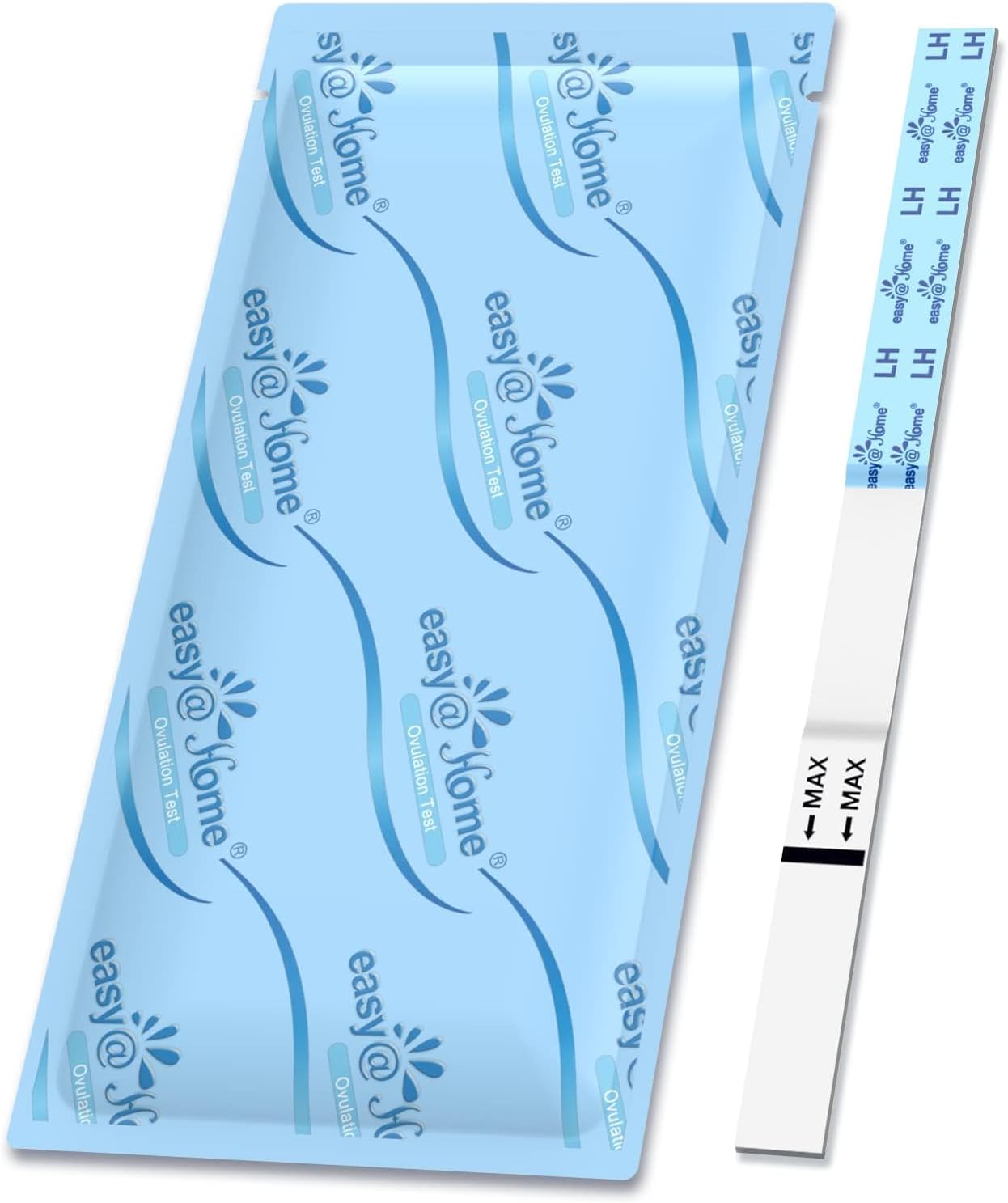
Image: A single Easy@Home LH Ovulation Test Strip, both sealed in its foil pouch and unsealed, ready for use.
3. Setup u Preparazzjoni
3.1 Qabel ma Tibda
- Read the entire instruction manual carefully before performing the test.
- Do not use the test after the expiration date printed on the foil pouch.
- Store the test kit at room temperature (36-86°F / 2-30°C) in its sealed pouch. Do not freeze.
- Collect urine in a clean, dry container. The provided urine cups are recommended.
- Avoid drinking large amounts of fluids for two hours before testing, as this can dilute the urine and affect test accuracy.
- Test at approximately the same time each day. For best results, test between 10 AM and 8 PM. Do not use first morning urine as the LH surge may not be detectable yet.
3.2 Recommended Testing Schedule
The frequency of testing depends on your cycle length. Begin testing a few days before your expected LH surge. For example:
- Cycle Length 21-30 days: Start testing on Day 9.
- Cycle Length 31-40 days: Start testing on Day 14.
- Irregular Cycles: Start testing based on your shortest cycle length or consult your healthcare provider.
Once you detect a faint test line, consider testing twice a day (morning and evening) to avoid missing your LH peak.
4. Istruzzjonijiet Operattivi
4.1 Performing the Test
- Remove the test strip from its sealed pouch just before use.
- Dip the strip into the urine sample with the arrow pointing towards the urine. Do not immerse past the 'MAX' line.
- Hold the strip in the urine for 5-10 seconds until the dye rises up the strip.
- Remove the strip from the urine and lay it flat on a clean, dry, non-absorbent surface.
- Wait for 5 minutes. Do not read results after 10 minutes.

Image: Step-by-step visual guide for performing the ovulation test, including dipping the strip into urine, waiting for the reaction, and interpreting the result lines.
4.2 Interpretazzjoni tar-Riżultati
The test strip has two lines: a Control Line (C) and a Test Line (T).
- Positive Result (LH Surge Detected): If the Test Line (T) is as dark as or darker than the Control Line (C), an LH surge is detected. Ovulation is likely to occur within 24-48 hours. This is your most fertile window.
- Negative Result (No LH Surge): If the Test Line (T) is lighter than the Control Line (C), or if no Test Line appears, no LH surge is detected. Continue daily testing.
- Riżultat invalidu: If no Control Line (C) appears, the test is invalid. This may be due to insufficient urine, improper procedure, or a faulty test. Discard the test and repeat with a new one.

Image: A graphical representation of LH levels during a menstrual cycle, indicating the period, low fertility, high fertility, and the peak fertility window when ovulation is expected.
4.3 Using the Premom Ovulation Tracker App
The Premom App enhances the accuracy and ease of tracking your ovulation. It automatically aligns and interprets your test results.
- Download the Premom App from the App Store or Google Play.
- After performing a test, open the app and use the camera function to scan your test strip.
- The app will automatically read and record the LH level, providing a numerical value and categorizing it as low, high, or peak.
- The app tracks your cycle progression, predicts your fertile window, and helps pinpoint ovulation day.

Image: Visual guide showing the process of scanning an ovulation test strip with the Premom app and how the app tracks and displays the results over time.

Image: The Premom app interface showing a detailed fertility chart, highlighting the fertile window and the predicted ovulation day based on LH surge detection.
5. Manutenzjoni u Ħażna
- Store unused test strips in their original sealed pouches at room temperature (36-86°F / 2-30°C).
- Do not expose test strips to direct sunlight, moisture, or excessive heat.
- Do not store in the refrigerator or freezer.
- Dispose of used test strips and urine cups in regular household waste.
6 Issolvi l-problemi
- No Control Line Appears: The test is invalid. Ensure you have followed the instructions carefully, especially regarding dipping the strip and not exceeding the MAX line. Repeat the test with a new strip.
- Faint Test Line (T) but Lighter than Control Line (C): This indicates a negative result, meaning no LH surge has been detected yet. Continue testing daily.
- Test Line (T) is Darker than Control Line (C) but App Shows Low/High: Ensure proper lighting when scanning with the Premom App. If discrepancies persist, manually adjust the result in the app or contact customer service.
- Difficulty Interpreting Results: The Premom App is designed to provide clear numerical and visual interpretations. If you are still unsure, take a picture of your test strip and consult the app's community or customer support.
For further assistance, please contact Easy@Home customer service.
7. Speċifikazzjonijiet
| Isem tal-Prodott | Easy@Home Ovulation Test Predictor Kit |
| Isem tal-Mudell | Test tal-Ovulazzjoni |
| Tip tat-Test | Ovulation Test (LH) |
| Numru ta' Biċċiet | 50 LH Test Strips, 50 Urine Cups |
| Karatteristika Speċjali | Easy to Use, Quick Testing, Self Test, App Integration |
| Dimensjonijiet tal-Prodott | 4.53 x 2.24 x 0.04 inches (Test Strip) |
| Manifattur | Easy@Home |
| ASIN | B08XXJDMPX |
8. Garanzija u Appoġġ
Easy@Home is committed to providing quality products and customer satisfaction. For any questions regarding product performance, warranty information, or technical support, please contact Easy@Home customer service directly.
Contact information can typically be found on the product packaging or the official Easy@Home websit.


