
Immaġni: EARISE D51 speaker banner highlighting its compact size and powerful sound.
Introduzzjoni
Grazzi tax-xiriasing the EARISE D51 Portable Wireless Bluetooth Speaker. This manual provides essential information for setting up, operating, and maintaining your speaker. Please read it thoroughly before use to ensure optimal performance and longevity of your device.
Kontenut tal-Pakkett
Ivverifika li l-oġġetti kollha huma preżenti fil-pakkett:
- EARISE D51 Bluetooth Speaker
- Iċċarġjar Cable
- Manwal għall-Utent
- (Optional: Microphone, if included with your specific purchase)
Prodott Overview
Iffamiljarizza ruħek mal-komponenti u l-kontrolli tal-ispiker.

Immaġni: Fuq view of the EARISE D51 speaker showing the control panel with numbered buttons.
- Mode/Light Button: Press to switch between input modes (Bluetooth, FM Radio, TF Card, USB, AUX). Long press to change or turn off LED light modes.
- Buttuna Preċedenti Track/Volum Down: Agħfas qasir għat-trakka ta' qabel. Agħfas fit-tul biex tnaqqas il-volum.
- Buttuna Play/Pause/TWS: Press to play or pause audio. Long press to initiate TWS (True Wireless Stereo) pairing.
- Buttuna Track/Volum Up li jmiss: Agħfas qasir għat-trakka li jmiss. Agħfas fit-tul biex iżżid il-volum.

Immaġni: Quddiem view of the EARISE D51 speaker with icons highlighting its features: TF Card slot, TWS Function, Bluetooth 5.0, USB port, FM Radio, and Microphone input.

Immaġni: A hand holding the EARISE D51 speaker, illustrating its portable size and dimensions (5.9 in x 4.3 in x 7 in).
Setup
1. Iċċarġja l-Ispeaker
Before first use, fully charge the speaker. Connect the provided charging cable to the speaker's charging port and a compatible USB power adapter (not included). The charging indicator will illuminate during charging and turn off when fully charged.
2. Power On/Off
To power on the speaker, press and hold the Power button (usually integrated with the Mode/Light button or a separate switch). Repeat to power off.
3. Tqabbil tal-Bluetooth
- Turn on the EARISE D51 speaker. It will automatically enter Bluetooth pairing mode, indicated by a flashing LED light.
- Fuq l-apparat tiegħek (smartphone, tablet, eċċ.), attiva l-Bluetooth u fittex apparati disponibbli.
- Select "D51" from the list of devices.
- Ladarba jkun konness, l-ispiker se joħroġ konferma li tinstema', u d-dawl LED jieqaf iteptep.
Vidjow: This video demonstrates the EARISE D51 Portable Bluetooth Speaker with RGB Lights, showcasing its various light modes and sound. It provides a visual guide to the speaker's appearance and functionality.
4. Tqabbil ta' Stereo Wireless Veru (TWS) (Mhux obbligatorju)
To achieve a stereo sound experience, you can pair two EARISE D51 speakers together:
- Ensure both D51 speakers are powered on and not connected to any Bluetooth device.
- On one speaker (this will be the primary speaker), long press the Play/Pawsa/TWS button until you hear a confirmation tone.
- The two speakers will automatically connect to each other. Once connected, you will hear another confirmation tone.
- Now, connect your device to the primary speaker via Bluetooth as described in "Bluetooth Pairing" above. The audio will play in stereo through both speakers.
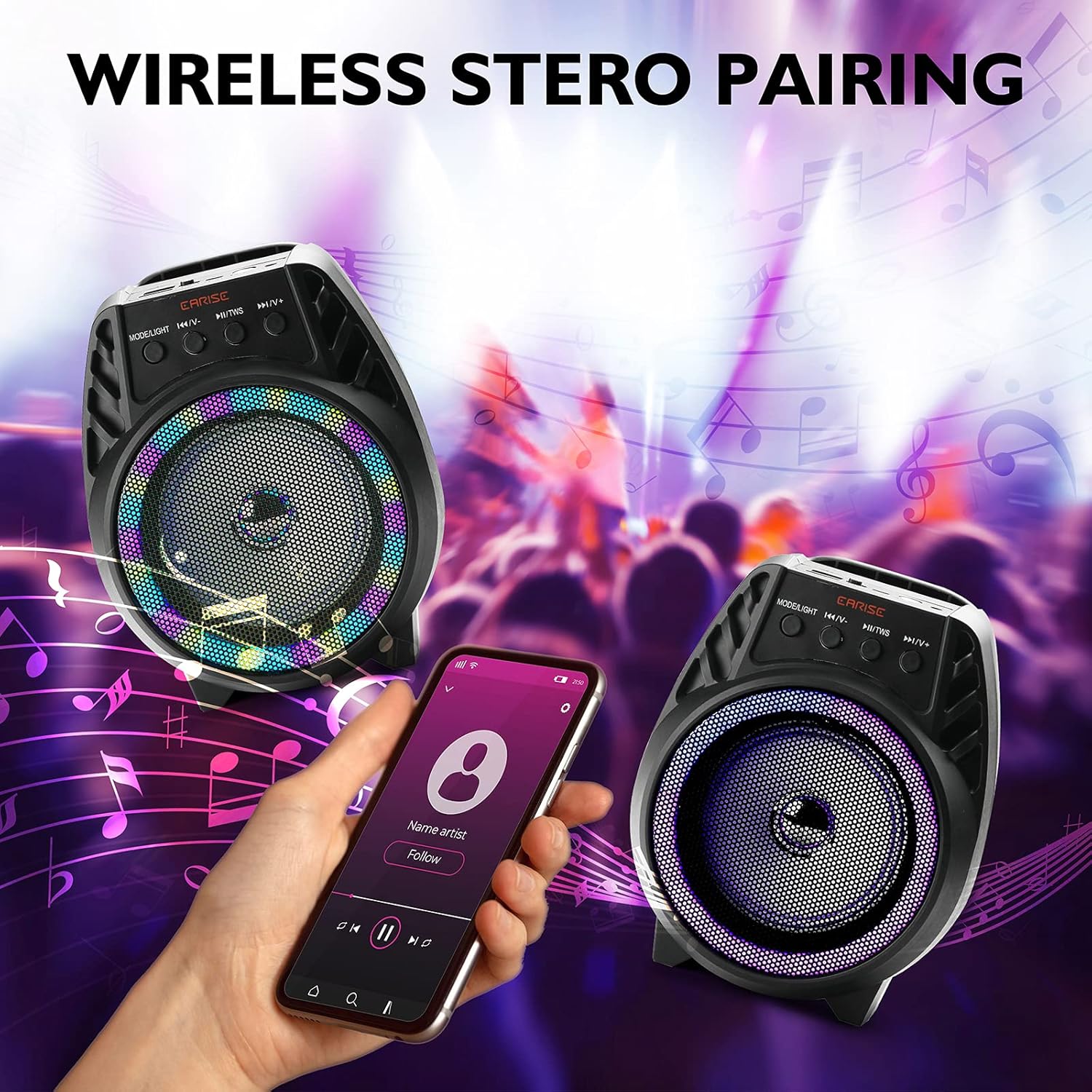
Immaġni: Two EARISE D51 speakers positioned for wireless stereo pairing, with a smartphone displaying music playback, illustrating the TWS feature.
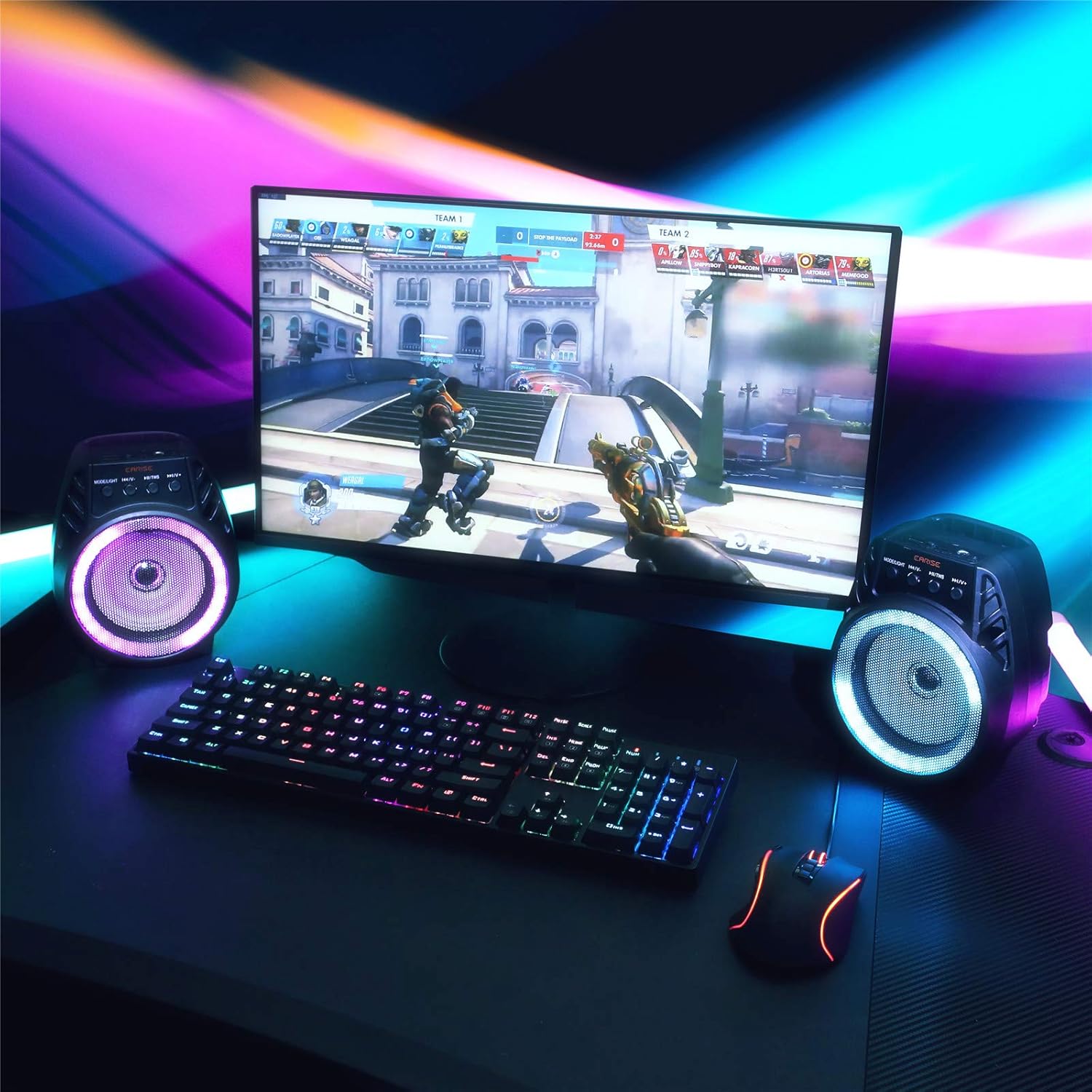
Immaġni: Two EARISE D51 speakers set up on a desk next to a laptop, demonstrating the True Wireless Stereo (TWS) pairing for an enhanced audio experience.
Istruzzjonijiet Operattivi
1. Changing Playback Modes
Agħfas il- Modalità/Dawl button (1) repeatedly to cycle through available input modes: Bluetooth, FM Radio, TF Card, USB, and AUX.
2. Adjusting Volume and Tracks
- Volum 'il fuq: Agħfas fit-tul il- Il-Binarju / Volum li Jmiss buttuna (4).
- Volum 'l isfel: Agħfas fit-tul il- Track preċedenti / Volum 'l isfel buttuna (2).
- Track li jmiss: Agħfas qasir il- Il-Binarju / Volum li Jmiss buttuna (4).
- Track preċedenti: Agħfas qasir il- Track preċedenti / Volum 'l isfel buttuna (2).
- Play/Pawsa: Agħfas qasir il- Play/Pawsa/TWS buttuna (3).
3. L-użu tar-Radju FM
In FM Radio mode, short press the Play/Pawsa/TWS button (3) to auto-scan and save available radio stations. Use the Track preċedenti / Volum 'l isfel (2) u Il-Binarju / Volum li Jmiss (4) buttons to navigate between saved stations.
4. TF Card and USB Playback
Insert a TF card or USB drive with MP3 audio files into the respective slot. The speaker will automatically switch to the corresponding mode and begin playback.
5. Input AUX
Connect an external audio device using a 3.5mm AUX cable (not included) to the AUX port. Switch the speaker to AUX mode using the Modalità/Dawl buttuna (1).
6. Modi tad-Dawl LED
The EARISE D51 features multiple RGB light modes. Long press the Modalità/Dawl button (1) to cycle through different light patterns or to turn the lights off.

Immaġni: The EARISE D51 speaker emitting a bright purple RGB light, highlighting its visual effects.
Vidjow: This video showcases the EARISE D51 Bluetooth Speaker's various RGB light modes and how they synchronize with music, providing a dynamic visual experience.
Manutenzjoni
- Naddaf l-ispiker b'ċarruta ratba u niexfa. Tużax prodotti tat-tindif jew solventi li joborxu.
- Żomm l-ispiker 'il bogħod mill-ilma, l-umdità, u temperaturi estremi.
- Aħżen l-ispiker f'post frisk u niexef meta ma jkunx qed jintuża.
- Evita li twaqqa’ jew tissuġġetta lill-kelliem għal impatti qawwija.
Issolvi l-problemi
| Problema | Kawża Possibbli | Soluzzjoni |
|---|---|---|
| L-ispeaker ma jixgħelx. | Batterija baxxa. | Iċċarġja l-ispiker kompletament. |
| Ma tistax tqabbad permezz tal-Bluetooth. | Bluetooth not enabled on device; speaker too far; speaker already connected to another device. | Ensure Bluetooth is on and the speaker is in pairing mode. Move speaker closer to device. Disconnect from other devices. |
| L-ebda ħoss. | Volum baxx wisq; mod mhux korrett magħżul; apparat mhux qed idoqq. | Increase volume on both speaker and device. Ensure correct input mode is selected. Check if the audio source is playing. |
| It-tqabbil tat-TWS ifalli. | L-ispikers diġà huma konnessi ma' apparati oħra; proċedura ta' tqabbil mhux korretta. | Ensure both speakers are disconnected from all devices before initiating TWS pairing. Follow TWS pairing steps carefully. |
Speċifikazzjonijiet
| Isem tal-Mudell: | D51 |
| Ditta: | QUDDIEM |
| Tip ta' Kelliem: | Surround Sound |
| Karatteristika Speċjali: | Portabbli |
| Teknoloġija tal-Konnettività: | Awżiljarju, Bluetooth, USB |
| Komunikazzjoni bla fili: | Bluetooth |
| Daqs tal-Kelliem: | 4 Pulzier |
| Qawwa tal-Ħruġ Massimu tal-Ispeaker: | 5 Watts |
| Sors tal-Enerġija: | Mħaddma bil-batterija |
| Modalità tal-Ħruġ tal-Awdjo: | Stereo |
| Dimensjonijiet tal-Prodott: | 6 x 4 x 5 pulzieri |
| Piż tal-oġġett: | 1.3 liri |
| Komponenti Inklużi: | Dwal LED |
| Huwa reżistenti għall-ilma: | Falza |
| Metodu ta' Kontroll: | App |
Informazzjoni dwar is-Sigurtà
Jekk jogħġbok aqra u segwi dawn il-linji gwida tas-sigurtà:
- Tesponix l-ispiker għal temperaturi estremi, dawl tax-xemx dirett, jew umdità għolja.
- Avoid using the speaker near water or in wet conditions, as it is not waterproof.
- Do not disassemble, repair, or modify the speaker yourself. Contact qualified service personnel for any repairs.
- Żomm il-kelliem 'il bogħod mit-tfal u l-annimali domestiċi.
- Uża biss il-kejbil tal-iċċarġjar provdut jew wieħed ekwivalenti ċċertifikat.
- Armi l-ispiker u l-batterija tiegħu b'mod responsabbli skont ir-regolamenti lokali.
Garanzija u Appoġġ
The EARISE D51 Bluetooth Speaker comes with a limited warranty. Please refer to the warranty card included in your package for specific terms and conditions. For technical support or customer service, please contact EARISE customer support through their official websit jew l-informazzjoni ta’ kuntatt ipprovduta max-xiri tiegħek.
For more information, visit the official EARISE websit: www.earise.com


