1. Introduzzjoni
This manual provides detailed instructions for the operation and maintenance of your QFX R-37-BL 6-Band Bluetooth Solar Radio with LED Flashlight. Please read this manual thoroughly before using the device to ensure proper function and safety. This versatile radio is designed for portability and includes multiple power options, making it suitable for various indoor and outdoor activities.
2. Karatteristiċi tal-prodott
- 6-Band Radio: Receives AM, FM, and Shortwave (SW1-SW4) frequencies.
- Konnettività Bluetooth: Wirelessly connect your devices for audio playback.
- Torċa LED Integrata: Provides illumination for various situations.
- Iċċarġjar Solari: Built-in solar panel for eco-friendly battery recharging.
- Batterija rikarikabbli: Includes a removable lithium-ion battery.
- Daqq tal-Kard USB u TF: Play awdjo files directly from USB drives or TF cards.
- Port tal-Iċċarġjar tal-USB: Output for charging external 5V USB devices.
- Jack tal-headphone: Għal smigħ privat.
- Antenna teleskopika: Enhances radio signal reception.
- Disinn kompatt u portabbli: Lightweight with a carrying strap for easy transport.
2.1 Prodott Fuqview
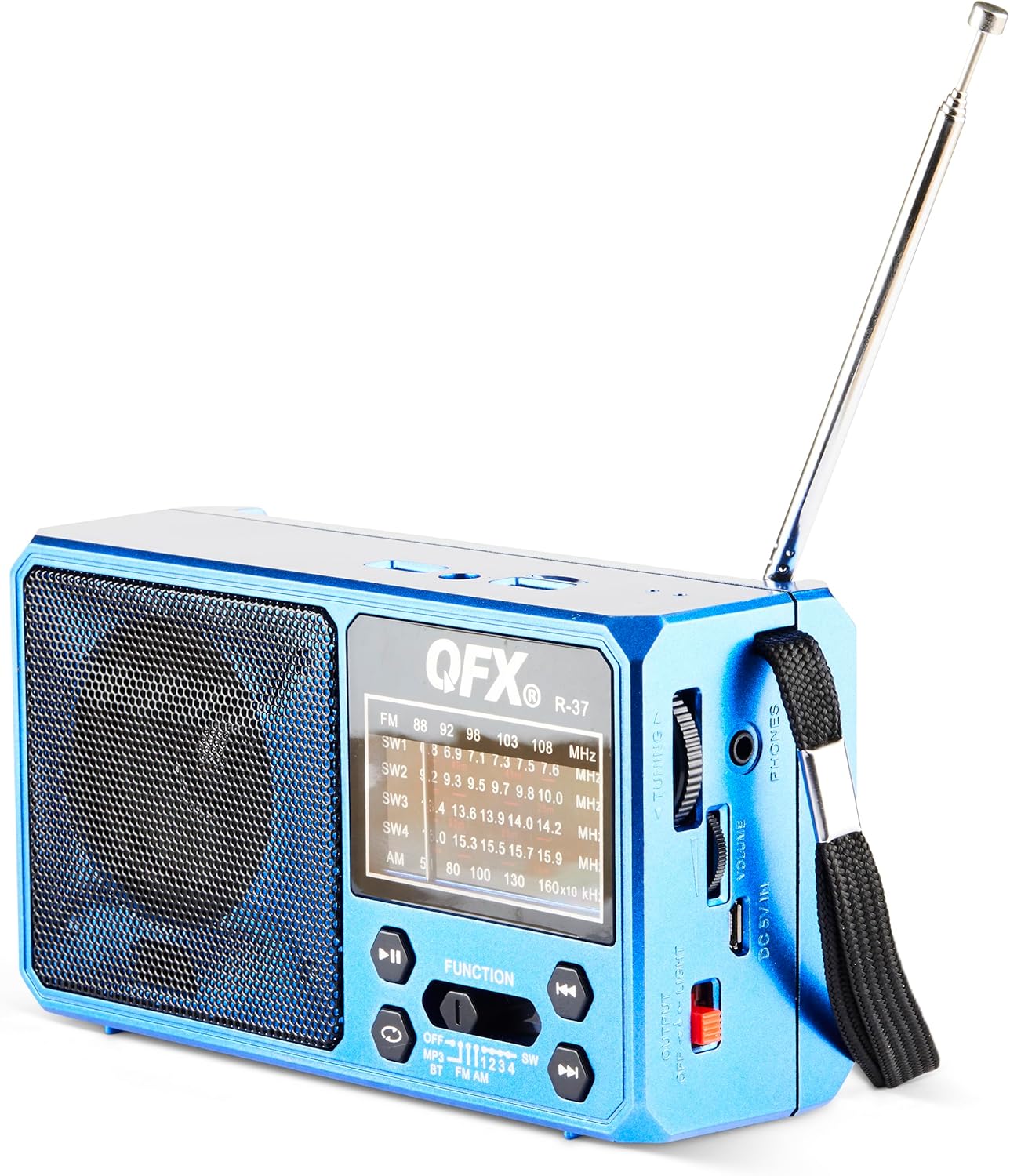
Figura 1: Quddiem view of the QFX R-37-BL radio, displaying the speaker, frequency display, and main control buttons.

Figure 2: Detailed diagram highlighting key components of the QFX R-37-BL, including the solar panel, LED flashlight, USB and TF card ports, charging port, and various controls.

Figura 3: Ġenb view of the radio, illustrating the tuning dial, volume control, headphone jack, DC 5V input, and the flashlight power switch.
3. Informazzjoni dwar is-Sigurtà
- Tesponix l-apparat għal temperaturi estremi, dawl tax-xemx dirett għal perjodi twal (lil hinn mill-iċċarġjar), jew umdità għolja.
- Żomm l-apparat 'il bogħod mill-ilma u likwidi oħra.
- Tippruvax tiżżarma jew timmodifika l-apparat. Dan jannulla l-garanzija u jista' jikkawża ħsara jew korriment.
- Use only the specified charging cable and power adapter (if applicable) to charge the device.
- Armi l-batteriji skont ir-regolamenti lokali.
- Żomm fejn ma jintlaħaqx mit-tfal.
4. Setup
4.1 Battery Installation and Initial Charging
- Sib il-kompartiment tal-batterija fuq wara tar-radju.
- Iftaħ l-għatu tal-kompartiment.
- Insert the provided rechargeable lithium-ion battery, ensuring correct polarity.
- Agħlaq l-għatu tal-kompartiment tal-batterija sew.
- For first use, fully charge the radio using the included USB charging cord connected to a 5V USB power source. The charging indicator light will illuminate during charging and turn off when fully charged.
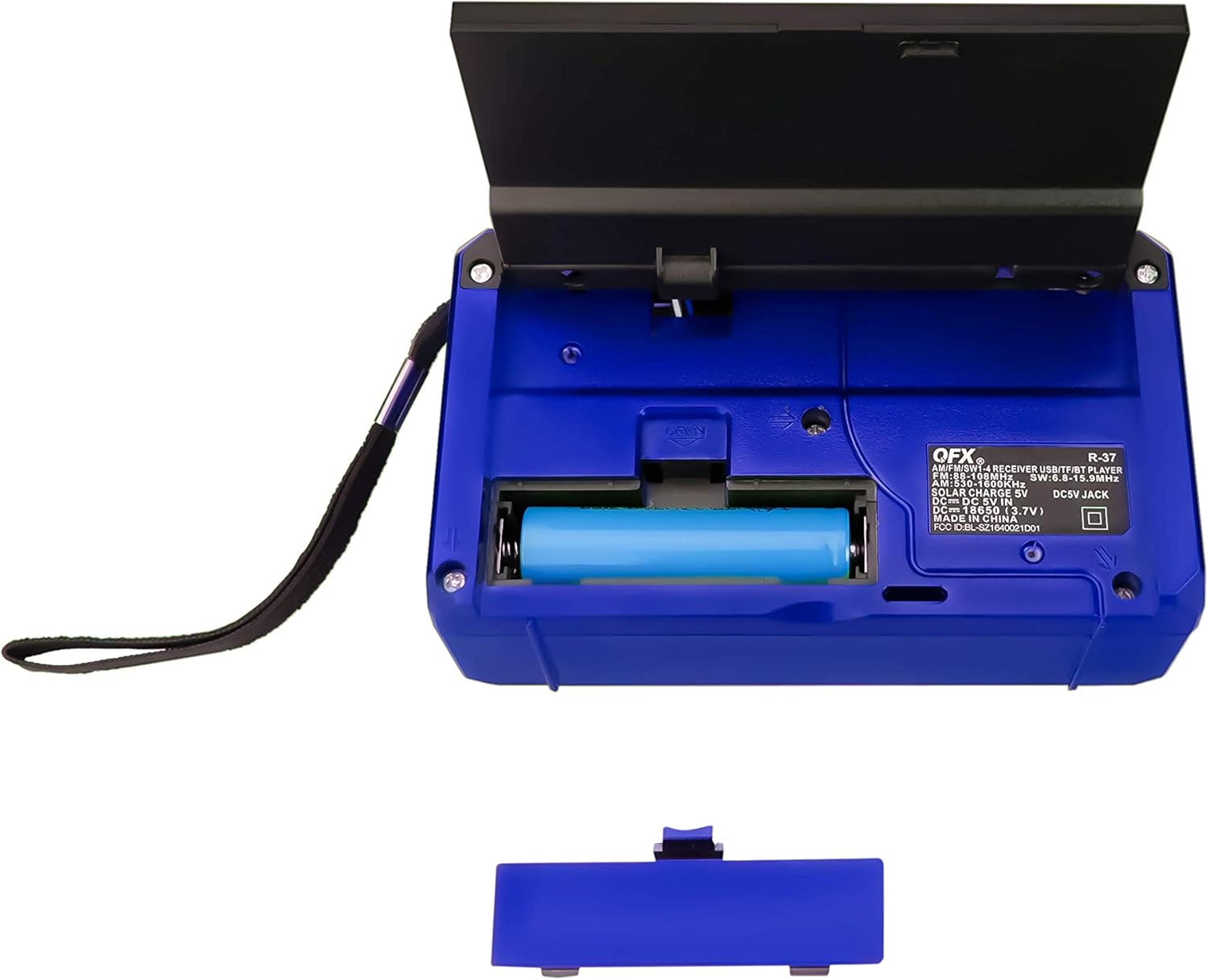
Figura 4: Wara view of the radio with the battery compartment open, showing the removable rechargeable battery.
4.2 Iċċarġjar Solari
The radio features a built-in solar panel for convenient charging. Place the radio with the solar panel facing direct sunlight. The solar charging indicator will light up. Solar charging is slower than USB charging and is best used for maintaining charge or in emergency situations.
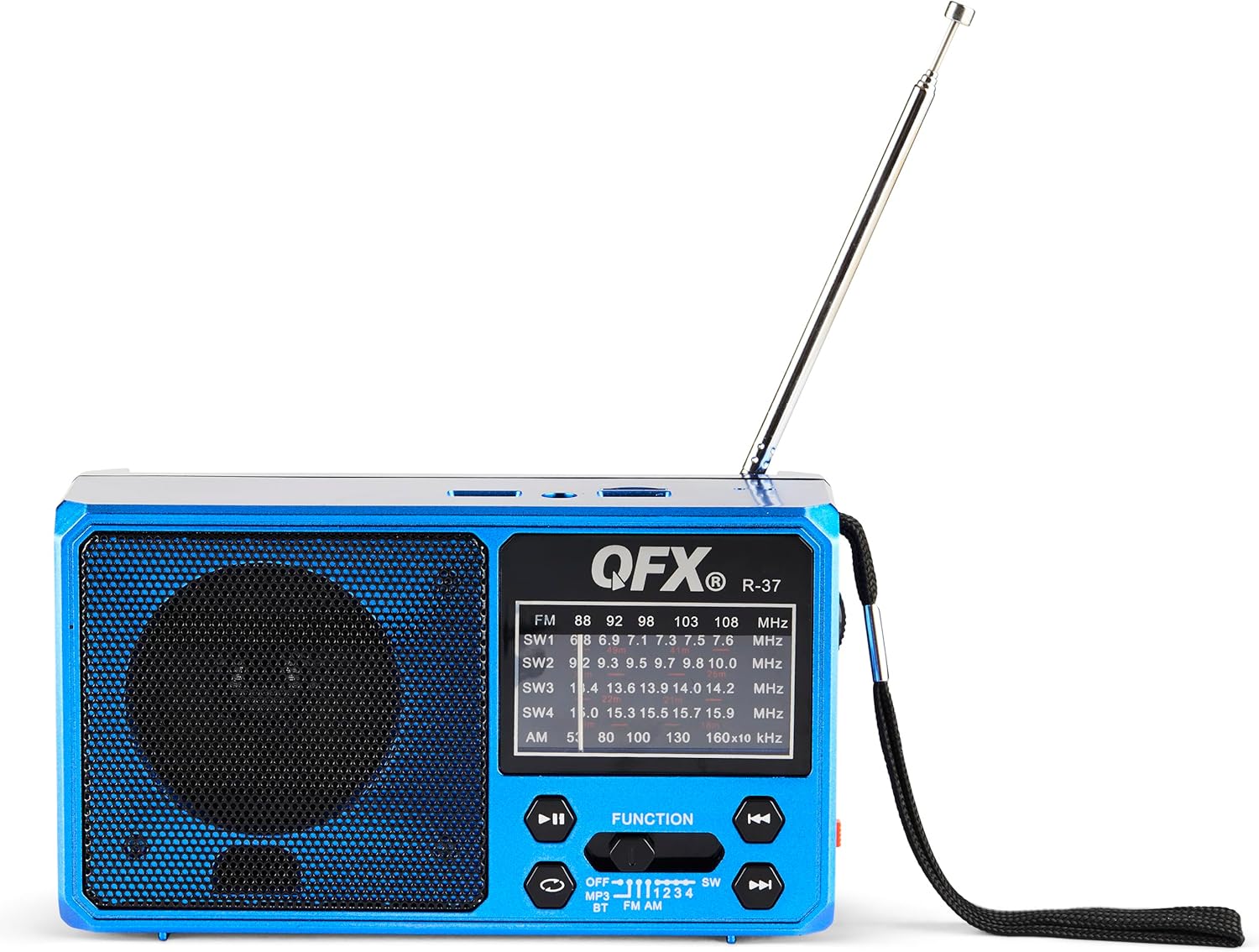
Figure 5: The solar panel on the side of the radio, shown in an extended position for optimal sun exposure.
5. Istruzzjonijiet Operattivi
5.1 Power On/Off
Locate the power switch (usually a slider) on the front or side of the unit. Slide it to the 'ON' position to power on the radio. Slide it to 'OFF' to power off.
5.2 Tħaddim tar-Radju (AM/FM/SW)
- Estendi l-antenna teleskopika għal riċeviment aħjar.
- Use the 'FUNCTION' button or switch to select the desired band: FM, AM, SW1, SW2, SW3, or SW4.
- Rotate the 'TUNING' dial (located on the side) to scan for radio stations.
- Adjust the 'VOLUME' dial to your preferred listening level.
5.3 Konnettività Bluetooth
- Switch the radio to Bluetooth mode (often labeled 'BT' or indicated by a Bluetooth icon). The radio will enter pairing mode, usually indicated by a flashing light or an audible prompt.
- Fuq it-tagħmir mobbli tiegħek, ippermetti l-Bluetooth u fittex tagħmir disponibbli.
- Select 'QFX R-37' (or similar name) from the list of devices to pair.
- Once paired, you can play audio from your device through the radio.
Daqq tal-Karta USB/TF 5.4
- Insert a USB flash drive or TF card (with compatible audio files) fil-port rispettiv.
- Switch the radio to MP3 mode (often labeled 'MP3' or 'USB/TF'). The radio should automatically begin playing audio files.
- Use the playback control buttons (Play/Pause, Next/Previous Track) on the radio to manage your audio.
5.5 Tħaddim tal-Flashlight LED
Locate the flashlight switch (often a slider or button) on the side of the radio. Slide or press it to turn the LED flashlight on or off.
5.6 Iċċarġjar ta' Apparati Esterni
The radio features a 5V USB output port. Connect your external device (e.g., smartphone) to this port using its USB charging cable. The radio's internal battery will provide power to charge your device. Note that this will drain the radio's battery.
6. Manutenzjoni
- Naddaf ir-radju b'ċarruta ratba u niexfa. Tużax prodotti tat-tindif jew solventi li joborxu.
- Ensure the solar panel is clean and free of debris for efficient charging.
- If the radio will not be used for an extended period, fully charge the battery and store it in a cool, dry place.
- Periodically check the battery for any signs of damage or leakage.
7 Issolvi l-problemi
| Problema | Kawża Possibbli | Soluzzjoni |
|---|---|---|
| Ir-radju ma jixgħelx. | Il-batterija hija eżawrita jew mhux installata sew. | Kun żgur li l-batterija hija installata sew u ċċarġjata kompletament. |
| Riċeviment ħażin tar-radju. | Antenna mhux estiża, sinjal dgħajjef, jew interferenza. | Estendi l-antenna teleskopika għalkollox. Ipprova erġa' poġġi r-radju fil-pożizzjoni t-tajba. |
| L-apparat Bluetooth ma jistax jingħaqad. | Radio not in pairing mode, device too far, or already paired. | Kun żgur li r-radju jinsab fil-modalità ta' tqabbil Bluetooth. Mexxi l-apparat eqreb. Skonnettja minn apparati Bluetooth oħra. |
| Il-karta USB/TF mhux qed tilgħab. | Modalità mhux korretta, mhux appoġġjata file format, or corrupted card. | Ensure radio is in MP3 mode. Check file formats (e.g., MP3). Try a different USB drive or TF card. |
| Il-flashlight mhux qed jaħdem. | Battery is low or flashlight switch is off. | Charge the radio's battery. Ensure the flashlight switch is in the 'ON' position. |
8. Speċifikazzjonijiet
- Mudell: R-37-BL
- Dimensjonijiet: 6.1 x 2.28 x 3.43 pulzieri (15.5 x 5.8 x 8.7 ċm)
- Piż: 15.8 uqija (448 gramma)
- Bands tar-Radju: AM, FM, SW1, SW2, SW3, SW4
- Konnettività: Bluetooth, USB, TF Card
- Sors tal-Enerġija: Solar Powered, Rechargeable Lithium-Ion Battery, DC 5V USB Input
- Komponenti Inklużi: Radio, removable rechargeable battery, USB charging cord
9. Garanzija u Appoġġ
For warranty information, technical support, or service inquiries, please visit the official QFX webis-sit jew ikkuntattja lid-dipartiment tas-servizz tal-konsumatur tagħhom. Żomm l-irċevuta tax-xiri tiegħek bħala prova tax-xiri għal talbiet ta’ garanzija.