1. Introduzzjoni
Thank you for choosing the Lenco SCD-720 Boombox. This versatile audio system offers a wide range of playback options, including DAB+ and FM radio, Bluetooth 5.0 connectivity, a CD/MP3 player, a cassette player, and a USB port for digital audio files. It features 2 x 6W RMS audio output with Bass Reflex for enhanced sound and comes with a remote control for convenient operation. This manual provides essential information for setting up, operating, and maintaining your device.
2. Informazzjoni Importanti dwar is-Sigurtà
- Aqra l-istruzzjonijiet kollha bir-reqqa qabel tuża l-apparat.
- Żomm dan il-manwal għal referenza futura.
- Tesponix l-unità għax-xita jew għall-umdità biex tevita nar jew xokk elettriku.
- Aċċerta ruħek li jkun hemm ventilazzjoni xierqa. Timblokkax xi fetħiet tal-ventilazzjoni.
- Tpoġġix l-unità ħdejn sorsi tas-sħana bħal radjaturi, reġistri tas-sħana, stufi, jew apparat ieħor (inkluż amplifiers) li jipproduċu sħana.
- Ipproteġi l-korda tad-dawl milli timxi fuqha jew maqrusa, partikolarment fil-plakek, ir-reċipjenti tal-konvenjenza, u l-punt fejn joħorġu mill-apparat.
- Uża biss aċċessorji/aċċessorji speċifikati mill-manifattur.
- Spluggja dan l-apparat waqt maltempati tas-sajjetti jew meta ma jintużax għal perjodi twal.
- Irreferi l-manutenzjoni kollha lil persunal tas-servizz kwalifikat. Is-servizz huwa meħtieġ meta l-apparat ikun ġie bil-ħsara b'xi mod, bħal korda tal-provvista tal-enerġija jew plagg ikun bil-ħsara, likwidu jkun inxtered jew oġġetti jkunu waqgħu fl-apparat, l-apparat ikun ġie espost għax-xita jew umdità, ma jaħdimx b'mod normali , jew twaqqgħet.
3. Prodott Aktarview
Familiarize yourself with the main components and controls of your Lenco SCD-720 Boombox.
Quddiem View bil-Port USB

This image shows the front of the Lenco SCD-720 Boombox, highlighting the main control panel, speakers, and a USB stick inserted into the USB port on the top left.
Quddiem View with CD Compartment Open

This image displays the Lenco SCD-720 Boombox from the front, with the top-loading CD compartment lid open, ready for CD insertion.
Wara View
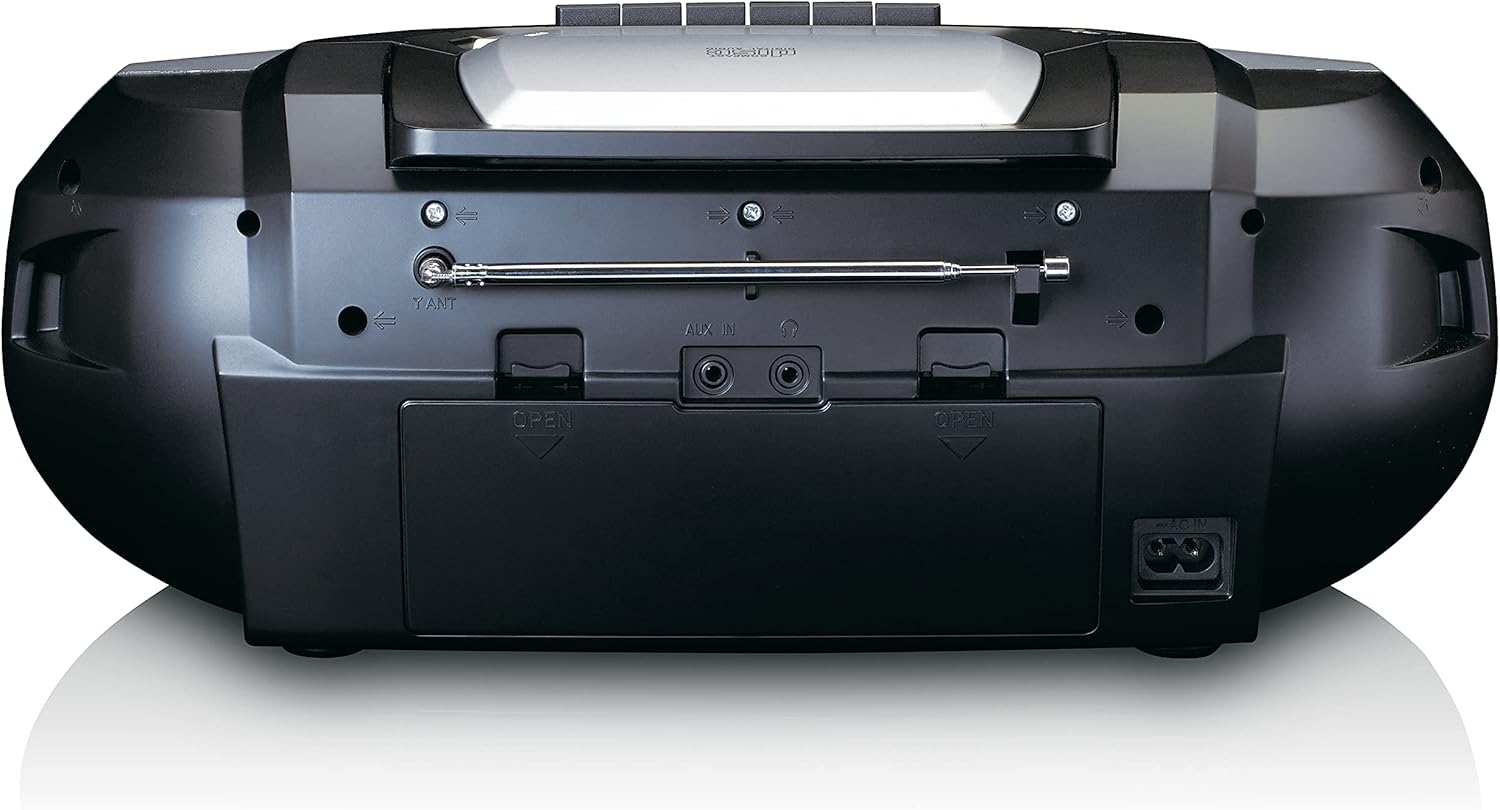
This image shows the back of the Lenco SCD-720 Boombox, featuring the telescopic antenna, AUX input, headphone jack, and the AC power input socket.
Control Panel Close-up

A dettaljata view of the Lenco SCD-720 Boombox's central control panel, including the digital display, source selection buttons, tuning/navigation buttons, and the illuminated volume knob.
Boombox with Remote Control
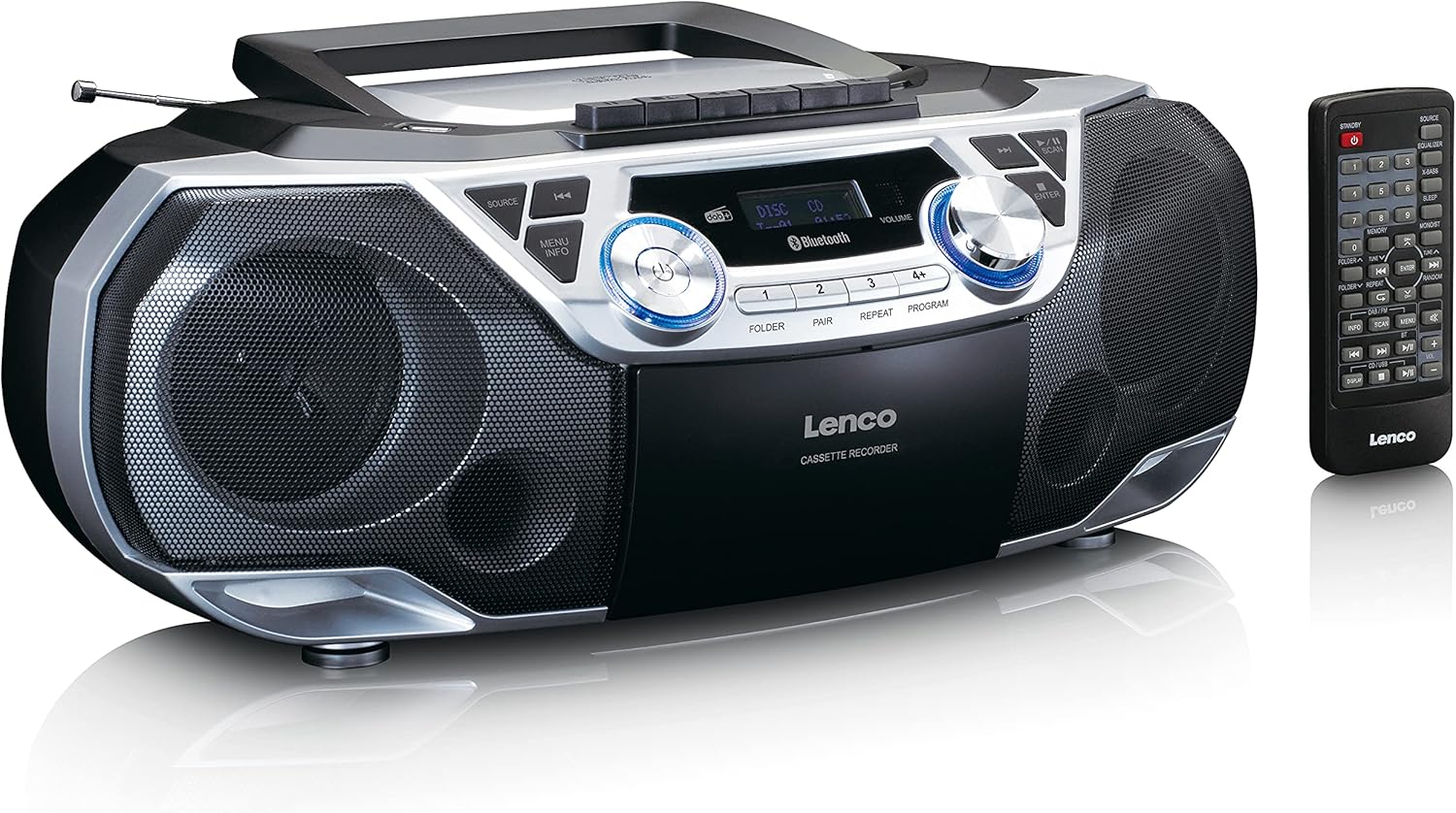
The Lenco SCD-720 Boombox is displayed next to its included remote control, illustrating the complete package.
Layout tal-Kontroll mill-bogħod

A close-up image of the remote control for the Lenco SCD-720 Boombox, showing all buttons for power, source selection, playback, tuning, and other functions.
4. Setup
4.1 Konnessjoni tal-Enerġija
The Lenco SCD-720 Boombox can be powered by AC mains or batteries.
- Qawwa AC: Connect the supplied AC power cord to the AC IN socket on the rear of the unit and then to a standard wall outlet.
- Operazzjoni tal-batterija: For portable use, open the battery compartment on the rear of the unit and insert 8 x 'C' type batteries (not included), ensuring correct polarity. Close the compartment securely.
4.2 Aġġustament tal-Antenna
For optimal radio reception, extend the telescopic antenna fully. Adjust its position and angle to achieve the best signal quality for both DAB+ and FM broadcasts.
4.3 Qawwa Inizjali
Agħfas il- QAWWA button on the unit or remote control to turn on the boombox. The display will light up, and the unit will typically start in the last used mode.
5. Istruzzjonijiet Operattivi
5.1 Kontrolli Ġenerali
- Power On/Off: Agħfas il- QAWWA buttuna.
- Kontroll tal-Volum: Dawwar il- VOLUM il-pum fuq l-unità jew uża l- VOL + / - buttuni fuq il-kontroll remot.
- Għażla tas-Sors: Agħfas il- SORS button on the unit or the dedicated source buttons (DAB/FM, CD/USB, BT) on the remote to switch between modes (DAB+, FM, CD, USB, Bluetooth, AUX).
5.2 Radio Operation (DAB+/FM)
- Agħżel il-Modalità: Agħfas il- SORS button until DAB+ or FM mode is selected.
- Skanjar Awtomatiku: Fil-modalità DAB+ jew FM, agħfas il-buttuna SKANJA buttuna biex tfittex u taħżen awtomatikament l-istazzjonijiet disponibbli.
- Irfinar Manwali: Uża l- TUNE < / > buttuni biex taġġusta l-frekwenza manwalment.
- Stazzjonijiet issettjati minn qabel: The unit allows you to save your favorite stations. Press and hold one of the numbered preset buttons (1-4) to store the current station. Briefly press a preset button to recall a stored station.
- DAB+ Information: Fil-modalità DAB+, agħfas il- INFO button to cycle through various information such as program type, signal strength, time, and date.
5.3 CD/MP3 Playback
- Load CD: Open the CD compartment lid by pressing the Miftuħa button. Place a CD or MP3 CD with the label side facing up. Close the lid securely.
- Daqq: The CD will start playing automatically. If not, press the DĦABBA/PAWŻA buttuna.
- Kontrolli: Użu SKIP << / >> buttuni biex taqbeż it-traċċi. Agħfas u żomm biex tavvanza/tirriwwinda malajr.
- Irrepeti: Agħfas IRREpeti to repeat the current track or all tracks.
- Programm: Agħfas PROGRAMM to create a custom playback order for tracks.
5.4 Daqq u Reġistrazzjoni tal-Kassetti
- Load Cassette: Open the cassette compartment. Insert a cassette tape.
- Daqq: Agħfas il- PLAY buttuna.
- Reġistrazzjoni: To record from Radio, CD, USB, or AUX, select the desired source. Insert a blank cassette. Press the REKORD button (usually red) along with the PLAY buttuna fl-istess ħin.
- Kontrolli: Użu RAPID QUDDIEM u REWIND buttuni. Agħfas Waqqaf/EJETTA to stop playback and open the compartment.
5.5 Konnettività Bluetooth 5.0
- Daħħal il-Modalità Bluetooth: Agħfas il- SORS button until 'BT' or 'Bluetooth' appears on the display. The unit will enter pairing mode, indicated by a flashing Bluetooth icon.
- Tqabbil: On your smartphone or tablet, enable Bluetooth and search for available devices. Select 'Lenco SCD-720' from the list. Once paired, the Bluetooth icon will stop flashing.
- Daqq: Start playing audio on your connected device. The sound will be streamed to the boombox.
5.6 Daqq tal-USB
- Daħħal il-USB: Daħħal USB flash drive li jkun fih MP3 files fil-port USB.
- Agħżel il-Modalità USB: Agħfas il- SORS button until 'USB' appears. The unit will automatically scan and begin playing MP3 files.
- Kontrolli: Use the playback control buttons (PLAY/PAUSE, SKIP << / >>) to manage your music.
5.7 Input AUX
Connect external audio devices (e.g., MP3 players, smartphones without Bluetooth) to the KAJN IN jack on the rear of the unit using a 3.5mm audio cable (not included). Select AUX mode via the SORS buttuna.
5.8 Output tal-headphones
For private listening, connect headphones to the HEADPHONE jack on the rear of the unit. The main speakers will be muted automatically.
5.9 Kontroll mill-Bogħod
The included remote control provides full functionality for the boombox, allowing you to control power, source, volume, playback, tuning, and other settings from a distance. Ensure the remote has working batteries and is pointed towards the front of the boombox.
6. Manutenzjoni
6.1 Tindif tal-Unità
Wipe the exterior of the boombox with a soft, dry cloth. Do not use abrasive cleaners, waxes, or solvents as they may damage the finish. For stubborn stains, a slightly damp Jista' jintuża drapp, segwit minn drapp niexef.
6.2 Kura tal-Lenti tas-CD
If CD playback becomes erratic, the CD lens may need cleaning. Use a commercially available CD lens cleaner disc. Do not touch the lens directly.
6.3 Tindif tar-Ras tal-Kassetta
Regularly clean the cassette heads, pinch rollers, and capstans with a cotton swab lightly moistened with isopropyl alcohol to ensure optimal sound quality and prevent tape damage.
6.4 Sostituzzjoni tal-batterija
If the unit is powered by batteries and performance degrades, replace all 8 'C' type batteries with new ones, ensuring correct polarity. Do not mix old and new batteries or different types of batteries.
7 Issolvi l-problemi
| Problema | Kawża Possibbli | Soluzzjoni |
|---|---|---|
| Ebda qawwa | Il-korda tal-enerġija mhux imqabbda; Il-batteriji m'għadhomx jintużaw jew imdaħħla sew. | Iċċekkja l-konnessjoni tal-korda AC; Ibdel il-batteriji, waqt li tiżgura l-polarità korretta. |
| L-ebda ħoss | Volum baxx wisq; Sors mhux korrett magħżul; Headphones imqabbda. | Żid il-volum; Agħżel is-sors korrett; Skonnettja l-headphones. |
| Riċeviment ħażin tar-radju | Antenna mhux estiża jew pożizzjonata b'mod korrett; Sinjal dgħajjef. | Extend and adjust the telescopic antenna; Try moving the unit to a different location. |
| Is-CD/USB mhux qed idoqq | Disc dirty/scratched; USB format not supported; Incorrect mode. | Clean or replace disc; Ensure USB contains MP3 files; Select CD or USB mode. |
| Tqabbil Bluetooth falla | Boombox not in pairing mode; Device too far; Bluetooth off on device. | Ensure boombox is in BT pairing mode; Move device closer; Enable Bluetooth on your device. |
| Cassette recording issues | Incorrect source selected; Cassette write-protect tab engaged. | Select the desired recording source; Ensure the write-protect tab on the cassette is not broken off. |
8. Speċifikazzjonijiet
- Mudell: SCD-720SI
- Ditta: Lenco
- Konnettività: DAB+, FM Radio, Bluetooth 5.0, CD/MP3 Player, Cassette Player, USB Playback, AUX Input, Headphone Output
- Output Awdjo: 2 x 6W RMS
- Sors tal-Enerġija: AC 230V ~ 50Hz or 8 x 'C' type batteries (DC 12V)
- Formati Awdjo Appoġġjati: CD, CD-R/RW, MP3 (from CD/USB)
- Karatteristiċi Speċjali: Bass Reflex, Remote Control
- Dimensjonijiet (L x W x H): Madwar 38.5 ċm x 23.5 ċm x 14.5 ċm
- Kulur: Fidda
- Manifattur: Lenco GmbH
- Pajjiż ta' Oriġini: Iċ-Ċina
9. Garanzija u Appoġġ
Lenco products are covered by a warranty in accordance with European law. For specific warranty terms and conditions, please refer to the warranty card included with your product or visit the official Lenco website. For technical support, service, or spare parts information, please contact Lenco customer service or your local dealer. Please have your model number (SCD-720SI) and purchase details ready when contacting support.
Information regarding software updates and spare parts availability is not provided at this time.


