1. Introduzzjoni
This manual provides essential information for setting up, operating, and maintaining your Sony A80J 77 Inch BRAVIA XR OLED 4K Ultra HD Smart Google TV. The Sony A80J series offers a premium OLED picture with exceptional contrast and natural colors, powered by the revolutionary Cognitive Processor XR. Experience immersive sound with Acoustic Surface Audio+ and seamless smart TV functionality with Google TV.

Figura 1.1: Quddiem view of the Sony A80J 77 Inch BRAVIA XR OLED 4K Ultra HD Smart Google TV, showcasing id-disinn eleganti u l-wiri vibranti tiegħu.
2. Karatteristiċi ewlenin
- Proċessur Konjittiv XR: Revolutionary TV processing technology that understands how humans see and hear to deliver intense contrast with pure blacks, high peak brightness, and natural colors.
- XR TRILUMINOS PRO: Rediscover everything you watch with billions of accurate colors and see impressive picture quality that is natural and beautiful to the human eye.
- XR OLED CONTRAST: Experience the beauty of OLED contrast with pure blacks and lifelike brightness.
- Google TV: Seamlessly browse over 700,000 movies and TV episodes from across your favorite streaming services, all in one place.
- Awdjo+ tal-Wiċċ Akustiku: The screen itself acts as the speaker, perfectly matching sound with the action on screen for a truly immersive experience.
- Perfett għal PlayStation 5: Optimized for gaming with exclusive features for the PS5 console, including 4K/120fps (as specified in HDMI 2.1) and input lag as low as 8.5ms.
- Kontroll tal-Vuċi: Works with Alexa and Google Assistant for hands-free control of your TV and smart home devices.
- Apple AirPlay: Easily stream content from your Apple devices directly to the TV.
3. X'hemm fil-Kaxxa
Meta tiftaħ il-pakkett, kun żgur li l-komponenti kollha li ġejjin huma preżenti:
- Sony A80J 77 Inch Television
- Table-top stand components
- Korda tal-enerġija AC
- Voice remote control with batteries
- Gwida ta' installazzjoni ta' malajr
- Istruzzjonijiet tat-tħaddim (dan il-manwal)

Figura 3.1: Aktarview of TV dimensions, remote control, and included accessories.
4. Setup
4.1. Assemblea Stand
If you are not wall-mounting the television, attach the table-top stand. Refer to the quick setup guide for detailed, step-by-step instructions. Ensure the stand is securely fastened to prevent accidental tipping.
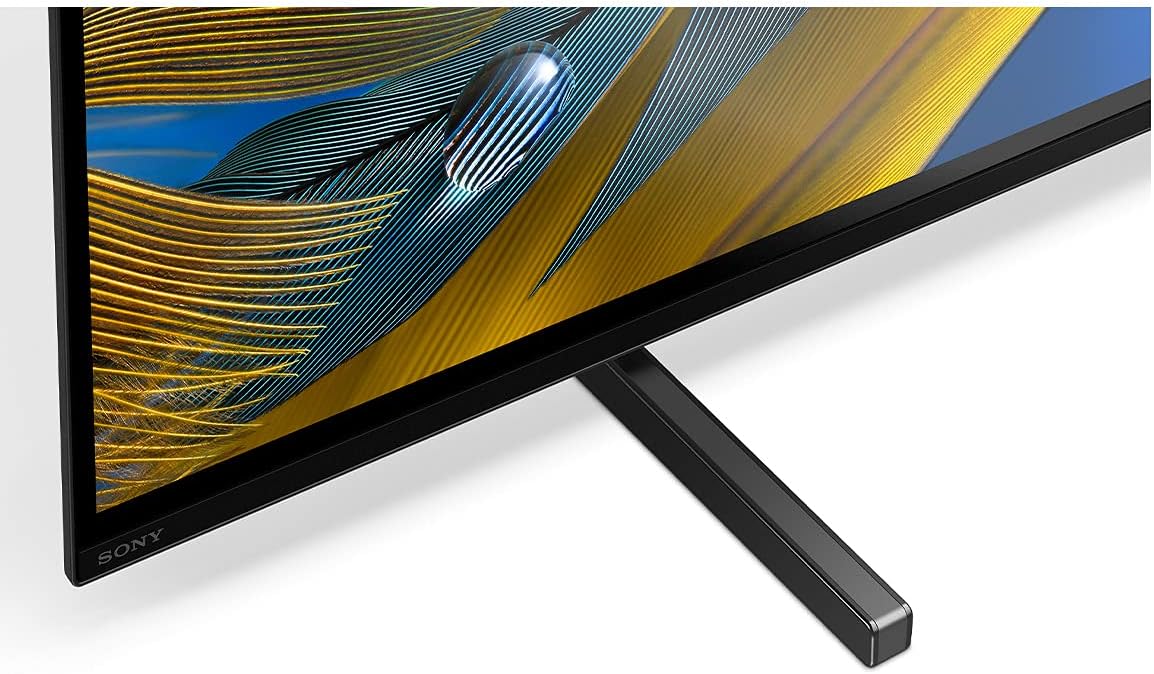
Figure 4.1: Close-up of the TV stand, illustrating its attachment to the television.
4.2. Immuntar mal-Ħajt
For wall mounting, use a compatible VESA-compliant wall mount bracket (sold separately). Follow the instructions provided with your wall mount bracket and ensure proper installation by qualified personnel. The TV is designed to be very thin when wall-mounted.

Figura 4.2: Proġett tal-ġenbfile of the Sony A80J TV, demonstrating its minimal depth.
4.3. Mezzi ta 'Konnessjoni
Connect your external devices (e.g., cable box, Blu-ray player, gaming console) to the appropriate HDMI inputs on the rear of the television. The A80J features multiple HDMI inputs, including those supporting HDMI 2.1 for advanced features like 4K/120fps and Variable Refresh Rate (VRR).

Figura 4.3: Dettaljat view of the TV's rear connectivity panel.
4.4. Konnessjoni tal-Enerġija
Plug the AC power cord into the television and then into a wall outlet. The TV will automatically power on or enter standby mode.
5. Istruzzjonijiet Operattivi
5.1. Initial Setup and Google TV
Upon first power-on, the TV will guide you through the initial setup process, including network connection, Google account login, and channel scanning. Google TV organizes all your content from various streaming services into one easy-to-navigate interface.
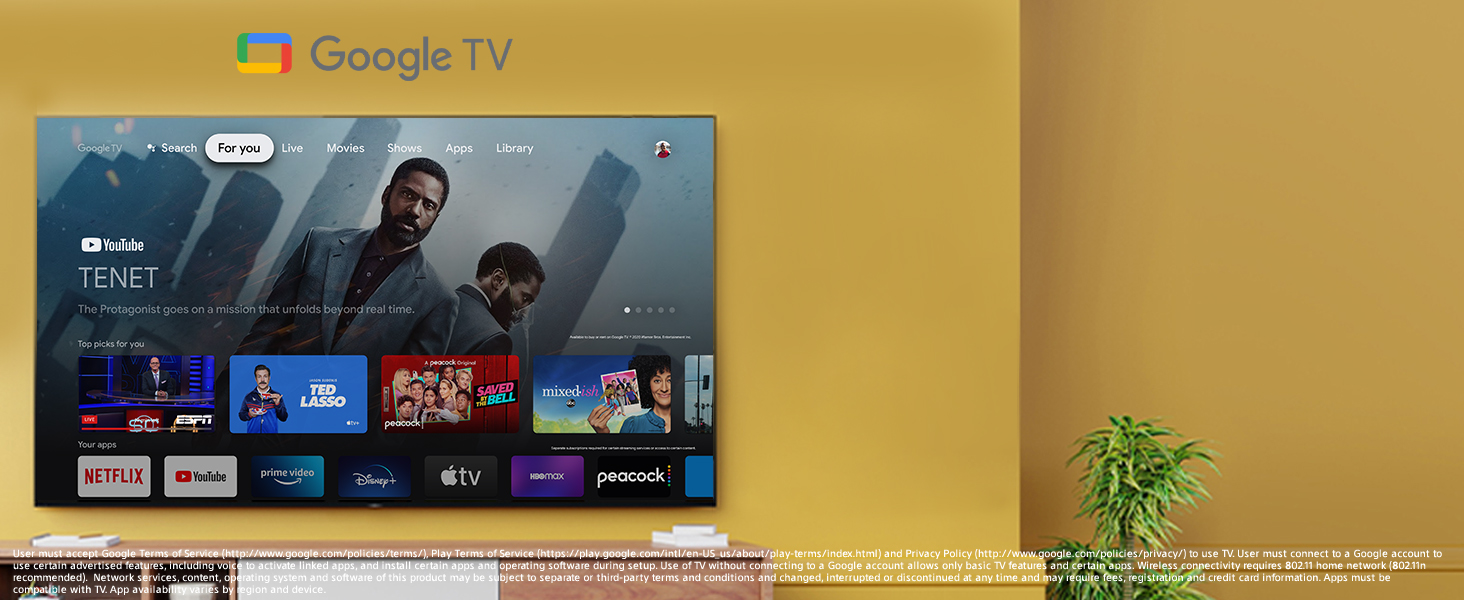
Figure 5.1: Google TV interface for easy content discovery.
5.2. Kontroll tal-Vuċi (Alexa u Google Assistant)
The A80J supports voice commands through its remote control or a compatible Alexa/Google Assistant device. Use your voice to search for content, control playback, adjust settings, and manage smart home devices.
5.3. Acoustic Surface Audio+
The unique Acoustic Surface Audio+ technology uses actuators behind the screen to vibrate and produce sound directly from the display. This creates a highly immersive audio experience where sound appears to come directly from the characters and action on screen.
Video 5.1: Official Sony Electronics video demonstrating the features of the Sony A80J BRAVIA XR OLED 4K Ultra HD Smart Google TV, including its picture and sound capabilities.
5.4. Apple AirPlay
To stream content from your Apple devices, ensure both your device and the TV are connected to the same Wi-Fi network. Select the AirPlay icon on your Apple device and choose your Sony A80J TV from the list of available devices.
6. Karatteristiċi tal-Logħob
The Sony A80J is designed to enhance your gaming experience, especially with the PlayStation 5 console. It supports key HDMI 2.1 features:
- 4K/120fps: Enjoy ultra-smooth gameplay at 4K resolution with a 120 frames per second refresh rate.
- Rata ta' Aġġornar Varjabbli (VRR): Reduces screen tearing and stuttering for a smoother gaming experience.
- Modalità Auto Low Latency (ALLM): Automatically switches the TV to a low-latency mode when a gaming console is detected, minimizing input lag.
Video 6.1: Official Sony Electronics video highlighting the BRAVIA XR's perfect compatibility with PlayStation 5, showcasing enhanced gaming features.
7. Manutenzjoni
7.1. Tindif tal-Iskrin
Imsaħ l-iskrin bil-mod b'ċarruta ratba u niexfa tal-mikrofibra. Għal tbajja' persistenti, nixxef bil-mod.ampen the cloth with water or a screen-cleaning solution specifically designed for electronics. Avoid harsh chemicals, abrasive materials, or excessive pressure.
7.2. Kura Ġenerali
Keep the TV in a well-ventilated area, away from direct sunlight, heat sources, and excessive dust. Do not block ventilation openings. Regularly check cable connections to ensure they are secure.
8 Issolvi l-problemi
Jekk tiltaqa' ma' problemi bit-TV tiegħek, ipprova l-passi bażiċi li ġejjin għas-soluzzjoni tal-problemi:
- Ebda Qawwa: Ensure the power cord is securely plugged into both the TV and the wall outlet. Try a different outlet.
- Ebda Stampa/Ħoss: Iċċekkja l-konnessjonijiet kollha tal-kejbil ma' apparati esterni. Kun żgur li s-sors tad-dħul korrett huwa magħżul fuq it-TV.
- Remote Mhux Taħdem: Ibdel il-batteriji fir-remote control. Kun żgur li m'hemm l-ebda ostaklu bejn ir-remote u s-sensor IR tat-TV.
- Kwistjonijiet ta' Konnessjoni man-Netwerk: Erġa' ibda r-router u l-modem tiegħek. Erġa' daħħal il-password tal-Wi-Fi tiegħek fis-settings tan-netwerk tat-TV.
- Kwistjonijiet ta' Kwalità tal-Istampa: Adjust picture settings (brightness, contrast, color) in the TV's menu. Ensure your content source is providing a high-quality signal.
For more complex issues, consult the comprehensive online help guide or contact Sony customer support.
9. Speċifikazzjonijiet
| Karatteristika | Speċifikazzjoni |
|---|---|
| Brand | Sony |
| Numru tal-Mudell | XR77A80J |
| Daqs tal-Iskrin | 77 Pulzier |
| Teknoloġija tal-Wiri | OLED |
| Riżoluzzjoni | 4K Ultra HD |
| Riffriskar Rata | 120 Hz |
| Karatteristiċi Speċjali | Screen Mirroring, Adjustable Stand Width |
| Teknoloġija tal-Konnettività | Wi-Fi Certified 802.11a/b/g/n/ac, Bluetooth 4.2, 4 HDMI inputs (HDMI 2.1 features on HDMI 3/4), Ethernet, USB ports |
| Dimensjonijiet tal-Prodott | 14.5"D x 67.88"W x 39.38"H |
| Piż tal-oġġett | 63.7 Liri |
| Kulur | Iswed |
10. Garanzija u Appoġġ
Your Sony A80J television comes with a manufacturer's warranty. Please refer to the warranty card included in the packaging for specific terms and conditions. For technical support, product registration, or service inquiries, visit the official Sony support webis-sit jew ikkuntattja l-linja diretta tas-servizz tal-klijenti tagħhom.


