Introduzzjoni
Grazzi tax-xiriasing the IPEGA Wireless Switch Controller. This manual provides detailed instructions on how to set up, operate, and maintain your new gamepad. Please read this manual thoroughly before use to ensure optimal performance and longevity of your device.

Figure 1: IPEGA Wireless Switch Controller in use with a tablet device, showcasing its telescopic design.
Karatteristiċi tal-Prodott
- Kompatibilità Multi-Pjattaforma: Designed for N-Switch, P3, Android devices, and PC (Win 7/8/10). Note: Does not support MediaTek chips.
- Esperjenza tal-Logħob Mtejba: Features six-axis gyroscope function for precise motion control and dual motor vibration for immersive feedback.
- Disinn Ergonomiku: Full ergonomic structure provides a comfortable hand feeling during extended gaming sessions.
- Bracket Teleskopiku: Integrated lever telescopic bracket with a super long telescopic function, adjustable from 130mm to 280mm (approximately 5.1 to 11 inches), suitable for various devices including N-Switch host and tablets.
- Ħajja twila tal-batterija: Built-in 300mAh high-performance lithium battery offers over 10 hours of continuous use and up to 30 days of standby time on a full charge.
- Kontrolli konvenjenti: Equipped with a screen capture button and multimedia buttons (volume+, -, last, next, Play/Pause) for Android devices.

Figure 2: The controller's telescopic design, suitable for various devices.
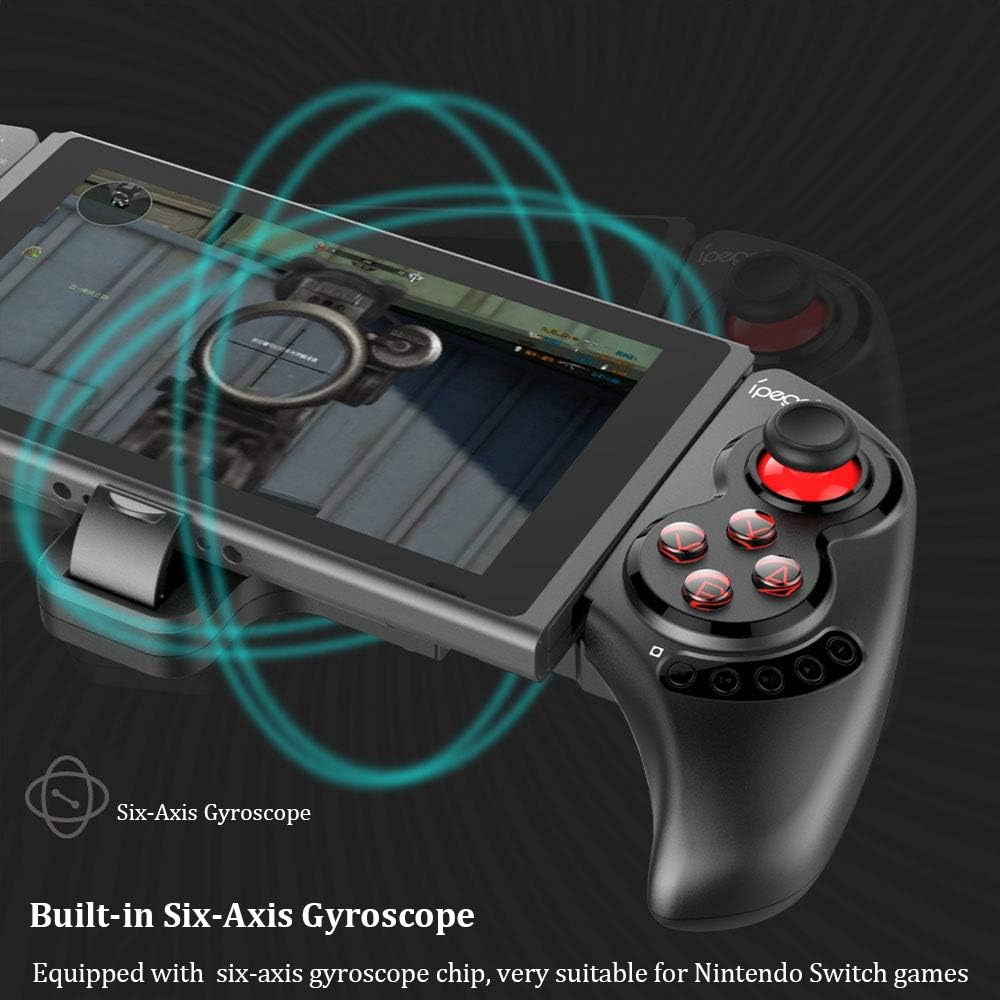
Figure 3: Illustration highlighting the built-in six-axis gyroscope for motion control.

Figure 4: Illustration demonstrating the dual motor vibration feature for haptic feedback.

Figure 5: The telescopic rod's adjustable range (130-280mm) and compatibility with Switch Mobile Device, Android Phone, and PC Tablet.

Figure 6: Detail of the controller's ergonomic structure designed for comfortable hand feeling.
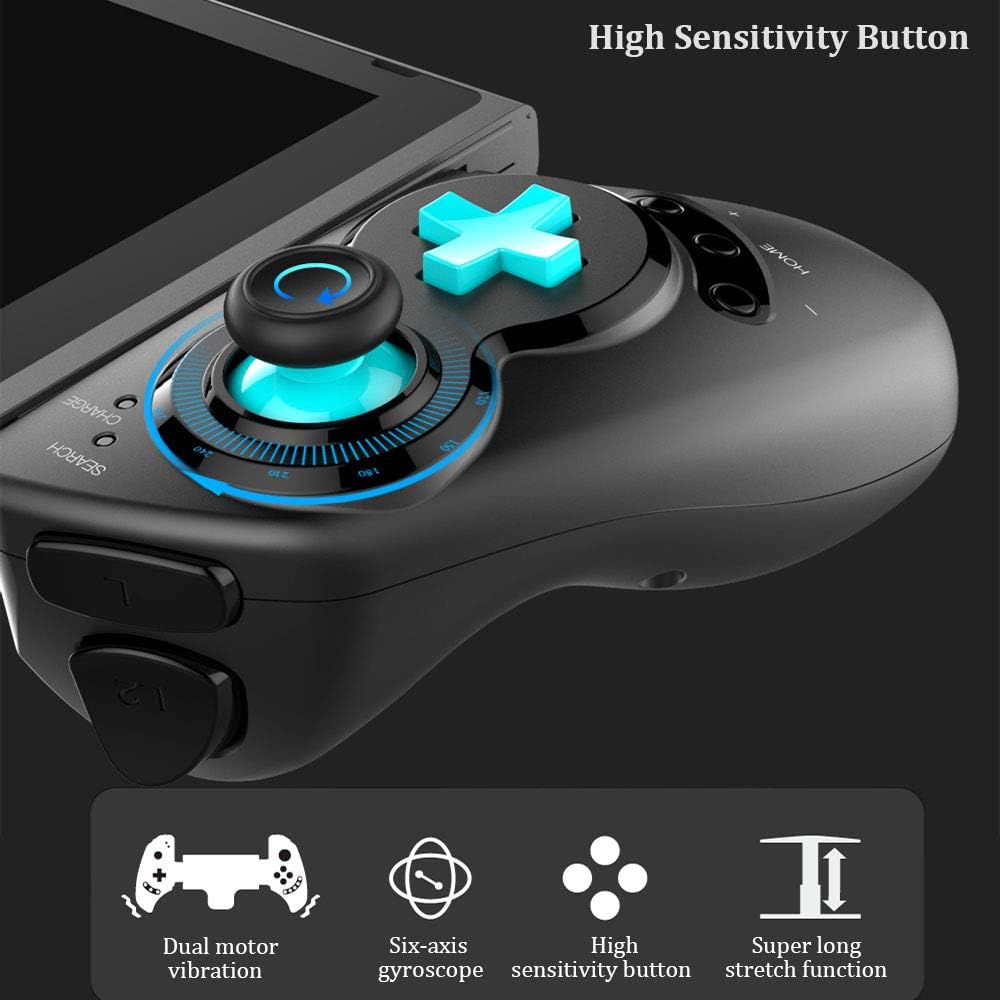
Figure 7: Highlighting the high sensitivity buttons and other key features like dual motor vibration, six-axis gyroscope, and super long stretch function.
Setup
Before using your IPEGA Wireless Switch Controller, ensure it is adequately charged. Connect the included USB cable to the controller's charging port and to a USB power source (e.g., computer, USB wall adapter). The charge indicator will show charging status.
Modi Operattivi
N-Switch Connection Mode
- Tqabbil għall-ewwel darba:
- Turn on your Nintendo Switch Console.
- From the HOME Menu, navigate to Kontrolluri, imbagħad agħżel Ibdel il-Qabda u l-Ordni.
- On the IPEGA controller, press and hold down the "B" + "HOME" buttons simultaneously for 2 seconds. The SEARCH indicators on the controller will flash quickly.
- Once successfully paired, the indicators will turn on solid. Press "A" on the controller when prompted to confirm.
- Tqabbil mill-ġdid:
- Agħfas u żomm il- "HOME" button for 2 seconds to turn on the controller.
- The SEARCH indicator will flash slowly, indicating it's in re-pair mode. The controller will automatically attempt to connect to the previously paired console.
- Ladarba tkun imqabbda, agħfas "A" when you're ready to play.
- Kontrollur tal-Qawmien:
- If the controller is in sleep mode, press the "HOME" buttuna biex tqumha.
- It will automatically connect to the console.
- Agħfas "A" when you're ready.
Modalità Android
- Agħfas u żomm il- "Y" + "HOME" buttons simultaneously for 2 seconds to turn on the controller. The SEARCH indicators will flash quickly.
- On your Android device, enable Bluetooth and search for available devices. Select "PG-SW029" to pair.
- Once successfully paired, the SEARCH indicator on the controller will turn on solid, indicating it has entered Android Mode.
- The controller supports standard Android HID games.
P3 Mode (PlayStation 3)
- Agħfas u żomm il- "A" + "HOME" buttons simultaneously for 2 seconds to turn on the controller. The SEARCH indicators will flash quickly.
- Connect the controller to your P3 console using the provided USB cable. Press the "HOME" buttuna biex tibda l-akkoppjar.
- Once paired successfully, the corresponding SEARCH indicator will turn on solid, indicating the gamepad has entered P3 mode.
- You can then unplug the USB cable, and the controller will operate in wireless connection mode.
Manutenzjoni
- Keep the controller away from extreme temperatures, direct sunlight, and humid environments.
- Evita li twaqqa' jew li tissottometti l-kontrollur għal impatti qawwija.
- Clean the controller with a soft, dry cloth. Do not use chemical solvents or abrasive cleaners.
- When not in use for extended periods, store the controller in a cool, dry place.
- Tippruvax tiżżarma jew timmodifika l-kontrollur, għax dan jannulla l-garanzija u jista' jikkawża ħsara.
Issolvi l-problemi
| Problema | Soluzzjoni Possibbli |
|---|---|
| Il-kontrollur ma jixgħelx. | Ensure the controller is fully charged. Connect it to a power source using the USB cable. |
| Controller fails to pair with device. |
|
| Input lag or disconnection during gameplay. |
|
| Il-buttuni jew il-joysticks ma jirrispondux. |
|
Speċifikazzjonijiet
| Karatteristika | Dettall |
|---|---|
| Numru tal-Mudell | PG-SW029 |
| Brand | ipega |
| Konnettività | Wireless (Bluetooth) |
| Distanza tat-Trażmissjoni | ≤ 26ft (8 meters) |
| Kapaċità tal-batterija | Batterija tal-litju 300mAh |
| Ħin ta 'Użu Kontinwu | > 10 siegħa |
| Ħin ta' Standby | Sa 30 jum |
| Telescopic Range | 130mm - 280mm (approx. 5.1 - 11 inches) |
| Dimensjonijiet tal-Prodott | 23.7 x 12.5 x 5.99 ċm (9.33 x 4.92 x 2.36 pulzieri) |
| Kompatibilità | Nintendo Switch, PlayStation 3, Android Phones/Tablets, PC (Win 7/8/10) |

Figure 8: Detailed dimensions of the controller and its retail packaging.
Lista tal-Pakketti
L-oġġetti li ġejjin huma inklużi fil-pakkett tal-prodott tiegħek:
- Wireless Gamepad x1
- Manwal tal-Utent x1 (Dan id-dokument)
- Cable tal-USB x1
Garanzija u Appoġġ
For warranty information and technical support, please refer to the contact details provided by your retailer or visit the official IPEGA websit. Żomm l-irċevuta tax-xiri tiegħek bħala prova tax-xiri għal talbiet ta' garanzija.
If you encounter any issues not covered in this manual, please contact customer support for assistance.


