Prodott Overview
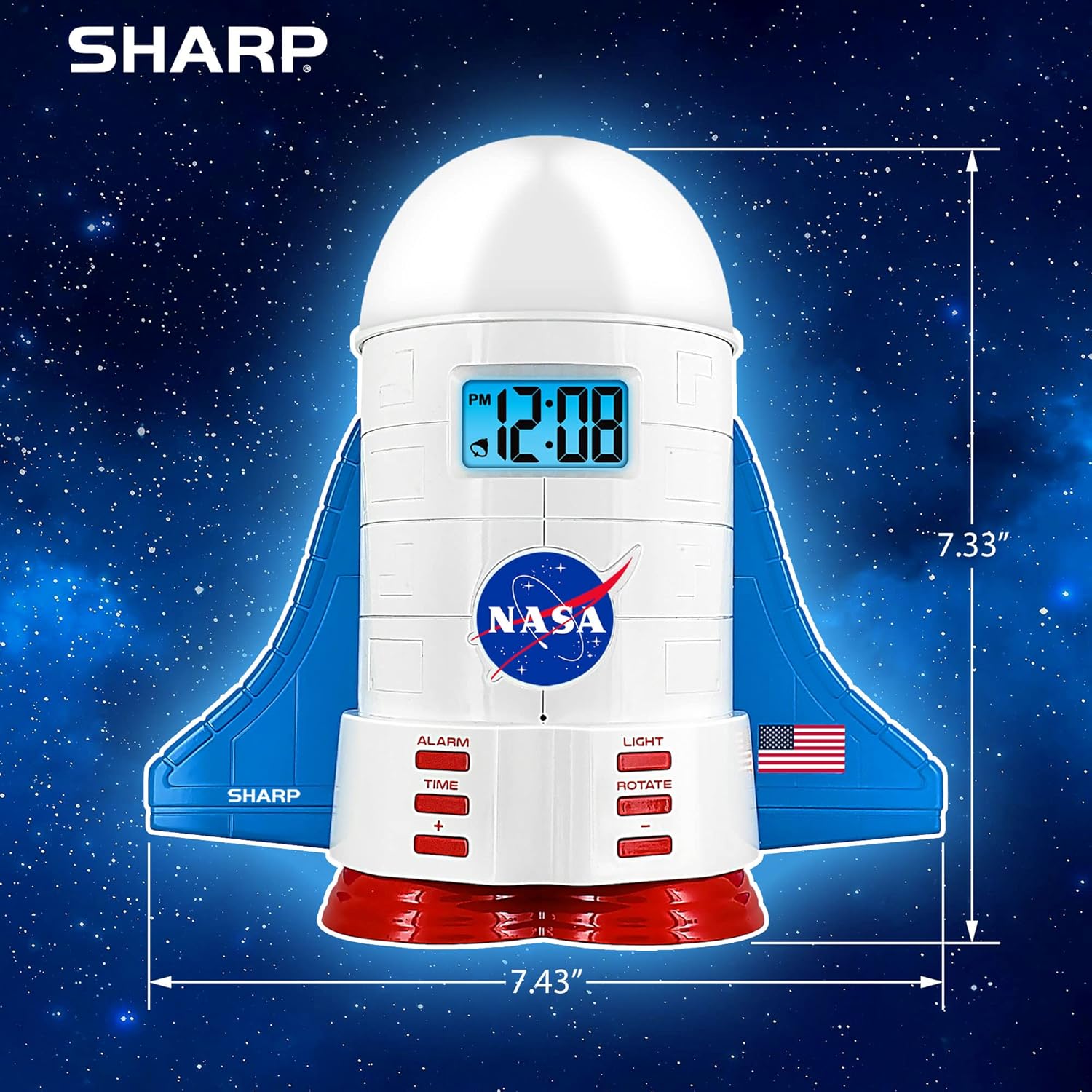
This manual provides instructions for the Sharp NASA Space Shuttle Night Light Alarm Clock. This device combines an alarm clock with a space-themed nightlight and projection feature, designed to enhance a child's bedroom environment.

Setup
Spakkjar
- Neħħi bir-reqqa l-komponenti kollha mill-imballaġġ.
- Verify that all items listed in the "What's in the Box" section are present.
Konnessjoni tal-Enerġija
The alarm clock can be powered via the included electric adapter. For continuous operation of all features, including the nightlight and projection, direct power is recommended.
For battery backup, insert appropriate batteries (not included) into the battery compartment located at the base of the unit. This ensures timekeeping and alarm function during power outages.

Istruzzjonijiet Operattivi
L-issettjar tal-Ħin
- Agħfas il- ĦIN buttuna.
- Uża l- + u - buttuni biex taġġusta s-siegħa u l-minuta.
- Agħfas ĦIN mill-ġdid biex tikkonferma.
L-issettjar tal-allarm
- Agħfas il- ALLARM buttuna.
- Uża l- + u - buttuni biex tissettja l-ħin tal-allarm mixtieq.
- Agħfas ALLARM again to activate the alarm. An alarm icon will appear on the display.
Funzjoni Snooze
To temporarily silence the alarm, tap the top of the unit. The alarm will sound again after a short interval.
Nightlight and Projection Features
The unit features light-up wings and a rocket booster base, along with a rotating projection cap.

Attivazzjoni tad-Dwal
Agħfas il- DAWL button to cycle through the 4 color options for the wings and booster lights.
Projection Caps
The device includes two interchangeable space-themed projection caps and a frosted nightlight cap. Twist counter-clockwise to attach or remove caps.

Projezzjoni li ddur
Agħfas il- DUR button to activate or deactivate the rotation of the projected images.
Manutenzjoni
- Clean the unit with a soft, dry cloth. Avoid abrasive cleaners or solvents.
- Ensure the projection caps are free from dust or smudges for clear image projection.
- Replace batteries in the backup compartment as needed to maintain time settings during power interruptions.
Issolvi l-problemi
| Problema | Kawża Possibbli | Soluzzjoni |
|---|---|---|
| Clock not displaying time | Ebda qawwa | Ensure the electric adapter is securely plugged in. Check battery backup. |
| L-allarm ma jiddoqqx | Alarm not set or deactivated | Verify alarm time is set and activated (alarm icon visible). |
| Projection unclear or dim | Dust on cap or insufficient darkness | Clean the projection cap. Ensure the room is sufficiently dark for optimal projection. |
| Projezzjoni ma ddur | Rotate function off | Agħfas il- DUR button to activate the rotation feature. |
Speċifikazzjonijiet
- Ditta: Sharp
- Numru tal-Mudell: Sharp NASA e Shuttle Alarm Clock
- Sors tal-Enerġija: Electric Adapter (Battery backup for timekeeping)
- Tip ta' Sors tad-Dawl: LED
- Nightlight Colors: 4 għażla
- Projection Themes: 2 interchangeable space scenes
- Wiri: LCD b'Backlight Blu
- Dimensjonijiet: 7.43 x 1.5 x 7.43 pulzieri
- Piż: 1.33 liri
- Materjal: Plastik
- Karatteristiċi Speċjali: Color Changing, Snooze Function, Rotating Projection
Garanzija u Appoġġ
Għal informazzjoni dwar il-garanzija jew appoġġ tekniku, jekk jogħġbok irreferi għall-indirizz uffiċjali tal-manifattur. websit jew ikkuntattja lis-servizz tal-konsumatur tagħhom.
Manifattur: Sharp
UPC: 049353005447
ASIN: B08PL6K2C5


