Prodott Overview
The DEPSTECH WF025 Wireless Endoscope is a versatile inspection tool designed to provide clear visual access to hard-to-reach areas. Featuring a 5.5mm ultra-thin probe and 1080P HD resolution, it connects wirelessly to your smartphone or tablet, making it ideal for various applications such as plumbing, automotive maintenance, and home inspections. Its semi-rigid cable and IP67 waterproof rating ensure durability and flexibility in diverse environments.
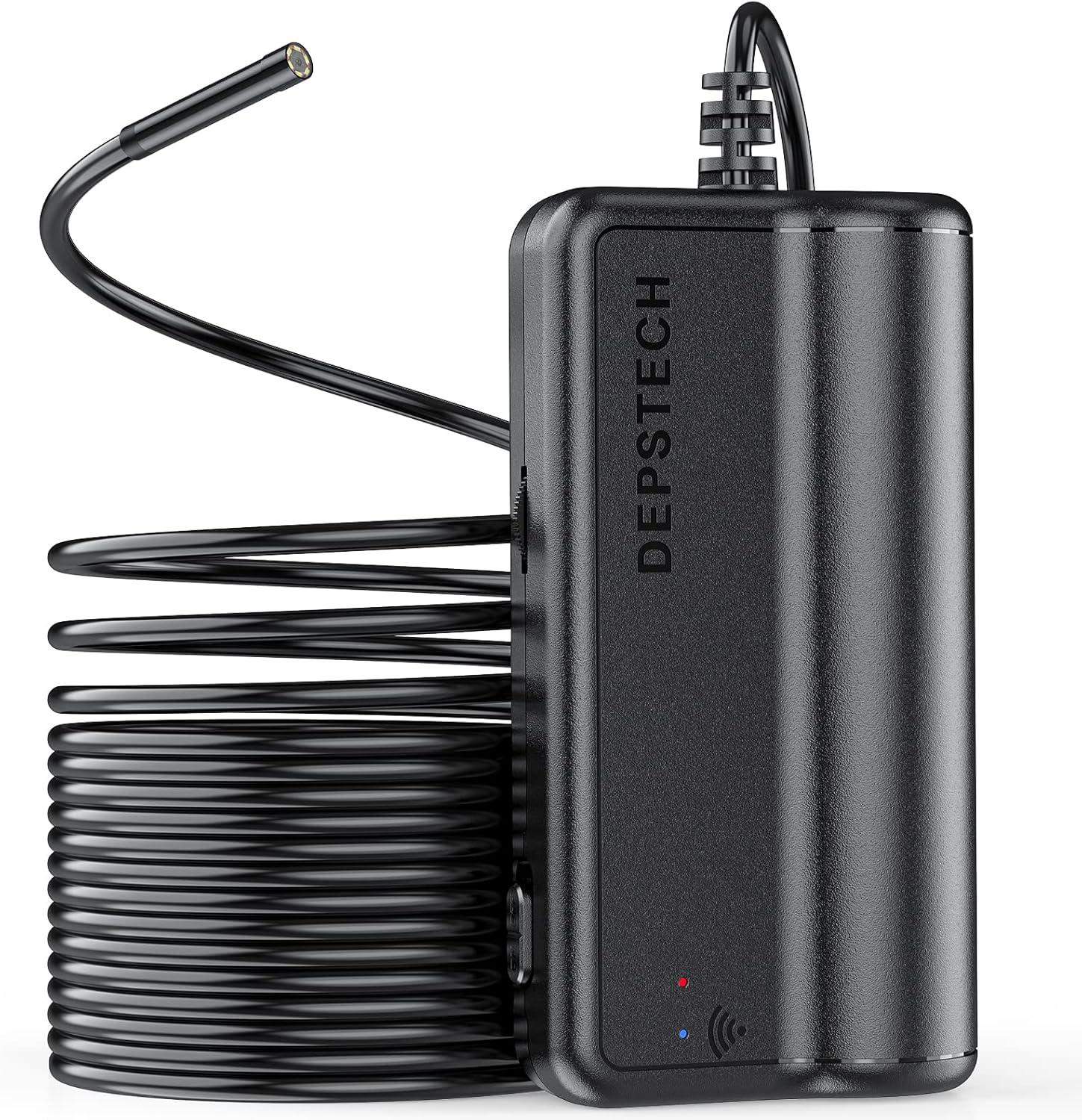
Image: The DEPSTECH WF025 Wireless Endoscope, showing the main unit and the coiled semi-rigid cable with the camera probe.
Kontenut tal-Pakkett
Jekk jogħġbok ivverifika li l-oġġetti kollha elenkati hawn taħt huma inklużi fil-pakkett tiegħek:
- DEPSTECH Endoscope
- It-twaħħil tal-ganċ
- Twaħħil tal-mera
- It-twaħħil tal-kalamita
- Cable tal-Iċċarġjar tal-USB
- Manwal għall-Utent

Image: All components included in the DEPSTECH WF025 package, neatly arranged next to the product box.
Karatteristiċi Ewlenin
-
5.5 mm Ultra Thin Probe: The endoscope features a slender 5.5 mm (0.21 inch) diameter probe, enabling access to extremely confined spaces such as vent pipes, engine compartments, HVAC systems, and wall interiors.

Immaġni: Close-up view of the 5.5mm diameter endoscope probe, highlighting its slim design.
-
WiFi Connection, Easy to Use: Connects directly to your smartphone or tablet via the endoscope's built-in Wi-Fi. Simply download the "DEPSTECH-View" app to begin. Compatible with iPhone (iOS 9+) and Android (5.0+) devices. Note: Not compatible with Windows PC or Mac.

Image: An illustration demonstrating the wide compatibility of the endoscope with various mobile devices, including iOS, Android, and iPad, via Wi-Fi.
-
2.0MP HD Inspection Camera: Equipped with a 1080P HD camera, providing clear, high-definition video and images. Adjustable resolutions include 1920x1080, 1600x1200, 1280x720, and 640x480.

Immaġni: Dettaljata view of the endoscope's camera lens and its internal components, emphasizing its 1080P HD capability.
-
Long Range Flexible Snake Camera: Features an IP67 waterproof rating, making it suitable for wet environments like drain pipes. The 16.5 ft bendable cable and six adjustable LED lights ensure clear visibility in dark or submerged conditions. The long focal distance facilitates easier inspections.

Image: The endoscope's cable and camera head, shown in a wet setting, highlighting its IP67 waterproof design and adjustable LED lights.
-
Ħin tax-Xogħol itwal: Built-in 2200 mAh high-capacity battery provides extended operation, supporting up to 3 hours of continuous use on a full charge.

Image: The main unit of the endoscope, illustrating its power indicator and emphasizing its long battery life.
Gwida ta' Setup
Follow these steps to set up your DEPSTECH Wireless Endoscope:
- Pass 1: Niżżel l-App. Fittex għal "DEPSTECH-View" in the Apple App Store or Google Play Store and install it on your device.
- Step 2: Turn on the Endoscope. Locate the power button on the main unit and press it to turn on the device. The power indicator light will illuminate.
- Step 3: Pair with Device via WiFi. Go to your device's Wi-Fi settings. Find the Wi-Fi network broadcast by the endoscope (usually named "DEPSTECH_XXXX") and connect to it. No password is typically required.
- Pass 4: Iftaħ l-App. Launch the "DEPSTECH-View" app. The live video feed from the endoscope camera should now appear on your screen.

Image: A visual guide detailing the four steps to set up and connect the DEPSTECH endoscope to a mobile device.
Istruzzjonijiet ta' Operazzjoni
Once connected, you can begin using your endoscope for inspections:
- L-aġġustament tad-Dwal LED: Use the brightness adjustment wheel on the main unit to increase or decrease the intensity of the LED lights around the camera. This helps illuminate dark areas for clearer viewing.
- Qbid ta' Stampi/Vidjows: Within the "DEPSTECH-View" app, you will find buttons to capture still images or record video footage. Dawn files will be saved directly to your connected device.
- Użu ta 'aċċessorji: Attach the hook, magnet, or mirror to the end of the camera probe as needed for specific tasks, such as retrieving dropped items or viewf'angolu.

Image: A detailed diagram of the endoscope's main unit, indicating the location of the power switch, LED brightness controls, and input port.

Image: Various application scenarios for the DEPSTECH endoscope, including automotive engine inspection, appliance repair, and general home checks.
Kura u Manutenzjoni
- Tindif: Wara kull użu, speċjalment f'ambjenti maħmuġin jew imxarrbin, imsaħ bil-mod is-sonda u l-kejbil tal-kamera b'ċarruta ratba u mxarrba.amp cloth. For stubborn grime, a mild detergent can be used. Ensure the probe is dry before storage.
- Ħażna: Aħżen l-endoskopju f'post frisk u niexef, 'il bogħod mix-xemx diretta u minn temperaturi estremi. Kebbeb il-kejbil b'mod laxk biex tevita li jitgħawweġ jew jagħmel ħsara.
- Kura tal-batterija: Biex ittawwal il-ħajja tal-batterija, evita li tiċċarġja kompletament il-batterija ta' spiss. Iċċarġja l-apparat regolarment, anke jekk ma jkunx qed jintuża għal perjodi twal.
- Immaniġġjar: Do not bend the semi-rigid cable excessively or apply undue force, as this may damage internal wiring.
Issolvi l-problemi
If you encounter issues with your DEPSTECH WF025, refer to the following common solutions:
- L-ebda Konnessjoni WiFi:
- Ensure the endoscope is fully charged and powered on.
- Verify that Wi-Fi is enabled on your mobile device.
- Restart both the endoscope and your mobile device.
- Insieh in-netwerk fuq it-tagħmir tiegħek u erġa' pprova tikkonnettja.
- Ensure you are connecting to the correct DEPSTECH Wi-Fi network.
- No Image/Black Screen in App:
- Confirm the endoscope is connected to your device's Wi-Fi.
- Close and reopen the "DEPSTECH-View"app.
- Iċċekkja jekk il-lenti tal-kamera hijiex ostakolata jew maħmuġa.
- Ensure the LED lights are adjusted to an appropriate brightness for the environment.
- Immaġni mċajpra:
- Adjust the distance between the camera and the object. The optimal focal range is typically 1-10 cm (0.4-3.9 inches).
- Naddaf il-lenti tal-kamera bir-reqqa.
- Batterija Mhux Iċċarġja:
- Ensure the USB cable is securely connected to both the endoscope and a power source.
- Ipprova kejbil USB differenti jew adapter tal-enerġija.
- Iċċekkja li s-sors tal-enerġija jaħdem.
Speċifikazzjonijiet Tekniċi
| Speċifikazzjoni | Valur |
|---|---|
| Numru tal-Mudell | WF025 |
| Dijametru tas-Sonda | 5.5 mm (0.21 pulzier) |
| Riżoluzzjoni tal-Kamera | 1080P HD (1920x1080, 1600x1200, 1280x720, 640x480) |
| Tul tal-Cable | 16.5 pied |
| Klassifikazzjoni li ma jgħaddix ilma minnha | IP67 |
| Kapaċità tal-batterija | 2200 mAh |
| Ħin tax-Xogħol | Sa 3 sigħat |
| Konnettività | Wi-Fi (2.4GHz) |
| Apparati Kompatibbli | iPhone (iOS 9+), Android (5.0+) |
| Firxa Fokali | 1-10 ċm |
| Piż tal-oġġett | 12.7 uqija |
| Dimensjonijiet tal-Pakkett | 6.38 x 6.18 x 1.93 pulzieri |
Garanzija u Appoġġ
DEPSTECH products come with a standard manufacturer's warranty. For specific warranty details, registration, or technical support, please refer to the warranty card included in your product packaging or visit the official DEPSTECH website. You can also contact DEPSTECH customer service directly for assistance with product inquiries, troubleshooting, or replacement parts.
Official DEPSTECH Websit: www.depstech.com


