1. Introduzzjoni
This manual provides essential information for setting up, operating, and maintaining your GOODTEL G3 10-inch Tablet. Please read it thoroughly to ensure proper use and to maximize your device's performance and longevity.

Figura 1: GOODTEL G3 Tablet with included accessories: Bluetooth keyboard, mouse, stylus, charger, and cables. This image displays the GOODTEL G3 10-inch tablet alongside its comprehensive accessory kit, including a wireless Bluetooth keyboard, wireless mouse, touch screen stylus, earphones, Type-C charger, USB data cable, and OTG cable. A protective leather case is also shown.
2. Setup u Konfigurazzjoni Inizjali
2.1 Kontenut tal-Pakkett
Ivverifika li l-oġġetti kollha huma preżenti fil-pakkett tiegħek:
- GOODTEL G3 10.1-inch Tablet
- Tastiera Bluetooth bla fili
- Ġurdien mingħajr fili
- Earphones
- Touch Screen Stylus
- Kawża tal-Ġilda
- Ċarġer tat-Tip-Ċ
- USB Data Cable
- Kejbil OTG
- Manwal għall-Utent
- Dust Cloth
2.2 Iċċarġjar tat-Tablet
Before first use, fully charge the tablet using the provided Type-C charger and USB data cable. The charging port is a Type-C port.
2.3 Ixgħel u Setup Inizjali
- Agħfas u żomm il-buttuna tal-qawwa sakemm l-iskrin jixgħel.
- Segwi l-istruzzjonijiet fuq l-iskrin biex tagħżel il-lingwa tiegħek, tikkonnettja ma' netwerk Wi-Fi, u tissettja l-kont Google tiegħek.
2.4 Installazzjoni tal-Karta SIM u l-Karta MicroSD
The tablet supports dual SIM cards and a MicroSD card for expanded storage (4-128GB).
- Locate the SIM/MicroSD card slot on the side of the tablet.
- Carefully insert your Mini-SIM card(s) into the designated SIM1 and SIM2 slots.
- Insert the MicroSD card into its slot.
- After installation, restart the tablet for the changes to take effect.

Figura 2: GOODTEL G3 Tablet with app icons and detailed view of SIM and MicroSD card installation. The tablet screen displays popular application icons. A detailed inset shows the dual SIM card slots (SIM 1, SIM 2) and the MicroSD card slot, supporting 4-128GB expansion. Instructions for SIM card installation and restarting the tablet are also present.
3. It-Tħaddim tat-Tablet Tiegħek
3.1 Sistema Operattiva Android 10
Your GOODTEL G3 tablet runs on Android 10.0, offering an intuitive and efficient user experience. Navigate using touch gestures, access apps from the home screen, and customize settings through the notification panel.

Figura 3: GOODTEL G3 Tablet displaying various applications and key specifications. The tablet screen is shown running a game, a YouTube video, and a document editing application. Below the tablet, icons highlight key specifications: 64GB ROM, 4GB RAM, 10-inch display, 8000mAh battery, Google Play support, and MicroSD card expansion.
3.2 Konnessjoni tal-Aċċessorji Bluetooth
The included wireless Bluetooth keyboard and mouse can be easily paired with your tablet:
- Mur fuq Settings > Apparati konnessi > Bluetooth.
- Turn on Bluetooth on your tablet.
- Put the keyboard or mouse into pairing mode (refer to their individual manuals if needed).
- Agħżel l-aċċessorju mil-lista ta' apparati disponibbli fuq it-tablet tiegħek biex tqabbad miegħu.
3.3 Użu tal-Kamera
The tablet features a 5MP front camera and an 8MP rear camera. Open the Camera app to capture photos and videos.
3.4 Karatteristiċi tal-Wiri
The 10-inch IPS display with 1280x800 resolution provides a clear viewesperjenza għal diversi attivitajiet.

Figura 4: GOODTEL G3 Tablet display features and user scenarios. This image illustrates the tablet's 10-inch IPS display with a 16:9 aspect ratio, emphasizing a comfortable viewing experience. It shows various users enjoying the tablet for entertainment and social interaction.
4. Manutenzjoni u Kura
4.1 Kura tal-Iskrin
The tablet comes with a pre-installed protective film and features a 2.5D tempered glass screen that is anti-scratch, easy to clean, and water-resistant. A replacement protective film is included in the package.
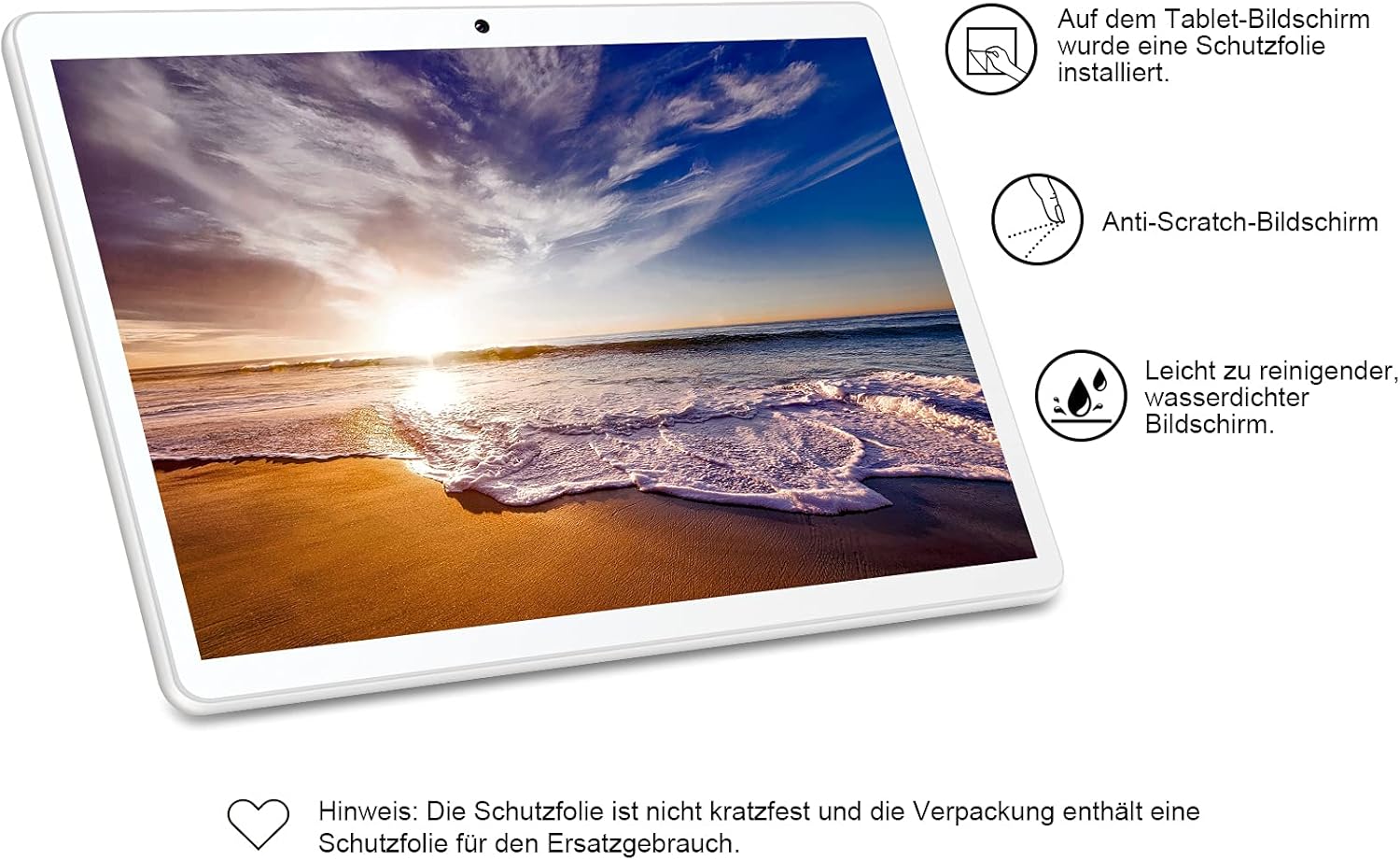
Figura 5: GOODTEL G3 Tablet screen protection features. This image emphasizes the screen protection features of the GOODTEL G3 tablet. It highlights that a protective film is pre-installed, the screen is anti-scratch, and it is easy to clean and water-resistant. A note mentions that the protective film is not scratch-proof and a replacement is included.
4.2 Tindif Ġenerali
Use a soft, lint-free cloth to clean the tablet's screen and body. Avoid using harsh chemicals or abrasive materials.
4.3 Aġġornamenti tas-Software
Periodically check for system updates in Settings > Sistema > Aġġornament tas-sistema to ensure your tablet has the latest features and security patches.
5 Issolvi l-problemi
Jekk tiltaqa' ma' problemi bit-tablet tiegħek, irreferi għas-soluzzjonijiet komuni li ġejjin:
- It-tablet ma jirrispondix: Agħfas u żomm il-buttuna tal-qawwa għal madwar 10-15-il sekonda biex terġa' tibda.
- L-apps huma bil-mod jew qed jiġġarraf: Close unnecessary background applications. Clear app caches in Settings > Apps u notifiki > [App Name] > Ħażna u cache. Consider uninstalling unused apps.
- Problemi ta' konnettività Wi-Fi jew Bluetooth: Toggle Wi-Fi/Bluetooth off and on. Restart your tablet and/or your router/Bluetooth device.
- Il-batterija tinxef malajr: Naqqas il-luminożità tal-iskrin, iddiżattiva karatteristiċi mhux użati bħall-GPS jew il-Bluetooth, u agħlaq l-apps fl-isfond.
- Tablet mhux qed jiċċarġja: Ensure the charger and cable are securely connected and undamaged. Try a different compatible charger and cable if available.
- Irrisettjar tal-Fabbrika: As a last resort for persistent software issues, you can perform a factory reset. Go to Settings > Sistema > Irrisettja l-għażliet > Ħassar id-dejta kollha (reset tal-fabbrika). Twissija: Dan se jħassar id-dejta kollha fuq it-tablet tiegħek. Agħmel backup tad-dejta importanti qabel ma tipproċedi.
6. Speċifikazzjonijiet
| Karatteristika | Speċifikazzjoni |
|---|---|
| Mudell | GOODTEL G3 |
| Dimensjonijiet (L x W x H) | 25 x 17.8 x 0.8 ċm (9.84 x 7.01 x 0.31 pulzieri) |
| Piż | 540 gramma |
| Wiri | 10.1-inch IPS, 1280 x 800 pixels, 2.5D Tempered Glass |
| Sistema Operattiva | Android 10 |
| Proċessur | Quad Core MTK 1.30 GHz |
| RAM | 4 GB |
| Ħażna Interna (ROM) | 64 GB |
| Ħażna espansibbli | MicroSD (supports 4-128 GB) |
| Kamera ta' Quddiem | 5 MP |
| Kamera ta' wara | 8 MP |
| Wi-Fi | 802.11 a/b/g/n (2.4 GHz) |
| Bluetooth | V4.0 |
| Appoġġ SIM | Dual Mini SIM |
| Batterija | 8000 mAh Lithium-ion Polymer |
| Input tal-Enerġija | 5V/2A |
| Portijiet | Type-C, 3.5mm Headphone Jack, Mini SIM Slot, Micro SD Slot |
| Karatteristiċi Addizzjonali | MIC, FM, GPS, G-sensor, Multi-language support |

Figura 6: GOODTEL G3 Tablet 8000mAh battery life performance. This graphic highlights the extended battery life of the GOODTEL G3 tablet, powered by its 8000mAh battery. It indicates approximately 4 hours of video playback, 6 hours of web browsing, 140 hours of standby time, and 8 hours of reading.

Figura 7: GOODTEL G3 Tablet features including Android 10, connectivity, and cameras. This image showcases the tablet's key features: Android 10 operating system, Wi-Fi connectivity, Dual SIM capability, dual cameras (5MP front, 8MP rear), and Bluetooth. The microphone hole is also indicated.
7. Informazzjoni dwar l-Appoġġ u l-Garanzija
7.1 Appoġġ għall-Klijent
GOODTEL provides a professional and efficient support team dedicated to assisting customers with pre-sale and after-sale inquiries. If you require assistance, please contact our support team through the contact information provided with your purchase or on the official GOODTEL websit.
7.2 Garanzija
Please refer to the warranty card included in your product packaging for detailed warranty terms and conditions. Keep your proof of purchase for warranty claims.


