Introduzzjoni
This manual provides detailed instructions for setting up, operating, and maintaining your AIKELA Smart Watch ID205U. This device is designed to monitor various health metrics and track fitness activities, compatible with Android OS 4.4 / iOS 8.0 or above and Bluetooth 4.2 or above smartphones. It is not intended for use with PCs, iPads, or tablets.

Image: The AIKELA Smart Watch ID205U, featuring a black square display and a black silicone strap.
Gwida ta' Setup
Kontenut tal-Pakkett
- AIKELA Smart Watch (Model ID205U) x 1
- Kejbil għall-Iċċarġjar manjetiku x 1
- Manwal għall-Utent x 1
Iċċarġjar tal-Apparat
Before initial use, fully charge your smartwatch. Connect the magnetic charging cable to the charging contacts on the back of the watch and plug the USB end into a power adapter (not included) or a computer's USB port. A full charge typically takes approximately 2.5 hours.
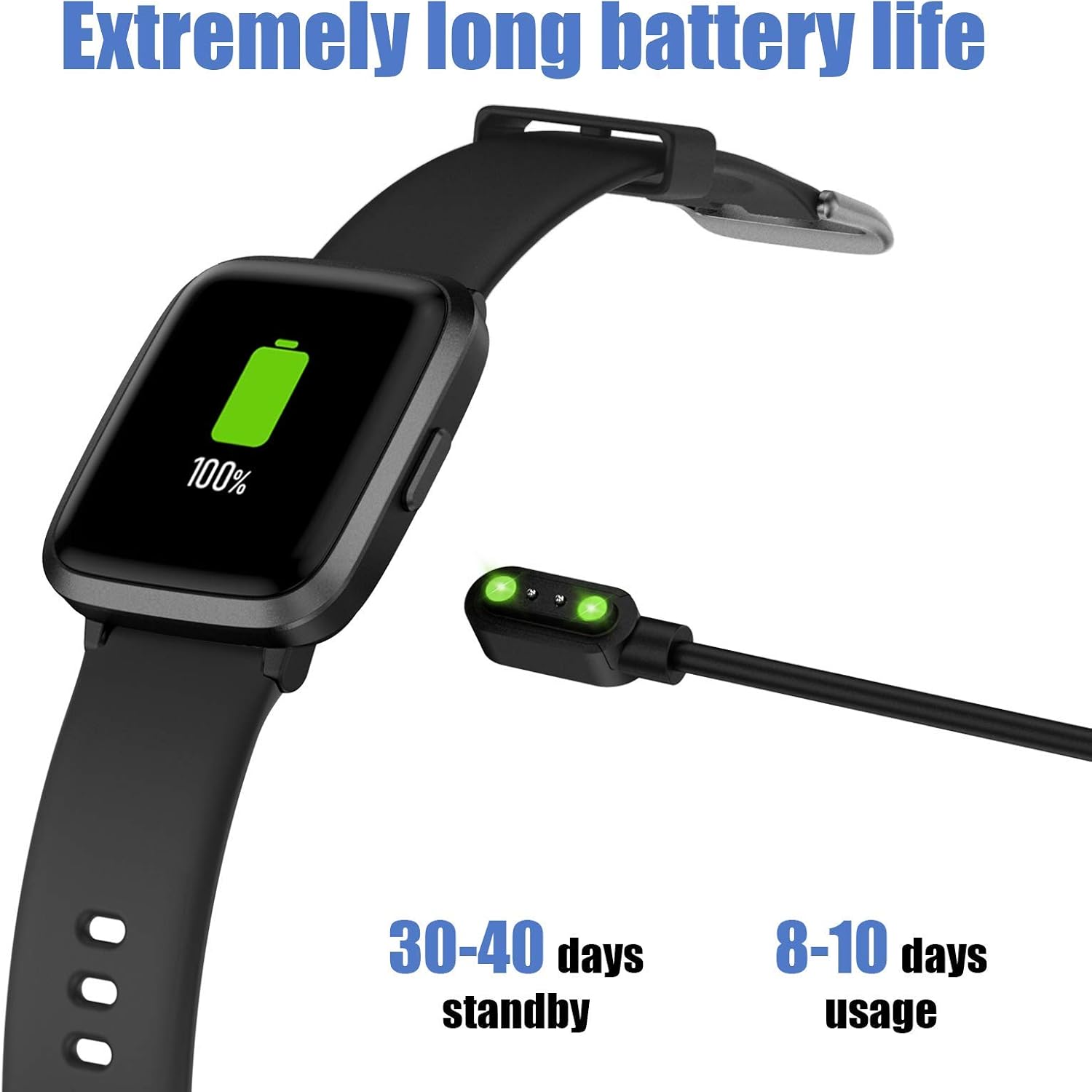
Image: The AIKELA Smart Watch connected to its magnetic charging cable, displaying a full battery icon.
Connecting to Your Smartphone (VeryFitPro App)
To utilize all features of your AIKELA Smart Watch, you must connect it to your smartphone using the "VeryFitPro" application. Ensure your smartphone meets the following requirements:
- Android OS 4.4 jew aktar
- iOS 8.0 jew aktar
- Bluetooth 4.2 jew ogħla
- Niżżel l-App: Scan the QR code provided in the physical user manual or search for "VeryFitPro" in the Google Play Store (for Android) or Apple App Store (for iOS).
- Enable Bluetooth and GPS: On your mobile phone, activate both Bluetooth and GPS services.
- Open VeryFitPro App: Launch the "VeryFitPro" application on your smartphone.
- Initiate Binding: On the home page of the app, look for a binding request or navigate to the "Device" section to add a new device.
- Select Device Model: Choose "ID205U" from the list of available devices.
- Ikkonferma l-Irbit: Follow the on-screen prompts and click "OK" to complete the binding process.
Ladarba jkun imqabbad b'suċċess, l-arloġġ se jissinkronizza d-dejta mal-app.
Istruzzjonijiet Operattivi
Navigazzjoni Bażika
- Touch Screen: The 1.3-inch TFT-LCD full touch screen allows for intuitive navigation. Swipe left/right, up/down, and tap to select options.
- Uċuħ tal-Għassa: Choose from 4 stylish clock faces directly on the watch or through the VeryFitPro app.
Karatteristiċi ta' Monitoraġġ tas-Saħħa
The AIKELA Smart Watch ID205U provides monitoring for several key health indicators. Nota: Id-dejta miġbura minn dan l-apparat hija għal referenza biss u ma tistax tintuża għal dijanjosi jew trattament mediku.
- Monitor tar-rata tal-qalb: Isegwi kontinwament ir-rata tal-qalb tiegħek matul il-ġurnata. View dejta f'ħin reali fuq l-arloġġ jew xejriet dettaljati fl-app.
- Monitor tal-Pressjoni tad-Demm: Measures your blood pressure. Ensure the watch is worn correctly for accurate readings.
- Monitor tal-Ossiġenu tad-Demm (SpO2): Jimmonitorja l-livelli ta' saturazzjoni tal-ossiġnu fid-demm tiegħek.

Image: A man running, wearing the AIKELA Smart Watch which displays a blood oxygen level of 100% SpO2.

Image: Top shows a man checking his heart rate on the AIKELA Smart Watch. Bottom shows women doing push-ups, with the watch displaying a blood pressure measurement.
Traċċar tal-Fitness
The watch records your daily activities and supports multiple sports modes.
- Traċċar tal-Attività matul il-Jum Kollhu: Records steps taken, distance covered, calories burned, and active time.
- 9 Modalità Sportiva: Select a mode before starting your workout for more accurate tracking. Available modes include:
- Mixi
- Running
- Bike
- għażil
- Treadmill
- Tlugħ
- Yoga
- Tixbit
- Fitness
- Monitor tal-irqad: Automatically tracks your sleep patterns, including total sleep, deep sleep, and awake time. View detailed analysis in the VeryFitPro app.

Image: The AIKELA Smart Watch interface showing icons for 9 different sports modes, alongside images of individuals engaged in running, hiking, and yoga.

Image: A woman sleeping, with the AIKELA Smart Watch on her wrist displaying the time. A smartphone next to her shows the VeryFitPro app interface with detailed sleep tracking data.
Notifiki u Tfakkiriet
Once connected to your smartphone, the watch can receive various notifications.
- Notifiki tas-Sejħiet: Receive incoming call alerts directly on your watch. You can choose to decline calls from the watch.
- Notifiki tal-messaġġi: Read SMS messages and notifications from social media apps (e.g., Facebook, Instagram, Twitter, WhatsApp) on your watch screen.
- Tifkiriet Oħra: Set alarms, sedentary reminders, and other alerts through the VeryFitPro app.

Image: A woman holding a smartphone, with the AIKELA Smart Watch on her wrist displaying an incoming call notification. Icons for various social media and communication apps are shown in the background.
Manutenzjoni
Reżistenza għall-Ilma
The AIKELA Smart Watch ID205U has a 5ATM waterproof rating, meaning it can withstand pressures equivalent to a depth of 50 meters. This makes it suitable for activities like washing hands, showering, and swimming. However, it is not suitable for diving, hot water activities, or saunas, as steam and high temperatures can damage the device.
Tindif u Kura
- Naddaf l-arloġġ u ċ-ċinga regolarment b'ċarruta ratba u nadifa.amp drapp.
- Evita li tuża kimiċi ħarxa jew materjali li joborxu.
- Kun żgur li l-kuntatti tal-iċċarġjar huma nodfa u niexfa qabel ma tiċċarġja biex tevita l-korrużjoni.
- If the watch gets wet, dry it thoroughly before charging or prolonged use.
Ħajja tal-batterija u Iċċarġjar
The device features a 210mAh Lithium Polymer battery. A full charge provides approximately 7-9 days of working time, with a standby time of 30-40 days. Actual battery life may vary based on usage patterns and settings.
Issolvi l-problemi
Kwistjonijiet Komuni u Soluzzjonijiet
- L-arloġġ mhux qed jingħaqad mat-telefon:
- Kun żgur li l-Bluetooth u l-GPS huma attivati fuq it-telefon tiegħek.
- Verify the "VeryFitPro" app is installed and running.
- Check if the watch battery is sufficiently charged.
- Erġa' ibda kemm it-telefon kif ukoll l-arloġġ tiegħek.
- Ipprova neħħi l-akkoppjar u erġa' qabbad l-apparat permezz tal-app.
- Dejta dwar is-saħħa mhux preċiża:
- Kun żgur li l-arloġġ jintlibes sew iżda komdu fuq il-polz tiegħek, madwar wisa' ta' saba' 'l fuq mill-għadma tal-polz.
- Evita moviment eċċessiv waqt il-kejl.
- Naddaf is-sensor fuq wara tal-arloġġ.
- Notifiki li ma jidhrux:
- Confirm the watch is connected to the app via Bluetooth.
- Check notification settings within the "VeryFitPro" app to ensure desired app notifications are enabled.
- Verify your phone's system notification settings allow the "VeryFitPro" app to display notifications.
- Ħajja qasira tal-batterija:
- Frequent use of health monitoring features (e.g., continuous heart rate) or bright screen settings can reduce battery life.
- Reduce screen brightness or turn off unnecessary features.
- Kun żgur li l-arloġġ ikun iċċarġjat kompletament kull darba.
For further assistance, refer to the "Help" section within the VeryFitPro app or contact customer support.
Speċifikazzjonijiet
| Karatteristika | Dettall |
|---|---|
| Mudell | ID205U |
| Metodu ta' Sinkronizzazzjoni | Bluetooth 4.2 |
| Skrin | 1.3" TFT LCD, Full Touch |
| Riżoluzzjoni | 240 x 240 |
| Piż | 39g (1.37oz) |
| Tip ta 'batterija | Polimeru tal-litju |
| Kapaċità tal-batterija | 210mAh |
| Ħidma Voltage | 3.8V |
| Klassifikazzjoni li ma jgħaddix ilma minnha | 5ATM |
| Ħin tax-Xogħol | 7-9 ijiem |
| Ħin tal-Iċċarġjar | ≤ 2.5 sigħat |
| Kompatibilità tas-Sistema Operattiva | Android OS 4.4 / iOS 8.0 or above |
| Karatteristiċi Speċjali | Heart Rate Monitor, Blood Pressure Monitor, Blood Oxygen Monitor, Sleep Monitor, 9 Sports Modes, Call & Message Notifications, Alarm Clock |
Garanzija u Appoġġ
Informazzjoni dwar Garanzija
Specific warranty details are typically provided with your purchase documentation or on the product packaging. Please retain your proof of purchase for warranty claims.
Appoġġ għall-Klijent
For technical support, troubleshooting assistance, or any questions regarding your AIKELA Smart Watch ID205U, please refer to the "Help" section within the VeryFitPro application. You may also contact the retailer or manufacturer's customer service channels for further assistance.


