Introduzzjoni
This manual provides essential information for the safe and efficient operation of your Comiso X26M Portable Bluetooth Speaker. Please read thoroughly before use to ensure optimal performance and longevity of your device.
Informazzjoni dwar is-Sigurtà
- Tesponix l-ispiker għal temperaturi estremi jew dawl tax-xemx dirett għal perjodi twal.
- Żomm 'il bogħod minn fjammi miftuħa u sorsi ta' sħana.
- Do not disassemble, modify, or attempt to repair the device yourself. Contact qualified service personnel if needed.
- Ensure the rubber port cover is securely closed when the speaker is exposed to water or dust to maintain its IP65 rating.
- Uża biss il-kejbil tal-iċċarġjar provdut jew wieħed ekwivalenti ċċertifikat.
Kontenut tal-Pakkett
- Comiso X26M Portable Bluetooth Speaker
- Cable tal-Iċċarġjar tal-USB-C
- Clip Carabiner
- Manwal għall-Utent
Prodott Overview
The Comiso X26M is a compact, waterproof, and dustproof portable Bluetooth speaker designed for both indoor and outdoor use. It delivers balanced, detailed 360° HD sound, supports wireless stereo pairing (TWS), features a built-in microphone for hands-free calls, and includes a TF card slot for direct music playback.
Kontrolli u Portijiet
The speaker's top panel features intuitive controls for power, volume, and playback. The charging port, TF card slot, and reset button are located at the bottom, protected by a durable rubber cover.

Image: The Comiso X26M speaker in pink, held in a hand, highlighting its compact size and top control panel.

Image: A close-up of the speaker's top panel, displaying the power, volume, and playback control buttons.

Immaġni: Dettaljata view of the speaker's base, with the protective rubber flap open to reveal the USB-C charging port, TF card slot, and reset button.
Setup
Iċċarġjar lill-Ispeaker
Before first use, fully charge the speaker to ensure maximum battery life.
- Open the rubber cover located at the bottom of the speaker.
- Connect the provided USB-C cable to the charging port and a compatible USB power source (e.g., wall adapter, computer USB port).
- The LED indicator will illuminate to show the charging status. It will turn off or change color when fully charged.
- Once fully charged, disconnect the cable and close the rubber cover securely to maintain waterproof and dustproof integrity.
Tqabbil tal-Bluetooth
Connect your Comiso X26M speaker to your Bluetooth-enabled device.
- Agħfas u żomm il-buttuna tal-qawwa (G) on the top panel until you hear an audible prompt and the LED indicator flashes blue, indicating pairing mode.
- Fuq l-apparat tiegħek (smartphone, tablet, eċċ.), attiva l-Bluetooth u fittex apparati disponibbli.
- Select "Comiso X26M" from the list of found devices to connect. A confirmation tone will sound upon successful pairing, and the LED will turn solid blue.
Istruzzjonijiet Operattivi
Funzjonijiet Bażiċi
- Power On/Off: Agħfas u żomm il-buttuna tal-qawwa (G).
- Play/Pawsa: Agħfas il-buttuna Play / Pause (||).
- Volum 'il fuq/Niżżel: Agħfas il-'+'jew'-' buttons.
- Track Li jmiss / Preċedenti: Press and hold the '+' (next) or '-' (previous) buttons.
- Tweġiba/Tmiem Sejħa: Agħfas il-buttuna Play / Pause (||) during an incoming call.
- Irrifjuta Sejħa: Agħfas u żomm il-buttuna Play/Pause (||) during an incoming call.
Wireless Stereo Pairing (TWS)
To achieve an immersive 360° stereo surround sound experience, you can pair two Comiso X26M speakers together.
- Ensure both Comiso X26M speakers are powered on and not connected to any other Bluetooth device.
- On one speaker, press the TWS pairing button (triangle icon). The LED will flash, indicating it's searching for another speaker.
- The speakers will automatically connect to each other. A confirmation tone will sound, and the LEDs on both speakers will indicate a successful TWS connection.
- Ladarba jkun imqabbad, qabbad l-apparat tiegħek ma' wieħed mill-ispikers permezz tal-Bluetooth kif deskritt fit-taqsima "Bluetooth Pairing". Iż-żewġ ispikers issa se jdoqqu l-awdjo stereo.
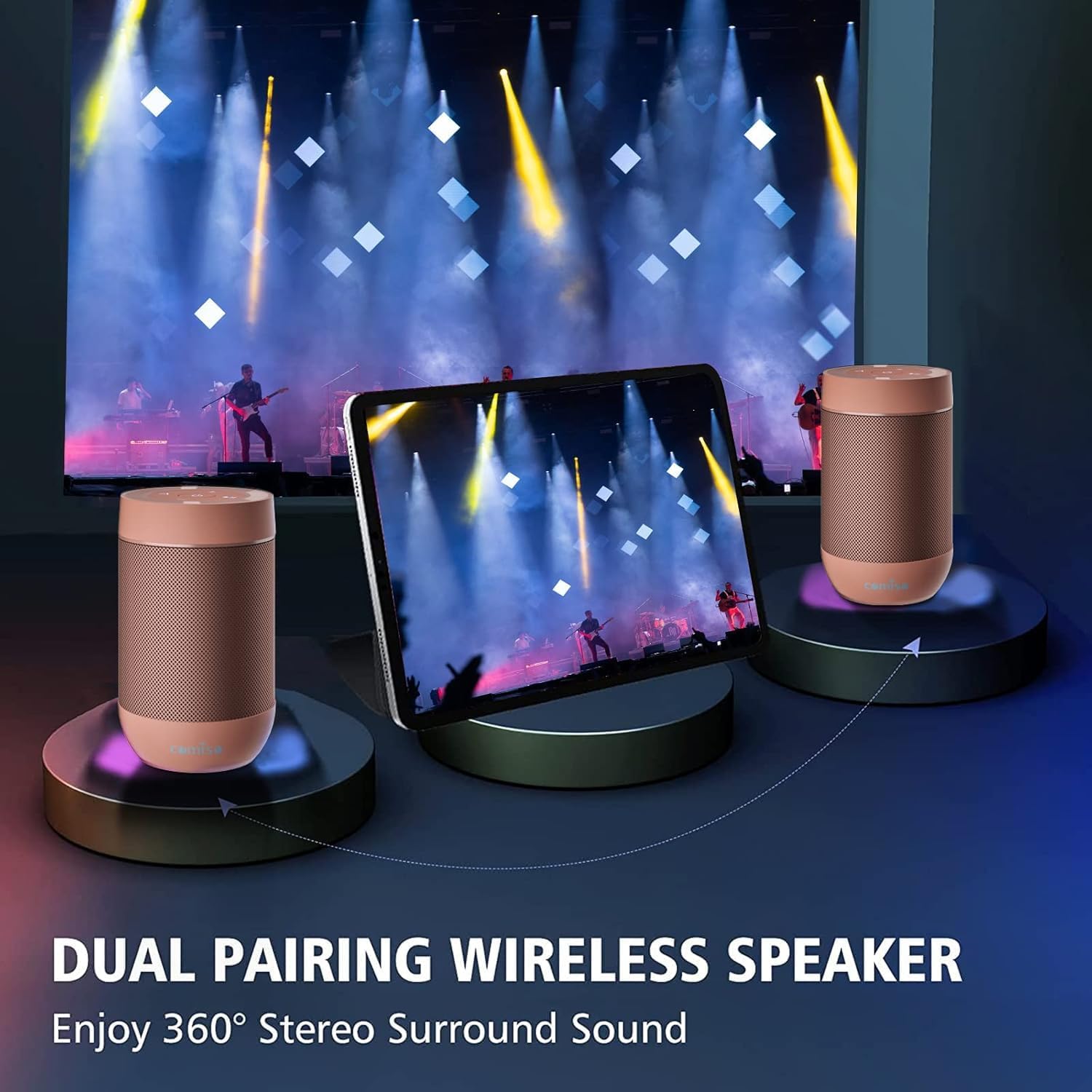
Image: Two Comiso X26M speakers demonstrating the wireless stereo pairing feature, enhancing the audio experience.
Daqq tal-Karta TF
The speaker supports direct music playback from a TF (Micro SD) card.
- Open the rubber cover at the bottom of the speaker.
- Insert a TF card (up to 64GB, formatted to FAT32, containing MP3 audio files) into the designated slot.
- The speaker will automatically switch to TF card mode and begin playback.
- Use the playback controls on the top panel to manage your music.
Manutenzjoni
- Naddaf il-kelliem b'artab, damp drapp. Tużax prodotti tat-tindif li joborxu, alkoħol, jew kimiċi ħarxa.
- Ensure the rubber port cover is securely sealed when not charging or using the TF card to maintain water and dust resistance.
- Aħżen l-ispiker f'post frisk u niexef 'il bogħod mix-xemx diretta u minn temperaturi estremi meta ma jkunx qed jintuża.
- If the speaker will not be used for an extended period, charge it fully every 3 months to preserve battery health.
Issolvi l-problemi
| Problema | Soluzzjoni |
|---|---|
| L-ispiker ma jixgħelx. | Ensure the battery is charged. Connect to a power source using the USB-C cable. If unresponsive, try pressing the reset button located under the rubber cover. |
| Ma tistax tqabbad permezz tal-Bluetooth. | Ensure the speaker is in pairing mode (flashing blue LED). Turn off Bluetooth on other nearby devices that might be trying to connect. Try resetting the speaker and your device's Bluetooth settings. |
| L-ebda ħoss jew volum baxx. | Adjust both the speaker's volume and your connected device's volume. Ensure the speaker is properly connected via Bluetooth or TF card. |
| Il-kard tat-TF mhux qed tilgħab. | Ensure the TF card is formatted to FAT32 and contains MP3 files. The maximum supported size is 64GB. Reinsert the card firmly. |
| Kwalità tal-ħoss ħażina. | Ensure the speaker is within Bluetooth range of your device. Check for obstacles between the speaker and device. Ensure the audio source quality is good. |
Speċifikazzjonijiet
| Karatteristika | Dettall |
|---|---|
| Isem tal-Mudell | X26M |
| Brand | Comiso |
| Teknoloġija tal-Konnettività | Mingħajr fili (Bluetooth 5.3) |
| Klassifikazzjoni li ma jgħaddix ilma minnha | IP65 |
| Karatteristiċi Speċjali | Built-in Microphone, TF Card Support, Wireless Stereo Pairing (TWS) |
| Modalità tal-Ħruġ tal-Awdjo | Stereo |
| Qawwa tal-Ħruġ Massimu tal-Ispeaker | 5 Watts |
| Kapaċità tal-batterija | 1350 mAh |
| Ħin tal-Iċċarġjar | 2 Sigħat |
| Medda Bluetooth | 100 Saqajn |
| Dimensjonijiet tal-Prodott | 2.2"D x 2.2"W x 3.6"H |
| Piż tal-oġġett | 5.9 uqija |
Garanzija u Appoġġ
This product comes with a limited warranty. For warranty claims, technical support, or any inquiries, please contact Comiso customer service. Refer to the official Comiso webis-sit jew id-dokumentazzjoni tax-xiri tiegħek għal dettalji ta' kuntatt speċifiċi u termini tal-garanzija.
Informazzjoni Addizzjonali
For more product details, accessories, and usage tips, visit the official Comiso Store: Comiso Store on Amazon.


