Introduzzjoni
Thank you for choosing the Boompods Zero Mini Bluetooth Speaker. This compact and portable speaker is designed to deliver impressive sound quality with the convenience of wireless connectivity, IPX6 water protection, and a built-in microphone for hands-free calls. It also features a selfie function for remote photo capture. Please read this manual carefully to ensure proper use and maintenance of your device.

Image: The Boompods Zero Mini Bluetooth Speaker, a small black device, with a hand reaching down to emphasize its compact size. This speaker is designed for portability and ease of use.
Informazzjoni dwar is-Sigurtà
- Tesponix l-ispiker għal temperaturi estremi jew dawl tax-xemx dirett għal perjodi twal.
- Evita li twaqqa’ jew tissuġġetta lill-kelliem għal impatti qawwija.
- Tippruvax tiżżarma, issewwi, jew timmodifika l-ispiker int stess. Dan jannulla l-garanzija.
- Żomm l-ispiker 'il bogħod minn apparati mediċi, għax il-komponenti manjetiċi tiegħu jistgħu jinterferixxu mat-tħaddim tagħhom.
- Ensure the charging port cover is securely closed when the speaker is exposed to water to maintain IPX6 water resistance.
- Uża biss il-kejbil tal-iċċarġjar provdut jew wieħed ekwivalenti ċċertifikat.
Kontenut tal-Pakkett
Jekk jogħġbok iċċekkja l-pakkett għall-oġġetti li ġejjin:
- Boompods Zero Mini Bluetooth Speaker
- Cable tal-Iċċarġjar tal-USB-C
- Manwal għall-Utent (dan id-dokument)
- Kuxxinett tal-iċċarġjar bla fili

Image: The retail packaging for the Boompods Zero Mini Bluetooth Speaker. The box highlights key features like wireless charging and water resistance, and notes its plastic-free packaging.
Prodott Overview
The Boompods Zero Mini Bluetooth Speaker features a minimalist design with a single multi-function button located on the bottom.
- Grille tal-Ispeaker: Top surface for audio output.
- Buttuna b'ħafna funzjonijiet: Located on the bottom, used for power, pairing, call control, and selfie function.
- Indikatur LED: Provides status updates (power, charging, pairing).
- Port tal-Iċċarġjar USB-C: For wired charging, located under a protective cover.
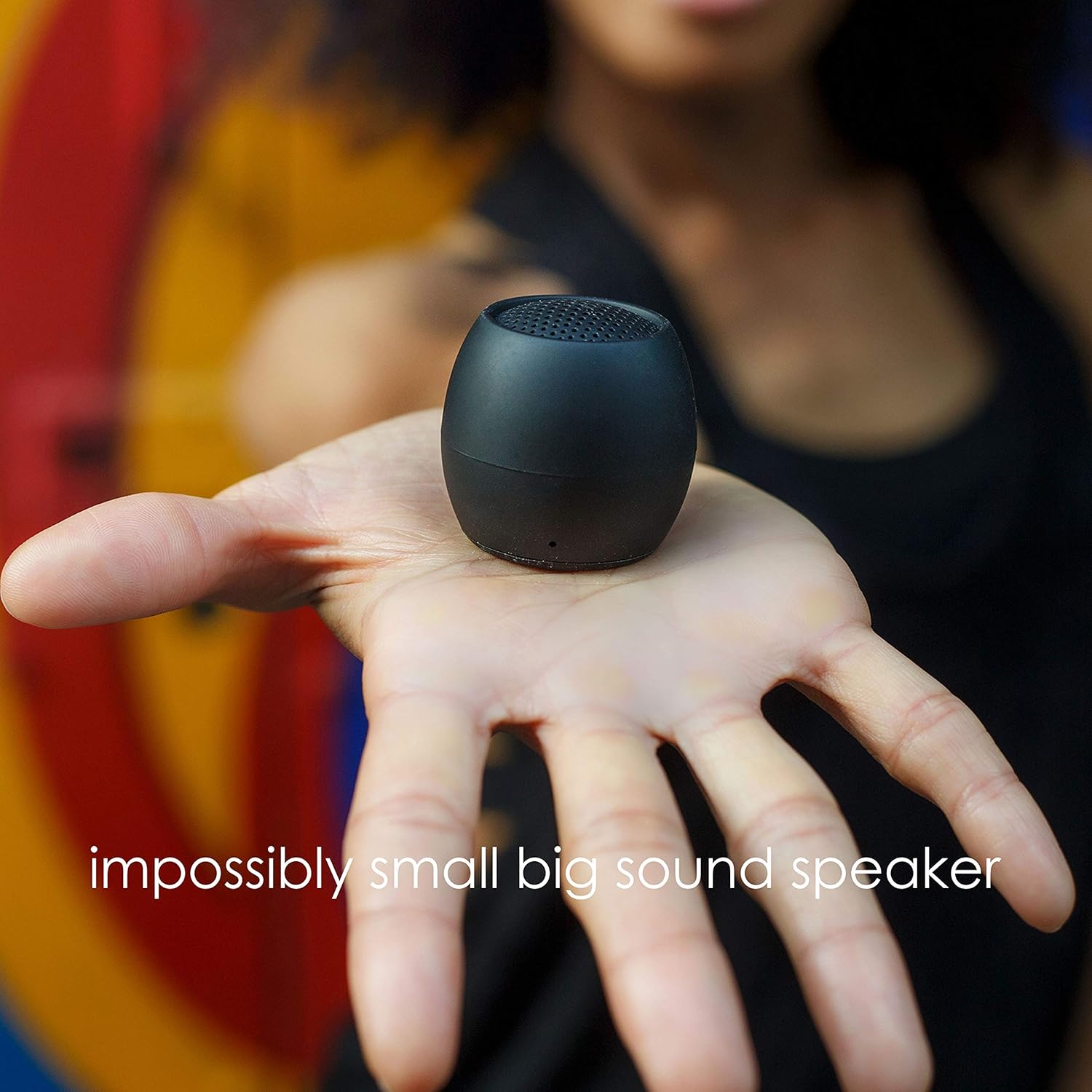
Image: The Boompods Zero Mini Bluetooth Speaker resting in the palm of a hand, demonstrating its extremely small and portable form factor.
Setup
1. Iċċarġja l-Ispeaker
Before first use, fully charge your Boompods Zero speaker.
- Iċċarġjar bil-Wajer: Open the protective cover on the bottom of the speaker to reveal the USB-C port. Connect the provided USB-C cable to the speaker and the other end to a USB power adapter (not included) or a computer's USB port. The LED indicator will show charging status.
- Iċċarġjar bla fili: Place the speaker on the included wireless charging pad. Ensure the speaker is centered on the pad for optimal charging. The LED indicator will confirm charging.

Image: The Boompods Zero Mini Bluetooth Speaker being charged wirelessly on its dedicated charging pad. The image highlights the convenience of wireless power transfer.
2. Tixgħil / Mitfi
- Qawwa Mixgħul: Press and hold the multi-function button on the bottom of the speaker for approximately 3 seconds until you hear an audible prompt and the LED indicator lights up.
- Itfi: Press and hold the multi-function button for approximately 3 seconds until you hear an audible prompt and the LED indicator turns off.

Immaġni: Close-up view of the bottom of the Boompods Zero Mini Bluetooth Speaker, illustrating the location of the multi-function button and how to interact with it for various controls.
3. Tqabbil tal-Bluetooth
Biex tqabbad l-ispiker tiegħek ma' apparat li jaħdem bil-Bluetooth:
- Kun żgur li l-kelliem ikun mitfi.
- Press and hold the multi-function button for about 5 seconds until the LED indicator flashes rapidly, indicating it's in pairing mode.
- Fuq l-apparat tiegħek (smartphone, tablet, eċċ.), attiva l-Bluetooth u fittex apparati disponibbli.
- Select "Boompods Zero" from the list of found devices.
- Once paired, the LED indicator will stop flashing and remain solid, and you will hear a confirmation sound.
4. Dual Pairing (Stereo Sound)
You can pair two Boompods Zero speakers together for a true stereo sound experience.
- Ensure both Boompods Zero speakers are powered off.
- Power on both speakers simultaneously. They will automatically attempt to connect to each other.
- Once connected to each other, one speaker will act as the master and enter Bluetooth pairing mode (LED flashing rapidly).
- Connect your device to the master speaker as described in the "Bluetooth Pairing" section.
- You will now experience stereo audio playback through both speakers.

Image: Two Boompods Zero Mini Bluetooth Speakers shown together, representing their ability to be dual-paired for an enhanced stereo audio experience.
Istruzzjonijiet Operattivi
1. Daqq tal-mużika
- Play/Pawsa: Agħfas il-buttuna multi-funzjoni darba waħda fil-qosor.
- Kontroll tal-Volum: Adjust volume directly from your connected device. The speaker does not have dedicated volume buttons.
2. Sejħa Funzjoni
The built-in microphone allows for hands-free calling when connected to your smartphone.
- Irrispondi Sejħa: Agħfas qasir il-buttuna multi-funzjoni darba meta tidħol telefonata.
- Tmiem Sejħa: Agħfas qasir il-buttuna multi-funzjoni darba waqt telefonata.
- Irrifjuta Sejħa: Agħfas u żomm il-buttuna multi-funzjoni għal madwar 2 sekondi meta tidħol telefonata.
3. Funzjoni tas-Selfie
Use the speaker as a remote shutter for your smartphone camera.
- Kun żgur li l-ispiker huwa mqabbad mal-ismartphone tiegħek.
- Iftaħ l-applikazzjoni tal-kamera tal-ismartphone tiegħek.
- Short press the multi-function button on the speaker to trigger the camera shutter.
Image: The bottom of the Boompods Zero Mini Bluetooth Speaker, highlighting its selfie control feature. A finger is shown pressing the button, indicating its use as a remote camera shutter.
4. Reżistenza għall-Ilma IPX6
The Boompods Zero speaker is rated IPX6, meaning it is protected against powerful water jets. It is suitable for use in environments where it may be exposed to splashes or rain, such as a shower or outdoors.
- Importanti: Ensure the USB-C charging port cover is fully and securely closed before exposing the speaker to water.
- Do not submerge the speaker in water. IPX6 rating does not mean it is waterproof for submersion.
- After exposure to water, wipe the speaker dry with a soft cloth before charging.
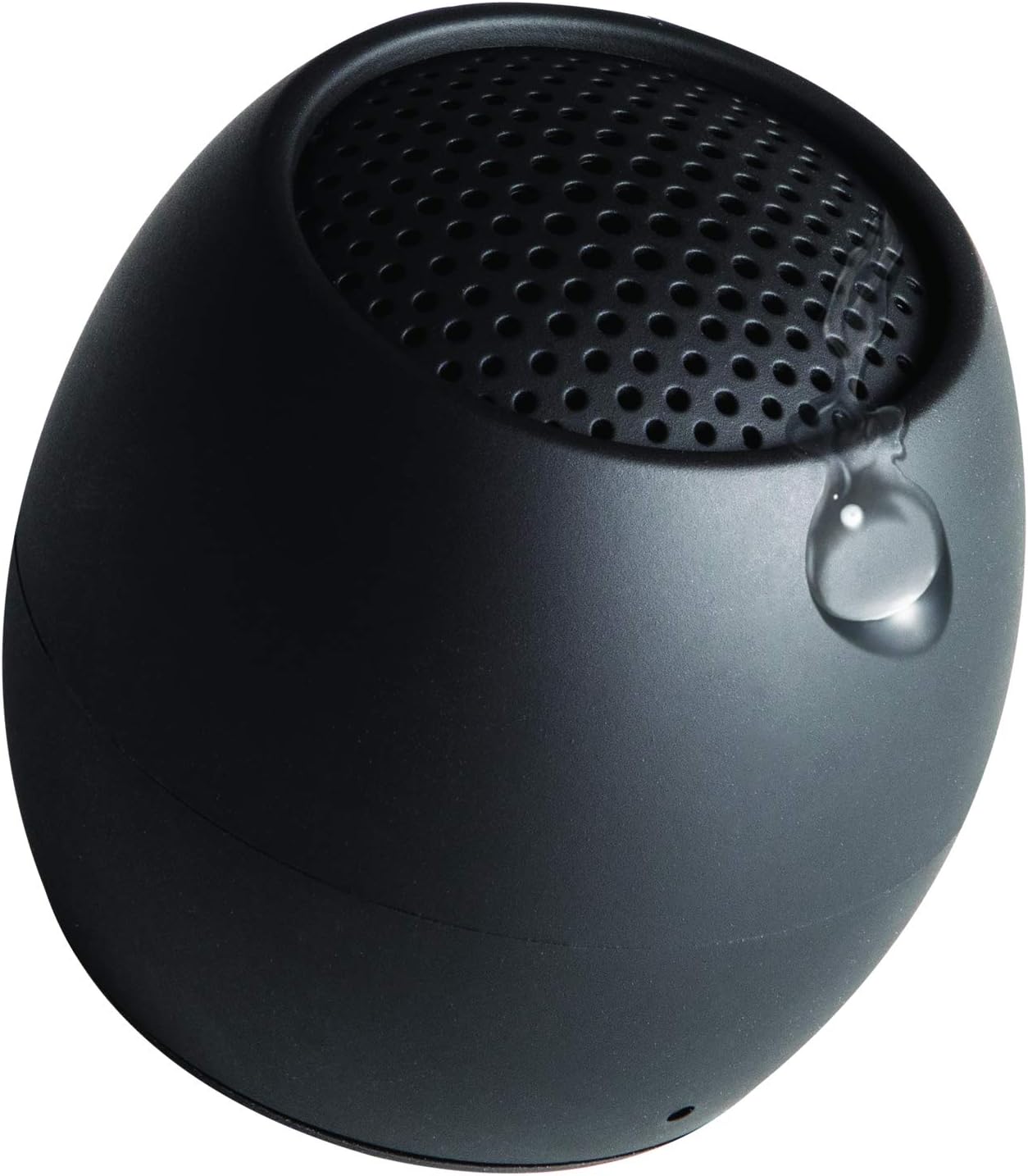
Image: A water droplet visible on the surface of the Boompods Zero Mini Bluetooth Speaker, illustrating its IPX6 water resistance, making it suitable for use in wet environments.
Manutenzjoni
- Tindif: Imsaħ il-kelliem b 'soft, damp drapp. Tużax tindif jew solventi li joborxu.
- Ħażna: Aħżen l-ispiker f'post frisk u niexef 'il bogħod mix-xemx diretta u minn temperaturi estremi.
- Kura tal-batterija: Biex ittawwal il-ħajja tal-batterija, evita li tiċċarġja kompletament il-batterija ta’ spiss. Iċċarġja l-ispiker regolarment, anke jekk ma jkunx qed jintuża għal perjodi twal.
Issolvi l-problemi
| Problema | Kawża Possibbli | Soluzzjoni |
|---|---|---|
| L-ispiker ma jixgħelx. | Batterija baxxa. | Iċċarġja l-ispiker kompletament. |
| Ma tistax tqabbad mat-tagħmir. | Speaker not in pairing mode; Bluetooth off on device; device too far. | Ensure speaker is in pairing mode (flashing LED). Turn on Bluetooth on your device. Move device closer to speaker (within 10 meters). |
| L-ebda ħoss jew volum baxx. | Volume on device too low; speaker not connected; audio source issue. | Increase volume on your connected device. Re-pair the speaker. Check audio source on your device. |
| Il-funzjoni tas-selfie mhux qed taħdem. | Camera app not open; speaker not paired. | Ensure your camera app is open and active. Confirm speaker is paired with your phone. |
| "Low Power" voice prompt repeats frequently. | Il-batterija hija kritikament baxxa. | Charge the speaker immediately. This is a warning to prevent unexpected shutdown. |
Speċifikazzjonijiet
- Isem tal-Mudell: ŻERO
- Ditta: Boompods
- Teknoloġija tal-Konnettività: Bluetooth
- Tip ta' Kelliem: Bluetooth
- Qawwa massima tal-Ħruġ: 10 Watts
- Modalità tal-Ħruġ tal-Awdjo: Stereo, Surround-Sound
- Karatteristiċi Speċjali: Bluetooth, Waterproof (IPX6), Portable
- Użi Rakkomandati: Mużika, Barra
- Apparati Kompatibbli: Smartphone
- Batteriji: 1 batterija tal-litju-jone meħtieġa (inkluża)
- Dimensjonijiet tal-Prodott: 1 x 1 x 1 ċm
- Piż tal-oġġett: 81 Gramm
- Manifattur: Boompods
- Pajjiż ta' Oriġini: Iċ-Ċina
Garanzija u Appoġġ
Boompods products are designed and manufactured to the highest quality standards. For information regarding warranty, returns, or technical support, please visit the official Boompods webis-sit jew ikkuntattja lis-servizz tal-klijenti tagħhom direttament.
You can also visit the Boompods store on Amazon for more information and support: Boompods Amazon Store


