Introduzzjoni
The Microsoft Designer Compact Keyboard is engineered for exceptional comfort and a streamlined workspace. Its sleek, low-profile design complements any setup, offering optimized key travel for fast, fluid typing. This wireless Bluetooth keyboard is compatible with Bluetooth-enabled PCs and Macs, providing a versatile and efficient input solution.
Key features include a built-in expressive input (emoji) key and a dedicated Screen snipping key for quick capture, copy, paste, and sharing. It is designed to connect with up to three devices, allowing seamless switching between them.
X'hemm fil-Kaxxa
- Microsoft Designer Compact Keyboard
- 4 x DL2032 Lithium Metal Batteries (pre-installed)
- Gwida Quick Start u Informazzjoni dwar Garanzija
Setup
1. Installazzjoni tal-batterija
Your Microsoft Designer Compact Keyboard comes with four DL2032 Lithium Metal Batteries pre-installed. Before first use, you may need to remove a protective pull tab from the battery compartment to activate the batteries. If the keyboard does not power on, ensure the batteries are correctly oriented according to the polarity indicators (+/-) inside the compartment.
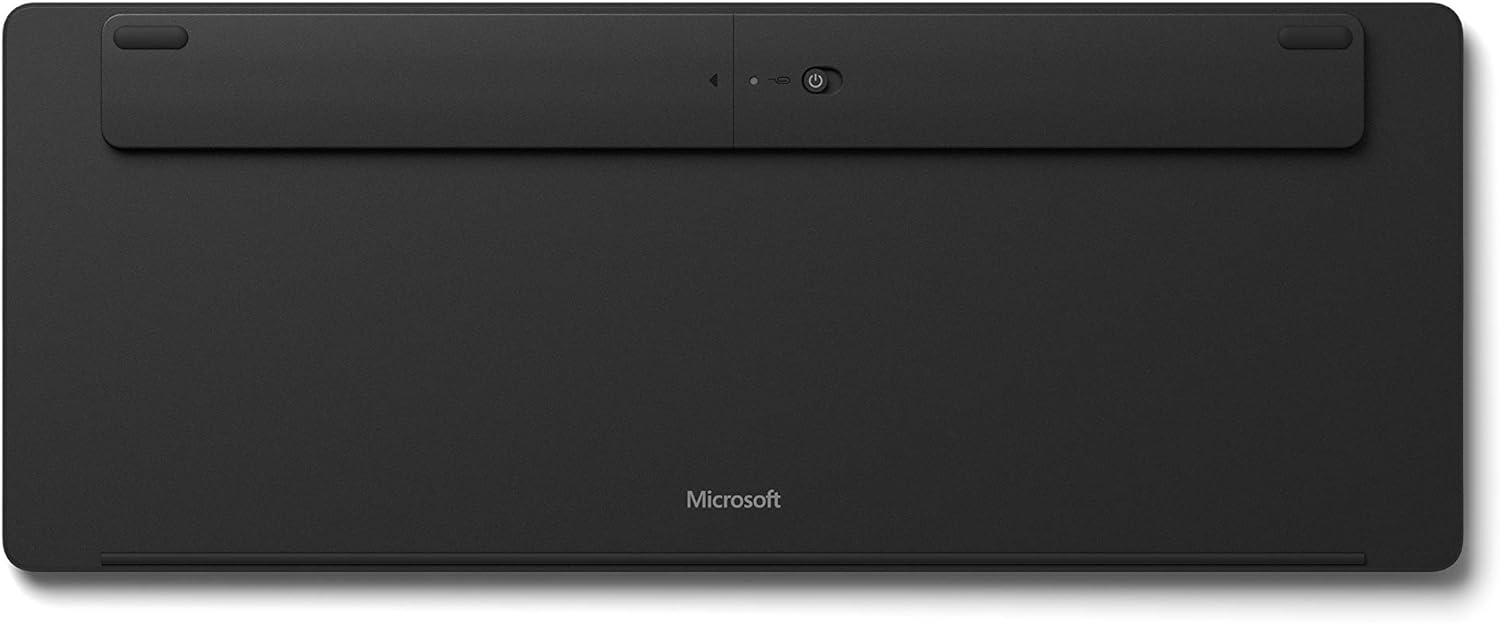
Figura 1: Qiegħ view of the keyboard, highlighting the battery compartment and power switch.
To access the battery compartment, locate the small hole near the power switch on the underside of the keyboard. Insert a paperclip into this hole and gently press to release the battery tray. Replace batteries as needed, ensuring correct polarity, then slide the tray back into place until it clicks securely.
2. Tixgħel
Locate the power switch on the underside of the keyboard. Slide the switch to the 'On' position. A small LED indicator on the Caps Lock key may briefly illuminate to confirm power.
3. Tqabbil tal-Bluetooth
The Microsoft Designer Compact Keyboard can be paired with up to three different Bluetooth-enabled devices. Follow these steps to pair your keyboard:
- Kun żgur li l-Bluetooth huwa attivat fuq il-kompjuter jew l-apparat tiegħek.
- On the keyboard, press and hold one of the Bluetooth keys (F1, F2, or F3) for approximately 3-5 seconds until the LED above the key begins to flash. This indicates the keyboard is in pairing mode.
- On your device, navigate to Bluetooth settings and select "Microsoft Designer Compact Keyboard" from the list of available devices.
- Segwi kwalunkwe struzzjonijiet fuq l-iskrin biex tlesti l-proċess ta' tqabbil. Tista' tintalab iddaħħal kodiċi muri fuq l-iskrin tiegħek billi tuża t-tastiera.
- Once successfully paired, the LED will stop flashing and remain solid for a few seconds before turning off.
To switch between paired devices, simply press the corresponding Bluetooth key (F1, F2, or F3) for the desired device. The keyboard will automatically connect to that device.
It-tħaddim tat-Tastiera
The Microsoft Designer Compact Keyboard offers a range of features designed to enhance your productivity and comfort.
Karatteristiċi ewlenin:
- Disinn kompatt: Saves desktop space and allows for a comfortable mouse position.
- Optimized Key Travel: Jipprovdi esperjenza ta' tajping li tirrispondi u komda.
- Expressive Input Key: Quickly access emojis, symbols, and more (located near the right Alt key).
- Screen Snipping Key: Instantly capture, copy, paste, and share screenshots.
- Konnettività Multi-Apparat: Connect and seamlessly switch between up to 3 devices using dedicated Bluetooth keys (F1, F2, F3).
- Media Playback Keys: Dedicated keys for controlling media (play/pause, volume up/down, mute).
- Ċavetta tat-Tiftix: Quick access to search functions on your operating system.
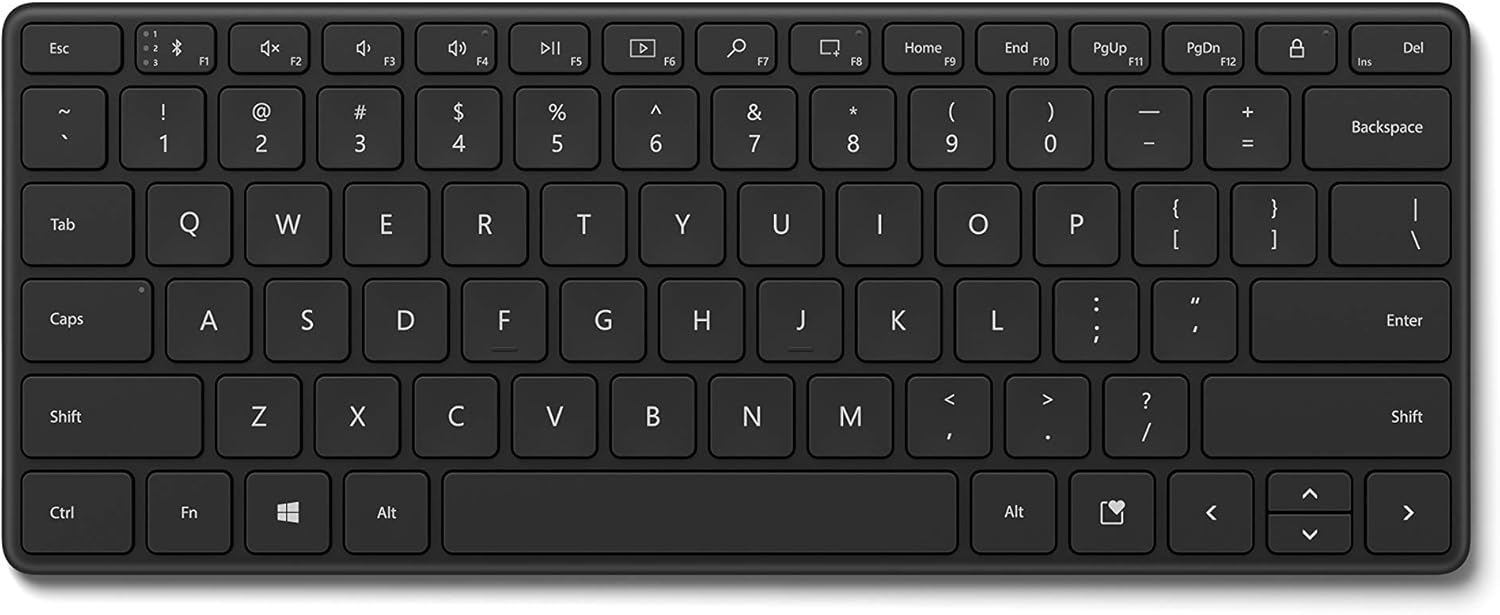
Figura 2: Minn fuq għal isfel view of the keyboard, illustrating the key layout and special function keys.

Figura 3: Angolat view tat-tastiera, uriasing its compact size and low profile.
Manutenzjoni
To ensure the longevity and optimal performance of your Microsoft Designer Compact Keyboard, follow these maintenance guidelines:
- Tindif: Uża drapp ratba u mingħajr ħelu ftit dampened with water or a mild cleaning solution to wipe down the keys and surface. Avoid abrasive cleaners or solvents.
- Tneħħija tat-Trab: Uża arja kkompressata biex tneħħi t-trab u l-fdalijiet minn bejn iċ-ċwievet.
- Evita t-tixrid: Keep liquids away from the keyboard to prevent damage to internal components. In case of a spill, immediately power off the keyboard and allow it to dry completely before attempting to use it again.
- Ħażna: When not in use for extended periods, turn off the keyboard to conserve battery life. Store it in a cool, dry place away from direct sunlight.
Issolvi l-problemi
If you encounter issues with your Microsoft Designer Compact Keyboard, refer to the following common solutions:
- It-tastiera ma tikkonnettjax jew tiskonnettja ta' spiss:
- Ensure the keyboard is powered on and within range of your device (typically up to 33 feet or 10 meters).
- Check the battery level. Replace batteries if they are low.
- Try re-pairing the keyboard with your device. Go to your device's Bluetooth settings, remove the keyboard, and then re-add it.
- Kun żgur li s-sewwieqa tal-Bluetooth tat-tagħmir tiegħek huma aġġornati.
- If the keyboard enters standby and takes a moment to wake up, this is normal behavior designed to conserve battery life.
- Iċ-ċwievet ma jirrispondux jew qed jittajpjaw ħażin:
- Naddaf it-tastiera biex tneħħi kwalunkwe debris li jista' jkun qed jostakola ċ-ċwievet.
- Verify that the batteries are installed correctly and have sufficient charge.
- Test the keyboard with another device to determine if the issue is with the keyboard or the original device.
- Accidental F1 key presses (Bluetooth pairing button):
- Be mindful of the F1 key's function as a Bluetooth pairing button. Avoid resting fingers or objects on it during normal use.
- If accidentally pressed, the keyboard may enter pairing mode. Wait for the pairing function to time out, or re-select your desired paired device using F1, F2, or F3.
- L-ebda dawl minn wara:
- The Microsoft Designer Compact Keyboard does not feature a backlight. This is by design to maximize battery life.
Speċifikazzjonijiet
| Karatteristika | Dettall |
|---|---|
| Brand | Microsoft |
| Numru tal-Mudell | 21Y-00001 |
| Teknoloġija tal-Konnettività | Wireless (Bluetooth) |
| Apparati Kompatibbli | PC (Windows 10 with latest updates), Mac (Bluetooth Enabled) |
| Kulur | Iswed Matte |
| Piż tal-oġġett | 15.2 uqija |
| Dimensjonijiet tal-Prodott (LxWxH) | 11.18 x 4.36 x 0.38 pulzieri |
| Sors tal-Enerġija | Mħaddma bil-batterija |
| Batteriji Meħtieġa | 4 Lithium Metal (DL2032) |
| Ħajja tal-batterija | Up to 36 months (approximate, varies with usage) |
| Numru ta' Ċwievet | 78 |
| Karatteristika Speċjali | Portable, Multi-device support |
Garanzija u Appoġġ
This product is covered by Microsoft's standard limited warranty. For detailed warranty information, please refer to the warranty card included in your product packaging or visit the official Microsoft support websit.
For technical support, troubleshooting assistance, or to register your product, please visit the official Microsoft Support page:
You can also find additional resources and FAQs on the Microsoft websit.


