1. Introduzzjoni
The Skullcandy Push Ultra True Wireless In-Ear Earbuds are designed for active lifestyles, offering a secure fit, robust durability, and extended battery life. These earbuds provide a seamless audio experience with features tailored for convenience and performance.

Image 1.1: Skullcandy Push Ultra Earbuds and Charging Case.
2. X'hemm fil-Kaxxa
Your Skullcandy Push Ultra package includes the following items:
- Skullcandy Push Ultra True Wireless Earbuds
- Kawża tal-Iċċarġjar bla Fili
- Cable tal-Iċċarġjar tal-USB-C
- User Guide and Quick Start Information

Image 2.1: Contents of the Skullcandy Push Ultra package.
3. Setup
3.1 Charging Your Earbuds and Case
Before first use, ensure both your earbuds and charging case are fully charged. The Push Ultra offers a total of 42 hours of battery life with rapid charge capability.
- To Charge Earbuds: Poġġi l-earbuds fil-kaxxa tal-iċċarġjar. L-indikaturi LED fuq l-earbuds juru l-istatus tal-iċċarġjar.
- To Charge Case: Connect the provided USB-C charging cable to the port on the case and to a power source. The LED indicators on the case will illuminate to show charging progress. The case also supports wireless charging.
3.2 Tqabbil tal-Bluetooth
To pair your Skullcandy Push Ultra earbuds with your device:
- Neħħi ż-żewġ earbuds mill-kaxxa tal-iċċarġjar. Dawn jidħlu awtomatikament fil-modalità ta' tqabbil.
- Fuq l-apparat tiegħek (smartphone, tablet, eċċ.), mur fis-settings tal-Bluetooth.
- Select "Push Ultra" from the list of available devices.
- Ladarba tkun konness, tisma' konferma li tinstema'.
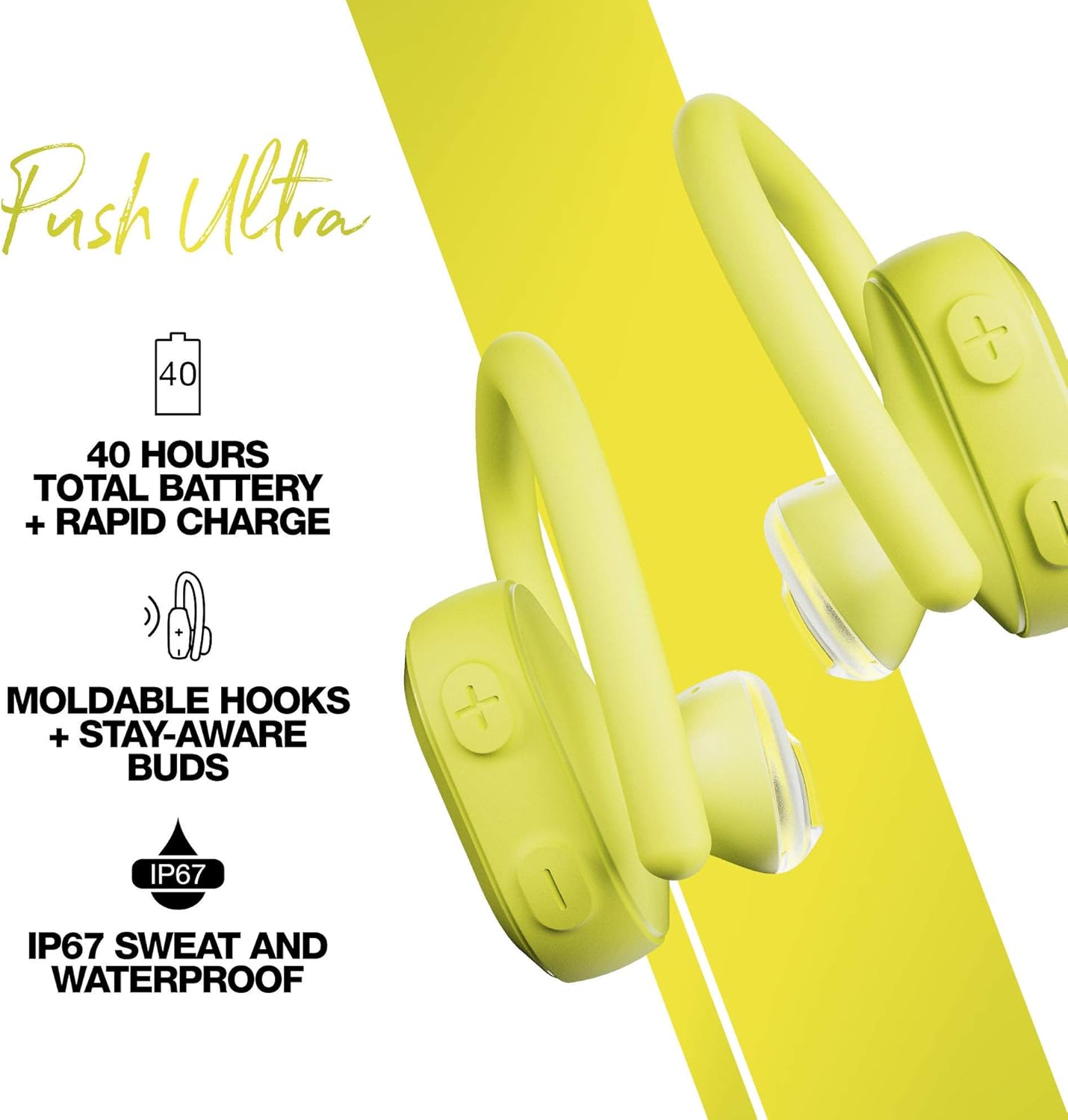
Image 3.1: Earbuds in charging case, ready for pairing.
4. Joperaw
4.1 Kontrolli
The Push Ultra earbuds feature intuitive media controls. Refer to the included Quick Start Guide for detailed touch/button commands for functions such as play/pause, track skip, volume adjustment, and activating your device's voice assistant.
4.2 Karatteristiċi ewlenin
- Moldable Hooks + Stay-Aware Buds: Designed for a secure and comfortable fit during physical activity. The Stay-Aware feature allows ambient sound to pass through, keeping you aware of your surroundings.
- IP67 Sweat and Waterproof: These earbuds are built to withstand sweat and water, making them ideal for workouts and outdoor activities.
- Teknoloġija tal-Madum Inkorporata: Never lose your earbuds again. Use the Tile app on your smartphone to locate your Push Ultra earbuds if they are misplaced.

Image 4.1: Secure fit of the Push Ultra earbud.
Video 4.1: Comparison of Skullcandy Push Active vs Push Ultra, highlighting features and design.
5. Manutenzjoni
To ensure the longevity and optimal performance of your Skullcandy Push Ultra earbuds:
- Tindif: Regularly wipe your earbuds and charging case with a soft, dry cloth. Avoid using harsh chemicals or abrasive materials.
- Reżistenza għall-Ilma: While IP67 rated for sweat and water, avoid prolonged submersion in water. Ensure earbuds are dry before placing them back in the charging case to prevent damage.
- Ħażna: Store your earbuds in their charging case when not in use to protect them and keep them charged.
6 Issolvi l-problemi
If you encounter issues with your Skullcandy Push Ultra earbuds, try the following:
- Ebda Qawwa: Kun żgur li l-earbuds u l-kaxxa tal-iċċarġjar huma ċċarġjati kompletament.
- Kwistjonijiet ta' Tqabbil: Turn off Bluetooth on your device, then turn it back on. Remove "Push Ultra" from your device's paired list and attempt to re-pair.
- Kwalità tal-ħoss: Ensure earbuds are properly seated in your ears. Check your device's volume settings.
- Irrisettja: Refer to the full user guide for instructions on how to perform a factory reset if problems persist.
7. Speċifikazzjonijiet
| Karatteristika | Speċifikazzjoni |
|---|---|
| Isem tal-Mudell | Imbotta Ultra |
| Teknoloġija tal-Konnettività | Wireless |
| Teknoloġija tal-Komunikazzjoni mingħajr Fili | Bluetooth |
| Kontroll tal-Ħoss | Iżolament tal-Ħoss |
| Tip ta' Kontroll | Kontroll tal-Midja |
| Livell ta 'Reżistenza għall-Ilma | IP67 Sweat and Waterproof |
| Ħajja tal-batterija | Sa 42 Siegħa Totali (bil-kaxxa tal-iċċarġjar) |
| Karatteristiċi Speċjali | Moldable Hooks, Stay-Aware Buds, Built-In Tile Technology, Rapid Charge |
| Piż tal-oġġett | 0.005 uqija |
| Dimensjonijiet tal-Prodott | 7.28 x 5.39 x 1.97 pulzieri |
8. Garanzija u Appoġġ
Għal informazzjoni dwar il-garanzija u appoġġ għall-klijenti, jekk jogħġbok irreferi għall-paġna uffiċjali ta' Skullcandy website or the documentation included in your product packaging. This product is offered as a renewed item, professionally inspected and tested to work and look like new. Renewed products are eligible for replacement or refund under the Amazon Renewed Guarantee if not satisfied with the purchase.


