1. Introduzzjoni
Grazzi tax-xiriasing the Crenova Home Video Projector. This projector is designed to deliver a superior visual experience with its native 1080P Full HD resolution, high contrast ratio, and bright LED lamp. It supports a large image display of up to 200 inches, making it ideal for home theater setups and outdoor movie nights. This manual provides detailed instructions for setup, operation, maintenance, and troubleshooting to ensure optimal performance and longevity of your device.
2. Informazzjoni dwar is-Sigurtà
- Tħarisx direttament fil-lenti tal-proġettazzjoni meta tkun qed taħdem.amp ikun mixgħul, għax id-dawl qawwi jista’ jikkawża ħsara lill-għajnejn.
- Aċċerta ruħek li jkun hemm ventilazzjoni xierqa madwar il-proġettazzjoni. Timblokkax il-fetħiet tal-ventilazzjoni.
- Uża biss l-adapter tal-enerġija li jiġi mal-proġettur.
- Avoid placing the projector in areas with high humidity, dust, or extreme temperatures.
- Tippruvax tiżżarma jew issewwi l-proġettur int stess. Irreferi għal kull manutenzjoni f'idejn persunal kwalifikat.
- Żomm il-proġettazzjoni 'l bogħod mill-ilma jew likwidi oħra.
3. Kontenut tal-Pakkett
Jekk jogħġbok iċċekkja l-kontenut tal-pakkett meta tiftaħ il-kaxxa. Jekk xi oġġetti huma nieqsa jew bil-ħsara, ikkuntattja l-appoġġ għall-klijenti.
- Crenova Home Video Projector (Model A6500)
- Kejbil tal-Enerġija
- Kontroll mill-bogħod
- Cable HDMI
- Manwal għall-Utent
4. Prodott Aktarview
4.1 Komponenti tal-Proġettur
Familiarize yourself with the main components of your Crenova projector.
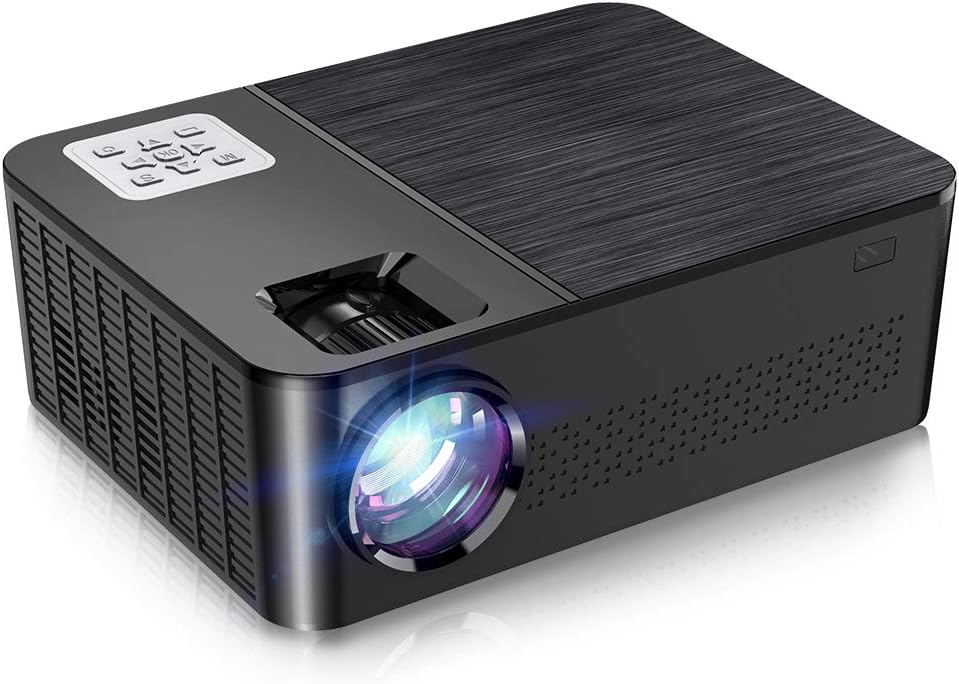
Figura 4.1: Quddiem u minn fuq view of the Crenova A6500 Projector, showing the lens and control panel.

Figura 4.2: Minn fuq għal isfel view of the Crenova A6500 Projector surrounded by compatible multimedia devices, highlighting its various input ports.
4.2 Control Panel and Adjustments
The projector features an intuitive control panel on top and adjustment dials for focus and keystone correction.

Figura 4.3: Close-up view of the Crenova A6500 Projector, illustrating the focus ring and keystone correction dial for image clarity and shape adjustment.
5. Setup
5.1 Tqegħid
Choose a flat, stable surface for the projector. The projection distance will determine the screen size. For optimal viewing, a screen size of 100"-120" is recommended with a projection distance of 10-13 feet (approximately 3-4 meters). The projector supports a wide range of screen sizes from 30" to 200" with projection distances from 1.5m to 6.5m.
5.2 Konnessjoni tal-Enerġija
- Qabbad il-kejbil tal-enerġija mal-port tad-dħul tal-enerġija tal-proġettazzjoni.
- Ipplaggja t-tarf l-ieħor tal-kejbil tad-dawl fi żbokk tad-dawl.
- Id-dawl tal-indikatur tal-qawwa se jixgħel.
5.3 Qawwa Inizjali
Press the power button on the projector or the remote control to turn on the device. The fan will start, and the projector lamp se jixegħlu.
6. Istruzzjonijiet Operattivi
6.1 Għażla tas-Sors
After powering on, use the 'Source' button on the remote control or the projector's control panel to select your desired input source (e.g., HDMI1, HDMI2, USB, AV).
6.2 Navigazzjoni tal-Menu
Use the arrow keys on the remote control or control panel to navigate through the on-screen menu options. Press 'OK' or 'Enter' to confirm selections and 'Return' or 'Exit' to go back.
7. Konnettività
The Crenova A6500 projector offers multiple connectivity options for various multimedia devices.
- HDMI: Connect your TV Stick, Chromecast, PC, laptop, PS4, Xbox, or other HDMI-enabled devices using an HDMI cable.
- USB: Daħħal USB drive biex tilgħab il-midja files direttament.
- Wired Mirroring: The projector supports wired mirroring from multi-media devices. For iPhone, an extra Lightning to HDMI adapter is required (not included). For Android phones, a Micro USB/Type C to HDMI adapter is needed (not included), and the phone must support MHL function.Note: Copyrighted content from services like Hulu and Netflix cannot be mirrored or screencast due to protection protocols.
- Karta TF: Insert a TF (MicroSD) card to access media files.

Figure 7.1: Illustration of wired mirroring in use, showing a family enjoying content projected onto a large screen.
8. Image and Sound Adjustment
8.1 Korrezzjoni tal-Fokus u l-Keystone
Fokus: Rotate the focus ring near the lens until the projected image is clear and sharp.
Korrezzjoni Keystone: Use the keystone correction dial (±15°) to adjust the image shape if it appears trapezoidal. This corrects for projection angles where the projector is not perfectly perpendicular to the screen.
8.2 Funzjoni Zoom
The projector allows you to adjust the screen size from 75% to 100% using the remote control. This is useful for fine-tuning the image size without moving the projector, especially when ceiling mounted or in small rooms.
8.3 Image Quality and Sound
Experience remarkable image quality with native 1080P resolution and a 7000:1 high dynamic contrast ratio. The projector also supports Dolby sound and features a built-in HiFi speaker for an immersive audio experience.

Figure 8.1: Visual comparison demonstrating the superior clarity and detail of 1080P image quality with a higher contrast ratio.
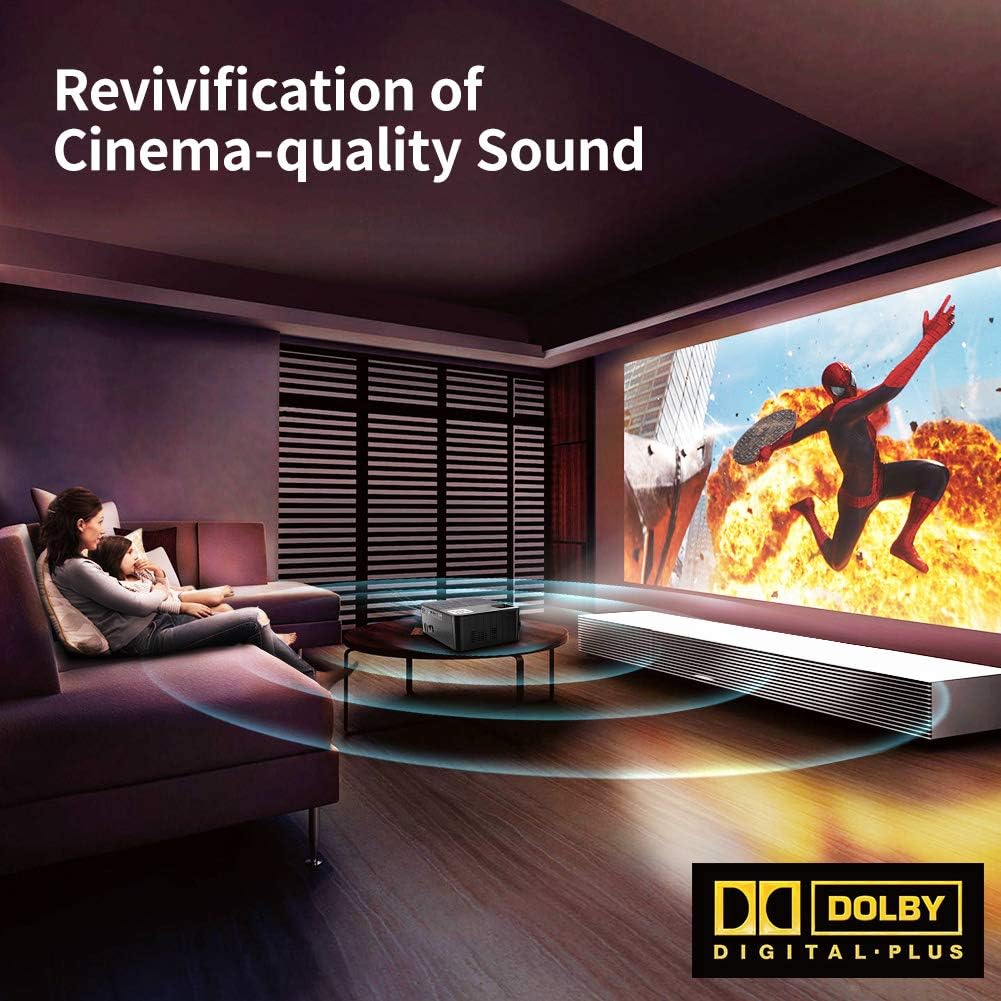
Figure 8.2: Depiction of the projector providing cinema-quality sound with Dolby Digital Plus support in a home environment.

Figure 8.3: An outdoor setting showcasing the projector's capability to display a massive large screen, perfect for outdoor entertainment.
9. Manutenzjoni
- Tindif tal-Lenti: Uża drapp artab u mingħajr suf iddisinjat speċifikament għal lentijiet ottiċi biex timsaħ bil-mod il-lenti tal-proġettazzjoni. Evita materjali li joborxu jew kimiċi ħarxa.
- Tindif tal-Filtru tat-Trab: Regularly check and clean the dust filter to ensure proper airflow and prevent overheating. Refer to the diagram for filter location.
- Ventilazzjoni: Ensure the projector's ventilation ports are clear of obstructions.
- Lamp Ħajja: L-LED lamp has a life expectancy of 60,000 hours. No regular lamp replacement is typically needed under normal usage.
10 Issolvi l-problemi
| Problema | Kawża Possibbli | Soluzzjoni |
|---|---|---|
| L-ebda stampa | Incorrect input source selected; Loose cable connection; Device not powered on. | Select the correct input source. Check all cable connections. Ensure connected device is powered on. |
| L-ebda ħoss | Volume too low or muted; Audio cable not connected; Source device audio settings. | Increase volume or unmute. Ensure audio cables are securely connected. Check audio output settings on the source device. |
| L-immaġni hija mċajpra | Il-fokus mhux aġġustat; Il-proġettazzjoni hija qrib/bogħod wisq mill-iskrin. | Adjust the focus ring. Adjust projection distance. |
| L-immaġni hija trapezojdali | Il-ġebla tax-xewka mhux aġġustata. | Aġġusta l-arloġġ tal-korrezzjoni tat-trapezoidali. |
| Il-proġettur jisħon iżżejjed jew jintefa | Blocked ventilation; Prolonged use in hot environment. | Ensure ventilation ports are clear. Allow projector to cool down. Use in a well-ventilated area. |
11. Speċifikazzjonijiet
- Mudell: A6500
- Riżoluzzjoni Nattiva: 1920 x 1080 (Full HD)
- Proporzjon ta' Kuntrast: 7000:1
- Luminożità: 7000 Lumen
- Lamp Ħajja: 60,000 sigħat
- Daqs tal-Projezzjoni: 30" - 200"
- Distanza ta' Projezzjoni: 1.5m - 6.5m
- Korrezzjoni Keystone: ±15° Manwal
- Funzjoni Żum: 75% - 100% (via remote control)
- Tip ta' Kelliem: Built-In, Stereo (Dolby Supported)
- Teknoloġija tal-Konnettività: HDMI, USB, TF Card
- Piż tal-oġġett: 7.61 liri (madwar 3.45 kg)
- Dimensjonijiet tal-Prodott: 14.37 x 6.1 x 13.78 pulzieri (madwar 36.5 x 15.5 x 35 ċm)
12. Garanzija u Appoġġ
For detailed warranty information and customer support, please refer to the warranty card included in your package or visit the official Crenova websit. Tista' wkoll tikkuntattja lill-bejjiegħ direttament għall-għajnuna.


