Introduzzjoni
This manual provides detailed instructions for the Amkette Evo Fox Elite Pro Wireless Gamepad. This device is designed for use with PC (X Input), PS3, and Android TV, offering a high-performance wireless gaming experience with dual vibration and extended battery life.


Setup Istruzzjonijiet
Follow these steps to set up your Amkette Evo Fox Elite Pro Wireless Gamepad for various platforms.
Kontenut tal-Pakkett:
- Amkette Evo Fox Elite Pro Wireless Gamepad
- High Performance USB Receiver
- Charging Cable (Charger included)
Iċċarġjar tal-Gamepad:
Before initial use, ensure the gamepad is fully charged. Connect the charging cable to the gamepad and a power source. A full charge typically takes approximately 2 hours. The gamepad contains 2 Lithium Ion batteries.
Konnessjoni ma 'Tagħmir:
The gamepad utilizes a 2.4 GHz wireless USB receiver for connectivity.
- Daħħal ir-Riċevitur USB: Plug the high-performance USB receiver into an available USB port on your PC, PS3 console, or Android TV.
- Power On the Gamepad: Press the central 'Evo Fox' button to power on the gamepad. The gamepad will automatically attempt to connect to the receiver.
- Sejbien Awtomatiku: The gamepad features auto-detect functionality for PC, PS3, and Android TV. Once connected, the device should recognize the gamepad. For PC, it supports X Input.


Istruzzjonijiet Operattivi
Understand the features and functions of your gamepad for optimal gaming performance.
Kontrolli Bażiċi:
- Sticks Analogiċi: Two high-precision analog sticks for movement and camera control.
- D-Pad: Kuxxinett direzzjonali għal input direzzjonali preċiż.
- Buttuni ta' Azzjoni: Standard A, B, X, Y buttons (or corresponding PlayStation symbols) for in-game actions.
- Buttuni/Triggers tal-Ispalla: L1/R1 (bumpers) and L2/R2 (triggers) for additional controls.
- Buttuni tal-Bidu/Agħżel/Home: Għan-navigazzjoni tal-menù u l-funzjonijiet tas-sistema.
Dual Vibration Feedback:
The gamepad is equipped with dual vibration motors that provide immersive haptic feedback during gameplay, enhancing realism for impacts, explosions, and other in-game events.

Ħajja tal-batterija:
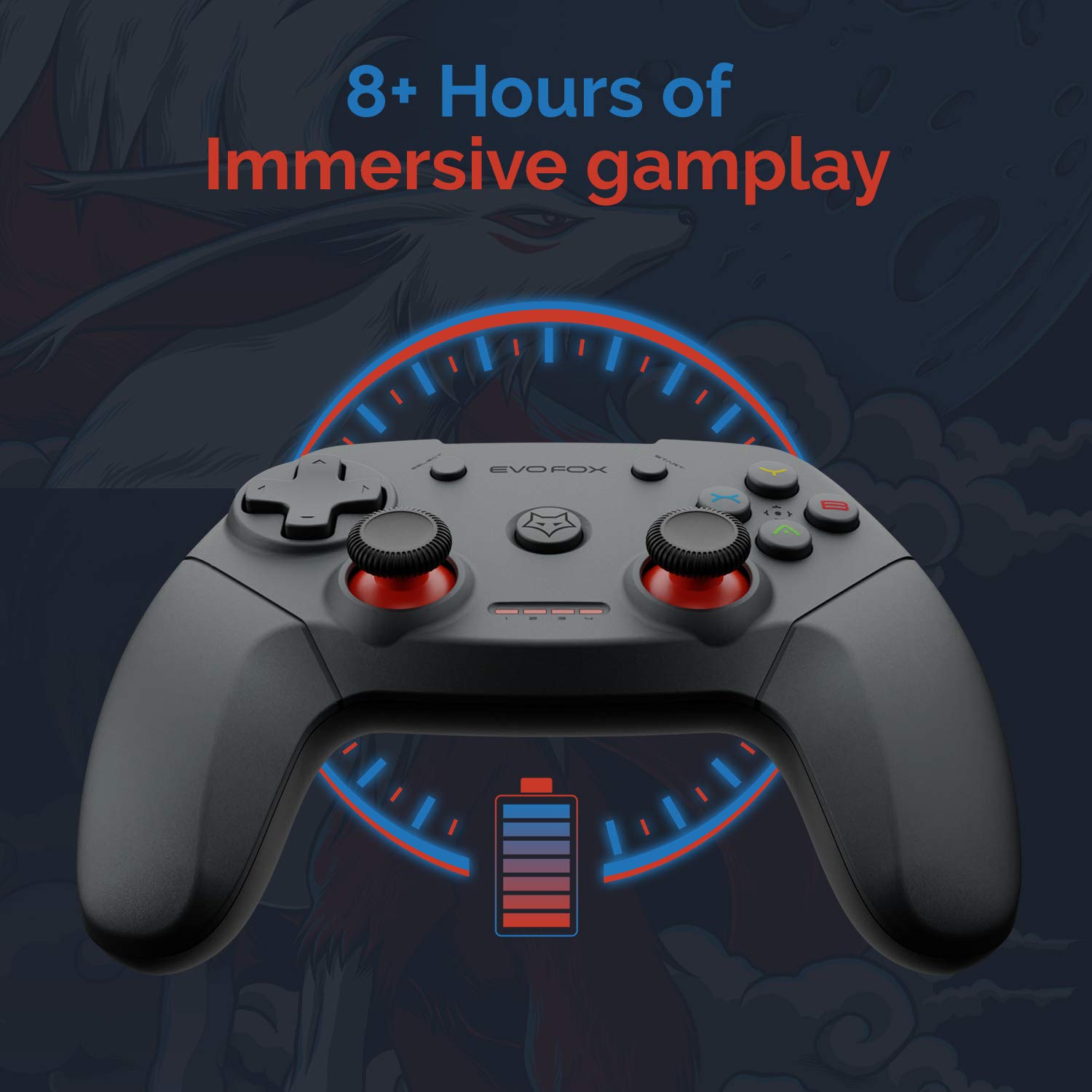
The gamepad offers an average battery life of 8+ hours on a single charge, allowing for extended gaming sessions. The battery indicator lights on the gamepad will provide an indication of the remaining charge.
Ġestjoni tal-Enerġija:
The gamepad does not feature a dedicated 'off' button. To conserve battery life, it is recommended to remove the USB dongle from the connected device when the gamepad is not in use. Leaving the dongle connected may cause the gamepad to remain active and drain its battery, especially with wall-mounted TVs where the dongle might be less accessible.
Manutenzjoni
Proper care and maintenance will extend the life of your Amkette Evo Fox Elite Pro Wireless Gamepad.
- Tindif: Uża drapp artab u niexef biex tnaddaf il-wiċċ tal-gamepad. Evita li tuża kimiċi ħarxa jew materjali li joborxu.
- Ħażna: Aħżen il-gamepad f'post frisk u niexef 'il bogħod mix-xemx diretta u minn temperaturi estremi.
- Kura tal-batterija: Recharge the gamepad when the battery indicator is low. Avoid completely draining the battery frequently to prolong its overall lifespan.
- Riċevitur USB: Keep the USB receiver protected from dust and physical damage.
Issolvi l-problemi
Jekk tiltaqa' ma' problemi bil-gamepad tiegħek, irreferi għall-problemi u s-soluzzjonijiet komuni li ġejjin.
Kwistjonijiet ta' Konnettività:
- Gamepad Disconnects Frequently:
- Ensure the USB receiver is not in a hidden spot or obstructed, which can cause range issues. Consider using a USB extension cable if the receiver is far from the gamepad or in an obstructed location.
- Some users have reported conflicts with USB 3.0 ports or other USB devices (like a mouse) when connected to the same USB controller. Try connecting the gamepad's USB receiver to a USB 2.0 port, preferably on the back panel of a PC, and ensure other peripherals are on different USB controllers if possible.
- Kun żgur li l-gamepad huwa ċċarġjat biżżejjed.
- Gamepad Mhux Qed Jikkonnettja:
- Iċċekkja li r-riċevitur tal-USB huwa mdaħħal sew fl-apparat.
- Press the central 'Evo Fox' button on the gamepad to ensure it is powered on.
- Ipprova waħħal ir-riċevitur USB f'port USB differenti.
- Resetting the Gamepad: If the gamepad is unresponsive, a hard reset may be required. Locate a small pinhole on the gamepad (often on the back or bottom). Use a thin object like a paperclip to press and hold the reset button inside for a few seconds.
Kwistjonijiet ta' Batteriji:
- Gamepad Not Charging:
- Iċċekkja l-kejbil tal-iċċarġjar u s-sors tal-enerġija għal konnessjoni xierqa.
- Ipprova kejbil għall-iċċarġjar jew port USB differenti.
- Ħajja Qasira tal-Batterija:
- Ensure the gamepad is fully charged before use (approx. 2 hours).
- Remember to remove the USB dongle when not in use to prevent passive battery drain.
Buttuni/Joysticks Ma Jirrispondux:
- Perform a gamepad reset as described above.
- Ensure the gamepad is properly connected and recognized by your device.
- Test the gamepad with another game or application to rule out software-specific issues.
Speċifikazzjonijiet
| Karatteristika | Dettall |
|---|---|
| Brand | Amkette |
| Numru tal-Mudell | 827 |
| Kulur | Iswed |
| Teknoloġija tal-Konnettività | 2.4 GHz Wireless (via USB Receiver) |
| Apparati Kompatibbli | PC (X Input), PS3, Android TV |
| Tip ta' Kontrollur | Gamepad |
| Pjattaforma tal-Ħardwer | Desktop |
| Sistema Operattiva | Android |
| Dimensjonijiet tal-Prodott | 18 x 12 x 12 ċm |
| Piż tal-oġġett | 210 g |
| Batteriji | 2 batteriji tal-jone tal-litju (inklużi) |
| Ħin tal-Ħarġ tal-Batterija | 2 Sigħat |
| Ħajja Medja tal-Batterija | 8 Sigħat |
| Kontenut tal-Enerġija tal-Batterija tal-litju | 8 Watt Sigħat |
| Komponenti Inklużi | Gamepad, USB Receiver, Charger |
| L-Ewwel Data Disponibbli | 1 ta’ Settembru 2020 |
Garanzija u Appoġġ
Amkette provides comprehensive support for its products.
Informazzjoni dwar il-garanzija:
The Amkette Evo Fox Elite Pro Wireless Gamepad comes with a Garanzija tal-Manifattura ta' Sena. Din il-garanzija tkopri difetti fil-materjali u l-abbilità taħt użu normali.
Appoġġ għall-Klijent:
For any technical assistance, warranty claims, or product-related inquiries, please contact Amkette customer support:
- Telefon/WhatsApp: +919312691448
- Email: techsupport@amkette.in
Jekk jogħġbok żomm in-numru tal-mudell tal-prodott tiegħek (827) u d-dettalji tax-xiri lesti meta tikkuntattja l-appoġġ.


