1. Introduzzjoni
The Hisense HS205 2.0ch Sound Bar is designed to enhance your television's audio experience. This manual provides detailed instructions for setting up, operating, and maintaining your sound bar to ensure optimal performance.
Il-karatteristiċi ewlenin jinkludu:
- Roku TV Ready: Seamless integration with Roku TVs via HDMI (ARC) for simplified control.
- Għażliet ta' Konnettività Multipli: HDMI (ARC), Optical, AUX, USB, and Bluetooth for versatile audio sources.
- Preset EQ Modes: Optimize audio for movies, music, or news with dedicated sound modes.
- Disinn kompatt: Fits easily into various living spaces without requiring a large subwoofer.
2. X'hemm fil-Kaxxa
Please check that all items are included:
- Bar tal-Ħoss Hisense HS205
- Kontroll mill-bogħod
- Cable HDMI
- Kejbil ottiku
- Wall Mounting Kit (screws and anchors)
- Kejbil tal-Enerġija
- Batteriji AAA (għall-kontroll remot)
- Manwal għall-Utent & Gwida ta 'Bidu Mgħaġġel
3. Prodott Aktarview
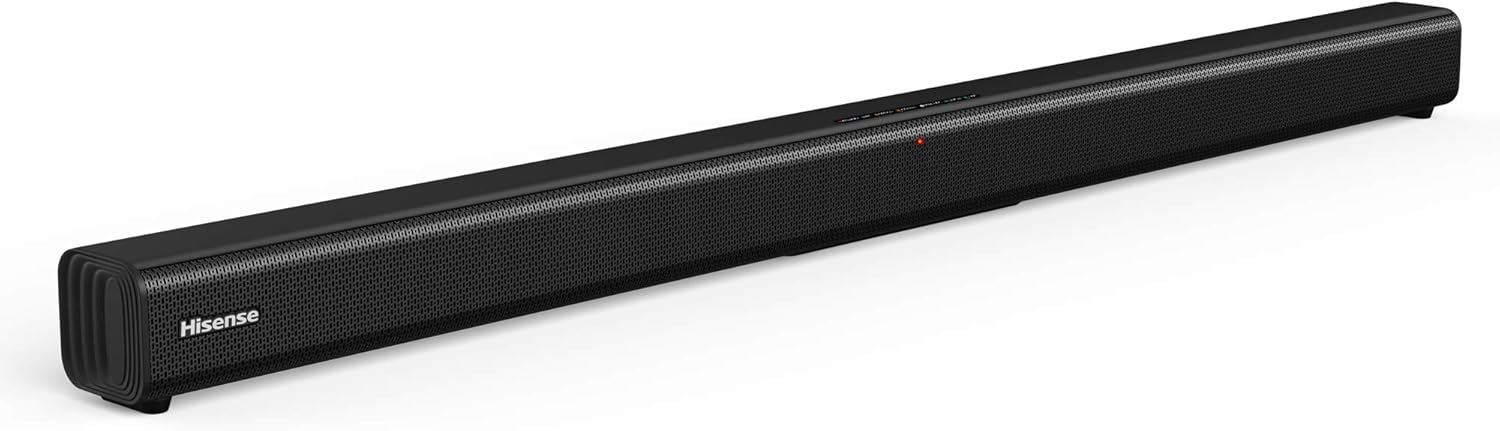
Figura 3.1: Quddiem view of the Hisense HS205 Sound Bar, showcasing its sleek, black design.

Figura 3.2: Visual representation of the sound bar's connectivity options: HDMI ARC, Bluetooth, USB Media, and Line In.

Figura 3.3: Dimensions of the Hisense HS205 Sound Bar: 37.4 inches in width, 2.4 inches in depth, and 2.4 inches in height.

Figura 3.4: Wara view of the sound bar, highlighting the power input, USB, HDMI ARC, Coaxial, and Optical ports.

Figura 3.5: The remote control for the Hisense HS205 Sound Bar, showing buttons for power, mute, volume, playback, EQ modes, and input selection.
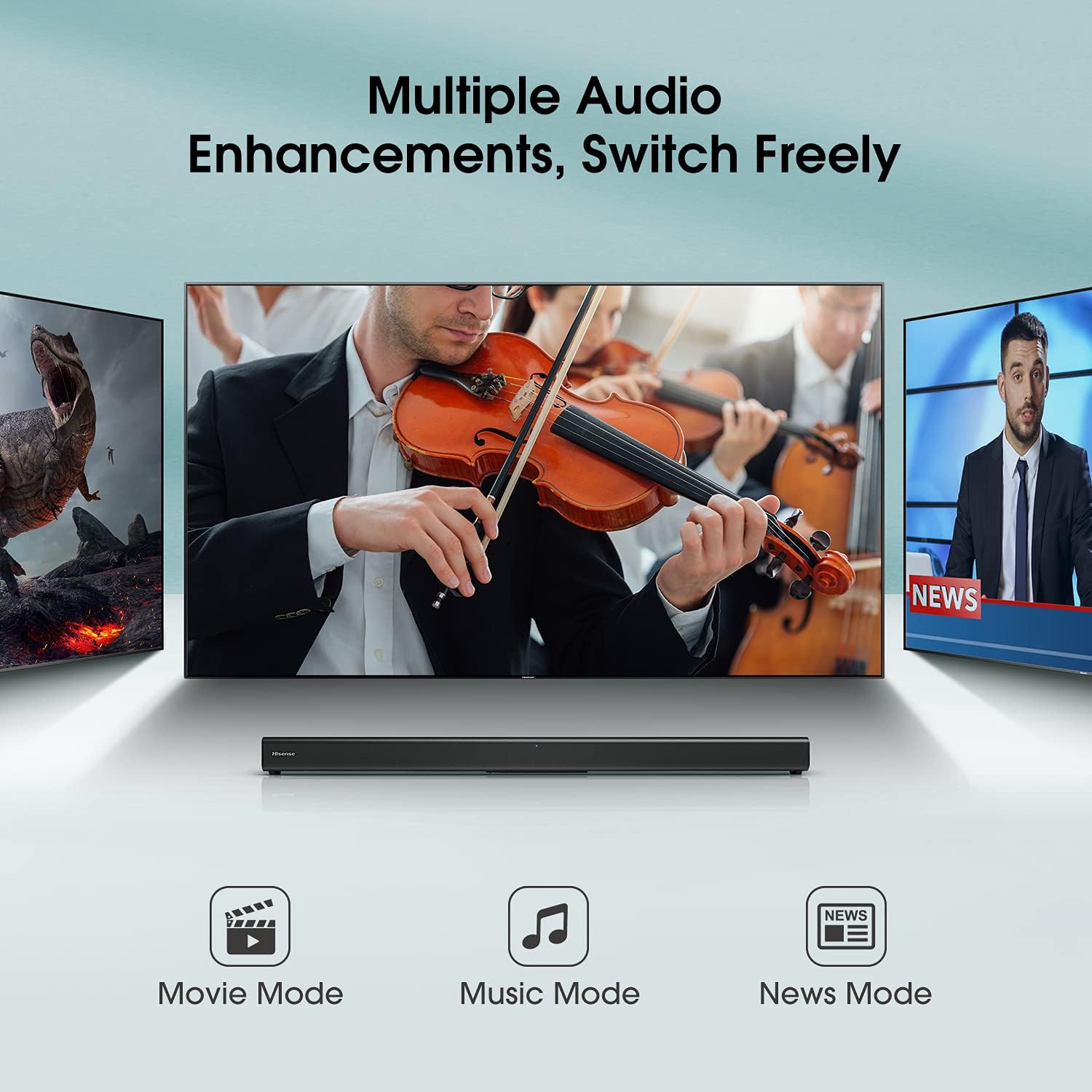
Figura 3.6: Close-up of the sound bar's top panel, displaying the indicator lights for Standby, Bluetooth, Optical, Coaxial, HDMI ARC, Line In, and USB inputs.
4. Istruzzjonijiet ta' Setup
4.1 Konnessjoni tal-Enerġija
- Qabbad il-kejbil tal-enerġija mal-port AC IN fuq wara tas-sound bar.
- Ipplaggja t-tarf l-ieħor tal-kejbil tal-enerġija f'sokit tal-ħajt.
4.2 Konnessjoni mat-TV tiegħek
Agħżel wieħed mill-metodi ta 'konnessjoni li ġejjin:
4.2.1 HDMI ARC (Recommended)
- Connect one end of the HDMI cable (included) to the HDMI ARC port on your sound bar.
- Connect the other end of the HDMI cable to the HDMI ARC port on your TV.
- Kun żgur li l-karatteristika HDMI-CEC tat-TV tiegħek (spiss imsejħa Anynet+, Bravia Sync, SimpLink, eċċ.) hija attivata fis-settings tat-TV tiegħek.
- Select the HDMI ARC input on your sound bar using the remote control.
4.2.2 Optical Connection
- Connect one end of the Optical cable (included) to the OPTICAL port on your sound bar.
- Connect the other end of the Optical cable to the Optical Digital Audio Out port on your TV.
- Select the OPTICAL input on your sound bar using the remote control.
4.2.3 Konnessjoni AUX
- Connect a 3.5mm audio cable (not included) from the LINE IN port on your sound bar to the Audio Out (headphone) jack on your TV or other audio device.
- Select the LINE IN input on your sound bar using the remote control.
4.3 Tqabbil tal-Bluetooth
- Press the Bluetooth button on the remote control or the sound bar's top panel to enter Bluetooth pairing mode. The Bluetooth indicator light will flash.
- On your smart device (smartphone, tablet, laptop), enable Bluetooth and search for available devices.
- Select "Hisense HS205" from the list of devices.
- Once connected, the Bluetooth indicator light on the sound bar will turn solid.
Vidjo 4.1: Demonstration of connecting the Hisense HS205 Sound Bar via Bluetooth and testing its audio output.
4.4 Daqq tal-USB
- Daħħal USB drive li fih l-awdjo files into the USB port on the back of the sound bar.
- Press the USB button on the remote control to switch to USB input.
- Use the playback controls on the remote (Play/Pause, Next/Previous) to manage your music.
4.5 Immuntar tal-ħajt
The sound bar can be mounted on a wall using the included wall mounting kit. Refer to the Quick Start Guide for a detailed template and instructions for drilling and securing the sound bar.
5. Istruzzjonijiet Operattivi
5.1 Funzjonijiet ta' Kontroll mill-bogħod
The remote control allows you to manage all functions of your sound bar:
- Buttuna tal-Qawwa: Turns the sound bar On/Off.
- Buttuna Mute: Itfi jew jattiva l-ħoss.
- Volum +/-: Jaġġusta l-livell tal-volum ewlieni.
- Play/Pawsa: Controls playback for Bluetooth and USB sources.
- Li jmiss/Preċedenti: Skips tracks for Bluetooth and USB sources.
- Input Selection Buttons (HDMI ARC, OPT/COAX, Bluetooth, LINE IN, USB): Jagħżel is-sors tal-awdjo.
- EQ Mode Buttons (MOVIE, MUSIC, NEWS): Switches between preset sound modes.
5.2 Modi EQ
Optimize your audio experience with three preset equalizer modes:
- Modalità tal-Film: Enhances dialogue clarity and dynamic range for films.
- Modalità Mużika: Jipprovdi awdjo bilanċjat għad-daqq tal-mużika.
- Modalità Aħbarijiet: Optimizes vocal frequencies for clear speech.

Figura 5.1: The sound bar displaying different audio enhancement modes for Movie, Music, and News content.
6. Manutenzjoni
To ensure the longevity and optimal performance of your Hisense HS205 Sound Bar, follow these simple maintenance guidelines:
- Tindif: Uża drapp artab u niexef biex tnaddaf il-wiċċ tas-sound bar. Tużax prodotti tat-tindif likwidi jew materjali li joborxu.
- Ventilazzjoni: Kun żgur li s-sound bar għandha ventilazzjoni adegwata. Timblokkax xi fetħiet tal-ventilazzjoni.
- Pjazzament: Avoid placing the sound bar in direct sunlight, near heat sources, or in areas with high humidity or dust.
- Itfi: If the sound bar will not be used for an extended period, unplug it from the power outlet.
7 Issolvi l-problemi
If you encounter issues with your sound bar, refer to the following common solutions:
7.1 Ebda Ħoss
- Iċċekkja l-Konnessjonijiet: Ensure all cables (HDMI, Optical, AUX) are securely connected to both the sound bar and your TV/audio source.
- Correct Input: Verify that the correct input source is selected on the sound bar (e.g., HDMI ARC, Optical, Bluetooth).
- Issettjar tal-Awdjo tat-TV: Access your TV's audio settings and ensure the audio output is set to the correct external speaker option (e.g., HDMI ARC, Optical). For some Hisense TVs, the "Digital Output" setting may need to be set to "PCM" instead of "Auto" for sound to be transmitted via optical or HDMI ARC.
- Livelli tal-Volum: Increase the volume on both the sound bar and your TV. Ensure neither device is muted.
7.2 Itfi Awtomatiku
- The sound bar may have an automatic power-off feature to conserve energy if no audio signal is detected for a period.
- If using an external audio source (e.g., computer), ensure the audio output volume from the source is sufficiently high for the sound bar to detect the signal. Even if the sound bar's volume is set low, the source volume should be adequate.
7.3 Kwistjonijiet ta' Konnessjoni Bluetooth
- Erġa' qabbad l-Apparat: Delete "Hisense HS205" from your device's Bluetooth list and attempt to pair again.
- Distanza: Ensure your Bluetooth device is within the 10-meter (33 feet) range of the sound bar.
- Interferenza: Move the sound bar and Bluetooth device away from other wireless devices that may cause interference.
8. Speċifikazzjonijiet
| Karatteristika | Speċifikazzjoni |
|---|---|
| Isem tal-Mudell | HS205 |
| Tip ta' Kelliem | Soundbar |
| Surround Sound Channel Konfigurazzjoni | 2.0 |
| Qawwa tal-Ħruġ Massimu tal-Ispeaker | 30 Watts |
| Teknoloġija tal-Konnettività | Auxiliary, Bluetooth, HDMI, Optical, USB |
| Teknoloġija tal-Komunikazzjoni mingħajr Fili | Bluetooth |
| Medda Bluetooth | 10 Meters |
| Modalità tal-Ħruġ tal-Awdjo | Multiple audio enhancements: Movie mode, Music mode, News mode |
| Dimensjonijiet tal-Prodott | 2.4"D x 37.4"W x 2.4"H |
| Piż tal-oġġett | 3.3 Liri |
| Kulur | Iswed |
| Tip ta 'Immuntar | Mount Wall |
| Metodu ta' Kontroll | Remote |
9. Garanzija u Appoġġ
The Hisense HS205 Sound Bar comes with a Garanzija Limitata. Please refer to the included Warranty Card for detailed terms and conditions, including coverage period and how to obtain service.
For further assistance, technical support, or warranty claims, please contact Hisense customer service through their official webis-sit jew l-informazzjoni ta' kuntatt ipprovduta fid-dokumentazzjoni tal-garanzija tiegħek.


