1. Prodott Aktarview
The BuTure BR600 is a powerful and versatile portable car jump starter designed to provide emergency starting power for 12V vehicles. It also functions as a portable power bank with wireless charging capabilities and a multi-mode LED flashlight. This manual provides essential information for safe and effective use of your device.
Karatteristiċi ewlenin:
- Bidu Qawwi tal-Qabża: Delivers 2500A peak current to start all gasoline engines and up to 8.0L diesel engines.
- Batterija ta' Kapaċità Għolja: 27000mAh lithium battery for multiple jump starts and device charging.
- Iċċarġjar bla fili: Integrated 10W wireless charging pad for compatible smartphones.
- Bank tal-Enerġija li jinġarr: Equipped with USB 1 (Quick Charge 3.0: 5V 3A / 9V 2A / 12V 1.5A), USB 2 (5V 2.4A), and USB-C (5V 3A) outputs for charging various electronic devices.
- Smart Protection Clamps: Features intelligent protection against short circuits, overheating, over-voltage, over-charge, deep discharge, over-current, and reverse polarity.
- Torċa LED b'ħafna modi: Includes Flashlight, Strobe, SOS, and Warning Light modes for emergencies.
- Disinn Durabbli: Operates effectively in extreme temperatures, including cold winter conditions.
2. Kontenut tal-Pakkett
Jekk jogħġbok iċċekkja l-kontenut tal-pakkett malli tiftaħ. Jekk xi oġġetti huma nieqsa jew bil-ħsara, ikkuntattja l-appoġġ għall-klijenti.

Image: Contents of the BuTure BR600 package.
- 1 x BuTure BR600 Jump Starter
- 1 x Smart Jumper Cables
- 1 x Cable USB-C
- 1 x EC5 Cigarette Lighter Adapter
- 1 x Manwal għall-Utent
- 1 x Każ tal-Ħażna
3. Informazzjoni Importanti dwar is-Sigurtà
Read all safety warnings and instructions before using this product. Failure to follow these instructions may result in electric shock, fire, and/or serious injury.
- Tgħaddasx il-prodott fl-ilma jew tesponihx għax-xita.
- Do not open or disassemble the product. There are no user-serviceable parts inside.
- Żomm fejn ma jintlaħaqx mit-tfal.
- Use only the provided smart jumper cables.
- Taqbiżx il-batterija ffriżata.
- Kun żgur li l-konnessjoni tal-polarità hija xierqa (il-klamp aħmar)amp għal pożittiv, iswed clamp għal negattiv).
- Tqabbadx il-cl pożittiv u negattivamps flimkien.
- If the product becomes excessively hot during use, discontinue use immediately.
- Aħżen il-prodott f'post frisk u niexef 'il bogħod mix-xemx diretta.
- Ilbes protezzjoni għall-għajnejn u ingwanti meta tibda vettura b'assistenza.
- Consult your vehicle's owner's manual for specific jump-starting procedures.

Image: The BuTure BR600 features multiple protection modes for safe operation, including error detection and intelligent indicators.
4. Charging the BuTure BR600
Before first use, fully charge the jump starter. It is recommended to recharge the device every 3-6 months to maintain battery health, even if not in use.
4.1. Charging via USB-C Input
- Connect the provided USB-C cable to the USB-C input port on the jump starter.
- Qabbad it-tarf l-ieħor tal-kejbil USB-C ma' adapter tal-ħajt USB (mhux inkluż) jew ċarġer tal-karozza.
- The LED indicator lights will illuminate and flash to show the charging status. All four lights will be solid when fully charged.
4.2. Indikatur tal-Livell tal-Batterija
The LED indicator lights on the device show the remaining battery capacity:
- 4 lights: 75% - 100%
- 3 lights: 50% - 75%
- 2 lights: 25% - 50%
- 1 light: 0% - 25% (Recharge immediately)

Image: The BuTure BR600 features a 27000mAh battery designed for long standby times, up to 12 months.
5. Startjar ta' Vettura b'Avvanz
Ensure the jump starter is at least 50% charged (2 LED lights) before attempting to jump start a vehicle.
- Ipprepara l-Vettura: Turn off the vehicle's ignition and all accessories (headlights, radio, air conditioning, etc.). Engage the parking brake.
- Qabbad il-Kejbils tal-Jumper:
- Insert the blue plug of the smart jumper cables into the 12V jump start port on the BuTure BR600. Ensure a firm connection.
- Qabbad il- AĦMAR pożittiv (+) clamp mat-terminal pożittiv (+) tal-batterija tal-vettura.
- Qabbad il- ISWED negattiv (-) clamp mat-terminal negattiv (-) tal-batterija tal-vettura.
- Il smart clamp indicator light will show the connection status. Refer to the smart clamp manual for specific light indications.
- Ibda l-Vettura: Once the smart clamp indicator shows a safe connection, start your vehicle's engine. If the vehicle does not start immediately, wait 20-30 seconds before trying again. Do not crank the engine for more than 3 seconds per attempt.
- Remove Jumper Cables: As soon as the vehicle starts, disconnect the ISWED negattiv (-) clamp l-ewwel, allura l- AĦMAR pożittiv (+) clamp from the vehicle battery. Finally, unplug the smart jumper cables from the BuTure BR600.
Importanti: Jekk is-smart clamp indicates an error (e.g., reverse polarity), correct the connection before attempting to start the vehicle.

Image: Illustration of connecting the BuTure BR600 to a car battery for jump starting.
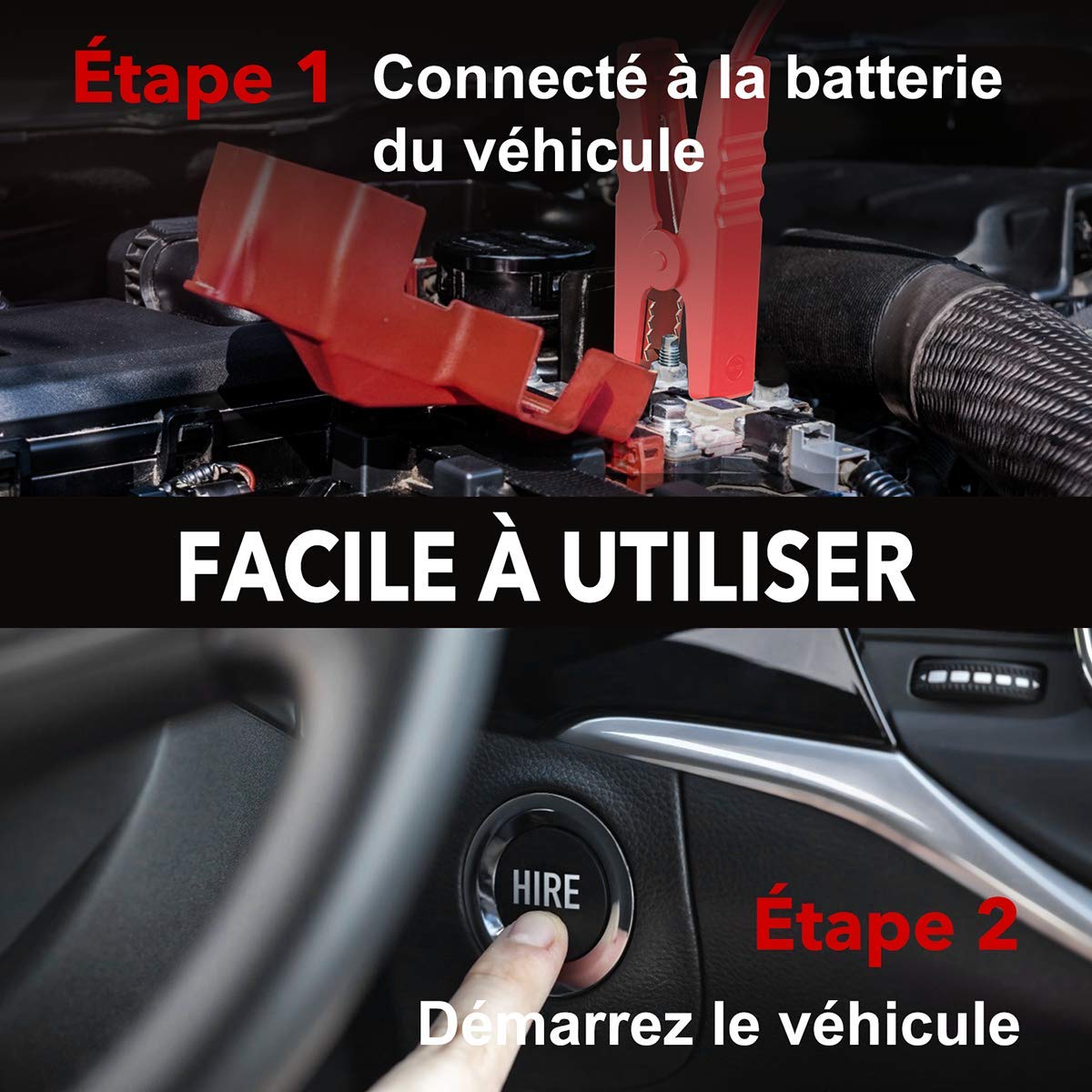
Image: Step-by-step guide showing how to connect the jump starter to the vehicle battery and then start the vehicle.

Image: The BuTure BR600 is designed to perform reliably even in cold winter temperatures down to -20°C.
6. Operating Other Functions
6.1. Using as a Power Bank (USB Output)
The BuTure BR600 can charge various electronic devices via its USB output ports.
- Connect your device's USB charging cable to either the USB 1 (Quick Charge 3.0) or USB 2 port on the jump starter.
- Il-jump starter jibda jiċċarġja t-tagħmir tiegħek awtomatikament.
6.2. Iċċarġjar bla fili
For devices compatible with 10W wireless charging:
- Place your wireless charging compatible device (e.g., smartphone) on the wireless charging pad located on the top surface of the jump starter.
- Kun żgur li l-apparat ikun iċċentrat fuq il-pad għal iċċarġjar ottimali.
- The wireless charging indicator light will illuminate to confirm charging is active.

Image: The BuTure BR600 offers both 10W wireless charging and Quick Charge 3.0 USB output for multiple devices.
6.3. Flashlight LED
The built-in LED flashlight has multiple modes for different situations.
- Agħfas u żomm il-buttuna tal-qawwa għal 3 sekondi biex tixgħel il-flashlight (modalità ta' dawl fiss).
- Press the power button again to cycle through modes: Strobe → SOS → Warning Light → Off.
- Press and hold the power button again for 3 seconds to turn off the flashlight from any mode.

Image: The BuTure BR600 features an ultra-bright LED flashlight with Flash, SOS, Strobe, and Warning light modes for various emergencies.
7. Manutenzjoni
- Tindif: Uża drapp artab u niexef biex tnaddaf l-apparat. Tużax prodotti tat-tindif jew solventi li joborxu.
- Ħażna: Store the jump starter in a cool, dry place between 0°C and 45°C (32°F and 113°F). Avoid direct sunlight and high humidity.
- Iċċarġjar mill-ġdid: Recharge the device every 3-6 months to prevent battery degradation, even if not in use.
- Ħajja tal-batterija: The internal lithium battery is designed for long life, but like all rechargeable batteries, its capacity will decrease over time.
8 Issolvi l-problemi
| Problema | Kawża Possibbli | Soluzzjoni |
|---|---|---|
| Il-jump starter ma jixgħelx. | Il-batterija hija skarikata kompletament. | Charge the jump starter for several hours. |
| Il-vettura ma tixgħelx. |
|
|
| Smart clamp indicator shows error. | Reverse polarity, short circuit, or other fault. | Skonnettja clamps, check connections, and reconnect ensuring correct polarity (Red to +, Black to -). Refer to smart clamp manual for specific error codes. |
| L-iċċarġjar mingħajr fili mhux qed jaħdem. |
|
|
9. Speċifikazzjonijiet
| Mudell | BR600 |
| L-ogħla Kurrenti | 2500A |
| Kapaċità tal-batterija | 27000mAh |
| Ibda Voltage | 12V |
| Output USB 1 (QC3.0) | 5V/3A, 9V/2A, 12V/1.5A |
| Output USB 2 | 5V/2.4A |
| Input/Output USB-C | 5V/3A |
| Ħruġ ta 'Iċċarġjar Bla Fili | 10W |
| Temperatura operattiva | -20°C sa 60°C (-4°F sa 140°F) |
| Dimensjonijiet (L x W x H) | 24.5 x 15.4 x 9.6 ċm |
| Piż | 1.21 kg |
| Kompożizzjoni tal-batterija | Lithium Metallic |
10. Garanzija u Appoġġ għall-Klijent
BuTure products are designed and manufactured to the highest quality standards. This product comes with a standard manufacturer's warranty. For detailed warranty information, product support, or technical assistance, please refer to the warranty card included in your package or visit the official BuTure websit.
If you encounter any issues or have questions regarding your BuTure BR600, please contact our customer support team. Provide your model number (BR600) and purchase details for faster service.