1. Introduzzjoni
The Fodsports M1-S Plus is a Bluetooth motorcycle headset designed for communication and entertainment during rides. It supports group intercom for up to 8 riders, music sharing, FM radio, and hands-free calling. This manual provides detailed instructions for installation, operation, and maintenance of your M1-S Plus headset.

Image 1.1: Fodsports M1-S Plus Bluetooth Motorcycle Headset.
2. Informazzjoni dwar is-Sigurtà
- Always prioritize road safety. Do not operate the device in a manner that distracts from riding.
- Kun żgur li l-apparat huwa mmuntat sew mal-elmu tiegħek qabel ma ssuq.
- Evita espożizzjoni fit-tul għal livelli ta 'volum għoli biex tevita ħsara fis-smigħ.
- Tippruvax tiżżarma jew timmodifika l-apparat, għax dan jista' jannulla l-garanzija u jikkawża ħsara.
- Żomm l-apparat 'il bogħod minn temperaturi estremi u dawl tax-xemx dirett.
3. Kontenut tal-Pakkett
Ivverifika li l-oġġetti kollha huma preżenti fil-pakkett tiegħek:
- 1 x M1-S Plus Bluetooth Motorcycle Intercom Headset (Blue)
- 1 x Detachable Boom Microphone
- 1 x Soft Button Microphone with Speakers
- 1 x USB-C Charge Cable
- 1 x Metal Clip
- 2 x Sticky Pads
- 2 x EVA Rubbers
- 1 x Manwal għall-Utent
- 1 x 2.5mm to 3.5mm Audio Cable

Image 3.1: Included components in the M1-S Plus package.
4. Prodott Aktarview
The M1-S Plus features an intuitive design with large buttons for easy operation even with gloves. It integrates Bluetooth 5.0 for stable connections and CVC noise cancellation for clear audio.
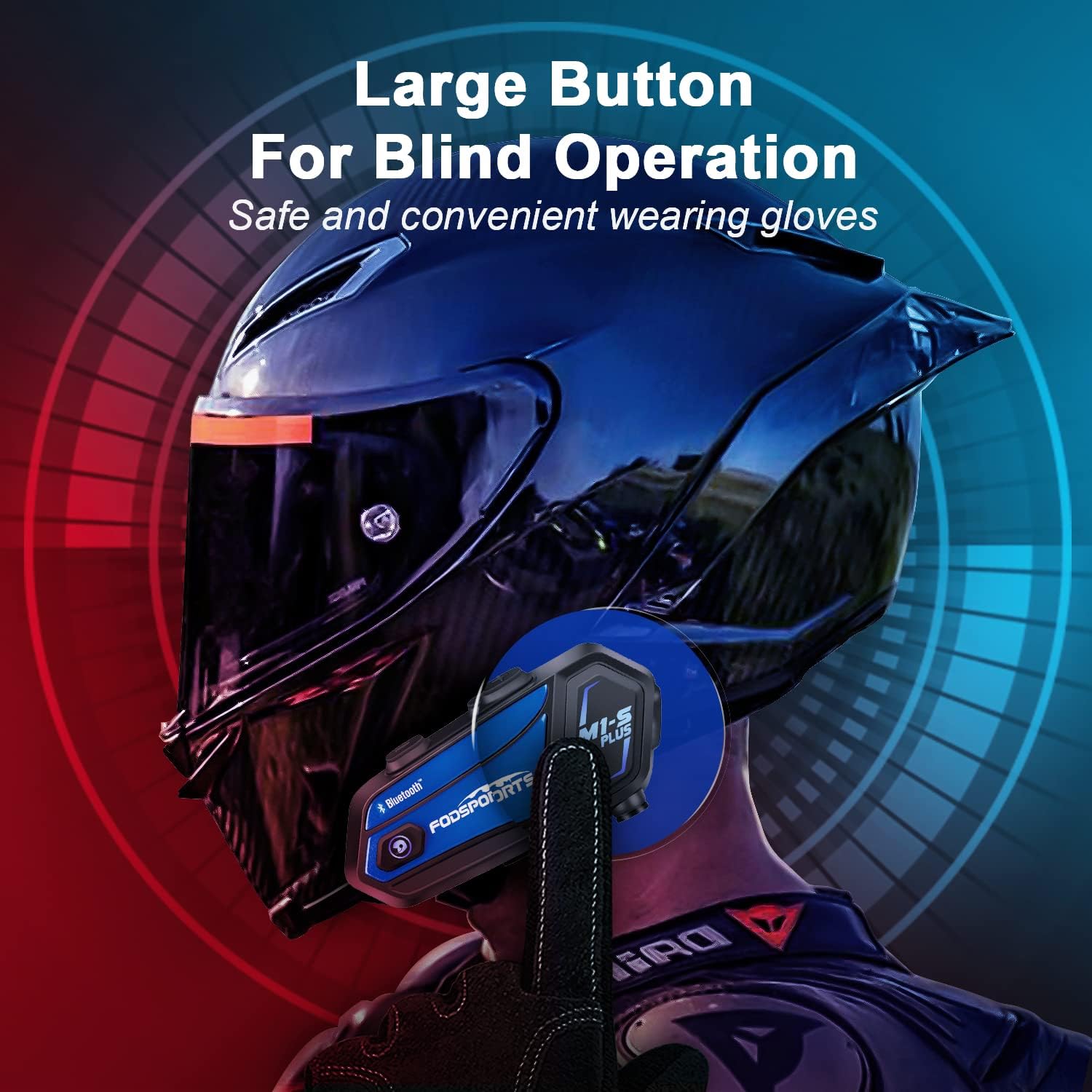
Image 4.1: M1-S Plus unit highlighting large buttons for blind operation.
5. Installazzjoni
The M1-S Plus is designed for versatile installation on various helmet types. Choose between the metal clip or adhesive mount, and select the appropriate microphone for your helmet style.
5.1. Mounting the Main Unit
You can mount the M1-S Plus using either the metal clip or the 3M adhesive sticker.
- Metal Clip Installation: Slide the metal clip between the helmet shell and the inner padding. Secure the M1-S Plus unit onto the clip.
- Adhesive Mount Installation: Clean the desired area on the helmet surface. Attach the 3M adhesive sticker to the unit base, then firmly press the base onto the helmet.
5.2. Microphone and Speaker Installation
The M1-S Plus includes two types of microphones to suit different helmet designs:
- Mikrofonu tal-Boom: Recommended for open-face, flip-up, and modular helmets. Position the microphone close to your mouth.
- Soft-Wire Microphone: Suitable for full-face helmets. Attach the microphone inside the helmet near your mouth using the adhesive.
Install the speakers inside the helmet's ear pockets. Use the provided EVA rubbers to adjust the speaker position for optimal sound and comfort, ensuring they are as close to your ears as possible.
Importanti: The speaker cable uses a Type-C interface. Ensure the microphone icon on the connector faces you when plugging it in to ensure both speakers function correctly.

Image 5.1: M1-S Plus compatibility with various helmet types and microphone options.

Image 5.2: Two-way installation guide for the M1-S Plus on a helmet.
6. Twaqqif u Tqabbil
6.1. Power On/Off
- Qawwa Mixgħul: Agħfas u żomm il-buttuna tal-Qawwa għal 3 sekondi sakemm id-dawl indikatur jteptep.
- Itfi: Agħfas u żomm il-buttuna tal-Power għal 3 sekondi sakemm id-dawl indikatur jintefa.
6.2. Bluetooth Pairing with Phone
- Ensure the M1-S Plus is powered off.
- Agħfas u żomm il-buttuna tal-Qawwa għal madwar 5-7 sekondi sakemm id-dawl indikatur jteptep aħmar u blu alternattivament, u dan jindika l-modalità ta' tqabbil.
- On your mobile phone, enable Bluetooth and search for available devices.
- Select "Fodsports M1-S Plus" from the list.
- Once paired, the indicator light will flash blue slowly.
6.3. Group Intercom Pairing (Up to 8 Riders)
The M1-S Plus supports intercom communication for up to 8 riders over a range of up to 2000 meters in open terrain.
- Ensure all M1-S Plus units are powered on and not connected to other devices.
- On the first unit, press and hold the Intercom button until the indicator light flashes red rapidly.
- On the second unit, press the Intercom button once. The units will search and connect.
- Repeat step 3 for additional units, pairing them one by one to the previously paired unit.
- Once all units are paired, a successful connection will be indicated by a voice prompt and a slow blue flash.

Image 6.1: M1-S Plus supporting group intercom for up to 8 riders.
6.4. Qsim tal-Mużika
The M1-S Plus allows two M1-S Plus units to share music from a single source.
- Ensure two M1-S Plus units are paired via Bluetooth intercom.
- On the unit playing music, press and hold the Volume + button for 3 seconds to initiate music sharing.
- The music will then be streamed to the second paired M1-S Plus unit.
- To stop sharing, press and hold the Volume + button for 3 seconds again.
Nota: Music sharing is only supported between two M1-S Plus units.

Image 6.2: Music sharing functionality between two M1-S Plus units.
7. Istruzzjonijiet Operattivi
7.1. Kontroll tal-Volum
- Żid il-Volum: Agħfas il-buttuna Volume +.
- Naqqas il-Volum: Agħfas il-buttuna tal-Volum -.
7.2. Telefonati
- Irrispondi Sejħa: Agħfas il-buttuna Power darba.
- Irrifjuta Sejħa: Agħfas u żomm il-buttuna Power għal 2 sekondi.
- Tmiem Sejħa: Agħfas il-buttuna tal-Enerġija darba waqt telefonata.
- Isemmi mill-ġdid l-Aħħar Numru: Agħfas darbtejn il-buttuna tal-Enerġija.
- Voice Dial (Siri/Google Assistant): Press the Volume + and Volume - buttons simultaneously.

Image 7.1: Voice command functionality for hands-free calls.
7.3. Daqq tal-mużika
- Play/Pawsa: Agħfas il-buttuna Power darba.
- Track li jmiss: Press the Volume + button twice.
- Track preċedenti: Press the Volume - button twice.
7.4. Intercom Usage
- Ibda l-Intercom: Press the Intercom button once.
- Tmiem l-Intercom: Press the Intercom button once.
- Reconnect Intercom: If a rider drops out of range for more than 5 minutes, press the Intercom button once to reconnect.
7.5. Radju FM
- Turn On/Off FM: Press the FM button once.
- Scan Channels: Press and hold the FM button for 2 seconds.
- Stazzjon li jmiss: Agħfas il-buttuna Volume +.
- Stazzjon ta' Preċedenti: Agħfas il-buttuna tal-Volum -.

Image 7.2: M1-S Plus with built-in FM radio functionality.
7.6. Microphone Mute/Unmute
During a call or intercom conversation, you can mute your microphone for privacy.
- Mikrofonu Mute: Press and hold the Volume + button for 2 seconds.
- Unmute Microphone: Press and hold the Volume + button for 2 seconds again.
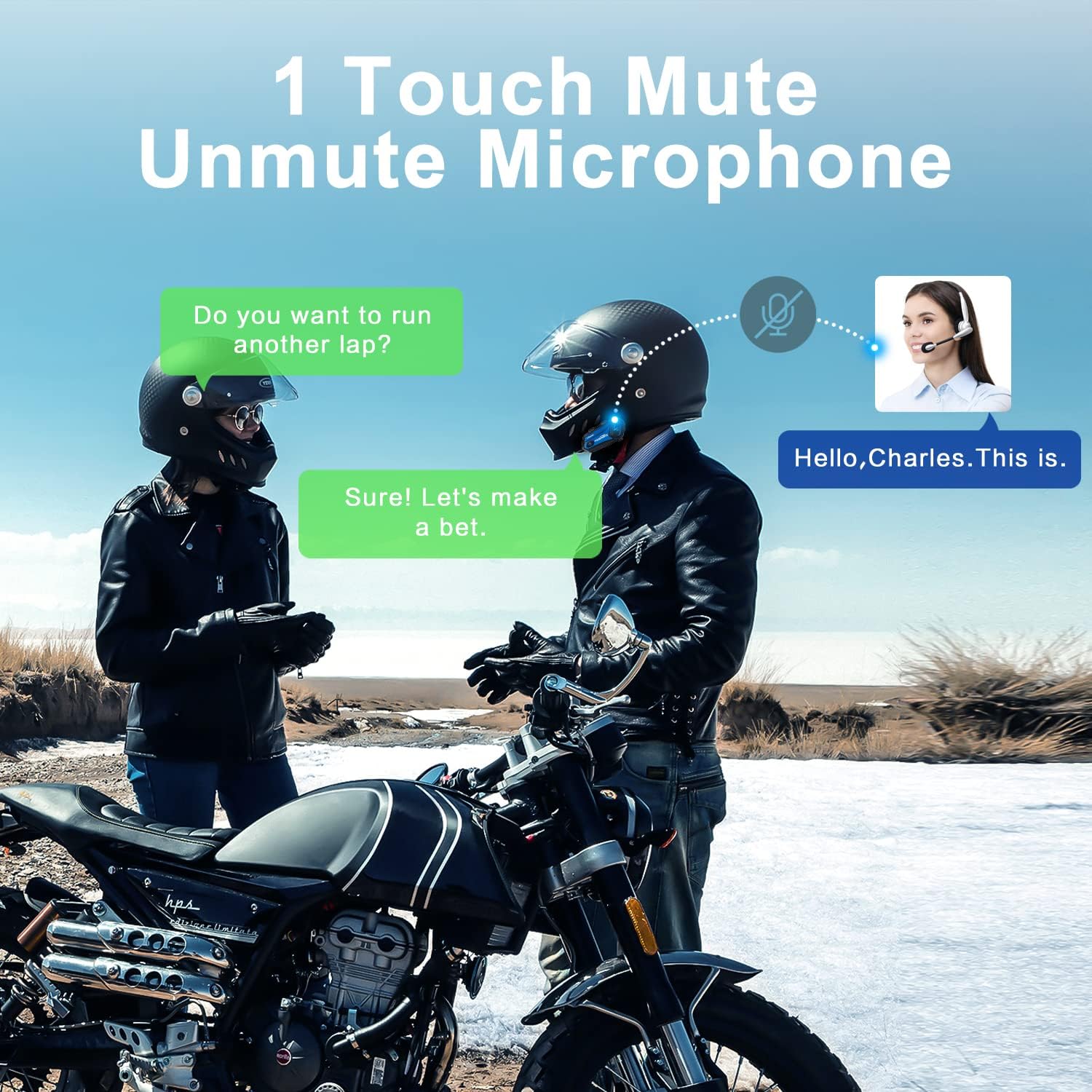
Image 7.3: One-touch mute/unmute microphone feature.
8. Manutenzjoni
- Iċċarġjar: Connect the device to a USB power source using the provided USB-C cable. The indicator light will be red during charging and turn blue when fully charged. Charging time is approximately 2-3 hours.
- Ħajja tal-batterija: A full charge provides approximately 12-20 hours of talk time, 15 hours of music streaming, and 300 hours of standby time.
- Tindif: Uża drapp artab u niexef biex tnaddaf l-apparat. Evita li tuża kimiċi ħarxa jew materjali li joborxu.
- Ħażna: Aħżen l-apparat f'post frisk u niexef meta ma jkunx qed jintuża.
- Reżistenza għall-Ilma: The M1-S Plus is waterproof, designed to handle various weather conditions.
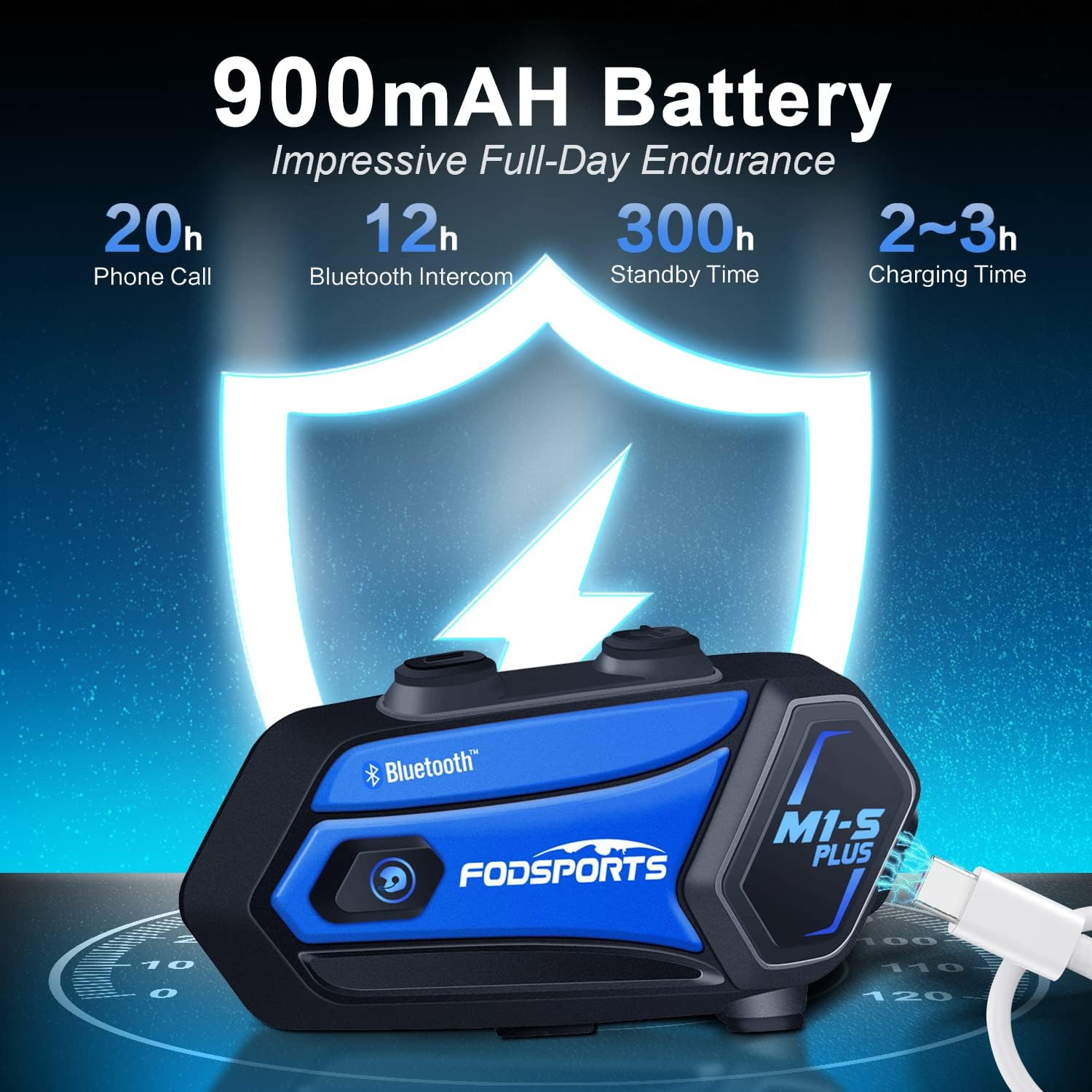
Image 8.1: M1-S Plus battery endurance and charging information.
9 Issolvi l-problemi
- No Sound from One Speaker: Ensure the Type-C speaker cable is fully inserted and the microphone icon on the connector faces you.
- Volum Baxx: Adjust the speaker position closer to your ears using the provided thicken pads. Ensure the device volume and your phone's volume are both set appropriately.
- Ma tistax tqabbad mat-telefon: Ensure the M1-S Plus is in pairing mode (red and blue flashing light) and your phone's Bluetooth is enabled. Try restarting both devices.
- Skonnettjar tal-Intercom: If riders go out of range, they can reconnect by pressing the Intercom button once when back in range (within 5 minutes).
- Riċezzjoni tar-Radju FM Dgħajfa: FM reception can vary based on location. Try scanning for channels again or moving to an area with better signal.
- Apparat mhux Jirrispondi: Try a soft reset by pressing and holding the Power button for 10 seconds. If issues persist, ensure the device is charged.
10. Speċifikazzjonijiet
| Karatteristika | Dettall |
|---|---|
| Isem tal-Mudell | M1-S Plus |
| Teknoloġija tal-Konnettività | Bluetooth 5.0 |
| Daqs tal-Grupp tal-Intercom | Up to 8 riders |
| Intercom Medda | Up to 2000 meters (open terrain) |
| Kapaċità tal-batterija | 900mAh |
| Ħin tal-Iċċarġjar | 2-3 Sigħat |
| Ħin tat-Tkellem | 12-20 Sigħat |
| Music Streaming Time | 15 Sigħat |
| Ħin ta' Standby | 300 Sigħat |
| Kontroll tal-Ħoss | Advanced CVC Noise Cancellation |
| Livell ta 'Reżistenza għall-Ilma | Waterproof |
| Headphones Jack | Port USB-C |
| Materjal | Plastic ABS |
| Piż tal-oġġett | 12.4 uqija |
11. Garanzija u Appoġġ
For any missing accessories, quality issues, or operational problems, please contact Fodsports customer support. Refer to the contact information provided with your purchase or visit the official Fodsports websit għall-għajnuna.
Jekk jogħġbok żomm il-prova tax-xiri tiegħek għal pretensjonijiet ta' garanzija.


