Introduzzjoni
This manual provides essential information for setting up, operating, and maintaining your Amazon Fire HD 10 Kids Tablet. Designed for children aged 3-7, this 10.1-inch Full HD tablet offers a safe and engaging experience with robust parental controls and a durable Kid-Proof Case.
Please read these instructions carefully to ensure proper use and to maximize your tablet's features.
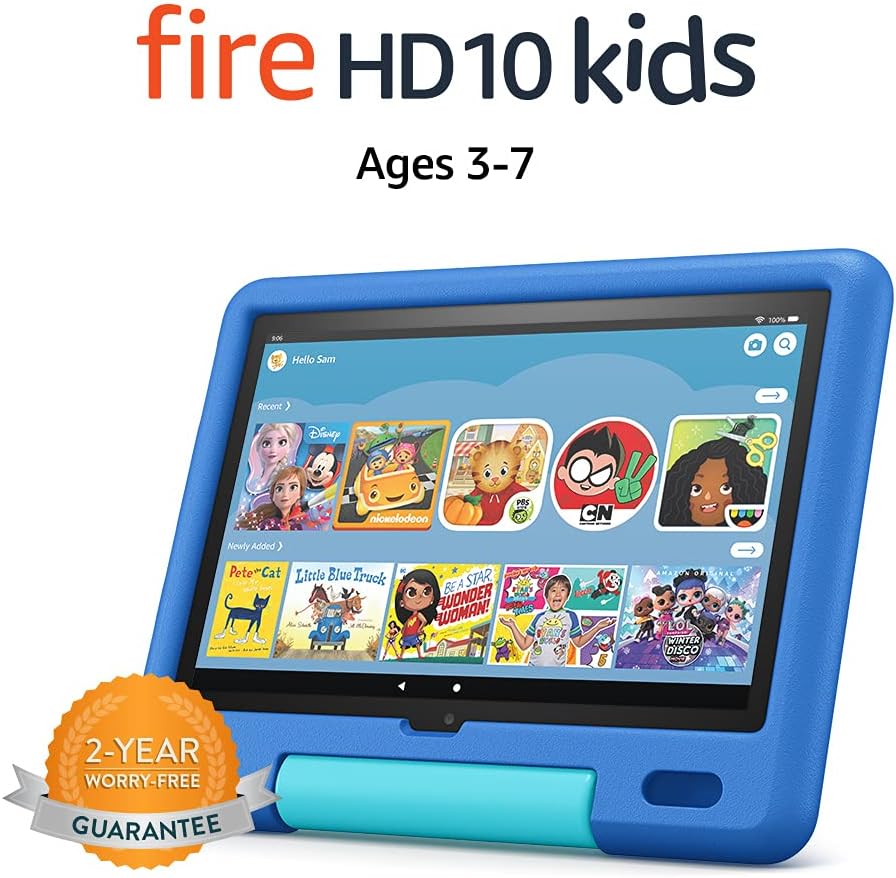
Image: The Amazon Fire HD 10 Kids Tablet, shown in its Sky Blue Kid-Proof Case, displaying the Amazon Kids+ user interface with various educational and entertainment apps.
X'inhu Inkluż
Your Amazon Fire HD 10 Kids Tablet package includes:
- Fire HD 10 tablet (11th Generation)
- Amazon Kid-Proof Case with stand/handle
- Amazon 9W power adapter
- USB-C (2.0) charging cable
- Batterija rikarikabbli inkorporata
- 1-year Amazon Kids+ subscription (auto-renews at applicable rate)
Setup
1. Iċċarġjar Inizjali
Before first use, fully charge your Fire HD 10 Kids Tablet. Connect the provided USB-C cable to the tablet's USB-C port and the 9W power adapter to a wall outlet. A full charge from 0% to 100% typically takes approximately 4 hours while the device is in standby mode.
2. Tixgħel u Mitfi
- Biex Tixgħel: Agħfas u żomm il-buttuna tal-qawwa li tinsab fuq il-ġenb tat-tablet sakemm jidher il-logo tal-Amazon.
- Biex Tifi: Press and hold the power button until a power-off dialog appears on the screen. Select "Power Off" or "Shut Down".
- Biex terġa' tibda: If the tablet is unresponsive, press and hold the power button for approximately 40 seconds until it restarts.
3. Konfigurazzjoni Inizjali
Malli tixgħelha għall-ewwel darba, segwi l-istruzzjonijiet fuq l-iskrin biex:
- Agħżel il-lingwa tiegħek.
- Connect to a Wi-Fi network. The tablet supports dual-band 802.11a/b/g/n/ac standards (2.4 GHz and 5.0 GHz networks).
- Register your tablet to an Amazon account. If you do not have one, you will be prompted to create one.
- Issettja ż-żona tal-ħin tiegħek.
4. Setting Up Amazon Kids+ and Parental Controls
The Fire HD 10 Kids Tablet includes a 1-year subscription to Amazon Kids+, offering thousands of ad-free books, games, videos, and apps. Parental controls are integrated to manage your child's experience.
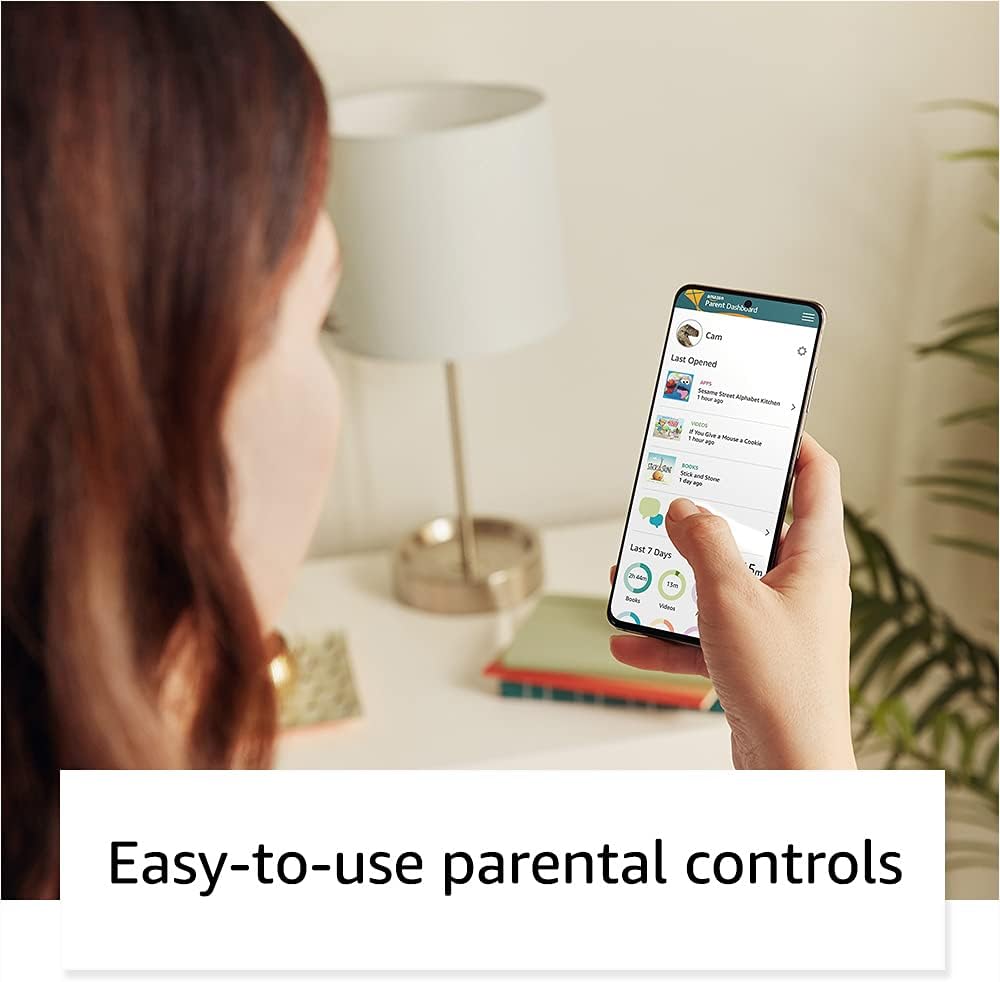
Image: A parent interacting with the Amazon Parent Dashboard on a smartphone, demonstrating the ease of managing parental controls for the Fire Kids Tablet.
To set up profiles and parental controls:
- After registering your tablet, you will be guided to create child profiles.
- Aċċess għall- Amazon Parent Dashboard minn kwalunkwe web browser or the Amazon Kids+ app on your own device.
- From the Parent Dashboard, you can:
- Filter content based on your child's age.
- Set daily time limits for tablet usage.
- Establish educational goals.
- Grant access to additional content from your Amazon library or third-party apps like Netflix and Disney+.
- Immaniġġja web browser access and approved contacts for communication.
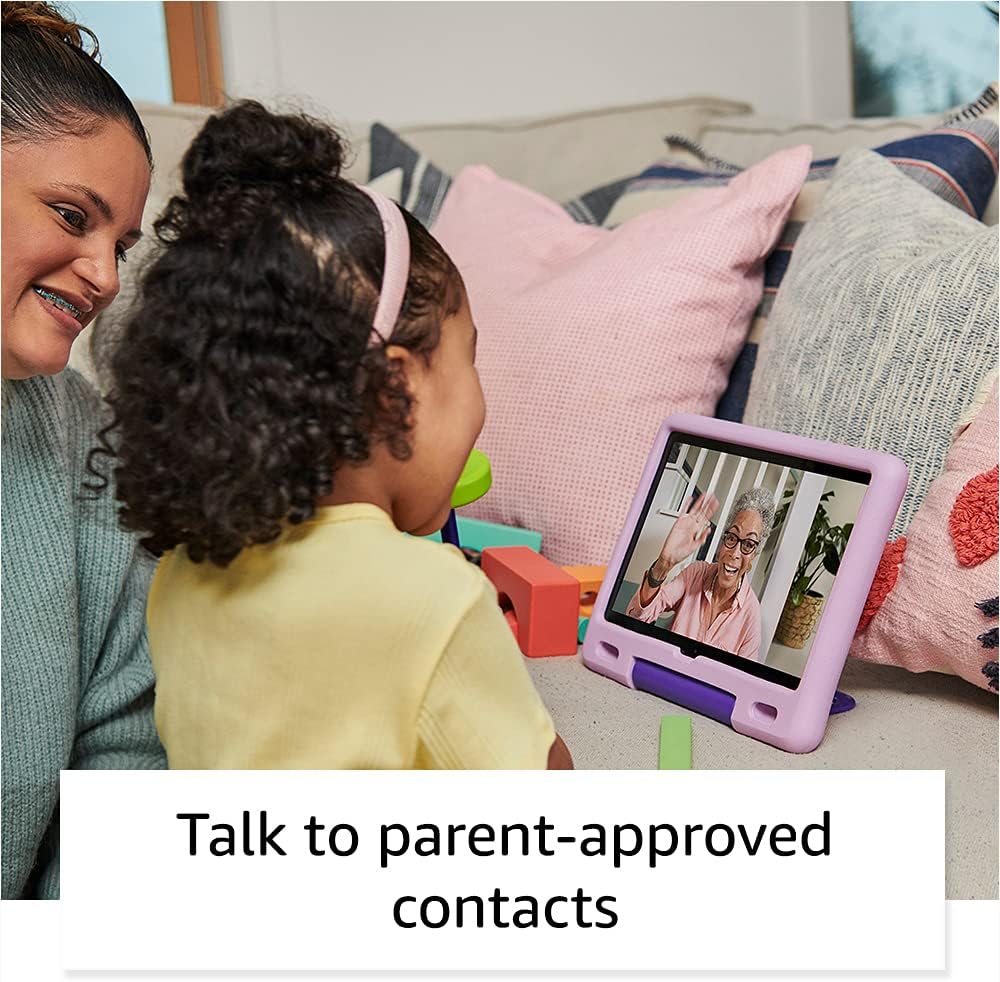
Image: A child happily engaged in a video call with a grandparent on the Amazon Fire HD 10 Kids Tablet, highlighting the communication features with parent-approved contacts.
It-tħaddim tal-Pillola
1. Navigazzjoni fl-Interface
The Fire HD 10 Kids Tablet features a touch-sensitive screen. Use gestures such as tapping, swiping, and pinching to interact with the device.
- Skrin tad-dar: Displays apps, books, videos, and games available to the child.
- Swipe' l isfel: Aċċessa s-settings u n-notifiki malajr.
- Swipe 'l fuq: Return to the home screen (if applicable in certain apps).

Image: A child holding and interacting with the Amazon Fire HD 10 Kids Tablet, which displays an educational game, illustrating the tablet's design for young users.
2. Using Amazon Kids+
Amazon Kids+ provides a curated selection of age-appropriate content. Content is categorized for easy discovery.

Image: A vibrant grid of various app icons, including characters from popular children's media and educational titles, representing the wide range of content available through Amazon Kids+.
- Browsing Content: Navigate through categories like "Books," "Videos," "Apps," and "Games."
- Tniżżil tal-Kontenut: Tap on an item to download it for offline use. Ensure sufficient storage is available.
- Immaniġġjar tal-Kontenut: Parents can add or remove content via the Parent Dashboard.
3. Funzjonalità tal-Kamera
It-tablet huwa mgħammar b'kamera ta' quddiem ta' 2 MP u kamera ta' wara ta' 5 MP, it-tnejn kapaċi jirrekordjaw vidjow HD 720p.
- Iftaħ l-app tal-Kamera mill-iskrin tad-dar.
- Tap to switch between front and rear cameras.
- Tektek il-buttuna tax-shutter biex tieħu ritratti jew tibda/twaqqaf ir-reġistrazzjoni tal-vidjow.
4. Audio and Volume Control
The tablet features dual integrated speakers and a 3.5 mm stereo jack for headphones. External volume controls are located on the side of the tablet.
- Press the volume up/down buttons to adjust audio levels.
- Connect headphones to the 3.5 mm jack for private listening.
Manutenzjoni
1. Tindif tat-Tablet
Biex tnaddaf it-tablet tiegħek:
- Power off the device and unplug it from any power source.
- Uża drapp ratba u mingħajr ħelu ftit dampened with water to wipe the screen and exterior.
- Evita li tuża prodotti tat-tindif li joborxu, solventi, jew sprejs tal-ajrusol.
- Tħallix l-umdità tidħol f'xi fetħiet.
2. Kura tal-batterija
Biex ittawwal il-ħajja tal-batterija:
- Evita li tesponi l-pillola għal temperaturi estremi (sħana jew kesħa).
- Charge the tablet regularly, but avoid leaving it fully discharged for extended periods.
- For optimal performance, use the provided Amazon 9W power adapter and USB-C cable.
3. Ħażna
The tablet comes with 32 GB of internal storage (24.2 GB available to user). You can expand storage up to 1 TB using a microSD card.
- Insert a microSD card into the designated slot to add additional storage for photos, videos, and some apps.
- Regularly manage downloaded content to free up space if needed.
Issolvi l-problemi
Kwistjonijiet Komuni u Soluzzjonijiet
| Ħruġ | Soluzzjoni |
|---|---|
| It-tablet ma jixgħelx. | Ensure the tablet is charged. Connect to the power adapter for at least 30 minutes. If still unresponsive, perform a hard reset by holding the power button for 40 seconds. |
| L-iskrin ma jirrispondix. | Erġa' ibda t-tablet. Jekk il-problema tippersisti, kun żgur li l-iskrin ikun nadif u ħieles minn debris. |
| Problemi bil-konnessjoni tal-Wi-Fi. | Check if other devices can connect to the Wi-Fi network. Restart your Wi-Fi router. On the tablet, go to Wi-Fi settings, forget the network, and reconnect. |
| L-apps huma bil-mod jew qed jiġġarraf. | Close unused apps. Clear app cache (via Parent Dashboard). Ensure sufficient storage space is available. Restart the tablet. |
| Il-batterija tiskula malajr. | Reduce screen brightness. Close background apps. Disable Wi-Fi when not in use. Check for app updates. |
Irrisettja l-Fabbrika
A factory reset will erase all data on your tablet and restore it to its original factory settings. This should be a last resort for persistent issues.
- Go to the Parent Profile.
- Innaviga lejn Settings > Għażliet tal-Apparat > Irrisettja għall-Defaults tal-Fabbrika.
- Ikkonferma d-deċiżjoni tiegħek.
Speċifikazzjonijiet
| Wiri | 10.1” 1080p Full HD (1920 x 1200) b'224 ppi, ħġieġ aluminosilikat |
| Daqs | 8.2” x 10.6” x 1.1” (209mm x 269mm x 27mm) |
| Piż | 25.2 uqija (716 gramma) |
| CPU & RAM | Octa-core 2.0 GHz bi 3 GB RAM |
| Ħażna | 32 GB internal (24.2 GB user available), expandable up to 1 TB via microSD |
| Ħajja tal-batterija | Sa 12-il siegħa ta' użu mħallat |
| Ħin tal-Ħlas | Approximately 4 hours with included 9W adapter |
| Konnettività Wi-Fi | Dual-band 802.11a/b/g/n/ac (2.4 GHz and 5.0 GHz), WEP, WPA, WPA2 security |
| Portijiet | USB-C (2.0) għall-iċċarġjar, slott tal-microSD |
| Awdjo | Jack stereo ta' 3.5 mm, kelliema integrati doppji |
| Sensuri | Aċċellerometru, sensuri tad-dawl ambjentali |
| Kameras | 2 MP front-facing, 5 MP rear-facing, 720p HD video recording |
| Mikrofoni | 2 mikrofoni integrati |
| Medda ta' Età | 3-7 years (WARNING: CHOKING HAZARD – Small parts. Not for children under 3 years.) |
| Ġenerazzjoni | Il-11-il ġenerazzjoni, rilaxx tal-2021 |
Garanzija u Appoġġ
1. 2-Year Worry-Free Guarantee
Your Amazon Fire HD 10 Kids Tablet comes with a 2-year worry-free guarantee. If the tablet breaks, you can return it, and Amazon will replace it for free. This guarantee covers defects in materials and workmanship under normal use.
For detailed terms and conditions, please refer to the warranty information provided with your purchase or visit the Amazon websit.
2. Appoġġ għall-Klijent
For further assistance, technical support, or warranty claims, please contact Amazon Customer Service. You can find support options on the official Amazon websit:
Żur is-Servizz tal-Klijenti tal-Amazon
Tista 'wkoll iżżur il- Paġna ta' Appoġġ għall-Apparat tal-Amazon for FAQs and troubleshooting guides specific to Fire tablets.


