1. Introduzzjoni
This manual provides detailed instructions for the safe and effective use of your Phomemo D30 Bluetooth Mini Label Maker. Please read this manual thoroughly before operating the device to ensure proper function and longevity.

Image 1.1: The Phomemo D30 Label Maker, a compact thermal printer designed for various labeling needs.
2. Kontenut tal-Pakkett
Ivverifika li l-oġġetti kollha huma preżenti fil-pakkett tiegħek:
- 1 x Phomemo D30 Label Maker
- 1 x Manwal għall-Utent
- 1 x USB Cable
- 80-PCS Label Tape 12x40mm (1 roll)

Image 2.1: Visual representation of the items included in the Phomemo D30 package.
3. Prodott Aktarview
3.1 Karatteristiċi ewlenin
- Kompatt u portabbli: Half the weight and size of traditional label makers.
- Teknoloġija tal-Istampar Termali: Inkless printing, eliminating the need for ink, toner, or ribbons.
- High Print Clarity: Equipped with a German thermal print head, offering 25% increased DPI for clear and smooth printing.
- Konnettività Wireless: Bluetooth connection for printing from mobile devices.
- Versatile Label Support: Compatible with continuous and fixed-length label tapes, supporting sizes from 0.24 to 0.47 inches (6mm to 12mm).
- Ikkontrollata mill-App: Utilizes a dedicated mobile application for label design with various templates, symbols, frames, and fonts.
3.2 Komponenti
The Phomemo D30 Label Maker consists of the following main components:
- Buttuna tal-Qawwa: Used to turn the device on/off and initiate certain functions.
- Dawl Indikatur: Displays device status (e.g., charging, connected, printing).
- Slott tal-Ħruġ tat-Tikketta: Fejn joħorġu tikketti stampati.
- Label Compartment: Houses the label roll.
- Port tal-Iċċarġjar tal-USB: For connecting the USB cable to charge the device.
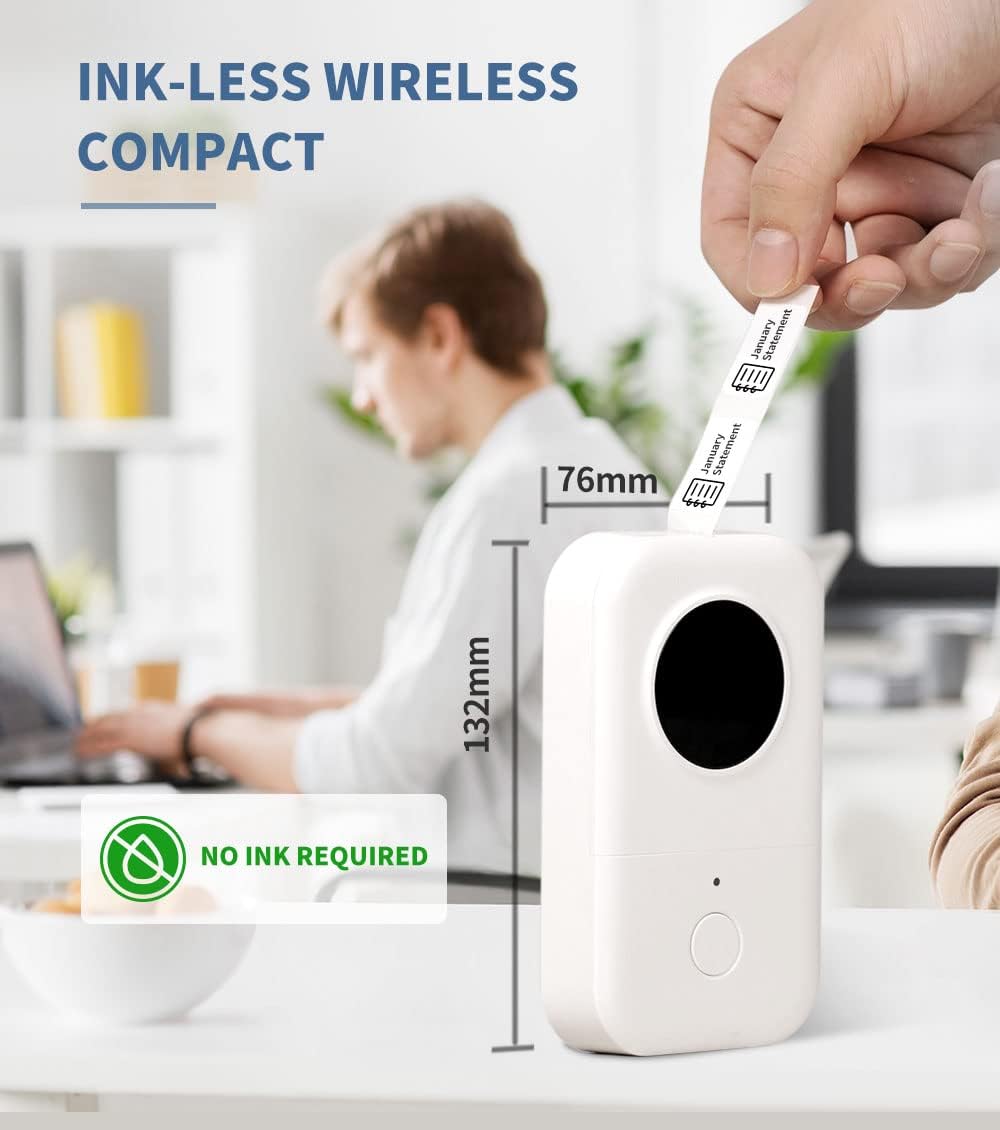
Image 3.1: The compact design of the Phomemo D30, highlighting its ink-less thermal printing technology.

Image 3.2: The Phomemo D30 supports multiple label widths, including 6mm, 12mm, 14mm, and 15mm.
4. Setup
4.1 Iċċarġjar tal-Apparat
- Connect the provided USB cable to the charging port on the label maker.
- Ipplaggja t-tarf l-ieħor tal-kejbil USB ma' adapter tal-enerġija USB kompatibbli (mhux inkluż) jew mal-port USB tal-kompjuter.
- The indicator light will show charging status. A full charge typically takes 2-3 hours.
4.2 Loading Label Paper
- Iftaħ l-għatu tal-kompartiment tat-tikketti.
- Insert the label roll with the printing surface facing upwards, ensuring it aligns correctly within the compartment.
- Pull a small portion of the label tape out through the output slot.
- Agħlaq l-għatu tal-kompartiment tat-tikketti sew.
4.3 Installazzjoni tal-App u Konnessjoni Bluetooth
- Download the "Print Master" app from your device's app store (iOS or Android).
- Turn on the Phomemo D30 Label Maker by pressing and holding the power button. The indicator light will illuminate.
- Ippermetti Bluetooth fuq it-tagħmir mobbli tiegħek.
- Open the "Print Master" app and follow the on-screen instructions to connect to your D30 device. The app will typically detect nearby Phomemo devices automatically.

Image 4.1: The Phomemo D30 connects wirelessly via Bluetooth to a smartphone running the "Print Master" app.
5. Istruzzjonijiet Operattivi
5.1 Creating Labels with the App
- Open the "Print Master" app on your connected mobile device.
- Agħżel template jew ibda disinn ġdid tat-tikketta.
- Utilize the app's features to add text, icons, borders, and adjust fonts. The app offers a wide variety of customization options.
- Preview your label design to ensure accuracy before printing.

Image 5.1: The "Print Master" app provides extensive customization options for label creation, including fonts, icons, and borders.

Image 5.2: The app supports a variety of label styles and patterns for diverse applications.
5.2 Stampar ta' Tikketti
- Once your label design is complete, tap the print button within the app.
- The label maker will feed and print the label.
- Carefully tear off the printed label from the output slot.

Image 5.3: The D30 supports high-quality batch printing for pre-cut paper, ensuring clear and consistent results.
5.3 Label Types and Applications
The D30 supports both pre-cut and continuous label tapes, suitable for various uses:
- Pre-cut Labels: Ideal for individual items, such as food date marking, price tags, or personal item identification.
- Tikketti Kontinwi: Suitable for longer labels like cable identification, file classification, or gift labels.

Image 5.4: The Phomemo D30 supports both pre-cut labels for individual items and continuous labels for longer applications.

Image 5.5: The Phomemo D30 is a versatile tool for organizing files, labeling food, marking items, and creating gift labels.

Image 5.6: The D30 label maker is suitable for a wide range of applications, from personal organization to small business use.
6. Manutenzjoni
6.1 Tindif tar-Ras tal-Istampar
To maintain print quality, regularly clean the print head:
- Itfi l-magna tat-tikketti u skonnettjaha minn kwalunkwe sors ta' enerġija.
- Iftaħ il-kompartiment tat-tikketta.
- Imsaħ ir-ras tal-istampar bil-mod b'tajjara tal-qoton ħafifa.ampened b'alkoħol isopropiliku.
- Allow the print head to dry completely before closing the compartment and using the device.
6.2 Kura tal-Batterija
- Charge the device regularly, even if not in frequent use, to prolong battery life.
- Evita li tesponi l-apparat għal temperaturi estremi.
- If the device will not be used for an extended period, charge it to approximately 50% before storage.
6.3 Ħażna
Store the label maker in a cool, dry place away from direct sunlight and excessive dust. Ensure the label compartment is closed to protect the print head and internal mechanisms.

Image 6.1: Phomemo label tapes are designed for durability, offering resistance to water, abrasion, and oil, and can be removed without leaving residue.
7 Issolvi l-problemi
7.1 Kwistjonijiet Komuni u Soluzzjonijiet
| Ħruġ | Kawża Possibbli | Soluzzjoni |
|---|---|---|
| L-apparat ma jixgħelx | Batterija baxxa jew problema ta' enerġija. | Charge the device using the provided USB cable. Ensure the power button is pressed and held correctly. |
| Ma tistax tikkonnettja permezz tal-Bluetooth | Bluetooth is off, device is out of range, or app issue. | Ensure Bluetooth is enabled on your phone and the label maker is on. Move the devices closer. Restart the app and the label maker. |
| Kwalità fqira tal-istampar | Dirty print head, incorrect label roll insertion, or low battery. | Clean the print head (refer to Section 6.1). Re-insert the label roll correctly. Charge the device. |
| Labels not feeding | Label roll jammed or incorrectly loaded. | Open the compartment and check for any jams. Re-load the label roll, ensuring it is properly aligned. |
| L-app tiġġarraf jew tiffriża | Problema fis-softwer jew verżjoni tal-app skaduta. | Restart the app. Check for app updates in your device's app store. Restart your mobile device. |
8. Speċifikazzjonijiet
- Ditta: Phomemo
- Mudell: D30
- Teknoloġija tal-Istampar: Termali
- Teknoloġija tal-Konnettività: Bluetooth
- Daqs Massimu tal-Midja: 15mm
- Riżoluzzjoni massima tal-istampar iswed u abjad: 203 dpi
- Veloċità Massima tal-Istampar Monokromu: 40 ppm
- Apparati Kompatibbli: Smartphones (iOS, Android)
- Qawwa: 1 batterija tal-polimer tal-litju (inkluża)
- Piż tal-oġġett: 6.3 uqija (180 Grammi)
- Dimensjonijiet tal-Prodott: 4.72 x 3.15 x 1.97 pulzieri (12 x 8 x 5 ċm)
- UPC: 789371387780
9. Garanzija u Appoġġ
The Phomemo D30 Label Maker comes with a limited warranty. For specific details regarding warranty coverage and duration, please refer to the warranty card included in your product packaging or contact Phomemo customer support.
For technical support, troubleshooting assistance, or inquiries about replacement parts and accessories, please visit the official Phomemo website or contact their customer service department. Contact information can typically be found on the product packaging or the Phomemo brand store online.


