Introduzzjoni
Thank you for choosing the havit MS72 Wired USB Gaming Mouse. This manual provides essential information for the proper installation, operation, and maintenance of your new gaming mouse. Please read this manual thoroughly before using the product to ensure optimal performance and longevity.
The havit MS72 features an ergonomic design, an anti-slipping surface, and adjustable DPI settings (800-1200 DPI) for precise control. It also includes RGB lighting for an enhanced aesthetic experience.
Kontenut tal-Pakkett
- havit MS72 Wired USB Gaming Mouse
- Manwal għall-Utent
Setup
Follow these steps to set up your havit MS72 Gaming Mouse:
- Qabbad il-Cable USB: Locate an available USB port on your computer (desktop or laptop). Insert the USB connector of the havit MS72 mouse into the USB port.
- Installazzjoni Awtomatika tas-Sewwieq: Your operating system (Windows, macOS, Linux) should automatically detect the mouse and install the necessary drivers. This process may take a few moments.
- Ivverifika l-Funzjonalità: Once the drivers are installed, the mouse's RGB lighting should illuminate, and the cursor should respond to movement. Test the left, right, and scroll wheel functions.
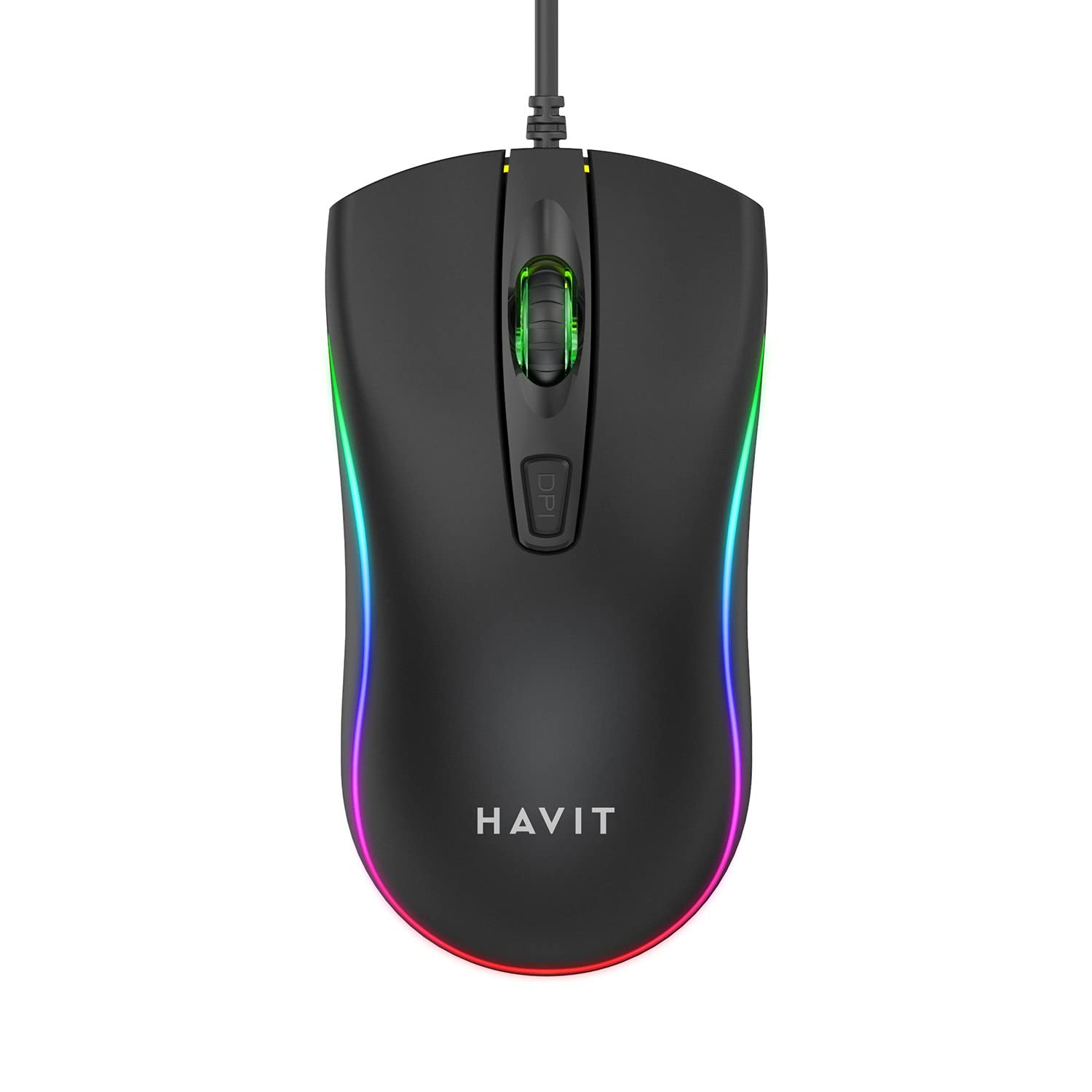
Image: The havit MS72 Gaming Mouse with its USB cable connected, showcasing id-disinn ergonomiku tiegħu u d-dawl RGB.
Istruzzjonijiet Operattivi
The havit MS72 Gaming Mouse is designed for intuitive use. Here are its primary functions:
- Buttuna tal-Ikklikkjar tax-Xellug: Funzjoni standard tal-ikklikkjar primarju.
- Buttuna tal-Ikklikkjar bil-Lemin: Standard secondary click function, typically for context menus.
- Scroll Wheel: Użat biex tiskrollja fid-dokumenti u web paġni. Jista' jiffunzjona wkoll bħala buttuna tan-nofs tal-ikklikkjar.
- Buttuna tal-Aġġustament tad-DPI: Located behind the scroll wheel. Press this button to cycle through the available DPI settings (800 DPI and 1200 DPI). The mouse's sensitivity will change with each press.
- Buttuni tal-Ġenb ('il Quddiem/Lura): Typically located on the left side of the mouse. These buttons are commonly used for navigation (e.g., forward/backward in web browsers) or can be programmed for specific in-game actions.
- Dawl RGB: The mouse features integrated RGB lighting that cycles automatically. There are no user-adjustable controls for the lighting patterns or colors.
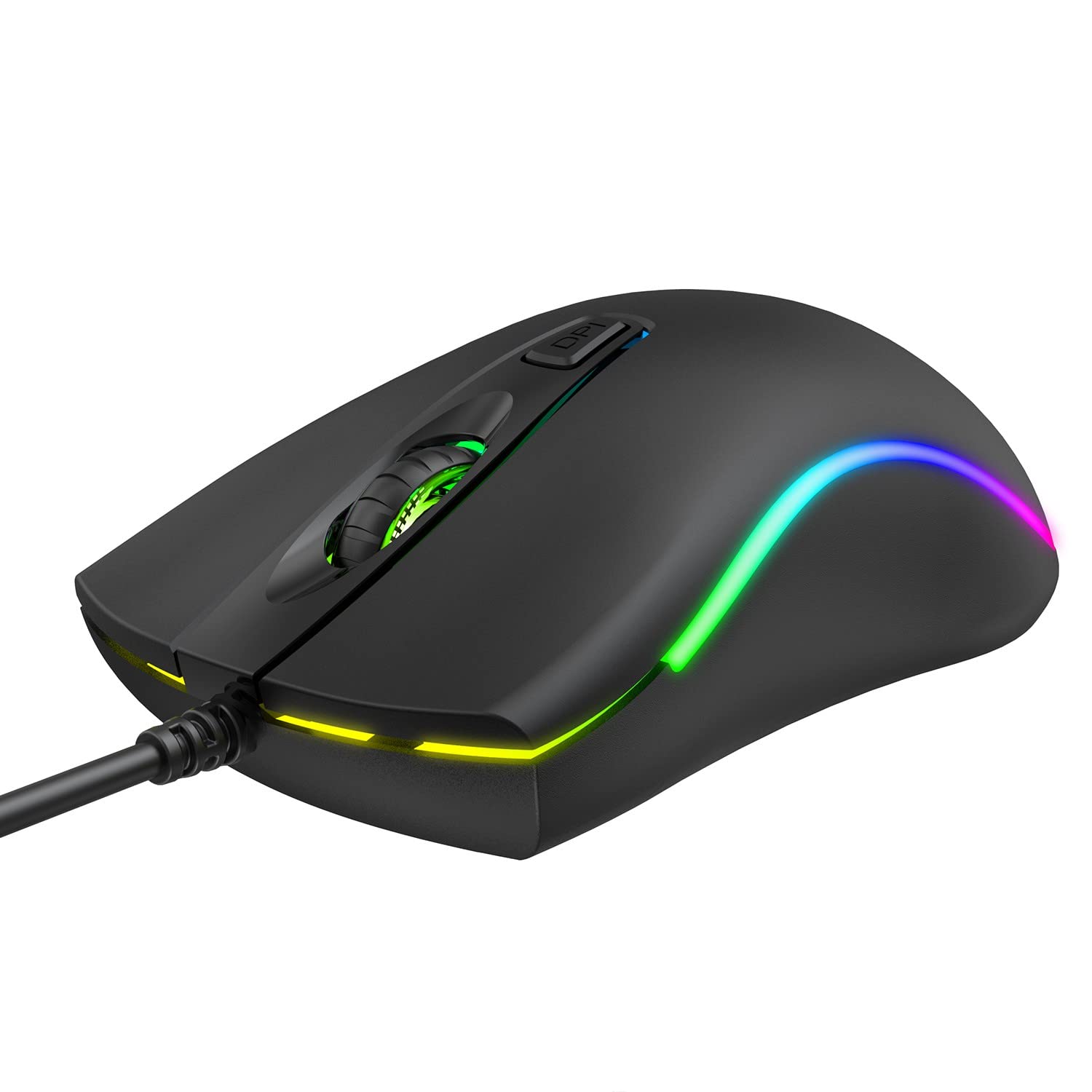
Immaġni: Fuq view of the havit MS72 Gaming Mouse, highlighting the scroll wheel and the DPI adjustment button.

Immaġni: Ġenb view of the havit MS72 Gaming Mouse, illustrating the placement of the forward and backward side buttons.
Manutenzjoni
Manutenzjoni xierqa tiżgura l-lonġevità u l-prestazzjoni ottimali tal-maws tal-logħob tiegħek:
- Tindif: Uża drapp artab u niexef biex timsaħ il-wiċċ tal-maws. Għal ħmieġ iebes, nixxef ftit.ampLaħlaħ id-drapp bl-ilma jew b'soluzzjoni ħafifa tat-tindif. Evita kimiċi ħarxa jew materjali li joborxu.
- Sensor Ottiku: Periodically clean the optical sensor on the underside of the mouse with a cotton swab to prevent tracking issues.
- Kura tal-Cable: Evita li tgħawweġ jew iddawwar il-kejbil tal-USB b'mod qawwi. Aħżen il-maws b'mod li jipprevjeni stress fuq il-konnessjoni tal-kejbil.
- Ħażna: Meta ma tkunx qed tużah għal perjodi twal, aħżen il-maws f'ambjent nadif u niexef 'il bogħod mix-xemx diretta u minn temperaturi estremi.
Issolvi l-problemi
If you encounter issues with your havit MS72 Gaming Mouse, refer to the following common solutions:
| Problema | Kawża Possibbli | Soluzzjoni |
|---|---|---|
| Il-ġurdien ma jirrispondix | Konnessjoni USB maħlula, port USB difettuż, problema bis-sewwieq. |
|
| Il-moviment tal-cursor huwa irregolari jew mgħaġġel | Sensor ottiku maħmuġ, wiċċ tal-maws pad mhux adattat. |
|
| Il-buttuna DPI ma tbiddilx is-sensittività | Kunflitt tas-softwer, malfunzjoni tal-buttuna. |
|
| Dawl RGB mhux qed jaħdem | Kwistjoni ta' enerġija, ħsara interna. |
|
Speċifikazzjonijiet
| Brand | hadt |
| Mudell | MS72 |
| Teknoloġija tal-Konnettività | USB (fili) |
| Teknoloġija ta 'Sejbien tal-Moviment | Ottiċi |
| Settings DPI | 800-1200 DPI (Two gears) |
| Orjentazzjoni tal-Idejn | Ambidestru |
| Karatteristiċi Speċjali | Ergonomic Design, Anti-Slipping Surface, RGB Light |
| Sistemi Operattivi Kompatibbli | Linux, Windows 7, Windows XP, macOS |
| Pjattaforma tal-Ħardwer | Laptop, Kompjuter Personali |
| Dimensjonijiet tal-Prodott (LxWxH) | 11.4 x 6 x 3.8 ċm |
| Piż tal-oġġett | 150 g |
Garanzija u Appoġġ
The havit MS72 Wired USB Gaming Mouse comes with a standard manufacturer's warranty. Please refer to the warranty card included with your product for specific terms and conditions.
For technical support, warranty claims, or any product-related inquiries, please contact the importer/manufacturer directly:
- Importatur: Origin Marketing Private Limited
- Indirizz: 121 Raj Ratna Industrial Estate, Liberty Garden, Malad West, Mumbai 400064
- Telefon: 022 40224087
- Email: service@originmarketing.in
When contacting support, please have your product model (MS72) and purchase details readily available.


