Introduzzjoni
This manual provides essential instructions for the safe and efficient operation, maintenance, and troubleshooting of your Blaupunkt ATF401 Table Fan. Please read this manual thoroughly before using the appliance and retain it for future reference.
Istruzzjonijiet tas-Sigurtà
TWISSIJA: Biex tnaqqas ir-riskju ta’ nar, xokk elettriku, jew korriment, osserva l-prekawzjonijiet ta’ sigurtà li ġejjin:
- Tiżgura l-provvista tal-enerġija voltage jaqbel mat-tikketta tal-klassifikazzjoni fuq il-fann.
- Do not operate the fan with a damaged cord or plug. If damaged, contact qualified service personnel.
- Żomm subgħajk, lapsijiet, jew kwalunkwe oġġett ieħor 'il bogħod mill-gradilja tal-fann meta dan ikun qed jaħdem.
- Unplug the fan from the outlet when not in use, before cleaning, or when moving it.
- Do not use the fan in wet locations such as bathrooms or laundry areas.
- Poġġi l-fann fuq wiċċ stabbli u ċatt biex tevita li jinqaleb.
- Dan l-apparat mhuwiex maħsub għall-użu minn persuni (inklużi tfal) b’kapaċitajiet fiżiċi, sensorji jew mentali mnaqqsa, jew nuqqas ta’ esperjenza u għarfien, sakemm ma jkunux ingħataw superviżjoni jew istruzzjoni dwar l-użu tal-apparat minn persuna responsabbli għas-sigurtà tagħhom.
Prodott Overview
The Blaupunkt ATF401 is a 30 cm diameter table fan designed for air circulation in home and office environments. It features a modern design and portable functionality.
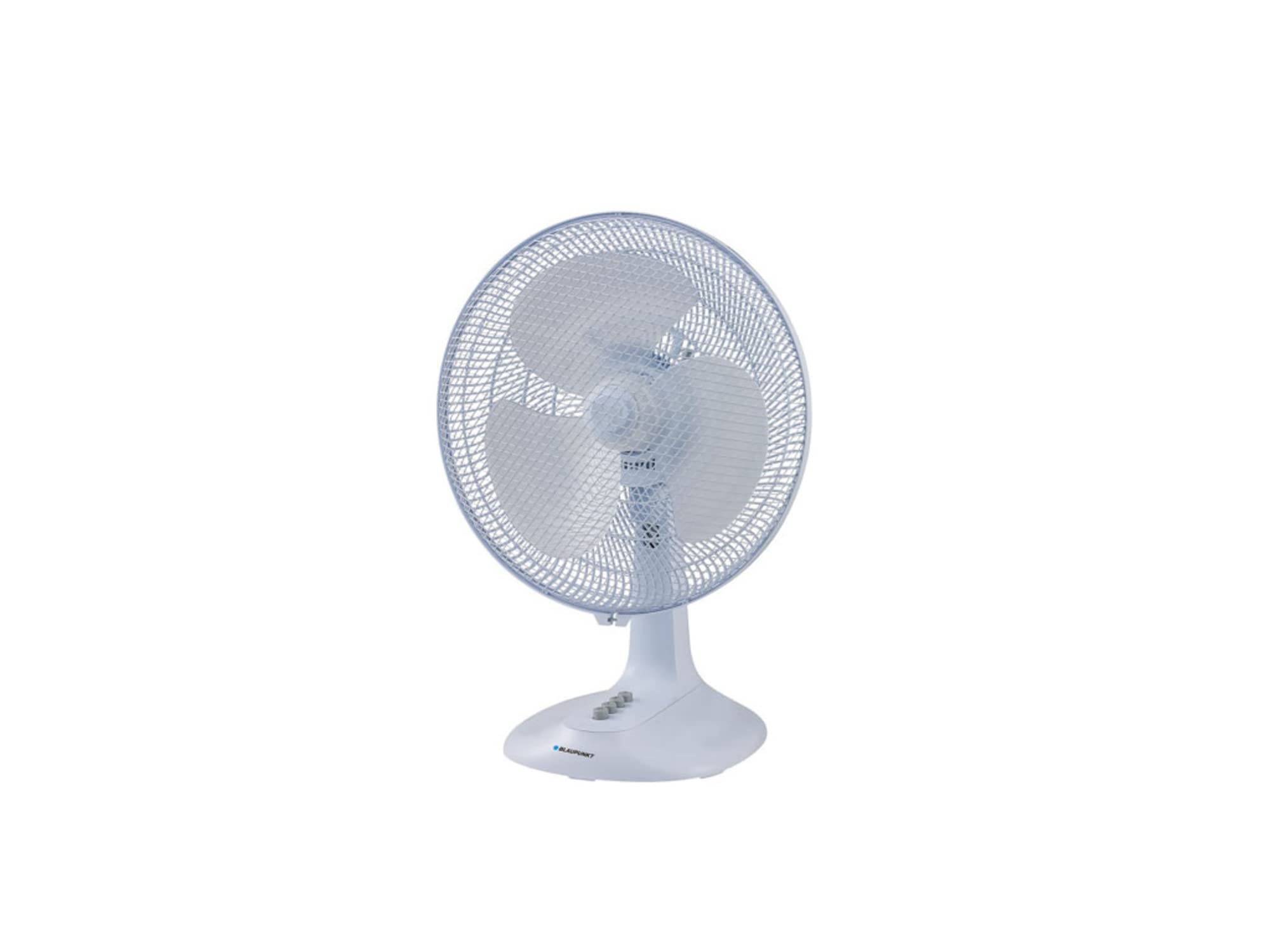
Figura 1: Quddiem view of the Blaupunkt ATF401 Table Fan. The fan features a white body, a protective grille, and three blades. Control buttons are visible on the base.
Komponenti:
- Fan Head (Grille and Blades)
- Djar tal-Mutur
- Pannell tal-Kontroll (fuq il-bażi)
- Bażi
- Korda tal-Enerġija
Setup
The Blaupunkt ATF401 Table Fan is designed for tabletop use and typically requires minimal assembly. Ensure all packaging materials are removed before use.
- Ippakkja: Neħħi l-fann mill-imballaġġ tiegħu bir-reqqa.
- Pjazzament: Place the fan on a firm, level, and stable surface. Ensure there is adequate space around the fan for proper air circulation and to prevent obstruction of the air intake/outlet.
- Konnessjoni tal-Enerġija: Insert the power cord plug into a standard electrical outlet (AC 220-240V, 50Hz).
Istruzzjonijiet Operattivi
The fan is operated using the control buttons located on the base.
- Power On/Off: Press the '0' button to turn the fan off. Press '1', '2', or '3' to turn the fan on at the desired speed.
- Għażla tal-Veloċità:
- '1' for Low speed
- '2' for Medium speed
- '3' for High speed
- Funzjoni ta 'Oxxillazzjoni: To activate the oscillation (side-to-side movement) function, press down the oscillation knob located on top of the motor housing. To stop oscillation, pull the knob up.
- Aġġustament tal-inklinazzjoni: Ir-ras tal-fann tista' titmejjel manwalment 'il fuq jew 'l isfel biex tidderieġi l-fluss tal-arja. Imbotta jew iġbed ir-ras tal-fann bil-mod sal-angolu mixtieq.
Manutenzjoni u Tindif
Regular cleaning ensures optimal performance and extends the life of your fan.
- Qabel it-Tindif: Dejjem aqla’ l-fann mill-plakka tal-elettriku qabel ma tnaddaf jew tagħmel xi manutenzjoni.
- Tindif ta' barra: Uża artab, damp drapp biex timsaħ l-uċuħ ta’ barra tal-fann. Tużax prodotti tat-tindif jew solventi li joborxu, għax dawn jistgħu jagħmlu ħsara lill-finitura.
- Gradilja u Xfafar: For thorough cleaning, the front grille may be removed (refer to specific instructions if provided with the product for grille removal). Use a vacuum cleaner with a brush attachment or a soft cloth to remove dust from the blades and grilles. Ensure all parts are completely dry before reassembling and operating the fan.
- Ħażna: When not in use for extended periods, store the fan in its original packaging or cover it to protect it from dust. Store in a cool, dry place.
Issolvi l-problemi
Jekk tiltaqa' ma' problemi bil-fann tiegħek, irreferi għall-problemi u s-soluzzjonijiet komuni li ġejjin:
| Problema | Kawża Possibbli | Soluzzjoni |
|---|---|---|
| Il-fann ma jixgħelx. | Ebda provvista ta 'enerġija. Il-fann mhux imdaħħal. Il-buttuna tal-qawwa mhux ippressata. | Iċċekkja jekk l-iżbokk tad-dawl hux qed jaħdem. Kun żgur li l-korda tad-dawl hija pplaggjata sew. Press one of the speed buttons (1, 2, or 3). |
| Fluss ta 'arja dgħajjef. | Il-veloċità tal-fann hija baxxa wisq. Grille or blades are dirty. | Żid il-veloċità tal-fann. Clean the fan grille and blades as per maintenance instructions. |
| Il-fann huwa storbjuż. | Partijiet sfużi. Il-fann mhux fuq wiċċ stabbli. | Iċċekkja għal xi komponenti maħlula. Poġġi l-fann fuq wiċċ ċatt u stabbli. |
| L-oxxillazzjoni mhux qed taħdem. | Il-pum tal-oxxillazzjoni mhux attivat. | Kun żgur li l-pum tal-oxxillazzjoni fuq nett tal-housing tal-mutur ikun ippressat 'l isfel. |
Speċifikazzjonijiet
| Karatteristika | Dettall |
|---|---|
| Brand | BLAUPUNKT |
| Numru tal-Mudell | ATF401 |
| Disinn tal-Fann Elettriku | Fan tal-mejda |
| Sors tal-Enerġija | Corded Elettriku |
| Wattage | 45 watt |
| Numru ta' Xfafar | 3 |
| Tip ta 'Immuntar | Immonta fuq il-mejda |
| Użu Rakkomandat | Ċirkolazzjoni ta' l-Arja |
| Karatteristika Speċjali | Portabbli |
| Dimensjonijiet tal-Prodott | 19.69 x 19.69 x 11.02 pulzieri |
Informazzjoni dwar Garanzija
This product comes with a standard manufacturer's warranty. For specific warranty terms and conditions, please refer to the warranty card included with your purchase or contact Blaupunkt customer support. Keep your proof of purchase for warranty claims.
Appoġġ għall-Klijent
For further assistance, technical support, or spare parts, please contact Blaupunkt customer service. Contact details can typically be found on the official Blaupunkt webis-sit jew fuq l-imballaġġ tal-prodott.
Please have your model number (ATF401) and purchase date available when contacting support.


