1. Introduzzjoni
This manual provides essential information for the safe and efficient use of your Lenovo Tab M8 Tablet. The Lenovo Tab M8 is an 8-inch HD Android tablet featuring a Quad-Core Processor, 32GB storage, and a full metal cover. It operates on Android 9 Pie and is designed for extended use with its long-life battery.
Please read this manual thoroughly before operating your device to ensure optimal performance and longevity.
2. Device Overview
Familiarize yourself with the physical components of your Lenovo Tab M8 Tablet.

Figura 2.1: Quddiem view of the Lenovo Tab M8 Tablet, showing the display and bezels.
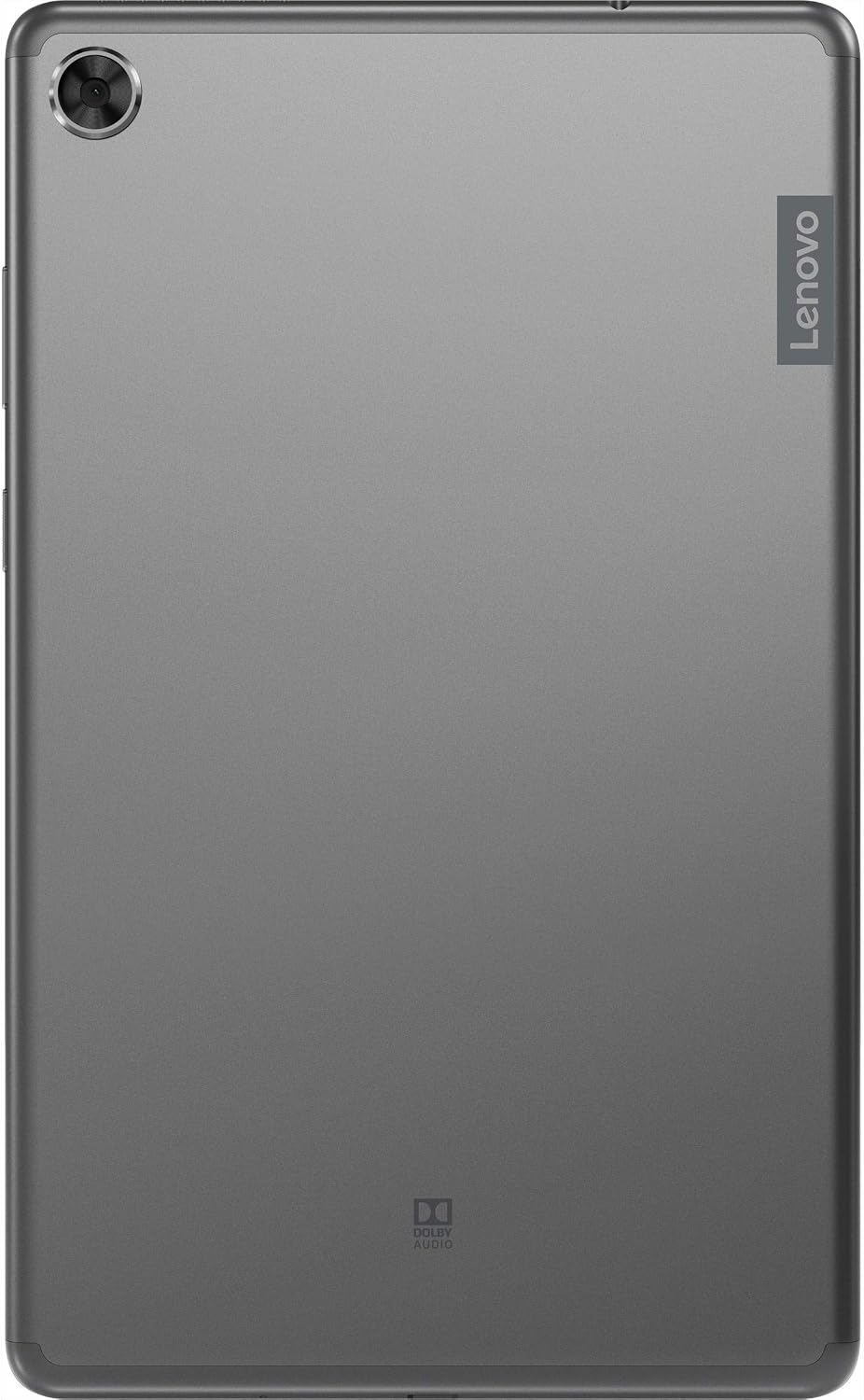
Figura 2.2: Lura view of the Lenovo Tab M8 Tablet, highlighting the camera and Lenovo branding.

Figura 2.3: Ġenb view of the Lenovo Tab M8 Tablet, showing the power button and volume rocker.

Figura 2.4: Ġenb view of the Lenovo Tab M8 Tablet, illustrating the various ports and slots.
3. Setup
3.1 Iċċarġjar inizjali
Before first use, fully charge your tablet using the provided USB cable and power adapter. The battery indicator on the screen will show charging progress.
3.2 Tixgħel/Jitfi
- To power on: Press and hold the Power button (refer to Figure 2.3) until the Lenovo logo appears.
- Biex titfi: Agħfas u żomm il-buttuna tal-Enerġija, imbagħad agħżel "Itfi" mill-għażliet fuq l-iskrin.
- Biex terġa' tibda: Agħfas u żomm il-buttuna tal-Power, imbagħad agħżel "Restart" mill-għażliet.
3.3 Wizard tas-Setup Inizjali
Malli tixgħelha għall-ewwel darba, it-tablet jiggwidak fil-proċess inizjali tas-setup:
- Agħżel Lingwa: Agħżel il-lingwa ppreferuta tiegħek.
- Qabbad mal-Wi-Fi: Select your Wi-Fi network and enter the password. A stable internet connection is required for updates and Google account setup.
- Ikkopja Apps u Dejta: You can choose to transfer data from another device or set up as new.
- Kont Google: Sign in with your existing Google account or create a new one. This is necessary for accessing the Google Play Store and other Google services.
- Data u Ħin: Confirm or adjust date and time settings.
- Lock tal-Iskrin: Set up a PIN, pattern, or password for screen security.
- Servizzi tal-Google: Review and accept Google services terms.
4. Istruzzjonijiet Operattivi
4.1 Navigazzjoni Bażika
- Tektek: Touch the screen once to select an item or open an application.
- Stampa Twila: Touch and hold an item to access additional options.
- Swipe: Iddreggja subgħajk fuq l-iskrin biex tiskrollja minn paġni jew listi.
- Agħfas biex Tiżżumja: Uża żewġ swaba’ biex tkabbar jew tkabbar l-immaġnijiet u web paġni.
4.2 Konnettività Wi-Fi u Bluetooth
- Wi-Fi: Mur fuq Settings > Netwerk u internet > Wi-Fi. Turn Wi-Fi on, select your network, and enter the password if required.
- Bluetooth: Mur fuq Settings > Apparati konnessi > Bluetooth. Turn Bluetooth on, then pair with compatible devices like headphones or speakers.
4.3 Użu tal-Kameras
The tablet features both front and rear cameras. Open the Camera app from your home screen or app drawer. Tap the shutter button to take photos or switch to video mode to record. Use the icon on the screen to switch between front and rear cameras.
4.4 Ġestjoni tal-batterija
The Lenovo Tab M8 is equipped with a 5000 mAh battery. To optimize battery life:
- Naqqas il-luminożità tal-iskrin.
- Itfi l-Wi-Fi u l-Bluetooth meta ma tkunx qed tużahom.
- Agħlaq l-applikazzjonijiet mhux użati li jkunu qed jaħdmu fl-isfond.
- Ippermetti l-modalità li tiffranka l-batterija f' Settings> Battery.
5. Manutenzjoni
5.1 Tindif tal-Apparat
Uża drapp artab u mingħajr suf biex tnaddaf l-iskrin u l-qafas tat-tablet. Evita li tuża kimiċi ħarxa jew materjali li joborxu. Għal tbajja' persistenti, neħħi ftit.ampLaħlaħ id-drapp bl-ilma jew b'prodott tat-tindif tal-iskrin iddisinjat speċifikament għall-elettronika.
5.2 Aġġornamenti tas-Software
Iċċekkja u installa aġġornamenti tas-softwer regolarment biex tiżgura li t-tablet tiegħek ikollu l-aħħar karatteristiċi, irqajja tas-sigurtà, u titjib fil-prestazzjoni. Mur fuq Settings > Sistema > Aġġornament tas-sistema biex tiċċekkja għal aġġornamenti disponibbli.
5.3 Ġestjoni tal-Ħażna
To maintain optimal performance, manage your tablet's 32GB internal storage. You can uninstall unused apps, clear app caches, and transfer large files (photos, videos) to cloud storage or an external microSD card (if supported). Access storage settings via Settings > Ħażna.
6 Issolvi l-problemi
- It-tablet mhux qed jixgħel: Ensure the battery is charged. Connect the tablet to its charger and wait a few minutes before attempting to power on again.
- L-iskrin ma jirrispondix: Try restarting the tablet by holding the power button for approximately 10-15 seconds until the device powers off and then on again.
- Problemi ta' konnettività Wi-Fi/Bluetooth:
- Toggle Wi-Fi/Bluetooth off and on in settings.
- Erġa' ibda r-router Wi-Fi jew l-apparat Bluetooth tiegħek.
- Insieh in-netwerk/apparat u erġa' qabbad.
- Prestazzjoni bil-mod:
- Agħlaq apps mhux użati.
- Neħħi l-caches tal-app (Settings > Apps u notifiki > [Isem tal-App] > Ħażna u cache > Neħħi l-cache).
- Kun żgur li jkun hemm biżżejjed spazju ħieles għall-ħażna.
- Ibda mill-ġdid il-pillola.
- Irrisettjar tal-Fabbrika (L-Aħħar Soluzzjoni): If issues persist, you may need to perform a factory reset. This will erase all data on your tablet. Go to Settings > Sistema > Irrisettja l-għażliet > Ħassar id-dejta kollha (reset tal-fabbrika). Agħmel backup tad-dejta importanti qabel ma tipproċedi.
7. Speċifikazzjonijiet
| Karatteristika | Dettall |
|---|---|
| Isem tal-Mudell | Lenovo Tab M8. |
| Daqs tal-Iskrin | 8 Pulzier |
| Riżoluzzjoni tal-Iskrin | 1280 x 800 (HD) |
| Proċessur | Quad-Core, 2 GHz |
| RAM | 4 GB |
| Ħażna Interna | 32 GB |
| Sistema Operattiva | Android 9 Pie |
| Kamera ta' wara | 5 MP |
| Konnettività bla fili | Wi-Fi 802.11ac, Bluetooth 5.0 |
| Kapaċità tal-batterija | 5000 mAh |
| Dimensjonijiet (LxWxH) | 9.59 x 6.69 x 0.39 pulzieri |
| Piż tal-oġġett | 0.01 uqija |
8. Garanzija u Appoġġ
As this product is listed as "Renewed," specific warranty terms may vary. Please refer to the warranty information provided by the seller at the time of purchase. Typically, renewed products come with a limited warranty from the seller or a third-party refurbisher.
Għal appoġġ tekniku, downloads ta' sewwieqa, u riżorsi addizzjonali, jekk jogħġbok żur is-sit uffiċjali ta' appoġġ ta' Lenovo websit: support.lenovo.com. You will need your device's model number (ZA5G0060US) for specific support.