Introduzzjoni
The Wicked Audio Driftr True Wireless Earbuds offer a seamless audio experience with easy pairing and comfortable wear. Designed for convenience, these earbuds provide clear sound and intuitive controls, making them ideal for everyday use.
X'hemm fil-Kaxxa
- Wicked Audio Driftr True Wireless Earbuds (Left and Right)
- Kawża tal-Iċċarġjar
- Cable tal-Iċċarġjar tal-USB
- Manwal għall-Utent (Dan id-dokument)
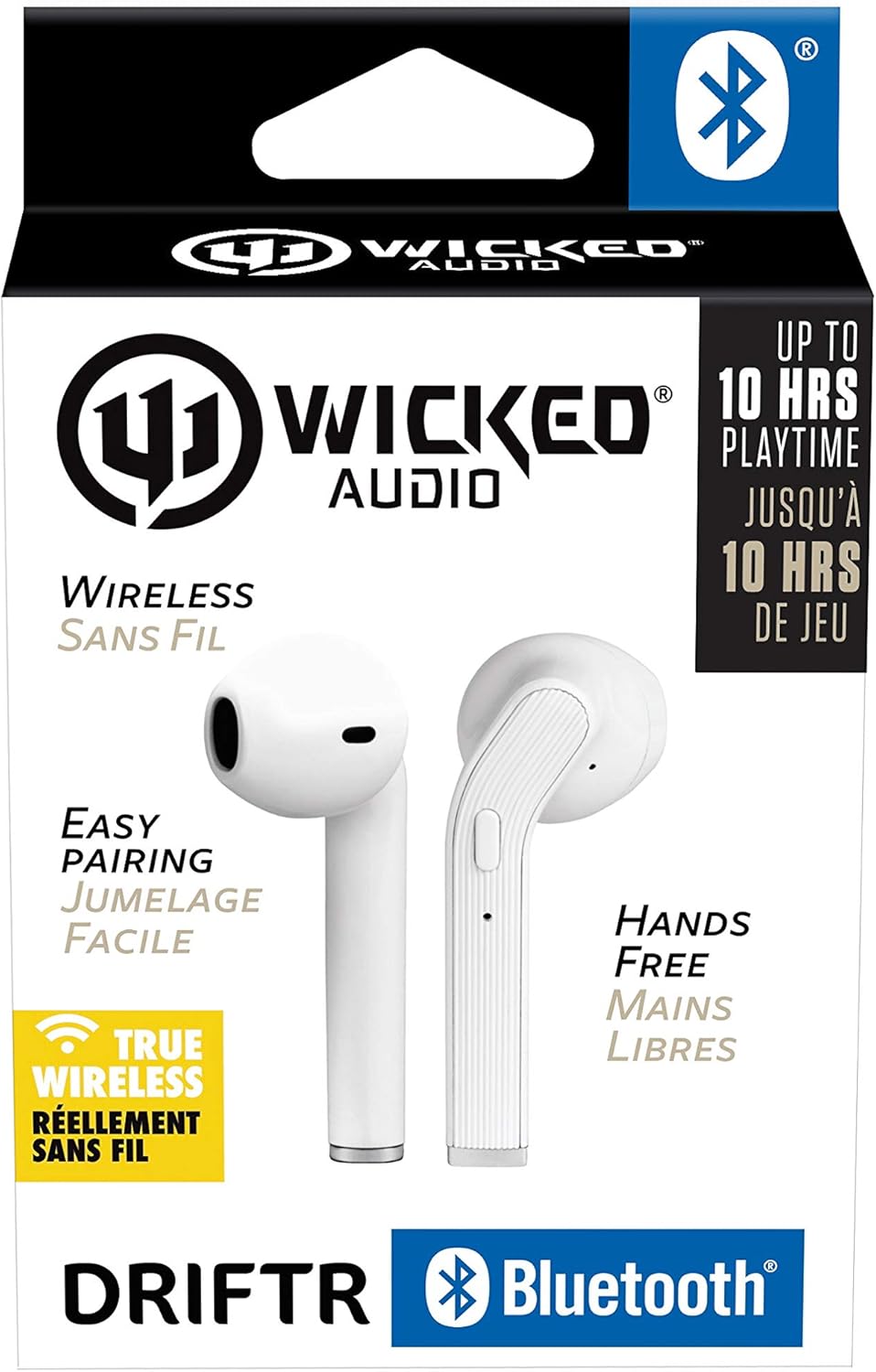
Image: Product packaging showing the earbuds and charging case.
Prodott Overview
The Driftr earbuds feature an angled housing design for a comfortable fit. Each earbud includes touch controls for managing audio playback and calls, along with a built-in microphone for hands-free communication. The compact charging case provides additional battery life on the go.

Image: White Wicked Audio Driftr True Wireless Earbuds resting inside their open charging case.

Immaġni: Close-up view of the left and right Wicked Audio Driftr True Wireless Earbuds, showing their angled design and control surfaces.

Image: A person wearing a white Wicked Audio Driftr True Wireless Earbud in their ear, demonstrating the fit.
Setup
1. Iċċarġjar tal-Earbuds u l-Kaxxa
Before first use, fully charge the earbuds and the charging case. Connect the provided USB charging cable to the charging port on the case and plug the other end into a USB power source (e.g., computer, wall adapter). The charging indicator light on the case will show charging status. A full charge takes approximately 1 hour for both the earbuds and the case.
2. Tqabbil faċli
- Kun żgur li l-earbuds huma ċċarġjati.
- Iftaħ il-kaxxa tal-iċċarġjar. Il-earbuds jinxtegħlu awtomatikament u jidħlu fil-modalità ta' tqabbil.
- Fuq l-apparat tiegħek (smartphone, tablet, laptop), mur fis-settings tal-Bluetooth.
- Select "Wicked Audio Driftr" from the list of available devices.
- Ladarba tkun konness, tisma' sinjal awdjo, u d-dawl indikatur fuq il-earbuds jinbidel.
The earbuds are designed for straightforward, no-nonsense pairing in one easy step. After the initial pairing, they will automatically connect to your last paired device when removed from the case.
Istruzzjonijiet Operattivi
Touch Kontrolli
The Driftr earbuds feature intuitive touch controls for various functions:
- Play/Pawsa: Tektek wieħed fuq kull earbud.
- Track li jmiss: Tektek darbtejn fuq il-earbud tal-lemin.
- Track preċedenti: Tektek darbtejn fuq il-earbud tax-xellug.
- Tweġiba/Tmiem Sejħa: Tektek waħda fuq kwalunkwe earbud waqt telefonata li tkun dieħla.
- Irrifjuta Sejħa: Agħfas u żomm fuq kwalunkwe earbud waqt telefonata li tkun dieħla.
- Attiva l-Assistent tal-Vuċi: Tektek tliet darbiet fuq kwalunkwe earbud (eż., Siri, Google Assistant).
Liebes il-Earbuds
Insert the earbuds into your ears with the angled housing pointing slightly forward for a secure and comfortable fit. Adjust as needed to ensure optimal sound quality and passive noise cancellation.
Manutenzjoni
To ensure the longevity and optimal performance of your Wicked Audio Driftr earbuds, follow these maintenance guidelines:
- Tindif: Imsaħ il-earbuds u l-kaxxa tal-iċċarġjar regolarment b'ċarruta ratba, niexfa u mingħajr suf. Tużax kimiċi ħarxa jew materjali li joborxu.
- Ħażna: Meta ma tkunx qed tużahom, dejjem aħżen il-earbuds fil-kaxxa tal-iċċarġjar tagħhom biex tipproteġihom u żżommhom iċċarġjati.
- Evita l-umdità: The earbuds are not water resistant. Avoid exposure to water, sweat, and high humidity.
- Temperatura: Do not expose the earbuds or case to extreme temperatures (hot or cold).
Issolvi l-problemi
If you encounter issues with your Driftr earbuds, try the following solutions:
- Il-earbuds mhux qed jitqabbdu:
- Kun żgur li ż-żewġ earbuds huma ċċarġjati.
- Poġġi ż-żewġ earbuds lura fil-kaxxa tal-iċċarġjar, agħlaq l-għatu, stenna ftit sekondi, imbagħad iftaħ l-għatu mill-ġdid.
- On your device, forget "Wicked Audio Driftr" from your Bluetooth settings and attempt to pair again.
- L-ebda ħoss minn earbud wieħed:
- Ensure both earbuds are charged and properly seated in the case.
- Try resetting the earbuds by placing them in the case and then removing them.
- Il-earbuds mhux qed jiċċarġjaw:
- Iċċekkja l-kejbil tal-iċċarġjar u s-sors tal-enerġija.
- Kun żgur li l-kuntatti tal-iċċarġjar fuq il-earbuds u ġewwa l-kaxxa huma nodfa u ħielsa minn debris.
- Kwalità tal-ħoss fqira:
- Kun żgur li l-earbuds huma mqiegħda sew f'widnejk.
- Check the audio source and volume levels on your device.
- Ersaq eqreb lejn l-apparat imqabbad tiegħek biex tevita interferenza.
Speċifikazzjonijiet
| Karatteristika | Dettall |
|---|---|
| Isem tal-Mudell | Wicked Audio Driftr (WITW2151) |
| Teknoloġija tal-Konnettività | Mingħajr fili (Bluetooth 5.0) |
| Medda Bluetooth | Sa 32 pied |
| Ħajja tal-batterija | Up to 10 Hours (earbuds) |
| Ħin tal-Iċċarġjar | Madwar siegħa (earbuds u kaxxa) |
| Daqs tas-Sewwieq tal-Awdjo | 13 Millimetru |
| Rispons ta' Frekwenza | 20 Hz - 20,000 Hz |
| Sensittività | 15 dB |
| Impedenza | 32 Ohm |
| Kontroll tal-Ħoss | Kanċellazzjoni tal-Istorbju Passiv |
| Metodu ta' Kontroll | Mess |
| Livell ta 'Reżistenza għall-Ilma | Mhux Reżistenti għall-Ilma |
| Piż tal-oġġett | 2.11 uqija |
| Dimensjonijiet tal-Prodott | 1.5 x 3 x 5.5 pulzieri |
| UPC | 712949012265 |
Garanzija u Appoġġ
Wicked Audio products are designed for durability and performance. For specific warranty information and support inquiries, please refer to the official Wicked Audio webis-sit jew ikkuntattja lis-servizz tal-konsumatur tagħhom direttament. Żomm il-prova tax-xiri tiegħek għal talbiet ta' garanzija.
Għal aktar għajnuna, żur il- Ħanut tal-Awdjo Wicked fuq Amazon.


