Introduzzjoni
Thank you for choosing the SENTRY HPXKX50 RGB Gaming Mouse. This high-performance wired gaming mouse is designed to enhance your gaming and computing experience with its precise optical sensor, customizable RGB lighting, and ergonomic design. This manual provides detailed instructions on setting up, operating, maintaining, and troubleshooting your new mouse.
Kontenut tal-Pakkett
- SENTRY HPXKX50 RGB Gaming Mouse
- Manwal għall-Utent (dan id-dokument)

Image: The retail packaging for the SENTRY HPXKX50 RGB Gaming Mouse, showing the mouse inside the box with its features highlighted.
Setup
Follow these simple steps to set up your SENTRY HPXKX50 RGB Gaming Mouse:
- Oħroġ il-Maws mill-pakkett: Carefully remove the mouse and its USB cable from the packaging.
- Qabbad mat-Tagħmir Tiegħek: Locate an available USB port on your computer (PC, Laptop, Mac) or compatible gaming console (PS4/PS5). Insert the USB connector of the mouse into the USB port.
- Installazzjoni tas-sewwieq: The SENTRY HPXKX50 is a plug-and-play device. Your operating system (Windows, macOS) will automatically detect and install the necessary drivers. No additional software installation is required for basic functionality.
- Ivverifika l-Konnessjoni: Once connected, the mouse's RGB lighting will illuminate, indicating a successful connection. You can now move the mouse to test cursor movement.

Immaġni: Close-up view of the USB connector of the SENTRY HPXKX50 RGB Gaming Mouse, which is used for connecting to a computer.

Image: Icons illustrating the compatibility of the SENTRY HPXKX50 RGB Gaming Mouse with various devices, including laptops, desktop computers, HDTVs, PS4/PS5 consoles, and Mac computers.
Operazzjoni
The SENTRY HPXKX50 RGB Gaming Mouse offers intuitive operation with its standard buttons and advanced features.
Funzjonijiet Bażiċi
- Ikklikkja Xellug: Buttuna ta' azzjoni primarja.
- Ikklikkja bil-lemin: Buttuna ta' azzjoni sekondarja, tipikament għal menus tal-kuntest.
- Scroll Wheel: Tiskrollja l-kontenut 'il fuq jew 'l isfel. Tista' wkoll tagħfasha għall-funzjonalità tal-ikklikkja tan-nofs.
- Buttuna DPI: Located behind the scroll wheel, this button allows you to cycle through different DPI (Dots Per Inch) sensitivity settings.
Dawl RGB
The mouse features dynamic RGB lighting that illuminates the edges and scroll wheel. The lighting effects are pre-programmed and will cycle automatically, adding an aesthetic appeal to your setup.
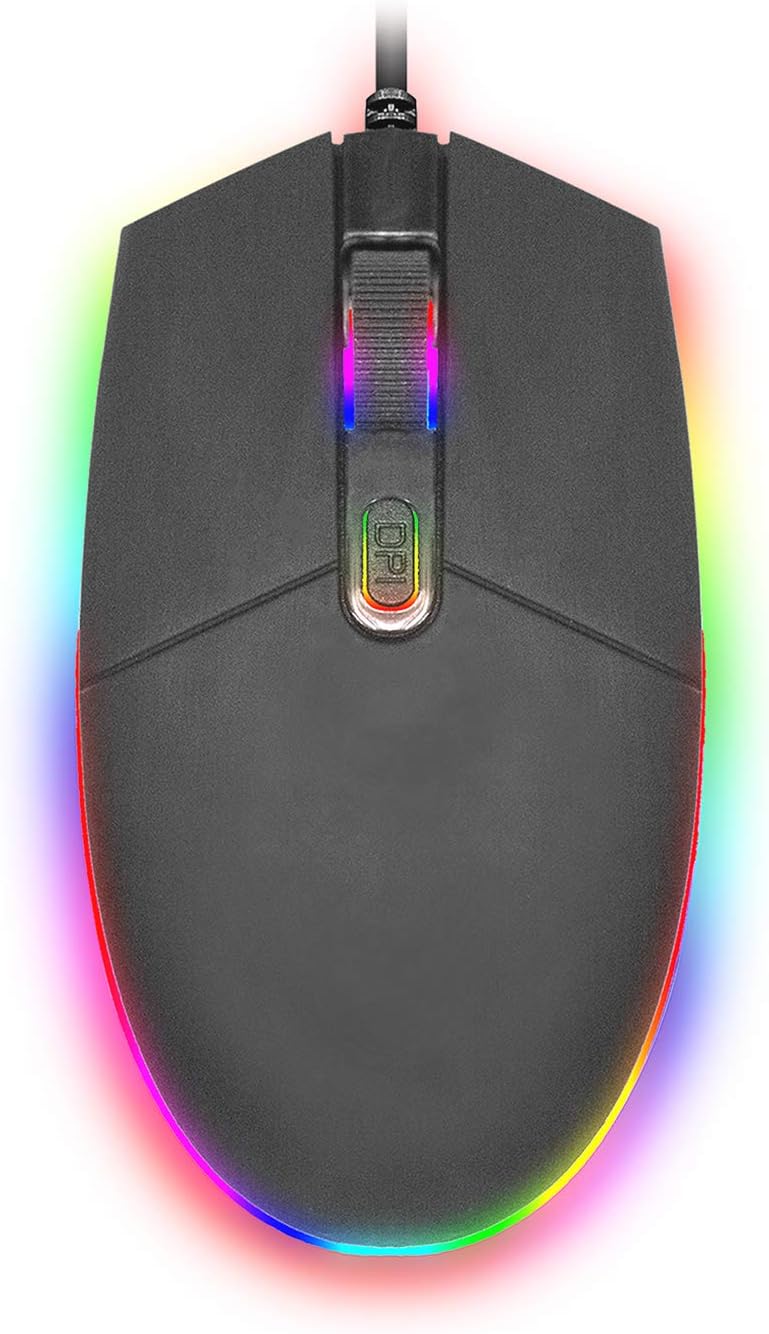
Immaġni: Minn fuq għal isfel view of the SENTRY HPXKX50 RGB Gaming Mouse, showcasing its vibrant, multi-color RGB lighting along the base and around the scroll wheel.

Immaġni: Pro tal-ġenbfile view of the SENTRY HPXKX50 RGB Gaming Mouse, highlighting the illuminated RGB strip along its bottom edge in a dark environment.
Sensittività DPI
The HPXKX50 mouse is equipped with a high-precision optical sensor, offering up to 7200 DPI. This allows for highly sensitive and accurate cursor movements, ideal for fast-paced gaming or precise graphic design work. Press the DPI button to switch between sensitivity levels. The mouse is designed for smooth tracking and ultra-high sensitivity.

Image: The SENTRY HPXKX50 RGB Gaming Mouse with an overlay indicating its 7200 DPI high-precision optical sensor, emphasizing its accuracy for gaming.
Manutenzjoni
To ensure the longevity and optimal performance of your SENTRY HPXKX50 RGB Gaming Mouse, follow these maintenance guidelines:
- Tindif: Uża drapp artab, niexef u mingħajr suf biex timsaħ il-wiċċ tal-maws. Għal ħmieġ iebes, nixxef ftit.ampLaħlaħ id-drapp bl-ilma. Evita li tuża kimiċi ħarxa, solventi, jew prodotti tat-tindif li joborxu.
- Kura tas-Sensor: Keep the optical sensor on the bottom of the mouse clean and free from dust or debris. Use a cotton swab or compressed air to gently clean the sensor area.
- Ġestjoni tal-Kejbil: Avoid sharp bends or kinks in the USB cable. Store the mouse in a way that prevents the cable from being tangled or stressed. The braided cable is designed for durability.
- Ħażna: Meta ma tkunx qed tużah għal perjodi twal, aħżen il-maws f'post frisk u niexef 'il bogħod mix-xemx diretta u minn temperaturi estremi.
Issolvi l-problemi
If you encounter issues with your SENTRY HPXKX50 RGB Gaming Mouse, refer to the table below for common problems and solutions:
| Problema | Kawża Possibbli | Soluzzjoni |
|---|---|---|
| Il-ġurdien ma jirrispondix | Konnessjoni USB maħlula, port USB difettuż, problema bis-sewwieq. | Ensure USB cable is firmly plugged in. Try a different USB port. Restart your computer. |
| Il-moviment tal-cursor huwa irregolari jew mgħaġġel | Sensor ottiku maħmuġ, wiċċ tal-maws pad mhux adattat. | Clean the optical sensor. Use a clean, uniform mouse pad surface. |
| RGB lighting is off or flickering | Insufficient power from USB port, internal fault. | Try a different USB port, preferably a direct port on the motherboard (for desktops). If the issue persists, contact support. |
| Il-buttuna DPI ma tbiddilx is-sensittività | Kunflitt tas-softwer, malfunzjoni tal-buttuna. | Ensure no conflicting mouse software is running. Restart your computer. |
Speċifikazzjonijiet
| Karatteristika | Dettall |
|---|---|
| Brand | SENTRY |
| Numru tal-Mudell | 50M1-05000 |
| Teknoloġija tal-Konnettività | USB bil-fili |
| Teknoloġija ta 'Sejbien tal-Moviment | Ottiċi |
| DPI (tikek kull pulzier) | Sa 7200 DPI |
| Dawl | RGB |
| Kulur | Iswed |
| Pjattaforma tal-Ħardwer | PC |
| Kompatibilità tas-Sistema Operattiva | Windows, macOS (Plug & Play) |
| Piż tal-oġġett | 6.4 uqija (madwar 181g) |
| Dimensjonijiet tal-Prodott (LxWxH) | 4.75 x 2 x 7.25 pulzieri (madwar 12.07 x 5.08 x 18.42 ċm) |
| Karatteristika Speċjali | Disinn Ergonomiku |
| Manifattur | Cable bl-ingrossa |
Garanzija u Appoġġ
For warranty information and customer support, please refer to the documentation provided with your purchase or visit the official SENTRY or CableWholesale websit. Żomm il-prova tax-xiri tiegħek għal talbiet ta' garanzija.
For additional assistance, you may contact the manufacturer directly through their official support channels.


