Introduzzjoni
The Timex TW500 is a versatile alarm clock radio designed for modern living. It features wireless charging for compatible devices, a USB charging port, dual digital alarms, an FM radio with presets, a dimmable display, and a sleep timer. This manual provides detailed instructions for setting up and operating your device.
Prodott Overview

Quddiem View: The Timex TW500 alarm clock radio features a large, clear green LED display showing the time, along with indicators for PM, alarm status, and charging. Control buttons are located on the top panel.

Kapaċità ta' Iċċarġjar Doppju: This image illustrates the dual charging feature of the TW500, with a smartphone wirelessly charging on the top surface and another smartphone connected to the USB-A charging port located on the back of the unit.
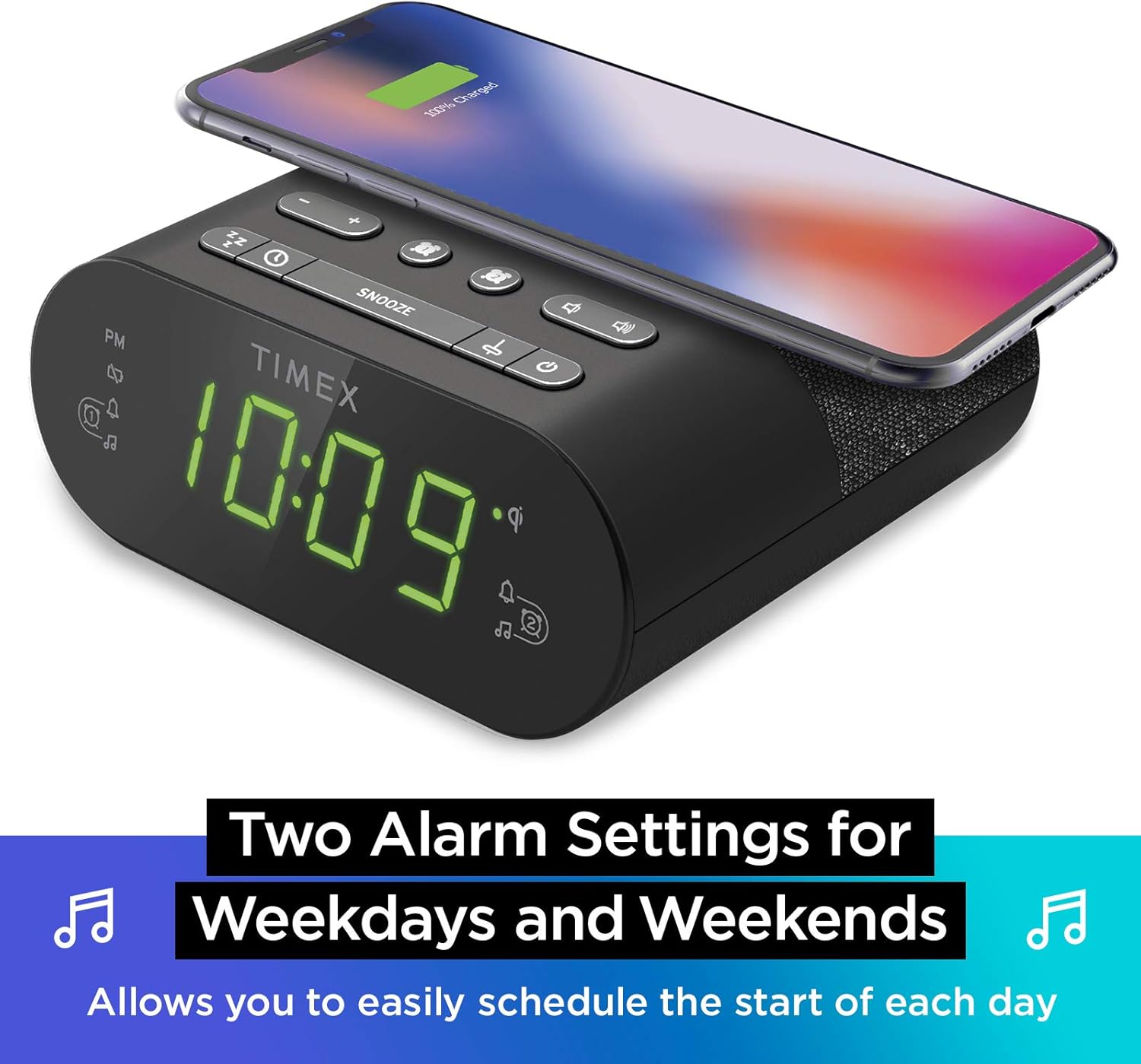
Issettjar ta' Allarm Doppju: The TW500 supports two independent alarm settings, allowing users to schedule separate wake times for different days or for two individuals.
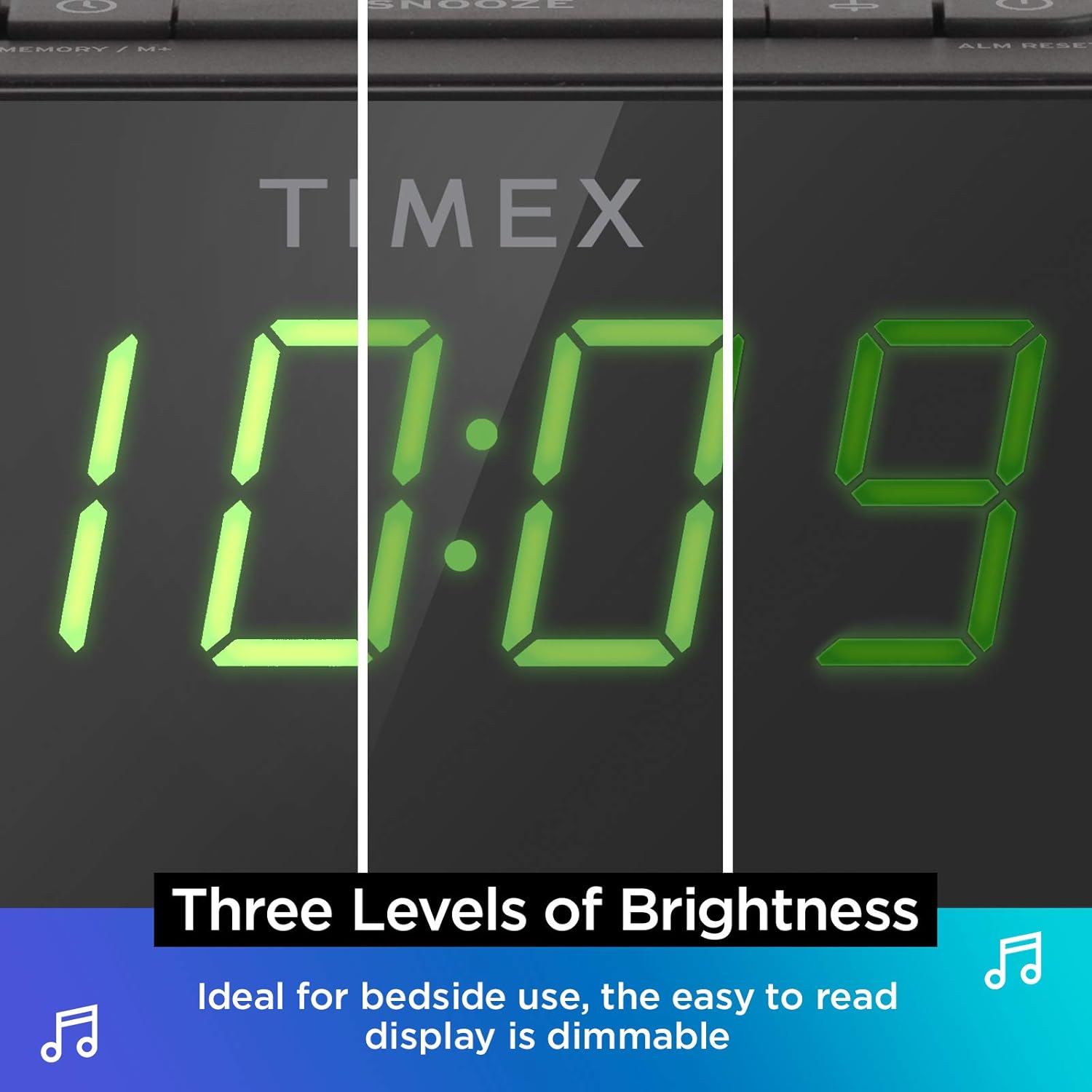
Wirja Dimmable: The digital display offers multiple brightness levels, ensuring comfortable viewing in various lighting conditions, from bright daylight to a dark bedroom.
Setup
1. Konnessjoni tal-Enerġija
Connect the supplied AC power adapter to the DC jack on the back of the unit and plug the other end into a working wall outlet. The unit will power on and the display will light up.
2. Installazzjoni ta 'Backup tal-Batterija
Għal żamma kontinwa tal-ħin waqt li tkun qed tintefa' l-enerġijatages, install one CR-2032 battery (included) into the battery compartment on the bottom of the unit. Ensure correct polarity (+/-) as indicated.
3. Setup ta 'l-antenna
Extend the FM wire antenna on the back of the unit fully for optimal FM radio reception. Adjust its position as needed to improve signal quality.
Istruzzjonijiet Operattivi
L-issettjar tal-Ħin
- Agħfas u żomm il- IL-ĦIN IPPOST button located on the top panel until the time display flashes.
- Agħfas il- - or + buttons to adjust the hour. Pay attention to the PM indicator.
- Agħfas il- IL-ĦIN IPPOST button again to confirm the hour and move to minutes setting.
- Agħfas il- - or + buttuni biex jaġġustaw il-minuti.
- Agħfas il- IL-ĦIN IPPOST Agħfas il-buttuna darba oħra biex issalva l-ħin u toħroġ mill-modalità tal-issettjar tal-ħin.
Issettjar tal-Allarmi (Allarm 1 & Allarm 2)
The TW500 features two independent alarms. The process is identical for both.
- Agħfas u żomm il- ALLARM WIEĦED or ALLARM TNEJN Agħfas il-buttuna sakemm il-ħin tal-allarm jteptep.
- Agħfas il- - or + buttons to adjust the alarm hour. Observe the PM indicator.
- Agħfas il-buttuna rispettiva ALLARM WIEĦED or ALLARM TNEJN button again to confirm the hour and move to minutes setting.
- Agħfas il- - or + buttuni biex taġġusta l-minuti tal-allarm.
- Agħfas il-buttuna rispettiva ALLARM WIEĦED or ALLARM TNEJN button again to select the alarm source (FM radio or Tone). The corresponding icon will light up.
- Agħfas il-buttuna rispettiva ALLARM WIEĦED or ALLARM TNEJN button one last time to save the alarm setting. The alarm indicator will remain lit.
To turn an alarm off, repeatedly press the corresponding ALLARM WIEĦED or ALLARM TNEJN Agħfas il-buttuna sakemm id-dawl indikatur tal-allarm jintefa.
Operazzjoni tar-Radju FM
- Agħfas il- ON/OFF buttuna biex tixgħel ir-radju.
- Agħfas il- - or + buttons to tune to your desired FM station. Press and hold to auto-scan for the next available station.
- Agħfas il- VOLUM - or VOLUM + buttuni biex taġġusta l-volum.
- Issettjar Presets: Agħfas u żomm il- MEMORY/M+ button. The preset number will flash. Use the - or + buttons to select a preset number (1-10). Press MEMORY/M+ mill-ġdid biex issalva.
- Filwaqt li jfakkru l-Presets: Agħfas fil-qosor il- PRESETS FM buttuna biex tiċċaqlaq bejn l-istazzjonijiet salvati.
- Agħfas il- ON/OFF button to turn off the radio.
Iċċarġjar bla fili
The top surface of the TW500 features a Qi-compatible wireless charging pad.
- Place your Qi-enabled smartphone or other compatible device directly onto the wireless charging pad.
- Ensure the device is centered on the charging pad for optimal connection. A charging indicator on your device or the TW500 (if applicable) will confirm charging has begun.
- Neħħi t-tagħmir tiegħek ladarba jkun iċċarġjat kompletament.
Iċċarġjar USB
A 5W USB-A charging port is located on the back of the unit.
- Connect your device's USB charging cable to the USB port on the TW500.
- Qabbad it-tarf l-ieħor tal-kejbil mat-tagħmir tiegħek. L-iċċarġjar jibda awtomatikament.
Display Dimmer
The display brightness can be adjusted to suit your preference.
- Agħfas il- DIMMER button repeatedly to cycle through different brightness levels (High, Medium, Low, Off).
Sleep Timer
The sleep timer allows you to fall asleep to the radio, which will automatically turn off after a set duration.
- Waqt li r-radju jkun qed idoqq, agħfas il-buttuna L-IRQAD button repeatedly to cycle through sleep timer options (e.g., 10, 20, 30, 60, 90 minutes, Off).
- Ir-radju se jdoqq għat-tul magħżul u mbagħad jintefa awtomatikament.
Funzjoni Snooze
Meta tinstema' allarm, agħfas il-buttuna l-kbira SNOOZE button on the top of the unit to temporarily silence the alarm for 9 minutes. The alarm will sound again after the snooze period.
Manutenzjoni
- Tindif: Uża drapp artab u niexef biex tnaddaf il-barra tal-unità. Tużax prodotti tat-tindif likwidi jew materjali li joborxu.
- Sostituzzjoni tal-batterija: Replace the CR-2032 backup battery annually or if the time display is incorrect after a power outage.
- Ħażna: Jekk se taħżen l-unità għal perjodu estiż, skonnettjaha mill-elettriku u neħħi l-batterija ta' backup.
Issolvi l-problemi
| Problema | Kawża Possibbli | Soluzzjoni |
|---|---|---|
| L-unità ma tixgħelx. | Power adapter not connected or outlet is not working. | Ensure AC adapter is securely plugged into the unit and a live wall outlet. Test the outlet with another device. |
| L-allarm ma jdoqqx. | L-allarm mhux issettjat, il-volum tal-allarm huwa baxx wisq, jew l-allarm mitfi. | Verify alarm time and source are set correctly. Increase radio volume if alarm source is FM. Ensure alarm indicator is lit. |
| Riċeviment ħażin tar-radju FM. | L-antenna mhux estiża jew is-sinjal fiż-żona huwa fqir. | Fully extend the FM wire antenna and reposition it for better reception. Try moving the unit to a different location. |
| L-iċċarġjar mingħajr fili mhux qed jaħdem. | Device not Qi-compatible, not centered, or foreign object on pad. | Ensure your device supports Qi wireless charging. Re-position the device centrally on the pad. Remove any metal objects or thick cases. |
| L-iċċarġjar tal-USB mhux qed jaħdem. | Cable faulty or device not compatible. | Try a different USB cable. Ensure the device is compatible with standard USB charging. |
Speċifikazzjonijiet
- Mudell: TW500
- Dimensjonijiet: 5.48" (Wisa') x 2.17" (Fonti) x 5.20" (Għoli)
- Piż: 0.7 liri (madwar 0.32 kg)
- Input ta' Enerġija: Adapter tal-Enerġija AC (inkluż)
- Backup tal-batterija: 1 x batterija CR-2032 (inkluża)
- Iċċarġjar bla fili: Qi-kompatibbli
- Port tal-Iċċarġjar tal-USB: 5W USB-A
- Radju: FM with 10 presets
- Wiri: 0.9" Green LED, Dimmable
- Allarmi: Dual Digital Alarms (Wake to Radio or Tone)
Vidjo Uffiċjali tal-Prodott
Dan il-filmat jipprovdi viżwali fuqview of the Timex TW500, highlighting its key features such as wireless charging, USB charging, FM radio, dual alarms, and dimmable display. It demonstrates the product's compact design and functionality.
Garanzija u Appoġġ
This Timex product comes with a limited warranty. For detailed warranty information, product support, or to register your product, please refer to the warranty card included in your product packaging or visit the official Timex website. If you are not 100% satisfied with your new Timex alarm clock radio and its performance, please contact the seller for assistance.
Manifattur: Timex
UPC: 758859207179


