1. Introduzzjoni
This manual provides essential instructions for the safe and efficient operation of your CAIWEI Android TV Projector 4K, Model 900DAB-05F. Please read this manual thoroughly before using the projector and retain it for future reference. This projector features Android 9.0 OS, native 1080P resolution with 4K support, dual-band WiFi, Bluetooth connectivity, and advanced keystone correction.
2. Kontenut tal-Pakkett
Ivverifika li l-oġġetti kollha huma preżenti fil-pakkett:
- CAIWEI Android TV Projector
- Kontroll mill-bogħod (batteriji mhux inklużi)
- Kejbil tal-Enerġija
- Cable HDMI
- AV Cable
- Manwal għall-Utent
3. Istruzzjonijiet tas-Sigurtà
- Do not block the ventilation openings of the projector. Ensure adequate airflow to prevent overheating.
- Avoid direct exposure to the projector lens light.
- Do not place the projector on unstable surfaces.
- Żomm il-proġettazzjoni 'l bogħod mill-ilma jew likwidi oħra.
- Uża biss l-adapter tal-enerġija li jiġi mal-proġettur.
- Skonnettja l-proġettur waqt maltempati bis-sajjetti jew meta ma jintużax għal perjodi twal.
4. Prodott Aktarview
Familiarize yourself with the main components and ports of your CAIWEI projector.
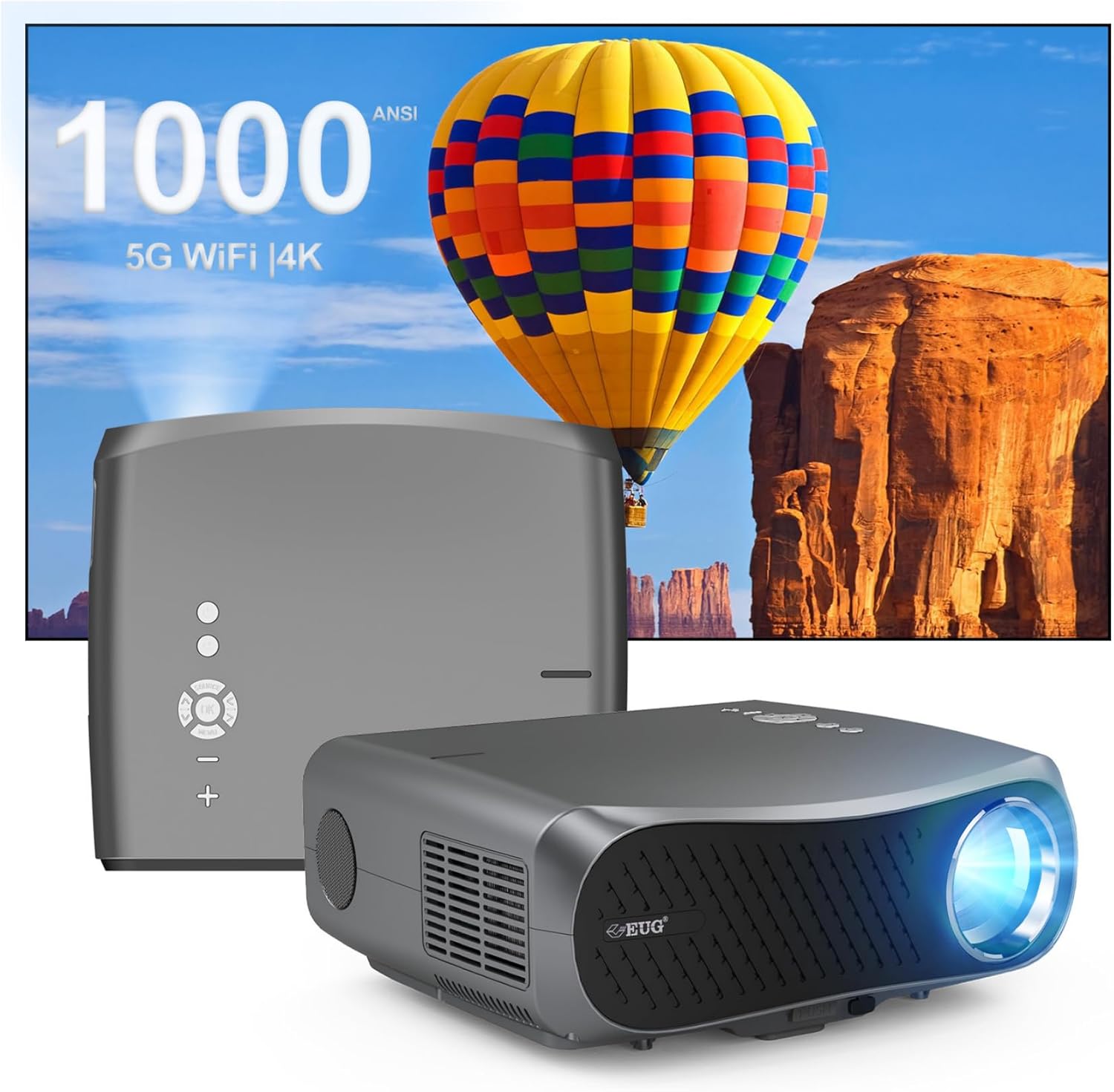
Immaġni 1: Quddiem u wara view of the CAIWEI Android TV Projector, highlighting its compact design and control panel.
The projector features a lens at the front, control buttons on the top, and various input/output ports on the rear and sides, including HDMI, USB, VGA, and AV ports for versatile connectivity.
5. Setup
5.1 Tqegħid
Position the projector on a flat, stable surface or mount it to a ceiling or tripod. Ensure the lens is perpendicular to the projection surface for optimal image geometry. The projector supports various installation methods including front, rear, ceiling front, and ceiling rear projection.

Image 2: Illustration of flexible projector placement options, including ceiling mount, tripod table, and desktop setup, for various viewambjenti ing.
5.2 Konnessjoni tal-Enerġija
Qabbad il-kejbil tal-enerġija mad-dħul tal-enerġija tal-proġettazzjoni u mbagħad ma' sokit tal-enerġija.
5.3 Qawwa Inizjali
Press the power button on the projector or the remote control to turn on the device. The projector will boot into the Android TV interface.
5.4 Aġġustament tal-Fokus u l-Keystone
Adjust the focus ring on the projector lens until the image is clear. Use the digital keystone correction feature to correct trapezoidal distortion if the projector is not perfectly aligned with the screen. The projector supports D ±50° keystone correction and 40% digital zoom.

Image 3: Visual representation of the projector's screen adjustment capabilities, including Auto Keystone, Digital Zoom (100%-60%), and Electronic 4D/4P Keystone Correction for optimal image display.
6. Istruzzjonijiet Operattivi
6.1 Android 9.0 OS Navigation
Use the remote control to navigate the Android 9.0 operating system. The home screen provides access to pre-installed applications and settings. You can download additional applications from the integrated app store.

Image 4: The projector's interface powered by Android TV 9.0, showcasing a wide array of streaming and entertainment applications available.
6.2 Konnessjoni Wi-Fi
Biex tikkonnettja ma' netwerk bla fili:
- Mur fuq Settings fuq l-iskrin tad-dar.
- Agħżel Netwerk u Internet.
- Ixgħel Wi-Fi u agħżel in-netwerk mixtieq tiegħek mil-lista.
- Daħħal il-password jekk tintalab u qabbad.
The projector supports dual-band 5G WiFi for faster and more stable connections.
6.3 Konnessjoni Bluetooth
To connect Bluetooth devices (e.g., speakers, headphones):
- Mur fuq Settings.
- Agħżel Apparati Konnessi or Bluetooth.
- Ixgħel Bluetooth u fittex tagħmir disponibbli.
- Agħżel it-tagħmir tiegħek mil-lista biex tqabbadh.
6.4 Konnessjoni ta' Apparati Esterni
Il-proġettur joffri diversi għażliet ta' input:
- HDMI: Connect Blu-ray players, game consoles, laptops, etc.
- USB: Daqq tal-midja filedirettament minn drives tal-USB.
- VGA: Connect older computers.
- TA’: Connect legacy video devices.
Select the appropriate input source from the projector's menu.
6.5 Mirroring/It-Tixrid tal-Iskrin
Utilize the 5G WiFi connectivity to mirror content from your smartphone or laptop to the projector screen. Refer to your device's casting instructions for specific steps.

Image 5: The projector demonstrating connectivity with a smartphone via 5G WiFi for screen mirroring and a Bluetooth speaker for enhanced audio, illustrating its versatile wireless capabilities.
7. Manutenzjoni
- Tindif tal-Lenti: Uża drapp artab u mingħajr suf iddisinjat speċifikament għal lentijiet ottiċi. Tużax prodotti tat-tindif li joborxu.
- Tindif tas-Casing: Wipe the projector's exterior with a soft, dry cloth.
- Ventilazzjoni: Regularly check that the ventilation openings are clear of dust and debris. Use compressed air if necessary.
- Ħażna: When not in use, store the projector in a cool, dry place, protected from dust and extreme temperatures.
8 Issolvi l-problemi
Jekk tiltaqa' ma' problemi bil-proġettur tiegħek, irreferi għall-problemi u s-soluzzjonijiet komuni li ġejjin:
- Ebda Qawwa:
• Ensure the power cable is securely connected to both the projector and the power outlet.
• Check if the power outlet is functional. - Ebda Immaġni/Sinjal:
• Verify that the correct input source is selected on the projector.
• Check the HDMI/VGA/AV cable connections to the external device and the projector.
• Ensure the external device is powered on and outputting a signal. - L-immaġni hija mċajpra:
• Adjust the focus ring on the projector lens.
• Ensure the projection surface is flat and the projector is at an appropriate distance. - L-Immaġni hija Distorta (Forma ta' Trapeżojde):
• Use the digital keystone correction feature in the projector settings to adjust the image geometry. - Is-sħana żejda u Tfigħ Awtomatiku:
• Ensure the projector's ventilation openings are not blocked. Provide ample space around the projector for airflow.
• Operate the projector in a well-ventilated room with a suitable ambient temperature. - Problemi ta' Konnettività Wi-Fi/Bluetooth:
• Ensure the Wi-Fi network is active and within range. Re-enter the password if necessary.
• For Bluetooth, ensure the device is in pairing mode and within range.
• Restart the projector and the external device. - Ebda Ħsejjes:
• Check the volume settings on both the projector and the connected source device.
• If using external speakers, ensure they are properly connected and powered on.
• If connecting via HDMI, ensure the source device is sending audio. - HDMI ARC/HDCP Compatibility:
• Note that this projector may not fully support HDMI ARC (Audio Return Channel) or certain HDCP (High-bandwidth Digital Content Protection) versions (e.g., HDCP 2.2) with some receivers. If connecting via a receiver, try connecting devices directly to the projector or using alternative audio output methods.
9. Speċifikazzjonijiet
| Karatteristika | Dettall |
|---|---|
| Brand | CAIWEI |
| Numru tal-Mudell | 900DAB-05F |
| Sistema Operattiva | Android 9.0 OS |
| Riżoluzzjoni tal-Wiri | Native 1920 x 1080 (Supports 4K decoding) |
| Teknoloġija tal-Konnettività | Bluetooth, Dual-Band WiFi (2.4G/5G), HDMI, USB, VGA, AV, Audio Out |
| Karatteristiċi Speċjali | Built-In Speaker, Digital Keystone Correction (D ±50°), 40% Digital Zoom |
| Dimensjonijiet tal-Prodott | 12.4 x 9.33 x 5.31 pulzieri |
| Piż tal-oġġett | 9.98 liri |
| Kulur | Sliver Griż |
| Użi Rakkomandati | Home Entertainment, Gaming, Presentations |
10. Garanzija u Appoġġ
Your CAIWEI projector comes with a standard manufacturer's warranty. Please refer to the warranty card included in your package for specific terms and conditions. For technical support, troubleshooting assistance, or warranty claims, please contact CAIWEI customer service through the contact information provided with your purchase or on the official CAIWEI websit.


