1. Introduzzjoni
This manual provides essential information for the safe and efficient operation of your Sharp 32Bi3EA Smart Android TV. Please read these instructions thoroughly before using the television and retain them for future reference. This television features Android TV 9.0, Google Assistant with voice control, integrated Chromecast, Bluetooth connectivity, Harman/Kardon speakers, HDR10 support, and DTS Virtual X audio technology.
2. Informazzjoni dwar is-Sigurtà
Dejjem osserva l-prekawzjonijiet ta’ sigurtà li ġejjin biex tevita xokk elettriku, nar, jew ħsara lit-televiżjoni:
- Tesponix it-televiżjoni għax-xita jew għall-umdità.
- Tiftaħx il-kabinett; irreferi s-servizz lil persunal kwalifikat.
- Aċċerta ruħek li jkun hemm ventilazzjoni xierqa madwar it-televiżjoni.
- Avoid placing the television near heat sources or in direct sunlight.
- Use only the power cord supplied with the television.
- Żomm il-batteriji fejn ma jintlaħaqx mit-tfal.
3. X'hemm fil-Kaxxa
Verify that all the following items are included with your Sharp 32Bi3EA Smart Android TV:
- Sharp 32Bi3EA Smart Android TV Unit
- Pedestal Stand (2 pieces)
- Kontroll mill-bogħod
- Batteriji AAA (2x)
- Manwal ta 'Istruzzjoni (dan id-dokument)
- Korda tal-Enerġija
4. Setup
4.1. Installazzjoni Fiżika
Your television can be installed using the included pedestal stand or mounted on a wall (wall mount not included).
Attaching the Pedestal Stand
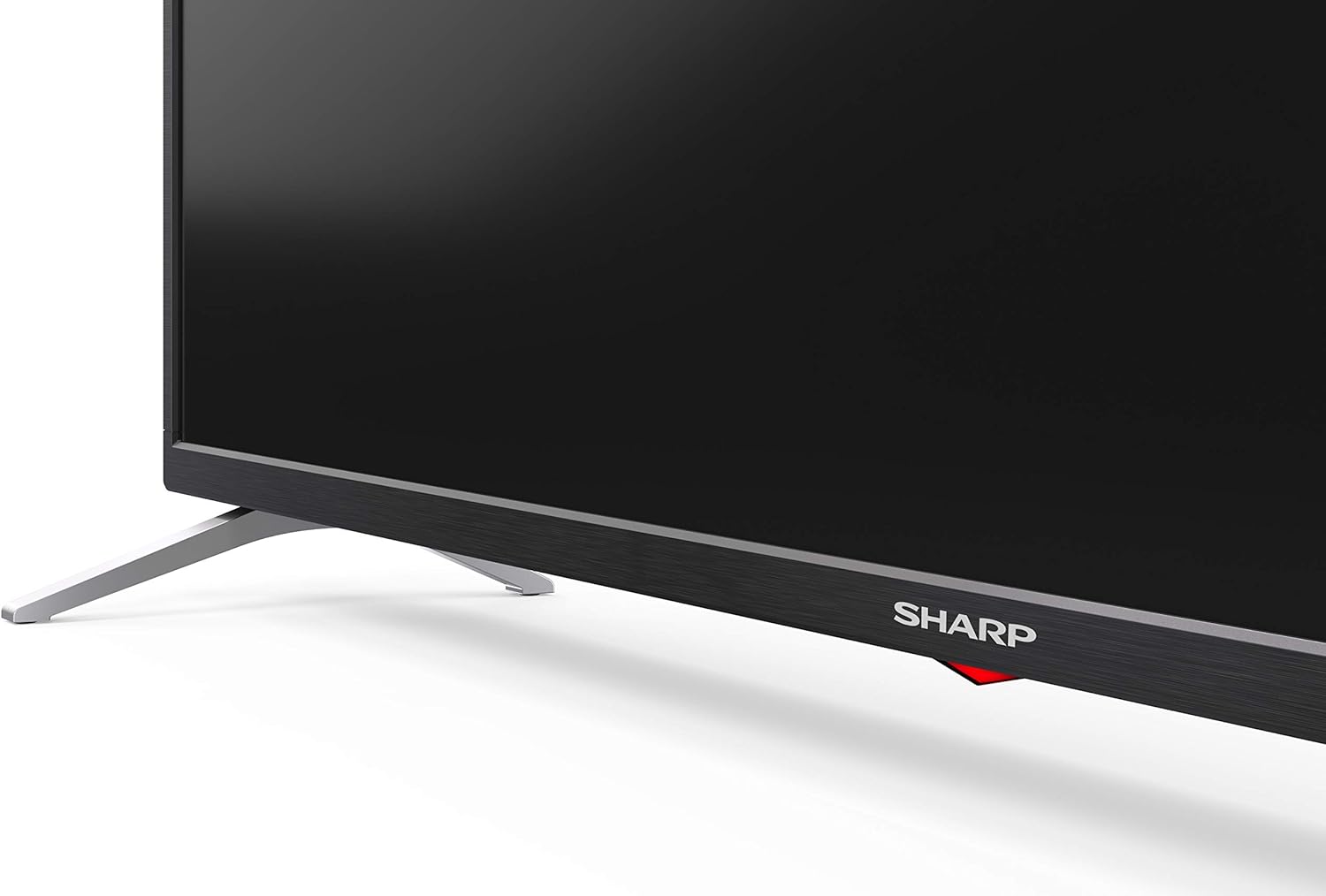
Carefully place the TV screen-down on a soft, flat surface. Align the pedestal stands with the screw holes on the bottom of the TV and secure them using the provided screws. Ensure the stands are firmly attached before placing the TV upright.

Immaġni: Ġenb view of the Sharp 32Bi3EA TV, illustrating the slim profile and the attached pedestal stand.
Immuntar tal-ħajt
If you choose to wall mount the television, use a VESA compatible bracket with dimensions of 200x100 mm. Consult a professional for wall mounting to ensure proper installation and safety.
4.2. Mezzi ta 'Konnessjoni
Connect your external devices to the appropriate ports on the back or side of the television.
Immaġni: Wara view of the Sharp 32Bi3EA TV, highlighting the Ethernet, Optical, HDMI, USB, and AV input ports.
- Portijiet HDMI (3x): Qabbad plejers tal-Blu-ray, consoles tal-logħob, jew set-top boxes.
- Portijiet USB (2x): Qabbad apparati tal-ħażna USB għad-daqq tal-midja jew aġġornamenti tas-softwer.
- Port Ethernet: Għal konnessjoni tal-internet bil-fili.
- Ħruġ Awdjo Diġitali Ottiku: Għall-konnessjoni ma' sistema awdjo esterna.
- Input AV: Għal apparati eqdem li jużaw vidjo kompost u awdjo stereo.
4.3. Initial Power-On and Android TV Setup
After connecting the power cord and turning on the TV, follow the on-screen instructions to complete the initial setup. This includes selecting your language, connecting to a Wi-Fi network, and logging into your Google account to activate Android TV features like Google Assistant and Chromecast.
5. It-tħaddim tat-TV
5.1. Kontroll mill-bogħod
The included remote control allows you to navigate the Android TV interface, adjust settings, and use Google Assistant voice commands. Insert the two AAA batteries into the remote control, ensuring correct polarity.
- Buttuna tal-Qawwa: Ixgħel jew jitfi t-TV.
- Buttuna tal-Assistent tal-Google: Activates voice control. Press and hold to speak commands.
- Buttuni tan-Navigazzjoni: Use the directional pad and OK button to move through menus.
- Buttuna tad-dar: Jirritorna għall-iskrin ewlieni tal-Android TV.
- Volum +/-: Jaġġusta l-livell tal-volum.
- Kanal +/-: Jibdel il-kanali tat-TV.
- Buttuni ta' Shortcut tal-App: Direct access to popular streaming services (e.g., Netflix, Amazon Prime Video).
5.2. Karatteristiċi tat-TV Intelliġenti (Android TV)
Your Sharp 32Bi3EA TV runs on Android TV 9.0, providing access to a wide range of applications and services.
- Google Assistent: Use your voice to search for content, control smart home devices, get answers, and manage tasks.
- Chromecast inkorporat: Itfa’ kontenut mill-ismartphone, tablet, jew kompjuter kompatibbli tiegħek direttament fuq l-iskrin tat-TV.
- Google Play Store: Niżżel u installa apps, logħob, u servizzi ta' streaming addizzjonali.
- Servizzi tal-Internet Appoġġjati: Access popular platforms such as Netflix, Amazon Prime Video, HBO, Disney+, Movistar+, DAZN, Atresmedia, KODI, IPTV, Steamlink, Twitch, VLC, YouTube, Puffin TV Browser, Spotify, Deezer, and TuneIn Radio.
5.3. Issettjar tal-Awdjo u l-Vidjo
The television supports advanced audio and video technologies for an enhanced viewing esperjenza.
- HDR10: Jipprovdi firxa usa' ta' kuluri u kuntrast għal kontenut kompatibbli.
- Harman/Kardon Speakers: Integrated audio system designed to deliver clear and powerful sound (2x10W).
- DTS Virtual X / DTS HD: Enhances audio with virtual surround sound capabilities.
- Active Motion 400: Ittejjeb iċ-ċarezza tal-moviment għal xeni b'ritmu mgħaġġel.
5.4. Konnettività
It-TV joffri diversi għażliet ta’ konnettività:
- Wi-Fi: Jikkonnettja man-netwerk mingħajr fili tad-dar tiegħek għal aċċess għall-internet.
- Bluetooth: Pair with compatible devices such as headphones, soundbars, or game controllers.
6. Manutenzjoni
6.1. Tindif
Biex tnaddaf l-iskrin tat-TV, imsaħ bil-mod b'ċarruta ratba u mingħajr suf. Għal marki persistenti, imsaħ ftit.ampen the cloth with water or a specialized screen cleaner. Do not use abrasive cleaners or solvents. For the TV cabinet, use a soft, dry cloth.
6.2. Aġġornamenti tas-Software
Your Android TV may receive software updates periodically to improve performance and add new features. Ensure your TV is connected to the internet to receive these updates. You can check for updates manually through the TV's settings menu.
7 Issolvi l-problemi
Jekk tiltaqa' ma' problemi bit-televiżjoni tiegħek, irreferi għas-soluzzjonijiet komuni li ġejjin:
| Problema | Soluzzjoni Possibbli |
|---|---|
| Ebda qawwa | Iċċekkja jekk il-korda tal-enerġija hijiex imdaħħla sew fit-TV u fis-sokit tal-ħajt. Ipprova sokit differenti. |
| Ebda stampa/ħoss | Kun żgur li s-sors tad-dħul korrett huwa magħżul. Iċċekkja l-konnessjonijiet tal-kejbil ma' apparati esterni. |
| Il-kontroll mill-bogħod ma jaħdimx | Ibdel il-batteriji. Kun żgur li m'hemm l-ebda ostaklu bejn ir-remote u s-senser IR tat-TV. |
| Kwistjonijiet ta 'konnessjoni Wi-Fi | Restart your router and the TV. Check Wi-Fi password. Ensure the TV is within range of the router. |
| Android TV apps freezing | Restart the TV. Clear the cache of the problematic app in the TV settings. Uninstall and reinstall the app. |
If the problem persists after trying these solutions, please contact Sharp customer support.
8. Speċifikazzjonijiet
| Karatteristika | Dettall |
|---|---|
| Numru tal-Mudell | 32Bi3E |
| Daqs tal-Iskrin | 32 Pulzier (81 ċm) |
| Teknoloġija tal-Wiri | LED |
| Riżoluzzjoni | 720p (1366 x 768 pixels) |
| Riffriskar Rata | 60 Hz |
| Sistema Operattiva | Android TV 9.0 |
| Karatteristiċi Speċjali | Google Assistant, Chromecast Built-in, HDR10, DTS Virtual X, Active Motion 400 |
| Sistema Awdjo | Harman/Kardon (2x10W) |
| Konnettività | Bluetooth, Ethernet, HDMI (3x), USB (2x), Wireless (Wi-Fi) |
| Muntatura VESA | 200x100 mm |
| Dimensjonijiet (bl-istand) | 803.0 x 542.0 x 149.0 mm (W x H x P) |
| Dimensjonijiet (mingħajr stand) | 730.0 x 436.1 x 83.5 mm (W x H x P) |
| Piż | 4.6 kg |
| Konsum tal-Enerġija (1000 siegħa) | 31 kWh (Energy Class F) |

Image: Energy efficiency label for the Sharp 1T-C32BIx series, indicating an F energy class and 31 kWh per 1000 hours of operation. For more details, refer to the official EU EPREL database via the QR code or link: Database EPREL.

Image: Detailed Product Information Sheet, providing comprehensive technical specifications and regulatory information for the Sharp 32Bi3EA TV in various languages.
9. Garanzija u Appoġġ
9.1. Informazzjoni dwar Garanzija
Your Sharp 32Bi3EA Smart Android TV comes with a standard manufacturer's warranty. Please refer to the warranty card included with your product or visit the official Sharp websit għal termini u kundizzjonijiet dettaljati speċifiċi għar-reġjun tiegħek.
9.2. Appoġġ għall-Klijent
For technical assistance, troubleshooting beyond this manual, or warranty claims, please contact Sharp customer support. Contact information can typically be found on the official Sharp webis-sit jew fid-dokumentazzjoni pprovduta mat-televiżjoni tiegħek.
Online resources and FAQs may also be available on the Sharp support portal.


