Introduzzjoni
Thank you for choosing the 360 S9 Robot Vacuum and Mop. This intelligent cleaning device is designed to provide efficient and thorough cleaning of your home with advanced navigation and dual cleaning capabilities. Please read this manual carefully before using the product to ensure proper operation and maintenance.

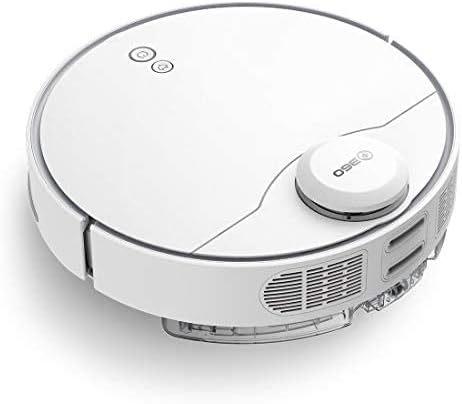
The 360 S9 Robot Vacuum and Mop, showcasing its sleek design and the accompanying mobile application for control.
Informazzjoni dwar is-Sigurtà
Biex tnaqqas ir-riskju ta’ korriment jew ħsara, aqra dawn l-istruzzjonijiet tas-sigurtà bir-reqqa u żommhom fil-qrib għal referenza futura.
- Dan l-apparat jista' jintuża minn tfal minn 8 snin 'il fuq u persuni b'kapaċitajiet fiżiċi, sensorji jew mentali mnaqqsa jew b'nuqqas ta' esperjenza u għarfien jekk ikunu ngħataw superviżjoni jew struzzjoni dwar l-użu tal-apparat b'mod sikur u jifhmu l-perikli involuti .
- It-tfal m'għandhomx jilagħbu bl-apparat. It-tindif u l-manutenzjoni tal-utent m'għandhomx isiru minn tfal mingħajr superviżjoni.
- Uża biss l-adapter tal-enerġija oriġinali pprovdut mill-manifattur.
- Tużax ir-robot f'ambjenti b'fjammi mikxufa jew oġġetti fraġli.
- Kun żgur li r-robot ikun iċċarġjat kompletament qabel l-ewwel użu.
- Do not expose the robot to direct sunlight or extreme temperatures.
- Żomm ix-xagħar, il-ħwejjeġ maħlula, is-swaba’, u l-partijiet kollha tal-ġisem 'il bogħod mill-fetħiet u l-partijiet li jiċċaqilqu.
Kontenut tal-Pakkett
Please check if all components are included in the package:
- 360 S9 Robot Vacuum and Mop
- Baċir tal-Iċċarġjar
- Adapter tal-Enerġija
- Tank tal-Ilma
- Drapp tal-mopp
- Xkupilji tal-ġenb (2x)
- Għodda tat-Tindif
- Manwal għall-Utent
Prodott Overview
Familiarize yourself with the different parts of your 360 S9 Robot Vacuum and Mop.
Ġenb view of the 360 S9, highlighting the dustbin and side brush assembly.

Detailed side view of the 360 S9, illustrating its wheels and various sensors.
Fuq View
- LDS Laser Navigation Sensor: For precise mapping and navigation.
- Power/Clean Button: Start/pause cleaning.
- Recharge Button: Send robot back to charging dock.
- Dustbin Compartment: Houses the dustbin and water tank.
Qiegħ View
- Side Brush: Sweeps debris into the main brush path.
- Main Brush: Collects dust and debris.
- Driving Wheels: For movement across various surfaces.
- Cliff Sensors: Prevents the robot from falling down stairs.
- Charging Contacts: For connecting with the charging dock.
Setup
1. Tqegħid tal-Baċir tal-Iċċarġjar
Place the charging dock against a wall on a hard, level surface. Ensure there is at least 0.5 meters (1.6 feet) of clear space on both sides and 1.5 meters (4.9 feet) in front of the dock. Connect the power adapter to the dock and plug it into a wall outlet. Ensure the indicator light on the dock is on.
2. Iċċarġjar Inizjali
Place the robot onto the charging dock, ensuring the charging contacts align. The robot will automatically begin charging. For first-time use, fully charge the robot before operation. A full charge takes approximately 4-5 hours.
3. App Installation & Connection
Download the "360 Robot" app from the App Store (iOS) or Google Play Store (Android). Follow the in-app instructions to connect your robot to your home Wi-Fi network. This will enable advanced features like map management, scheduled cleaning, and remote control.

The 360 Robot app interface, demonstrating various cleaning modes and compatibility with Amazon Alexa and Google Assistant.
Istruzzjonijiet Operattivi
Modi tat-Tindif
The 360 S9 offers multiple cleaning modes to suit your needs:
- Tindif Awtomatiku: The robot intelligently plans its cleaning route using LDS Lidar and SLAM algorithm to cover the entire area. Press the Power/Clean button on the robot or select "Auto Cleaning" in the app.
- Tindif tax-Xfer: The robot cleans along the edges of your rooms. Select "Edge Cleaning" in the app.
- Tindif tal-Post: The robot performs an intensive clean in a specific area. Place the robot in the desired area and select "Spot Cleaning" in the app.
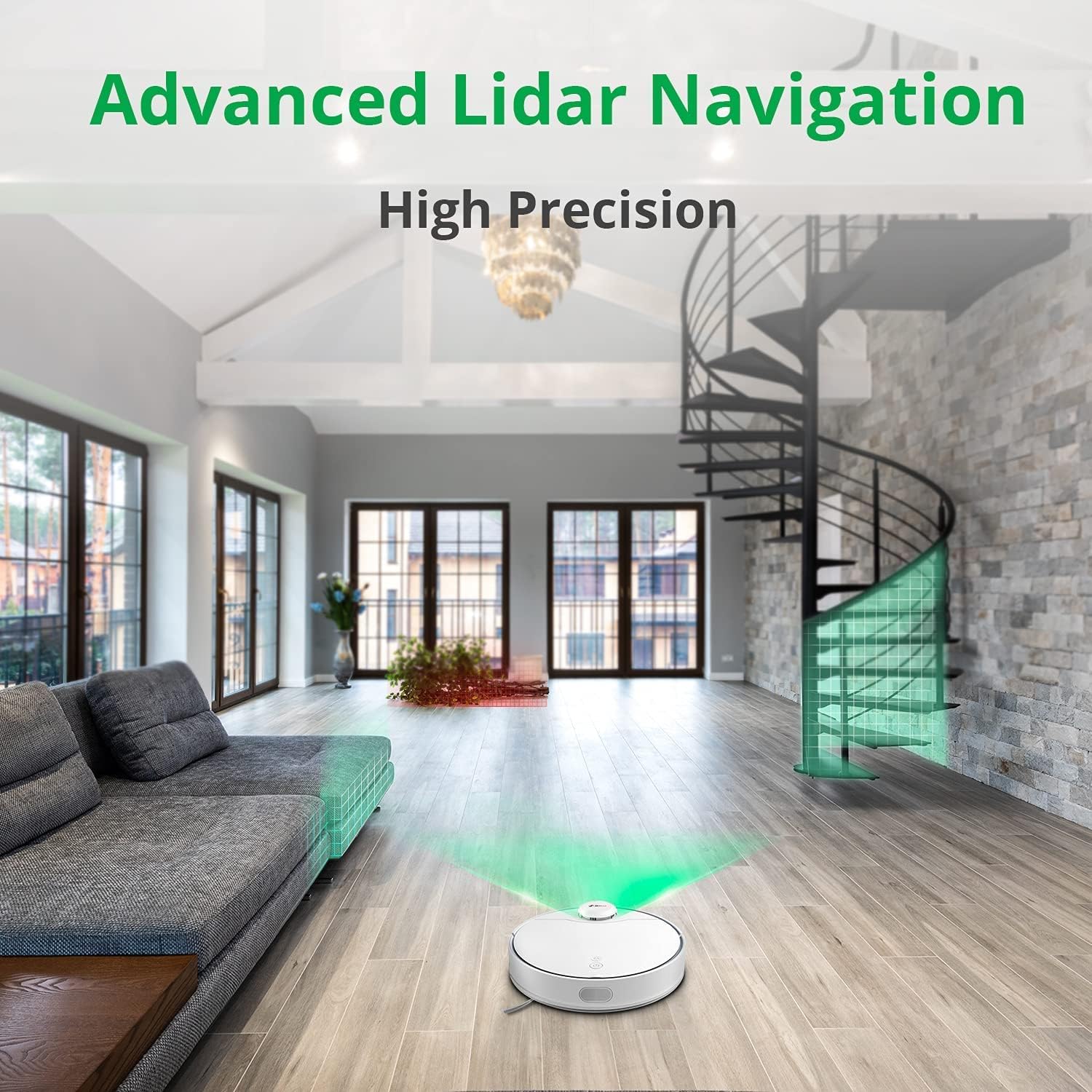
The 360 S9 utilizing its advanced Lidar navigation system for high-precision mapping and cleaning.
Vacuuming u Mopping
The S9 can vacuum and mop simultaneously. To use the mopping function:
- Fill the water tank with clean water. Do not use detergents or corrosive liquids.
- Attach the mop cloth securely to the water tank.
- Insert the filled water tank into the robot's designated slot. The robot will automatically detect the water tank and switch to sweep+mop mode.

Visual representation of the 360 S9's 2-in-1 vacuuming and mopping function, showing the dustbin (0.42L) and water tank (0.2L) capacities.
The robot features a powerful 2650Pa suction with carpet boost, automatically increasing suction on carpets for deeper cleaning.

The 360 S9 showcasing its 2650Pa powerful suction with automatic carpet boost, effectively cleaning a rug.
No-Go Zones and Virtual Walls
Using the 360 Robot app, you can set up virtual walls or no-go zones to restrict the robot from entering certain areas. This is useful for protecting fragile items or preventing the robot from entering bathrooms while mopping.
Kontroll tal-Vuċi
The 360 S9 is compatible with Amazon Alexa and Google Assistant. Link your robot vacuum to your smart home system through the 360 Robot app to control it with voice commands, such as "Alexa, tell 360 Robot to start cleaning" or "Hey Google, ask 360 Robot to go home."
Manutenzjoni
Manutenzjoni regolari tiżgura prestazzjoni ottimali u testendi l-ħajja tal-vacuum cleaner robot tiegħek.
1. Tbattil tal-landa taż-żibel
It is recommended to empty the dustbin after each cleaning cycle. Open the top cover of the robot, remove the dustbin, open its lid, and discard the collected debris. The dustbin capacity is 0.42 Liters.
2. Il-mili mill-ġdid tat-Tank tal-Ilma
For mopping, ensure the water tank is filled with clean water. The water tank capacity is 0.2 Liters. Refill as needed before each mopping session.
3. Xkupilji tat-Tindif
- Pinzell Prinċipali: Remove the main brush cover and lift out the main brush. Use the provided cleaning tool to remove hair and debris tangled around the brush. Clean regularly, especially if pet hair is present.
- Xkupilji tal-ġenb: Check side brushes for tangled hair or debris. If damaged or worn, replace them.
4. Tindif tal-Filtri
The filter inside the dustbin should be cleaned regularly. Tap the filter against a trash can to remove dust. For a more thorough clean, the filter can be rinsed with water, but ensure it is completely dry before reinserting it into the dustbin and robot.
5. Sensuri tat-Tindif
Wipe the cliff sensors (on the bottom of the robot), charging contacts (on the robot and dock), and the LDS laser sensor window (on top of the robot) with a clean, dry cloth. This prevents navigation errors and ensures proper charging.
Issolvi l-problemi
| Problema | Kawża Possibbli | Soluzzjoni |
|---|---|---|
| Robot ma jixgħelx. | Batterija baxxa; Mitfi l-iswiċċ tal-enerġija. | Iċċarġja r-robot; Kun żgur li s-swiċċ tal-enerġija jkun mixgħul. |
| Ir-robot ma jistax isib id-dock tal-iċċarġjar. | Dock is blocked or out of range. | Ensure clear space around dock; Manually place robot on dock. |
| Il-qawwa tal-ġbid hija dgħajfa. | Dustbin full; Filter clogged; Main brush tangled. | Vojta l-kontenitur tat-trab; Naddaf/ibdel il-filtru; Naddaf ix-xkupilja prinċipali. |
| Ir-robot jeħel spiss. | Obstacles; Cliff sensors dirty. | Clear obstacles; Clean cliff sensors. |
| Il-funzjoni tat-tindif tal-ħitan mhux qed taħdem. | Water tank empty; Mop cloth not attached. | Fill water tank; Attach mop cloth correctly. |
Speċifikazzjonijiet
| Brand | 360 |
| Isem tal-Mudell | S9 |
| Numru tal-Mudell | 360-S9-WHITE |
| Navigazzjoni | LDS Laser, SLAM Algorithm |
| Kapaċità tal-batterija | 5200mAh |
| Qawwa ta 'ġbid Max | 2650Pa |
| Run Time | Sa 180 minuta |
| Kapaċità ta 'Dustbin | 0.42 Litri |
| Kapaċità tat-Tank tal-Ilma | 0.2 Litri |
| Livell ta' Storbju | 53dB |
| Wi-Fi Konnessi | Iva |
| Metodu ta' Kontroll | App, Remote |
| Apparati Kompatibbli | Amazon Echo (Alexa), Assistent tal-Google |
| Dimensjonijiet tal-Prodott | 13.78"T x 13.78"W x 3.94"Għ |
| Piż tal-oġġett | 8.47 liri |
Garanzija u Appoġġ
For warranty information and technical support, please refer to the official 360 webis-sit jew ikkuntattja s-servizz tal-konsumatur tagħhom. Żomm l-irċevuta tax-xiri tiegħek bħala prova tax-xiri għal talbiet ta' garanzija.
Għal aktar għajnuna, tista' żżur il- paġna tal-prodott fuq Amazon or contact 360 Smart Network customer support.


