1. Introduzzjoni
This manual provides detailed instructions for the proper use, setup, and maintenance of your boAt Airdopes 131 Bluetooth Truly Wireless Earbuds. Please read this manual thoroughly before using the product to ensure optimal performance and longevity.

Image 1.1: The boAt Airdopes 131 Truly Wireless Earbuds in Midnight Blue, shown with their charging case.
2. X'hemm fil-Kaxxa
Iċċekkja li l-oġġetti kollha elenkati hawn taħt huma preżenti fl-imballaġġ tal-prodott tiegħek:
- 1 x boAt Airdopes 131 Truly Wireless Earbuds (Left and Right)
- 1 x Kawża tal-Iċċarġjar
- 1 x Cable tal-Iċċarġjar tal-USB Type-C
- 1 x Manwal għall-Utent
- 2 x Additional Ear Tips (various sizes)
3. Prodott Aktarview
The boAt Airdopes 131 are designed for a seamless audio experience. Key features include:
- Disinn Verament Wireless: Freedom from cables for unrestricted movement.
- Bluetooth v5.0: Konnettività mingħajr fili stabbli u effiċjenti.
- Teknoloġija IWP™: Instant Wake N' Pair for automatic connection upon opening the case.
- Sewwieqa dinamiċi ta' 13mm: For immersive sound quality.
- Multifunction Button Control: Ġestjoni faċli tal-mużika, is-sejħiet, u l-assistent tal-vuċi.
- Mikrofonu inkorporat: For clear stereo calling.
- Port tal-Iċċarġjar tat-Tip C: For convenient charging of the case.
- Appoġġ għall-Assistent tal-Vuċi: Aċċess rapidu għall-assistent tal-vuċi tat-tagħmir tiegħek.

Image 3.1: An illustration of the boAt Airdopes 131 charging case with an earbud, highlighting features like IWP Technology, Bluetooth V5.0, 650mAh battery, Type-C charging, Instant Voice Assistant, and Multifunction Controls.
4. Setup
4.1 Iċċarġjar tal-Apparat
Before initial use, ensure both the charging case and earbuds are fully charged.
4.1.1 Iċċarġjar tal-Kaxxa
- Connect the USB Type-C charging cable to the charging port on the case.
- Qabbad it-tarf l-ieħor tal-kejbil ma' adapter tal-enerġija USB (mhux inkluż) jew mal-port USB tal-kompjuter.
- L-indikaturi LED fuq il-kaxxa juru l-istatus tal-iċċarġjar. Iċċarġjar sħiħ tipikament jieħu madwar sagħtejn.
4.1.2 Iċċarġjar tal-Earbuds
- Poġġi l-earbuds fis-slots rispettivi tagħhom fil-każ tal-iċċarġjar.
- Ensure the case has sufficient charge or is connected to a power source.
- The earbuds will begin charging automatically. The LED indicators on the earbuds will confirm charging status.

Image 4.1: The boAt Airdopes 131 earbuds illustrating the ASAP Charge feature, providing 90 minutes of playback from a 5-minute charge.
The Airdopes 131 offer up to 3 hours of playback per earbud charge and an additional 12 hours with the charging case. With ASAP™ Charge, 5 minutes of charging can provide up to 90 minutes of playback.
4.2 Initial Pairing (IWP™ Technology)
The Airdopes 131 feature Instant Wake N' Pair (IWP™) Technology for quick and effortless connection.
- Ensure the earbuds are inside the charging case and the case is charged.
- Iftaħ l-għatu tal-każ tal-iċċarġjar. Il-earbuds jinxtegħlu awtomatikament u jidħlu fil-mod ta 'tqabbil.
- Fuq l-ismartphone jew it-tagħmir li jaħdem bil-Bluetooth tiegħek, iftaħ is-settings tal-Bluetooth.
- Fittex għal "Airdopes 131" in the list of available devices and select it to connect.
- Ladarba tkun konness, tisma' sinjal awdjo, u l-indikaturi LED fuq il-earbuds jinbidlu.

Image 4.2: A visual representation of the IWP Technology, showing a smartphone displaying a pairing notification for "Airdopes 131" as the charging case lid is opened.
4.3 Connecting to a New Device
To connect to a different device, first disconnect from the currently paired device. Then, follow the initial pairing steps (Section 4.2) to connect to the new device.
5. Istruzzjonijiet Operattivi
The Airdopes 131 feature intuitive multifunction button controls on each earbud.
5.1 Power On/Off
- Qawwa Mixgħul: Open the charging case lid (IWP™ Technology) or long-press the Multifunction Button on both earbuds for 3 seconds.
- Itfi: Place the earbuds back into the charging case and close the lid, or long-press the Multifunction Button on both earbuds for 5 seconds.
5.2 Kontrolli tal-Mużika
- Play/Pawsa: Single tap the Multifunction Button on either earbud.
- Track li jmiss: Double tap the Multifunction Button on the right earbud.
- Track preċedenti: Double tap the Multifunction Button on the left earbud.
5.3 Call Controls
- Tweġiba/Tmiem Sejħa: Single tap the Multifunction Button on either earbud.
- Irrifjuta Sejħa: Long press the Multifunction Button on either earbud for 2 seconds.
5.4 Assistent tal-Vuċi
Activate your device's voice assistant (e.g., Google Assistant, Siri) with a single press.
- Attiva l-Assistent tal-Vuċi: Single press the Multifunction Button on either earbud.
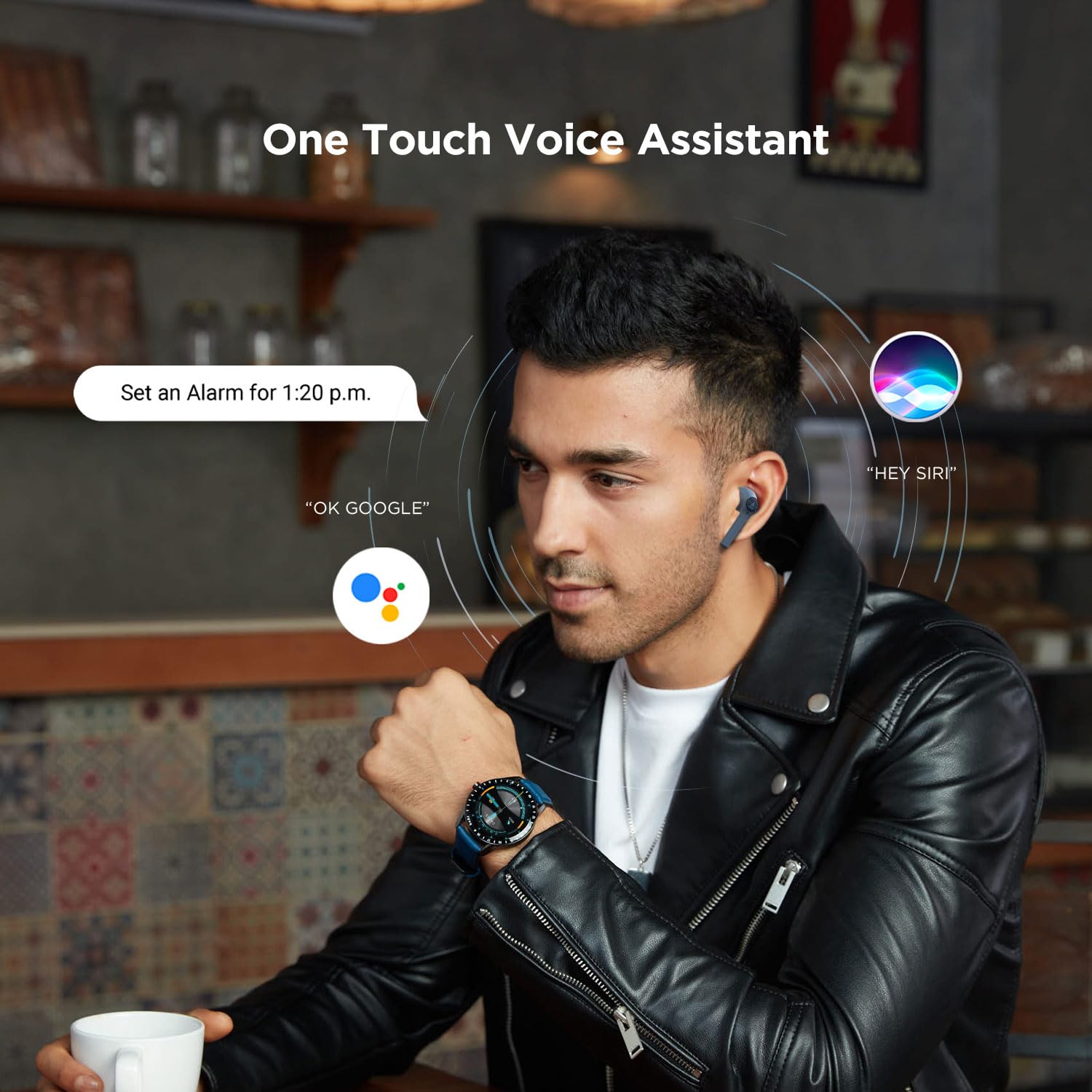
Image 5.1: A user interacting with a voice assistant via the boAt Airdopes 131 earbuds, demonstrating the "One Touch Voice Assistant" feature.
6. Manutenzjoni
Proper maintenance ensures the longevity and optimal performance of your Airdopes 131.
6.1 Tindif
- Uża drapp artab, niexef u mingħajr suf biex tnaddaf il-earbuds u l-kaxxa tal-iċċarġjar.
- Tużax kimiċi ħarxa, solventi tat-tindif, jew deterġenti qawwija.
- Evita li tidħol l-umdità fi kwalunkwe fetħiet.
6.2 Ħażna
- Meta ma tkunx qed tużahom, aħżen il-earbuds fil-kaxxa tal-iċċarġjar tagħhom biex tipproteġihom u żżommhom iċċarġjati.
- Aħżen l-apparat f'post frisk u niexef, 'il bogħod minn temperaturi estremi u dawl tax-xemx dirett.
6.3 Kura tal-Batterija
- To preserve battery life, charge the device regularly, even if not in frequent use.
- Evita li tiċċarġja l-batterija kompletament ta' spiss.
7 Issolvi l-problemi
If you encounter issues with your Airdopes 131, refer to the following common solutions:
| Problema | Soluzzjoni |
|---|---|
| Il-earbuds mhux qed jingħaqdu mat-tagħmir. |
|
| Earbud wieħed biss qed jaħdem. |
|
| Il-kaxxa tal-iċċarġjar mhux qed tiċċarġja. |
|
| Volum baxx jew kwalità ħażina tal-ħoss. |
|
8. Speċifikazzjonijiet
| Karatteristika | Dettall |
|---|---|
| Isem tal-Mudell | Airdopes 131 |
| Teknoloġija tal-Konnettività | Bluetooth |
| Teknoloġija tal-Komunikazzjoni mingħajr Fili | Tassew Wireless |
| Verżjoni Bluetooth | 5.0 |
| Medda Bluetooth | 10 Meters |
| Tip ta' Sewwieq Awdjo | Sewwieq Dinamiku (13mm) |
| Medda ta' Frekwenzi | 20Hz-20kHz |
| Ħajja tal-Batterija tal-Earbud | Sa 3 sigħat għal kull ċarġ |
| Ħin Totali tal-Logħob (bil-kaxxa) | Sa 12-il Siegħa |
| Ħin tal-Iċċarġjar (Każ) | Madwar 1.5 Sigħat |
| Port tal-Iċċarġjar | USB Tip-Ċ |
| Format tal-Mikrofonu | Mibnija fil- |
| Tip ta' Kontroll | Multifunction Button, Voice Control |
| Livell ta 'Reżistenza għall-Ilma | Reżistenti għall-Ilma |
| Piż tal-oġġett | 7 Grams (earbuds) |
| Dimensjonijiet tal-Prodott | 5.3 x 2.5 x 2.5 ċm |
| Materjal | Plastik |
| Apparati Kompatibbli | iOS, Android, Windows |
9. Garanzija u Appoġġ
For warranty information and customer support, please refer to the official boAt webis-sit jew ikkuntattja lis-servizz tal-klijenti tagħhom direttament.
- Uffiċjali Websit: Żur il- Ħanut boAt fuq Amazon għal informazzjoni u appoġġ dwar il-prodott.
- Servizz tal-Klijent: Contact boAt customer support for technical assistance, warranty claims, or service inquiries.

Image 9.1: A smartphone displaying the boAt Hearables App with a QR code for scanning and exploring. The app offers features like streaming music, listening to audiobooks, and accessing user help guides. Scan the QR code to access the app: https://l.ead.me/bdAX6k


