1. Introduzzjoni
Grazzi tax-xiriasing the G Keni LC-10W Elegant CD Player Alarm Clock Radio. This versatile device combines multiple audio playback options with convenient alarm clock features and wireless charging capabilities. Please read this manual thoroughly to ensure proper use and to maximize your enjoyment of the product.
2. Informazzjoni dwar is-Sigurtà
- Tesponix l-unità għax-xita, umdità, jew temperaturi estremi.
- Ensure the power cord is UL certified and connected to a compatible 100V-240V AC outlet.
- Evita li tpoġġi l-unità ħdejn sorsi ta’ sħana jew fid-dawl tax-xemx dirett.
- Tiżżarmax jew tippruvax issewwi l-unità int stess. Ikkuntattja persunal tas-servizz kwalifikat.
- Żomm l-unità 'l bogħod minn kampi manjetiċi qawwija.
- Use only the specified 2*AAA dry batteries for time setting memory backup (not included).
3. Kontenut tal-Pakkett
- 1x G Keni LC-10W CD Player Alarm Clock Radio
- 1x Korda tal-Enerġija AC
- 1x Kontroll mill-bogħod
- 1x Manwal tas-Sid
4. Prodott Aktarview
The G Keni LC-10W features a sleek design with a large mirror LED display and intuitive controls. It integrates a top-loading CD player, FM radio, Bluetooth connectivity, USB and AUX inputs, and a wireless charging pad.

Figura 1: Quddiem view of the G Keni LC-10W unit, showcasing the digital display, wireless charging pad with a phone, and the included remote control.
4.1. Kontrolli u Portijiet
- Panel ta 'Fuq: Mode button, Play/Pause, Skip/Search buttons, Program button, Snooze/Sleep button, Volume/Tune knob, Alarm 1/2 buttons, Dimmer, Wireless Charging On/Off.
- Panel ta' quddiem: Large Dimmable Mirror LED Display.
- Panel tal-ġenb: USB port, AUX-IN port, Headphone output.
- Panel ta 'wara: FM Antenna, AC Power Input.
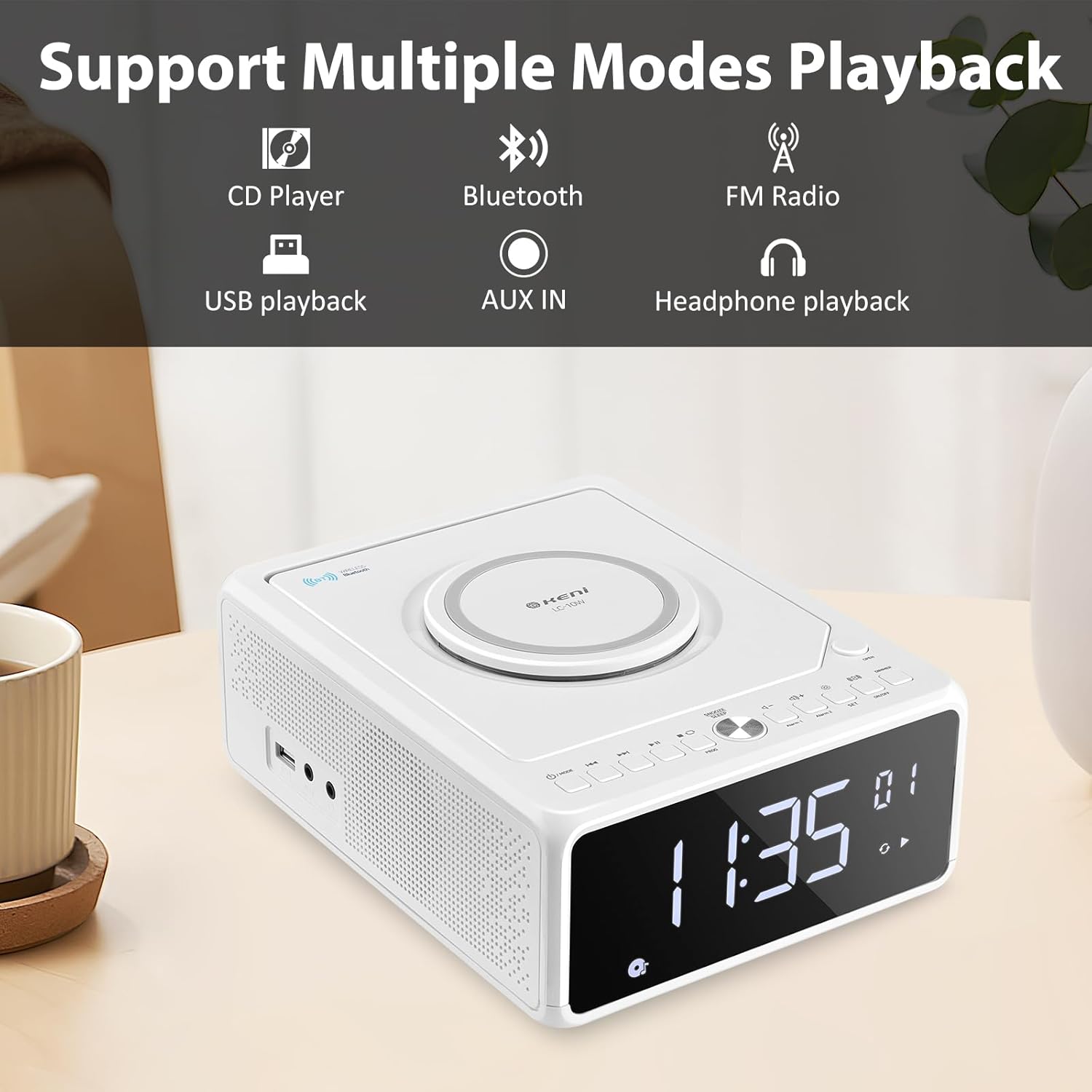
Figure 2: Diagram illustrating the various playback modes supported by the G Keni LC-10W, including CD, Bluetooth, FM Radio, USB, AUX, and headphone output.
5. Setup
5.1. Konnessjoni tal-Enerġija
- Qabbad il-korda tal-enerġija AC fornuta mal-jack AC IN fuq wara tal-unità.
- Plug the other end of the power cord into a standard wall outlet (100V-240V AC).
- The unit will power on and the display will light up.
5.2. Battery Backup (Optional)
For time setting memory backup during power outages, install 2*AAA dry batteries (not included) into the battery compartment on the bottom of the unit. This will retain time and alarm settings.
Vidjo 1: Overview of the G Keni CD Player Alarm Clock, demonstrating its features and basic operation. This video is provided by the seller.
6. Istruzzjonijiet Operattivi
6.1. Issettjar tal-Ħin
- Ensure the unit is in standby mode (display showing time only). If not, press and hold the Power/Mode button until only the time is displayed.
- Agħfas u żomm il- SET button until the time digits start blinking.
- Agħfas il- Quddiem or Rewind buttons to switch between 12-hour and 24-hour format.
- Agħfas SET again to set the hour. Use Quddiem or Rewind to adjust the hour (pay attention to AM/PM in 12-hour format).
- Agħfas SET again to set the minute. Use Quddiem or Rewind biex taġġusta l-minuta.
- Agħfas SET one last time to confirm and save the time.
6.2. Issettjar tal-Arloġġ tal-Allarm
The unit supports dual alarms (Alarm 1 and Alarm 2) with adjustable volume and various wake-up sounds.
- Agħfas u żomm jew Allarm 1 or Allarm 2 button until the hour digits start blinking.
- Uża l- Quddiem or Rewind buttuni biex taġġusta s-siegħa tal-allarm mixtieqa.
- Agħfas il-buttuna rispettiva Allarm button again to set the minute. Use Quddiem or Rewind biex taġġusta l-minuta.
- Agħfas il- Allarm button again to select the wake-up sound: Buzzer, Radio, CD, USB, or Bluetooth. Use Quddiem or Rewind biex tiċċikla bejn l-għażliet.
- Agħfas il- Allarm button again to set the alarm volume (indicated by 'U' followed by a number). Use Volum +/- buttuni biex taġġusta.
- Agħfas il- Allarm Agħfas il-buttuna darba oħra biex tikkonferma u tattiva l-allarm. Ikona tal-allarm tidher fuq id-displej.
- Biex tiddiżattiva allarm, agħfas il-buttuna korrispondenti Allarm Agħfas il-buttuna darba. L-ikona tal-allarm tisparixxi.
Video 2: Detailed instructions on how to set the alarm on the G Keni LC-10W. This video is provided by the seller.
6.3. Tħaddim tas-CD Player
The top-loading CD player supports audio CDs, CD-Rs, CD-RWs, and MP3 CDs.
- Agħfas il- Miftuħa button on the top right to open the CD compartment.
- Carefully place a CD onto the spindle with the label side facing up.
- Agħlaq l-għatu tal-kompartiment tas-CD.
- Agħfas il- MODALITÀ Agħfas il-buttuna sakemm jidher 'CD' fuq id-displej.
- The CD will begin playing automatically. Use Play/Pawsa, Aqbeż / Fittex buttuni biex jikkontrollaw daqq.
- Funzjoni ta' Programmazzjoni: Fil-modalità CD, agħfas il- PROGRAMM button to enter programming mode. Use Aqbeż / Fittex to select tracks and PROGRAMM to add them to the playlist. Press Play to start the programmed sequence.

Figure 3: The top-loading CD player of the G Keni LC-10W is shown open, with a CD being placed inside. The remote control is also visible, highlighting ease of operation.
6.4. Operazzjoni tar-Radju FM
The unit features a digital FM radio (87.5-108MHz). AM radio is not supported.
- Extend the telescopic FM antenna on the rear of the unit for optimal reception.
- Agħfas il- MODALITÀ Agħfas il-buttuna sakemm jidher 'FM' fuq id-displej.
- Skennjar Awtomatiku: Agħfas u żomm il- Play/Pawsa buttuna biex tiskennja u ssalva awtomatikament l-istazzjonijiet FM disponibbli.
- Irfinar Manwali: Agħfas qasir il- Aqbeż / Fittex buttons to manually tune to the next available station.
- Siekta: Agħfas il- Mute button to temporarily silence the radio.

Figure 4: The G Keni LC-10W displaying FM Radio mode, indicating the frequency and the availability of a sleep timer function.
6.5. Konnettività Bluetooth
Ixxandar l-awdjo mingħajr fili mit-tagħmir tiegħek li jaħdem bil-Bluetooth.
- Agħfas il- MODALITÀ button until 'BT' appears on the display. The unit will enter pairing mode, indicated by a blinking Bluetooth icon.
- Fuq it-tagħmir mobbli tiegħek, ippermetti l-Bluetooth u fittex tagħmir disponibbli.
- Select 'LC-10W' from the list to pair. Once connected, the Bluetooth icon will stop blinking.
- You can now play music from your device through the G Keni LC-10W. Use the unit's controls or your device to manage playback.
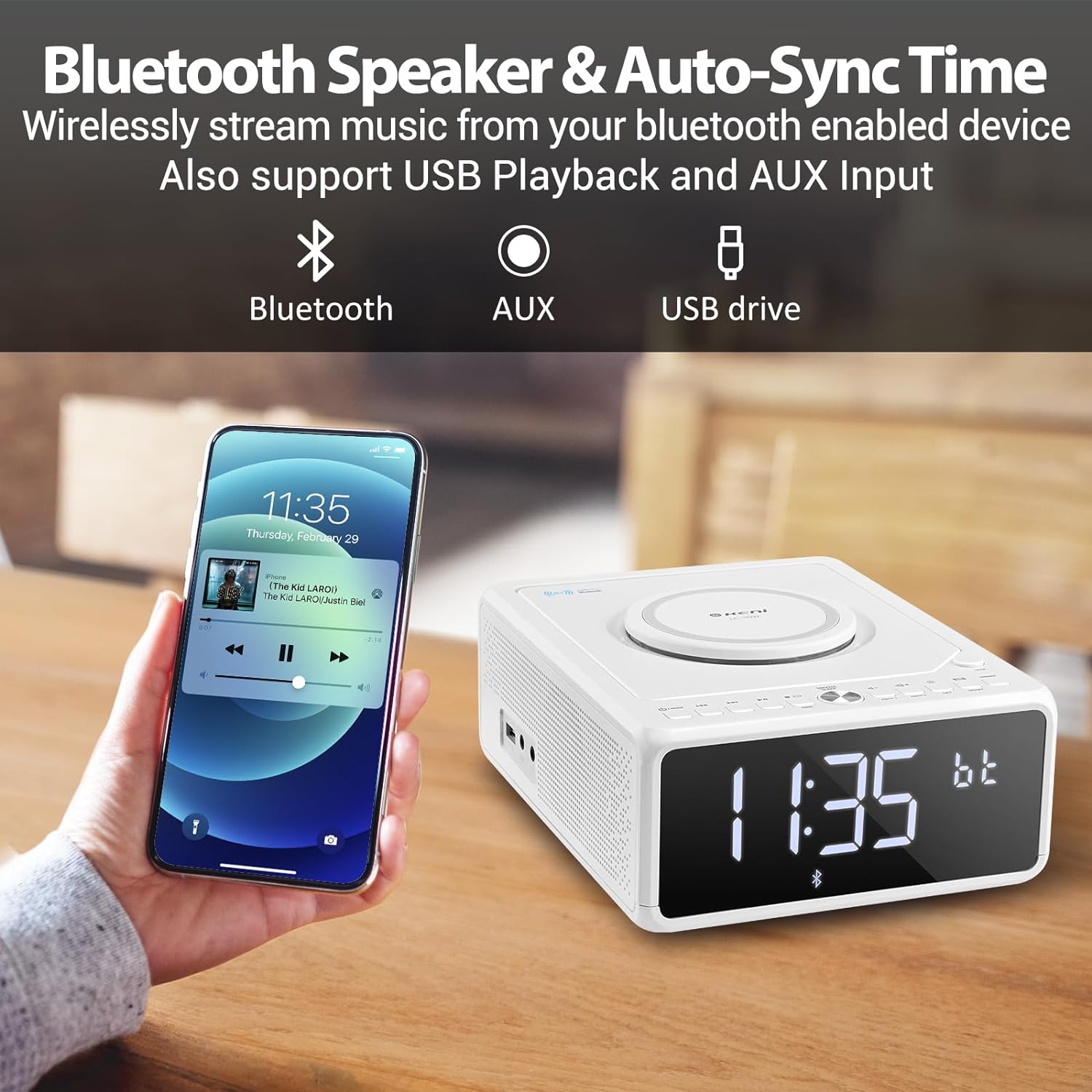
Figure 5: A smartphone is shown wirelessly connected to the G Keni LC-10W via Bluetooth, demonstrating music streaming capabilities.
6.6. USB Music Playback
Play MP3/WMA music files direttament minn USB flash drive.
- Insert a USB flash drive into the USB port on the side of the unit.
- Agħfas il- MODALITÀ Agħfas il-buttuna sakemm jidher 'USB' fuq id-displej.
- The unit will automatically detect and begin playing music from the USB drive.
- Użu Play/Pawsa, Aqbeż / Fittex buttuni biex jikkontrollaw daqq.
6.7. Konnessjoni AUX-IN
Qabbad apparati awdjo esterni billi tuża kejbil awdjo ta' 3.5mm (mhux inkluż).
- Connect one end of a 3.5mm audio cable to the AUX-IN port on the side of the unit.
- Connect the other end to the headphone jack or AUX-OUT port of your external audio device.
- Agħfas il- MODALITÀ Agħfas il-buttuna sakemm jidher 'AUX' fuq id-displej.
- Control playback from your external audio device. Adjust volume using the unit's volume knob.
6.8. Iċċarġjar bla fili
The unit features a Qi-compatible wireless charging pad on top.
- Ensure the wireless charging function is enabled by pressing the ON/OFF button for wireless charging. A blue light will indicate it's ready.
- Place your Qi-compatible smartphone on the charging pad.
- The light will turn red to indicate active charging.
- Output: 7.5W for iOS devices, 10W for Android devices.

Figure 6: The wireless charging pad on the G Keni LC-10W is shown, illustrating its fast charging capabilities for both Android (10W) and iPhone (7.5W) devices.
6.9. Display Brightness (Dimmer)
Adjust the LED display brightness to your preference.
- Agħfas il- DIMMER button repeatedly to cycle through 5 levels of brightness, including an 'off' setting for complete darkness.
6.10. Snooze & Sleep Timer
Enhance your sleep routine with these functions.
- Tnaqqis Meta tinstema' allarm, agħfas il-buttuna SNOOZE/SLEEP button to temporarily silence it for 9 minutes. This can be repeated within an hour.
- Timer ta 'l-Irqad: While playing audio (Radio, CD, USB, Bluetooth), press the SNOOZE/SLEEP button repeatedly to set the sleep timer (10-90 minutes). The unit will automatically turn off after the selected duration.
7. Manutenzjoni
- Tindif: Uża drapp artab u niexef biex tnaddaf il-barra tal-unità. Tużax prodotti tat-tindif jew solventi li joborxu.
- CD Care: Handle CDs by their edges. Clean with a soft, lint-free cloth in a straight line from the center to the outer edge.
- Ħażna: Meta ma tkunx qed tużaha għal perjodi twal, aqla’ l-unità u aħżinha f’post frisk u niexef.
8 Issolvi l-problemi
| Problema | Kawża Possibbli | Soluzzjoni |
|---|---|---|
| L-unità ma tixgħelx. | Il-korda tal-enerġija mhux imqabbda sew. | Check AC power cord connection to unit and wall outlet. |
| L-ebda ħoss mill-kelliema. | Volume too low; Mute activated; Incorrect mode selected. | Increase volume; Deactivate Mute; Select correct playback mode. |
| CD skipping or not playing. | Dirty or scratched CD; CD inserted incorrectly. | Clean or replace CD; Ensure CD is placed correctly. |
| Riċeviment ħażin tar-radju FM. | Antenna mhux estiża; Sinjal dgħajjef. | Fully extend the telescopic antenna; Reposition the unit. |
| L-apparat Bluetooth mhux qed jiġi mqabbla. | Unit not in BT mode; Device too far; Device already paired. | Ensure unit is in BT mode; Move device closer; Disconnect from other devices. |
| L-iċċarġjar mingħajr fili mhux qed jaħdem. | Wireless charging off; Phone not Qi-compatible; Phone not centered. | Press wireless charging ON/OFF; Check phone compatibility; Reposition phone. |
9. Speċifikazzjonijiet
| Karatteristika | Dettall |
|---|---|
| Numru tal-Mudell | LC-10W |
| Dimensjonijiet (L x W x H) | 8.46 x 6.69 x 3.15 pulzieri |
| Piż | 2.6 liri |
| Konnettività | Awżiljarju, Bluetooth, USB |
| Verżjoni Bluetooth | 5.0 |
| Ħruġ ta 'Iċċarġjar Bla Fili | 7.5W (iOS), 10W (Android) |
| Medda ta' Frekwenzi FM | 87.5-108 MHz |
| Tip ta' Kelliem | Kelliem Doppju |
| Input tal-Enerġija | AC 100V-240V (UL certified) |
| Backup tal-batterija | 2*AAA dry batteries (for time memory, not included) |
10. Garanzija u Appoġġ
G Keni offers a one-year warranty and friendly customer service for this product. For any issues or support inquiries, please contact the seller or manufacturer directly. Please refer to your purchase documentation for specific warranty terms and contact information.


