CREATE/COOL DC Tower Fan User Manual
Model: 901ac5f5-3fab-4ab6-92cb-7ef7d8ca7a54
1. Introduzzjoni
Thank you for choosing the CREATE/COOL DC Tower Fan. This bladeless tower fan is designed to provide efficient and quiet air circulation with its advanced DC motor and 9-speed settings. Featuring a sleek design, remote control, and 90-degree oscillation, it offers optimal comfort for any room.
Please read this manual thoroughly before operating the device to ensure safe and proper use. Keep this manual for future reference.
2. Istruzzjonijiet tas-Sigurtà
- Dejjem aqla’ l-fann mill-plakka tal-elettriku qabel ma tnaddaf jew tagħmel xi manutenzjoni.
- Tħaddimx il-fann b'korda jew plagg bil-ħsara. Jekk il-korda jew il-plagg ikunu bil-ħsara, ikkuntattja persunal tas-servizz kwalifikat.
- Do not place the fan near water or in excessively humid environments.
- Keep fingers, hair, and loose clothing away from the fan's openings during operation.
- Kun żgur li l-fann jitqiegħed fuq wiċċ stabbli u ċatt biex tevita li jinqaleb.
- Dan l-apparat mhuwiex maħsub għall-użu minn persuni (inklużi tfal) b’kapaċitajiet fiżiċi, sensorji jew mentali mnaqqsa, jew nuqqas ta’ esperjenza u għarfien, sakemm ma jkunux ingħataw superviżjoni jew istruzzjoni dwar l-użu tal-apparat minn persuna responsabbli għas-sigurtà tagħhom.
- It-tfal għandhom ikunu sorveljati biex jiżguraw li ma jilagħbux bl-apparat.
- Do not insert any objects into the fan's openings.
- Do not cover the fan during operation.
3. Kontenut tal-Pakkett
Ivverifika li l-oġġetti kollha huma preżenti fil-pakkett:
- CREATE/COOL DC Tower Fan Unit
- Kontroll mill-bogħod
- Korda tal-Enerġija (integrata)
- Manwal għall-Utent (dan id-dokument)
4. Setup
- Ħoll il-Fann: Carefully remove the tower fan and all accessories from the packaging.
- Pjazzament: Place the fan on a firm, level surface. Ensure there is adequate space around the fan for proper air circulation and oscillation.
- Qabbad l-Enerġija: Insert the power plug into a standard electrical outlet. Ensure the voltage jaqbel mar-rekwiżiti tal-fann (230V).
- Batterija tal-Kontroll mill-bogħod: The remote control may require batteries (not included). Open the battery compartment and insert the correct type and number of batteries, observing polarity.
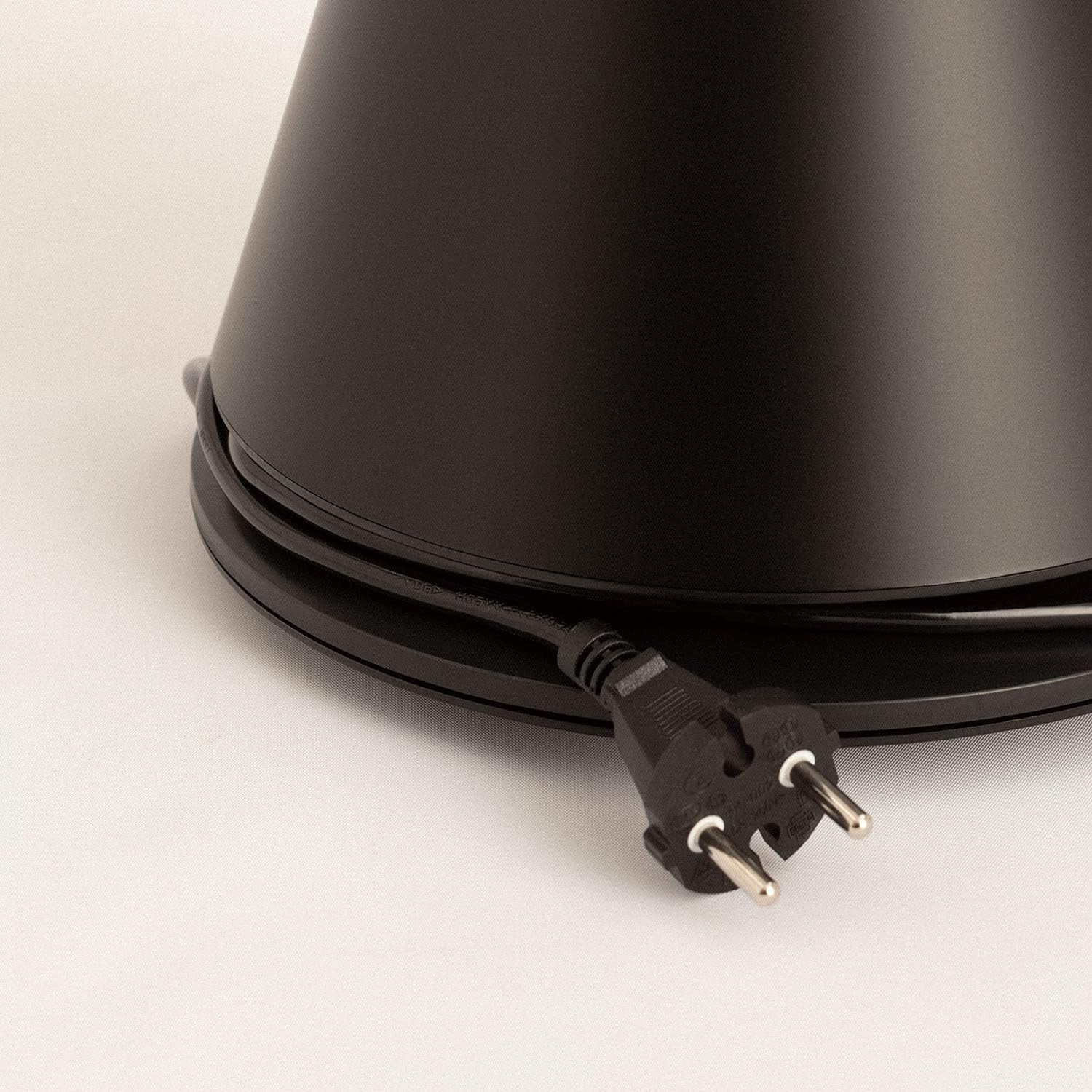
Image: Power cord connected to the fan base.
This image shows the integrated power cord and plug, ready for connection to a wall outlet. The cord is neatly wrapped around the base for storage.
5. Istruzzjonijiet Operattivi
Control Panel (Digital Display Touch-System)
The fan features a digital display touch-system on its top, which also serves as the integrated remote control storage. Touch the icons to control the fan.
Kontroll mill-bogħod
The magnetic remote control can be stored conveniently on top of the fan. It provides full functionality for operating the fan from a distance.

Image: Remote control for the tower fan.
This image displays the compact remote control with clearly labeled buttons for power, speed adjustment, mode selection, and oscillation control.
Funzjonijiet:
- Power On/Off: Agħfas il-buttuna tal-enerġija (⏻) biex tixgħel jew titfi l-fann.
- Aġġustament tal-veloċità: The fan has 9 speed levels. Use the '+' and '-' buttons to increase or decrease the fan speed.
- Modi tar-Riħ: Select between 2 wind modes (e.g., Normal, Sleep, Natural - specific modes may vary). Press the mode button to cycle through available modes.
- Oxxillazzjoni: Agħfas il-buttuna tal-oxxillazzjoni (↻) to activate or deactivate the 90-degree oscillation feature, which distributes air evenly across the room.
- Timer: Set the fan to automatically turn off after a specified period. Refer to the display for timer settings (e.g., 1-12 hours).

Image: Tower fan placed in a bedroom.
This image shows the sleek black tower fan positioned in a modern bedroom, demonstrating its compact footprint and aesthetic integration into a living space.
6. Manutenzjoni
Tindif regolari jgħin biex tinżamm il-prestazzjoni tal-fann u testendi l-ħajja tiegħu.
- Tindif ta' barra: Imsaħ l-uċuħ ta' barra tal-fann b'ċarruta ratba u damp drapp. Tużax tindif jew solventi li joborxu.
- Tneħħija tat-Trab: Use a vacuum cleaner with a brush attachment or compressed air to remove dust from the air intake and outlet grilles.
- Ħażna: If storing the fan for an extended period, unplug it, clean it thoroughly, and store it in a cool, dry place, preferably in its original packaging.
- Tgħaddix il-fann fl-ilma jew f'xi likwidu ieħor.
7 Issolvi l-problemi
| Problema | Kawża Possibbli | Soluzzjoni |
|---|---|---|
| Il-fann ma jixgħelx. | Mhux imdaħħla fil-plakka; Is-sokket tal-elettriku mhux qed jaħdem; Il-buttuna tal-enerġija mhux ippressata. | Kun żgur li l-fann huwa mdaħħal sew f'sokit li jaħdem. Agħfas il-buttuna tal-qawwa. |
| Fluss ta 'arja dgħajjef. | Low speed setting; Air inlets/outlets blocked by dust. | Żid il-veloċità tal-fann. Naddaf id-daħliet u l-ħruġ tal-arja. |
| Il-fann huwa storbjuż. | Fan not on a level surface; Internal obstruction; High speed setting. | Place the fan on a flat, stable surface. Check for any obstructions. Reduce fan speed. |
| Il-kontroll mill-bogħod ma jaħdimx. | Batteriji mejta jew imdaħħla ħażin; Ostruzzjoni bejn ir-remote u l-fann. | Replace batteries, ensuring correct polarity. Remove any obstructions. Ensure remote is pointed at the fan. |
8. Speċifikazzjonijiet
| Karatteristika | Dettall |
|---|---|
| Brand | OĦLOQ |
| Numru tal-Mudell | 901ac5f5-3fab-4ab6-92cb-7ef7d8ca7a54 |
| Dimensjonijiet tal-Prodott | 102 x 23 x 102 ċm (madwar 23D x 23W x 102H ċm) |
| Piż | 2.6 Kilogrammi |
| Kulur | Iswed |
| Sors tal-Enerġija | Corded Elettriku |
| Voltage | 230 Volts |
| Wattage | 26 Watts |
| Livell ta' Storbju | 2 dB (Note: This value seems unusually low based on customer reviews, typical fan noise is higher. Please refer to actual product performance.) |
| Numru ta' Veloċitajiet | 9 |
| Karatteristiċi Speċjali | Oscillating, Lightweight, DC Motor, Timer, Remote Control |
9. Garanzija u Appoġġ
CREATE products are manufactured to the highest quality standards. For information regarding warranty coverage, please refer to the warranty card included with your purchase or visit the official CREATE websit.
For technical support, troubleshooting assistance, or spare parts, please contact CREATE customer service. Contact details can typically be found on the product packaging or the official brand websit.
Websit: OĦLOQ Ħanut Uffiċjali