1. Introduzzjoni
The AUTOPHIX FCAR F506 Heavy Duty Truck Scanner is a comprehensive diagnostic tool designed for both heavy-duty trucks and light-duty vehicles. It provides full-system scanning capabilities, allowing users to read and clear trouble codes, view live data, and perform special functions across various vehicle systems.
2. Kontenut tal-Pakkett
The FCAR F506 package typically includes:
- 1x F506 OBD2 Scanner Unit
- 1x 6-9 Y Pin J1939 Type 2 Connector
- 1x OBD 16 Pin Connector
- 1x USB Cable
- 1x Manwal għall-Utent
- 1x Soft Nylon Carrying Case
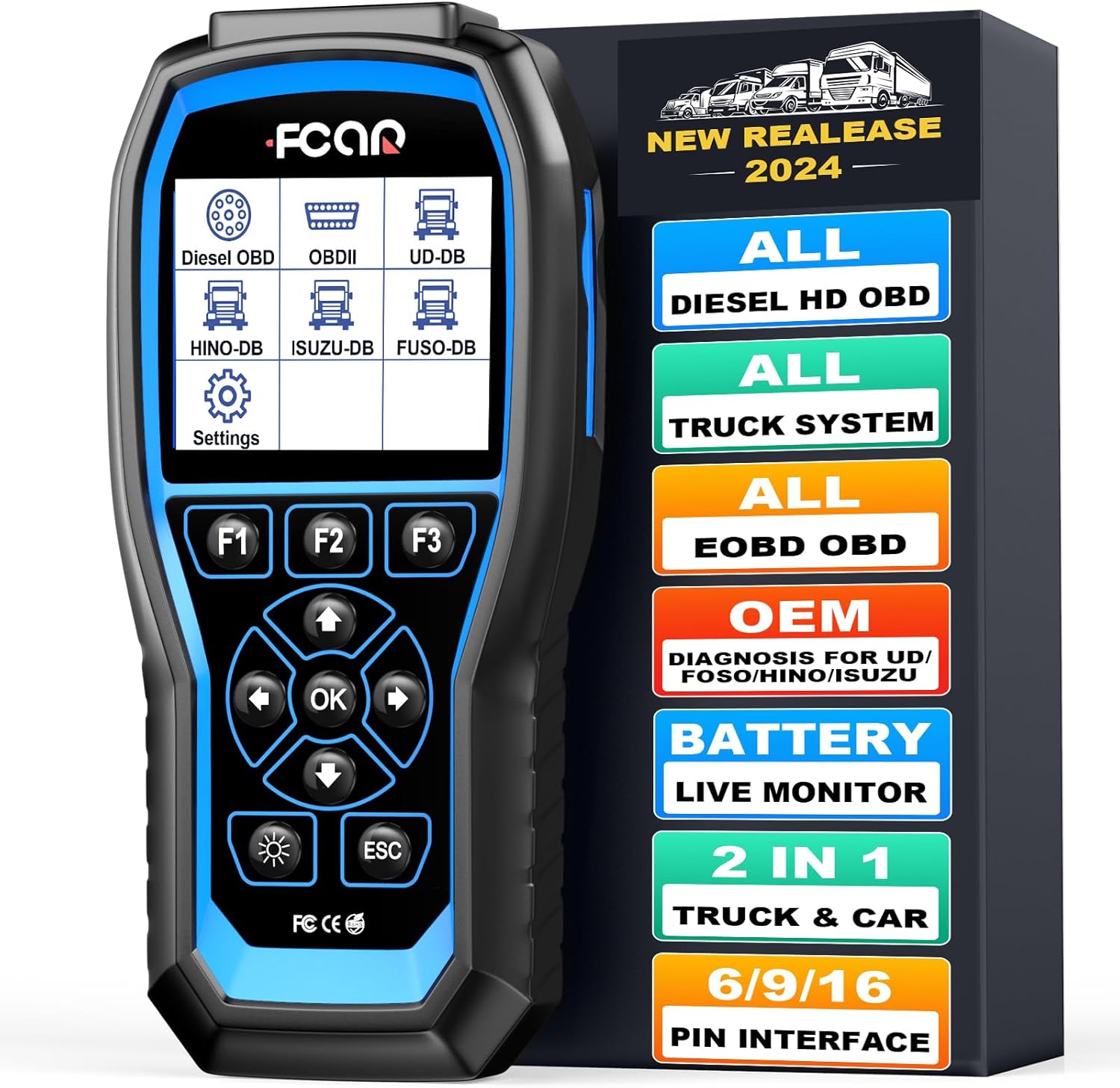
Image: FCAR F506 scanner unit and its packaging, illustrating the device and its protective case.
3. Setup
- Qawwa Mixgħul: Connect the F506 scanner to the vehicle's diagnostic port (OBD2, J1708, or J1939 depending on the vehicle). The device will power on automatically.
- Settings tal-Lingwa: Navigate to "Settings" on the main menu. Select "Language" and choose your preferred language (e.g., English).
- Issettjar tal-Unità: In the "Settings" menu, select "Unit Setting" to choose between SAE English or Metric units.
- Aġġornament tas-Software: Ensure the device software is up-to-date for optimal performance and vehicle compatibility. Connect the scanner to a computer via USB and follow the internet update instructions provided in the full manual.

Image: The main menu of the FCAR F506, displaying various diagnostic options for different vehicle types.
4. Istruzzjonijiet Operattivi
4.1. Full-System Diagnostics
The F506 supports full-system diagnostics for heavy-duty trucks, covering systems such as Engine, Airbag, Transmission, ECU/BCU, VCS, ABS, SRS, EBS, DCU, AT, Clutch System, Brake System, Meter System, Battery System, Inverter System, Hybrid System, and Immobilizer System.
- From the main menu, select the appropriate vehicle type (e.g., "Diesel OBD", "Hino", "Isuzu", "Fuso", "UD").
- Choose "Enter by system" or "Enter by year" if prompted.
- Select the specific system you wish to diagnose (e.g., "Powertrain", "Chassis", "Car Body").
- Follow the on-screen prompts to proceed with the diagnostic functions.
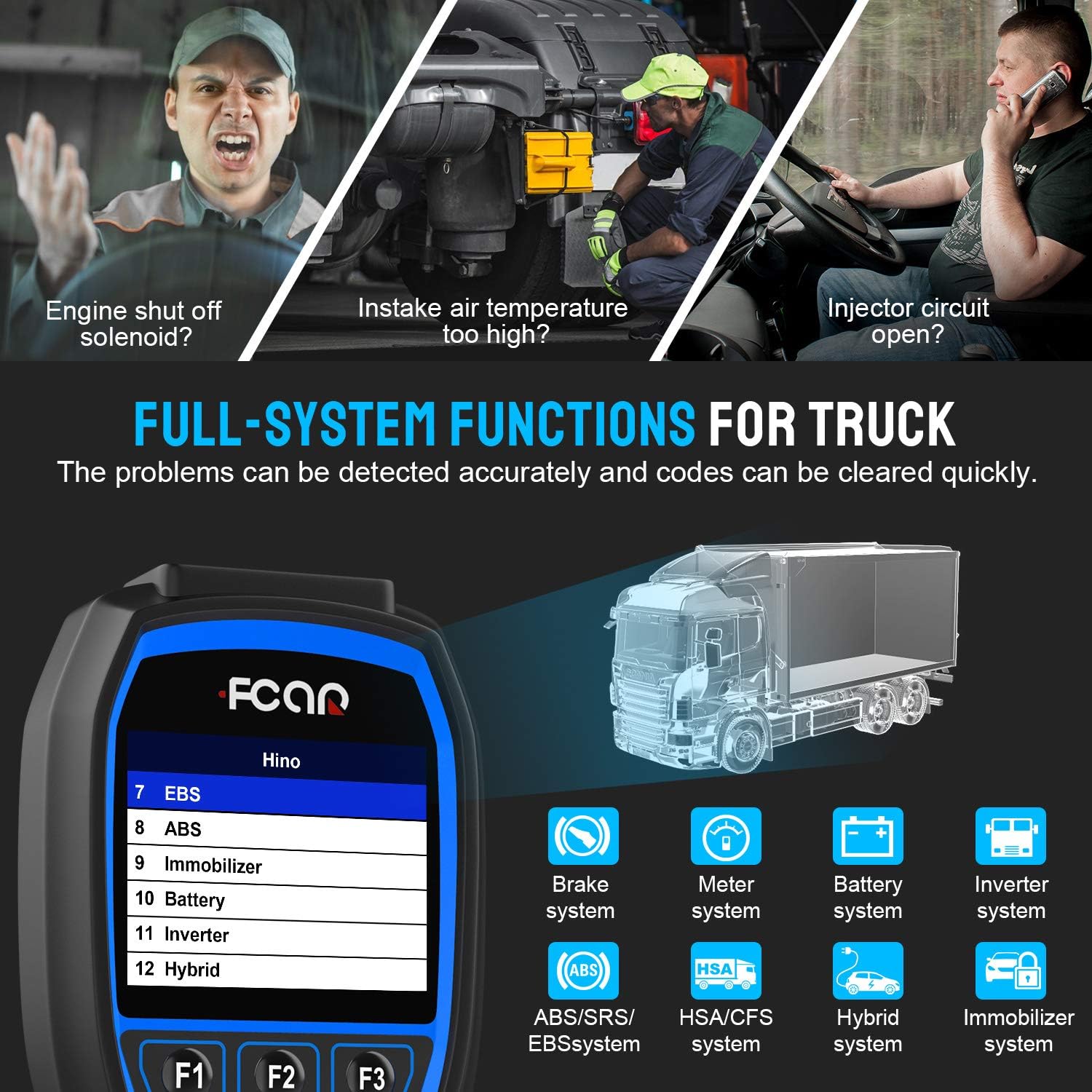
Image: The FCAR F506 screen showing various full-system diagnostic functions available for trucks.
4.2. Reading and Clearing Fault Codes
- After selecting the vehicle system, choose "Read Fault Code" to view active and historical diagnostic trouble codes (DTCs).
- To clear codes, select "Erase Fault Code" and confirm the action. Ensure any underlying issues are resolved before clearing codes.
4.3. Fluss ta' Dejta Diretta
The "Live Data" function displays real-time parameters from the vehicle's ECU, aiding in performance analysis and troubleshooting.
- Select "Live Data" from the diagnostic menu.
- Parameters include Engine speed, ECU temperature, Accelerator pedal position, Coolant temperature, Battery voltage, Alternator voltage, Ambient air temperature, and more.
- Data tista 'tkun viewed in numerical format or graphically for easier analysis.

Image: Live data display on the FCAR F506, showing real-time engine parameters.
4.4. Funzjonijiet Speċjali
The F506 offers various special functions for component adaptations and calibrations after repairs or replacements.
- Access "Special Function" from the system menu.
- Available functions may include pump adjust learn, fuel rail pressure tests, and other component-specific tests.
Video: Demonstration of FCAR F506 performing diagnostics on a Mack truck, showcasing system selection and data reading.
Video: Demonstration of FCAR F506 performing diagnostics on an International truck, illustrating the user interface and diagnostic process.
5. Manutenzjoni
- Tindif: Uża artab, damp cloth to clean the scanner unit. Avoid abrasive cleaners or solvents.
- Ħażna: Aħżen l-apparat fil-kaxxa protettiva tiegħu f'ambjent niexef u frisk meta ma jkunx qed jintuża.
- Aġġornamenti tas-Software: Regularly check for software updates on the manufacturer's website to ensure compatibility with new vehicle models and improved functionalities. The device supports one-key updates.
6 Issolvi l-problemi
- L-Apparat Mhux Jixgħel:
- Ensure the diagnostic cable is securely connected to both the vehicle's DLC (Diagnostic Link Connector) and the scanner.
- Ivverifika li l-ignition tal-vettura tinsab fil-pożizzjoni ON.
- Iċċekkja l-volum tal-batterija tal-vetturatage.
- Żball fil-Komunikazzjoni:
- Confirm the correct vehicle make, model, and year are selected.
- Check for damaged diagnostic cables or connectors.
- Ensure the vehicle's ECU is functioning correctly.
- Ma nstab l-ebda Kodiċi ta' Ħsara:
- This indicates that the system currently has no stored diagnostic trouble codes.
- If a problem persists, consider checking live data for abnormal readings or performing active tests on relevant components.
7. Speċifikazzjonijiet
| Karatteristika | Dettall |
|---|---|
| Brand | AUTOPHIX |
| Mudell | F506 |
| Wiri | 3.5" TFT Color Screen |
| Konnettività | J1708, J1939, OBD2 (SAE J1850PWM, SAE J1850 VPW, ISO 14230-4, ISO 9141-2, ISO 15765-4) |
| Kopertura tal-Vettura | Most trucks with J1708/J1939, OBD2 automotive (1996 onwards), Hino, Mitsubishi Fuso, Isuzu, Nissan UD commercial vehicles (since 1992) |
| Sistema Operattiva | Windows 7 (for updates) |
| Piż tal-oġġett | 2 liri |
| Dimensjonijiet tal-Prodott | 12 x 9 x 3 pulzieri |
8. Garanzija u Appoġġ
The FCAR F506 comes with a 1-year warranty. For technical support, software updates, or any inquiries, please refer to the contact information provided in the product packaging or visit the official AUTOPHIX websit.


