Introduzzjoni
This manual provides comprehensive instructions for the safe and efficient use of your Marmitek Power SE Wi-Fi Smart Plug. This smart plug allows you to control connected electrical devices remotely via the Smart me app, manually, or through voice commands with compatible smart assistants. Please read this manual thoroughly before use and retain it for future reference.

Figura 1: Quddiem view of the Marmitek Power SE Wi-Fi Smart Plug (Type G), showing the socket and integrated power button.
Istruzzjonijiet tas-Sigurtà
Jekk jogħġbok aqra sew dawn l-istruzzjonijiet qabel tuża l-apparat u żommhom għal referenza futura.
- Tesponix il-prodott għal temperaturi estremament għoljin jew baxxi, sorsi ta 'dawl qawwi jew dawl tax-xemx dirett.
- Dan il-prodott mhuwiex ġugarell. Żomm fejn ma jintlaħaqx mit-tfal.
- Never open the product; the device may contain parts with deadly voltage.
- It-tiswijiet jew is-servizz għandhom isiru biss minn persunal kwalifikat.
- Tqabbadx strixxi multipli tal-enerġija lil xulxin.
- Tkoprix l-istrixxa tal-enerġija waqt l-użu.
- L-istrixxa tal-enerġija hija dienerġizzata biss meta tkun splaggjata.
- Għall-użu fi kmamar niexfa biss.
Prodott Overview
The Marmitek Power SE is a compact Wi-Fi smart plug designed for Type G sockets. It allows you to transform any standard electrical appliance into a smart device, controllable from your smartphone or through voice commands.

Figure 2: Detailed frontal view of the smart plug, highlighting the Type G socket and the integrated manual power button.
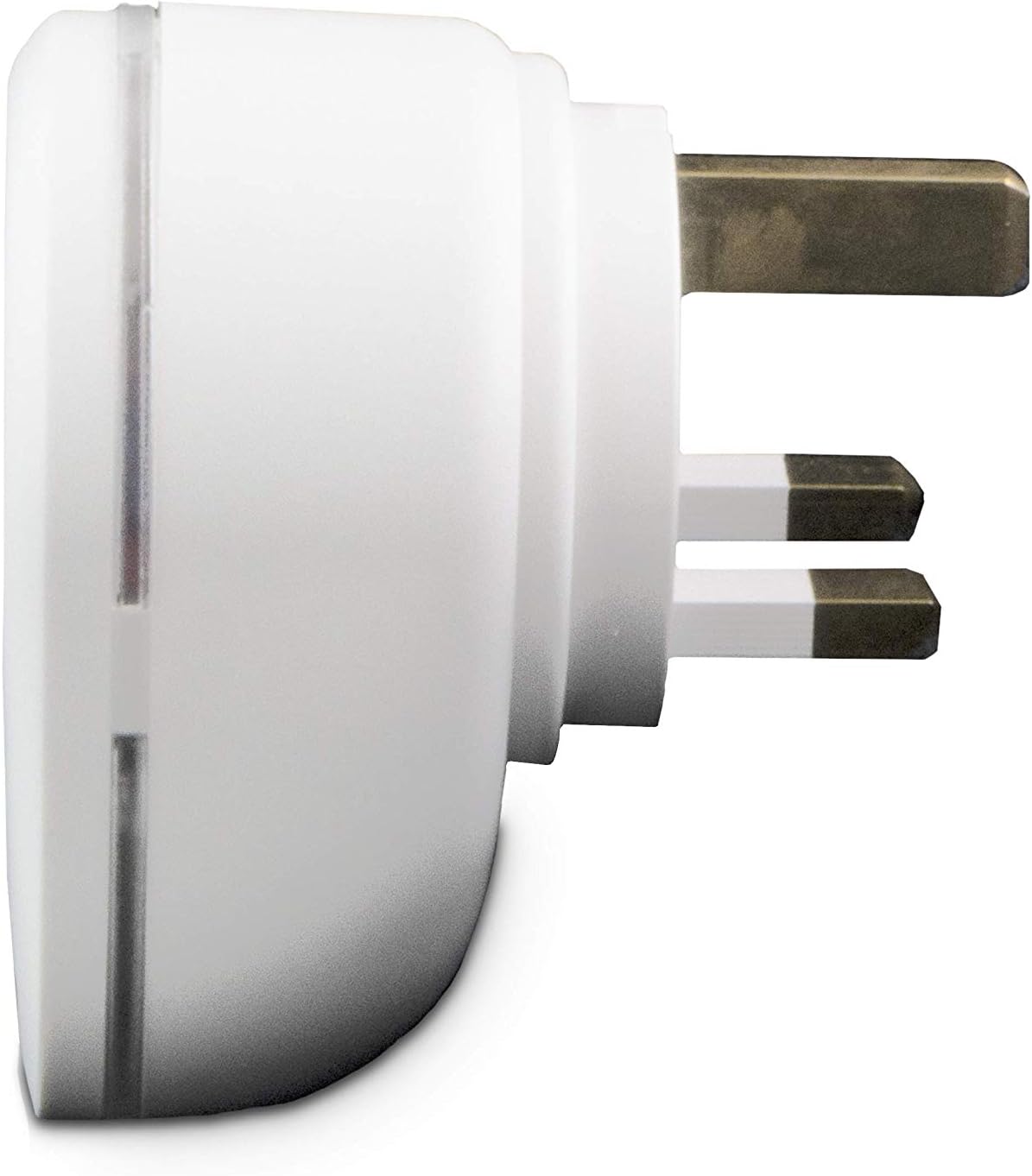
Figura 3: Proġett tal-ġenbfile of the smart plug, illustrating the robust Type G plug pins for secure connection.

Figure 4: Product packaging, showing key features and compatibility information.
Setup
- Download the Smart me App: Fittex għal "Smart me" in your smartphone's app store (iOS or Android) and download the application.
- Ipplaggja l-Apparat: Insert the Marmitek Power SE Wi-Fi Smart Plug into a standard Type G wall socket. Ensure the socket is functioning correctly.
- Ibda Tqabbil: Open the Smart me app. Follow the on-screen instructions to add a new device. The app will guide you through the process of connecting the smart plug to your home Wi-Fi network (2.4 GHz only). The smart plug is designed for "Plug & Play" setup, requiring no additional gateway.
- Ikkonferma l-Konnessjoni: Once successfully paired, the indicator light on the smart plug will confirm its connection status, and the device will appear in your Smart me app.

Figure 5: The Smart me app logo, essential for controlling your Marmitek smart devices.
Tħaddim tal-Plagg Intelliġenti
Operazzjoni Manwali
The Marmitek Power SE features a physical button on its front. Press this button once to manually switch the connected appliance ON or OFF. The indicator light will change to reflect the current status.
App Control (Smart me App)
Once connected to the Smart me app, you can control your plug from anywhere in the world using your smartphone or tablet. The app allows you to:
- Ixgħel/Itfi: Toggle the power to the connected device instantly.
- Issettja Skedi: Program the plug to turn on or off at specific times or days.
- Create Automations: Link the Power SE with other Marmitek Smart me devices (e.g., cameras or sensors) to trigger actions. For example, turn on a light when motion is detected.

Figure 6: Remote control of the smart plug via the Smart me app on a smartphone.
Kontroll tal-Vuċi
The Marmitek Power SE is compatible with Amazon Alexa and Google Assistant. To enable voice control:
- Kontijiet tal-Kontijiet: In your Alexa or Google Home app, enable the "Smart me" skill/action and link your Marmitek account.
- Skopri Mezzi: Staqsi lill-assistent tal-vuċi tiegħek biex jiskopri apparati ġodda.
- Use Voice Commands: You can now use commands like "Alexa, turn on the living room lamp"jew"Ħej Google, itfi l-fann."

Figure 7: The Smart me ecosystem, showing how the smart plug integrates with other devices and voice assistants.
Manutenzjoni
To ensure the longevity and proper functioning of your Marmitek Power SE smart plug, follow these simple maintenance guidelines:
- Tindif: Disconnect the smart plug from the power outlet before cleaning. Use a soft, dry cloth to wipe the surface. Do not use liquid cleaners or abrasive materials.
- Ħażna: If storing the device, ensure it is kept in a dry environment, away from extreme temperatures and direct sunlight.
- Spezzjoni: Periodically check the plug and socket for any signs of damage or wear. If any damage is observed, discontinue use and contact support.
Issolvi l-problemi
| Problema | Kawża Possibbli | Soluzzjoni |
|---|---|---|
| Apparat mhux qed jikkonnettja mal-Wi-Fi | Incorrect Wi-Fi password, 5 GHz network, weak signal, or device not in pairing mode. | Ensure correct 2.4 GHz Wi-Fi password. Move the plug closer to the router. Reset the plug to pairing mode (refer to app instructions). |
| App cannot control the plug | No internet connection, plug offline, or app issue. | Check your phone's internet connection. Verify the plug's indicator light for connection status. Restart the Smart me app. |
| Kontroll tal-vuċi mhux qed jaħdem | Smart me skill/action not enabled, accounts not linked, or incorrect device name. | Ensure the "Smart me" skill/action is enabled and accounts are linked in your Alexa/Google Home app. Use the exact device name configured in the Smart me app. |
| Plug is unresponsive | Qawwa outage, malfunzjonament tal-apparat. | Check the power supply to the socket. Unplug the device for 10 seconds and plug it back in. If issues persist, contact customer support. |
Speċifikazzjonijiet
| Numru tal-Mudell | _08517 |
| Brand | Marmitek |
| Kulur | Abjad |
| Ħanut tal-Qawwa | 1x 100-240 V socket |
| Max. Output | 3450 W |
| Max. Kurrenti | 15 Amps |
| Voltage | 100-240 VAC 50/60 Hz |
| Tip ta' Konnettur | Tip G |
| Tip ta' Ipplaggja | Tip G |
| Teknoloġija bla fili | Wi-Fi 2.4 GHz |
| Kurrent Standby | < 0.5 W |
| Dimensjonijiet tal-Prodott (H x W x D) | 7.2 x 5.2 x 7.2 ċm |
| Piż | 140 g |
| Speċifikazzjoni Met | IEC |

Figure 8: Technical specifications and compliance markings for the Marmitek Power SE.
Garanzija u Appoġġ
The Marmitek Power SE Wi-Fi Smart Plug comes with a garanzija ta 'sena mid-data tax-xiri. Jekk jogħġbok żomm il-prova tax-xiri tiegħek għal talbiet ta' garanzija.
For technical support, troubleshooting assistance, or warranty inquiries, please visit the official Marmitek website or contact their customer service department. You can find more information at: www.marmitek.com

Figure 9: Marmitek brand logo.


