1. Introduzzjoni
Thank you for choosing the WorkPro LED Desk Lamp. Dan versatili lamp is designed to enhance your workspace with adjustable illumination, convenient wireless charging, and a USB charging port. Please read this manual thoroughly to ensure proper setup, operation, and maintenance of your new desk lamp.

Image 1.1: The WorkPro LED Desk Lamp, featuring a modern brushed metal finish and adjustable arm.
2. Karatteristiċi tal-prodott
- Illuminazzjoni aġġustabbli: 5 color temperatures and 6 brightness levels for customized lighting.
- Iċċarġjar bla fili: Integrated wireless charging pad on the base for compatible mobile devices.
- Port tal-Iċċarġjar tal-USB: A 2.4-amp USB port located at the back of the base for additional device charging.
- Disinn flessibbli: Adjustable arm, head, and rotatable base for precise light positioning.
- Kontrolli touch: Intuitive touch control panel with memory function.
- Funzjoni Timer: Built-in 1-hour timer for automatic shut-off.
- Dawl bil-lejl: Integrated night light feature.
- LED Effiċjenti fl-Enerġija: Pre-wired 10-watt LEDs with an average life of approximately 50,000 hours.
- Kostruzzjoni Durabbli: Brushed metal body with a modern design.

Image 2.1: The WorkPro LED Desk Lamp integrated into a modern workspace, highlighting its functional design.
3. Kontenut tal-Pakkett
Jekk jogħġbok iċċekkja l-pakkett għall-oġġetti li ġejjin:
- WorkPro LED Desk Lamp Unità
- Adapter tal-Enerġija
- Manwal għall-Utent (dan id-dokument)
4. Informazzjoni dwar is-Sigurtà
Biex tnaqqas ir-riskju ta’ nar, xokk elettriku, jew korriment, jekk jogħġbok osserva l-prekawzjonijiet ta’ sigurtà li ġejjin:
- Tħaddimx lamp b'korda jew plagg bil-ħsara.
- Tużax il-lamp fl-imxarrab jew damp kundizzjonijiet.
- Kun żgur li l-adapter tal-enerġija huwa kompatibbli mal-provvista tal-enerġija lokali tiegħek.
- Tippruvax tiżżarma jew isewwi l-lamp. Contact qualified service personnel for assistance.
- Żomm il-lamp bogħod minn sorsi tas-sħana u dawl tax-xemx dirett.
- Is-sors tad-dawl LED mhuwiex sostitwibbli. Tippruvax tissostitwixxi l-LEDs.
- Poġġi l-lamp fuq wiċċ stabbli u ċatt biex tevita li tinqaleb.
5. Setup
Follow these steps to set up your WorkPro LED Desk Lamp:
- Ippakkja: Neħħi bir-reqqa l-komponenti kollha mill-imballaġġ.
- Pożizzjoni: Poġġi l-lamp bażi fuq wiċċ stabbli u ċatt.
- Qabbad l-Enerġija: Insert the power adapter cable into the power input port on the back of the lamp bażi. Ipplaggja l-adapter tal-enerġija f'sokit elettriku standard.
- Aġġusta: Aġġusta bil-mod l-lamp arm and head to your desired position. The lamp features multiple pivot points for flexibility.

Immaġni 5.1: Lamp adjustability, showing 90-degree head rotation, 120-degree arm articulation, 90-degree base rotation, and 145-degree head tilt.
6. Istruzzjonijiet Operattivi
6.1. Touch Control Panel Overview
Il-lamp is operated via a touch-sensitive control panel located on the base. The icons represent various functions:
- Buttuna tal-Qawwa: Dawwar il-lamp mixgħul/mitfi.
- Aġġustament tal-luminożità: Jaġġusta l-intensità tad-dawl (6 livelli).
- Aġġustament tat-Temperatura tal-Kulur: Changes light color (5 modes).
- Buttuna tat-Tajmer: Activates the 1-hour timer.
- Buttuna tad-Dawl bil-lejl: Activates the night light feature.
6.2. Tixgħel/Jitfi
Tektek il- Buttuna tal-Qawwa once to turn the lamp on. Tap it again to turn the lamp off. The lamp will remember your last brightness and color temperature settings.
6.3. L-aġġustament tal-luminożità
Mal-lamp on, tap the Aġġustament tal-luminożità icons ( /
/  ) to cycle through the 6 available brightness levels.
6.4. Aġġustament tat-Temperatura tal-Kulur
Mal-lamp on, tap the Aġġustament tat-Temperatura tal-Kulur ikona ( ) to cycle through the 5 available color temperature modes (e.g., warm white to cool white).

Image 6.1: Visual representation of the 5 color temperature modes and 6 brightness levels.
6.5. L-Użu tat-Tajmer
Tektek il- Buttuna tat-Tajmer ( ) to activate the 1-hour timer. The lamp will automatically turn off after 60 minutes. Tap again to deactivate.
6.6. Activating the Night Light
Tektek il- Buttuna Dawl bil-lejl ( ) to turn on the integrated night light. Tap again to turn it off.
6.7. Iċċarġjar bla fili
Place your Qi-compatible mobile device directly onto the wireless charging pad on the lamp base. Ensure the device is centered for optimal charging. A charging indicator (if present on your device) will confirm charging has begun.

Image 6.2: A smartphone being charged wirelessly on the lampbażi ta'.
6.8. Iċċarġjar tal-USB
Connect your mobile device's USB charging cable to the 2.4-amp USB port located on the back of the lamp base. Plug the other end into your device to begin charging.
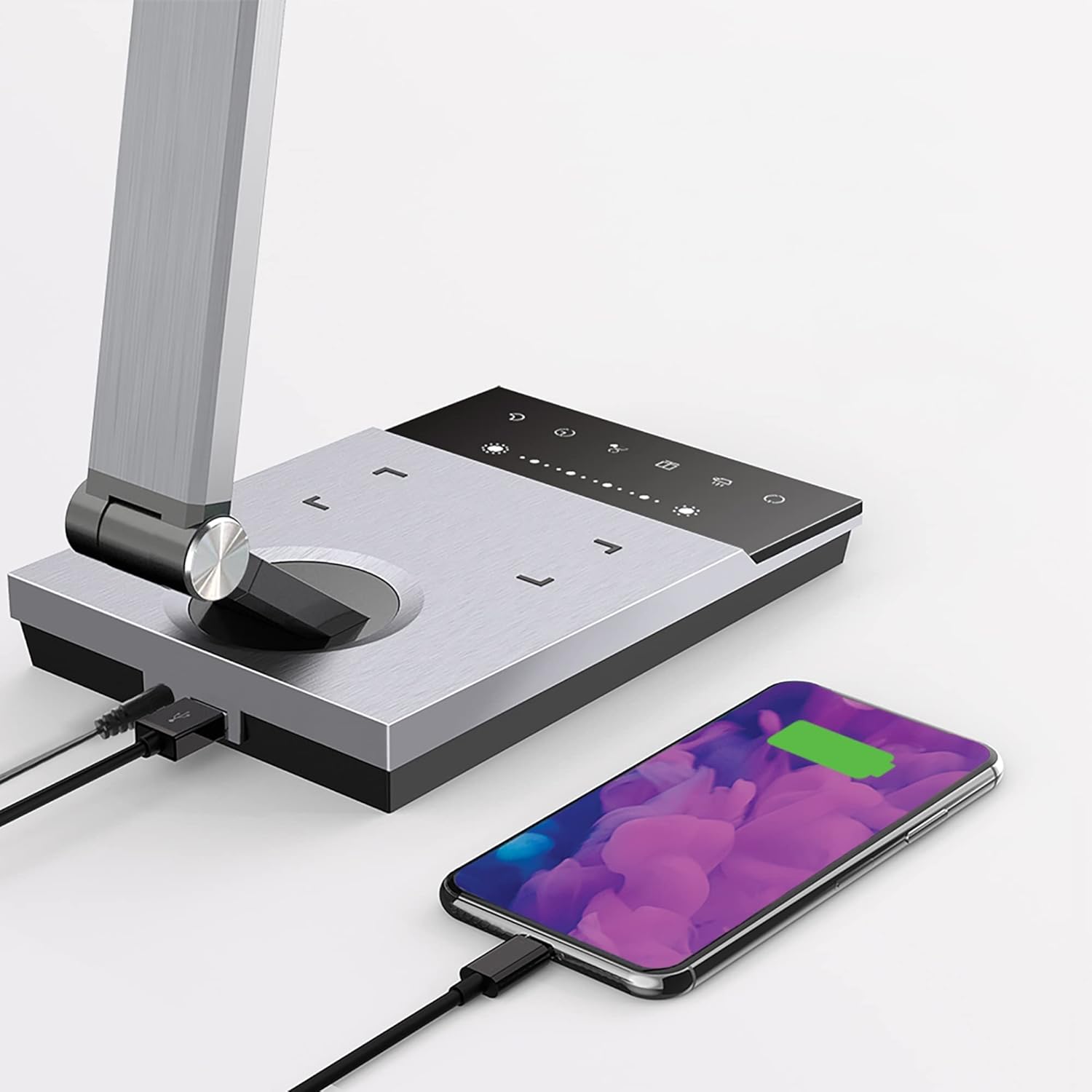
Image 6.3: Simultaneous charging of devices via the USB port and wireless charging pad.
7. Manutenzjoni
To keep your WorkPro LED Desk Lamp fl-aħjar kundizzjoni:
- Tindif: Skonnettja l-provvista tal-enerġija qabel it-tindif. Imsaħ il-amp with a soft, dry cloth. Do not use abrasive cleaners, solvents, or harsh chemicals.
- Ħażna: Jekk taħżen lamp for an extended period, disconnect it from power and store it in a cool, dry place.
- Kura tal-LED: Is-sors tad-dawl LED integrat huwa ddisinjat għal użu fit-tul u ma jeħtieġx sostituzzjoni.
8 Issolvi l-problemi
| Problema | Kawża Possibbli | Soluzzjoni |
|---|---|---|
| Lamp ma jixgħelx. | Ebda konnessjoni tal-enerġija. | Kun żgur li l-adapter tal-enerġija huwa mdaħħal sew fil-plakka tal-provvista tal-enerġija.amp u l-plakka tal-ħajt. |
| L-iċċarġjar mingħajr fili mhux qed jaħdem. | Device not Qi-compatible or not positioned correctly. | Verify your device supports Qi wireless charging. Reposition the device on the charging pad to ensure proper alignment. Remove any thick phone cases. |
| L-iċċarġjar tal-USB mhux qed jaħdem. | USB cable or device issue. | Try a different USB cable or device to isolate the problem. Ensure the lamp huwa mixgħul. |
| Id-dawl jitteptep jew huwa baxx. | Provvista tal-enerġija instabbli jew problema interna. | Ipprova twaħħal il-lamp f'sokit differenti. Jekk il-problema tippersisti, ikkuntattja l-appoġġ għall-klijenti. |
9. Speċifikazzjonijiet
| Numru tal-Mudell | WP3000S |
| Sors tad-Dawl | LED integrat |
| Wattage | 10 Watts |
| Output Lumen | 600 Lumens |
| Temperaturi tal-Kulur | 5 Livelli |
| Livelli ta 'luminożità | 6 Livelli |
| Output USB | 2.4 Amp |
| Materjal | Metall brushed |
| Dimensjonijiet (L x W x H) | 17.5 x 6.5 x 4 pulzieri |
| Piż tal-oġġett | 5.45 liri |
| Sors tal-Enerġija | Corded Elettriku |
| Metodu ta' Kontroll | Mess |
10. Garanzija u Appoġġ
WorkPro products are manufactured to high-quality standards. For warranty information or technical support, please refer to the warranty card included with your purchase or visit the official WorkPro websit. Jekk jogħġbok żomm il-prova tax-xiri tiegħek għal talbiet ta' garanzija.
For further assistance, you may contact the retailer or manufacturer directly.


