Introduzzjoni
The Mackie SRM215 V-Class sets a new industry standard for professional loudspeakers, offering high-performance, clarity, and advanced technology. This manual provides essential information for the proper setup, operation, and maintenance of your SRM215 V-Class loudspeaker.
Informazzjoni dwar is-Sigurtà
Always read and follow all instructions and warnings provided in the Quick Start Guide and on the product itself. Ensure proper grounding and ventilation. Do not expose the unit to rain or moisture. Refer to the full safety manual for detailed precautions.
Kontenut tal-Pakkett
- Mackie SRM215 V-Class 15-Inch Powered Loudspeaker
- Korda tal-enerġija
- Gwida Quick Start
Prodott Overview
The SRM215 V-Class loudspeaker features a powerful 2000W Class-D amplifier, custom transducers, and an innovative Sym-X horn for wide dispersion and distortion-free response. It incorporates Advanced Impulse DSP for clarity, transparent system protection, and Intelligent Bass Management for controlled low-end.
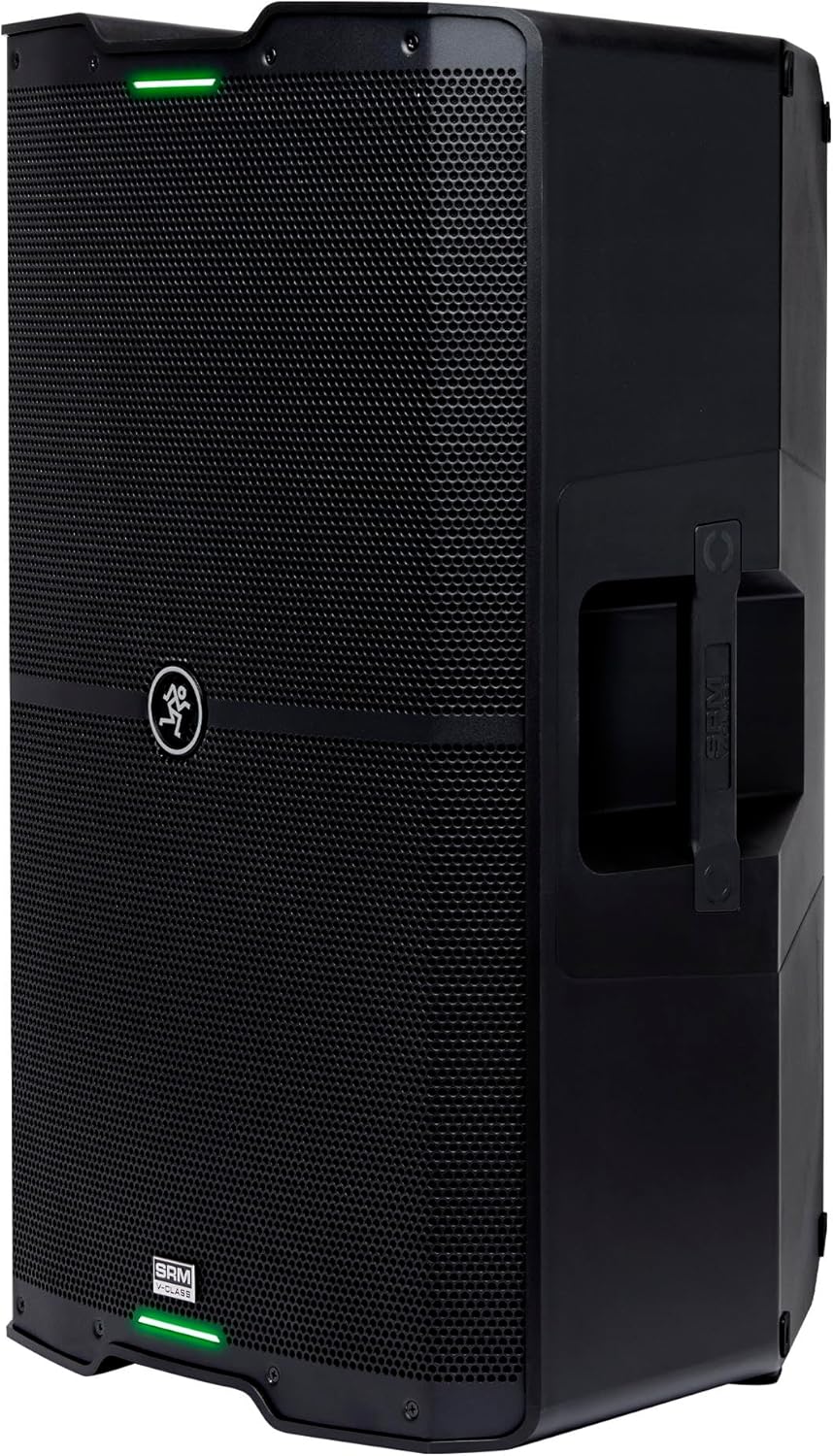
Immaġni: Quddiem view of the Mackie SRM215 V-Class 15-inch powered loudspeaker, showcasing its robust grille and sleek design.
Setup
Tqegħid Fiżiku
The SRM215 V-Class can be used in various configurations:
- Muntaġġ tal-Arblu: Utilize the integrated pole mount for elevated sound dispersion.
- Monitor tal-art: The cabinet design allows for tilted placement on the floor as a stagtissorvelja.
- Stacked: Place on a subwoofer or other stable surface.
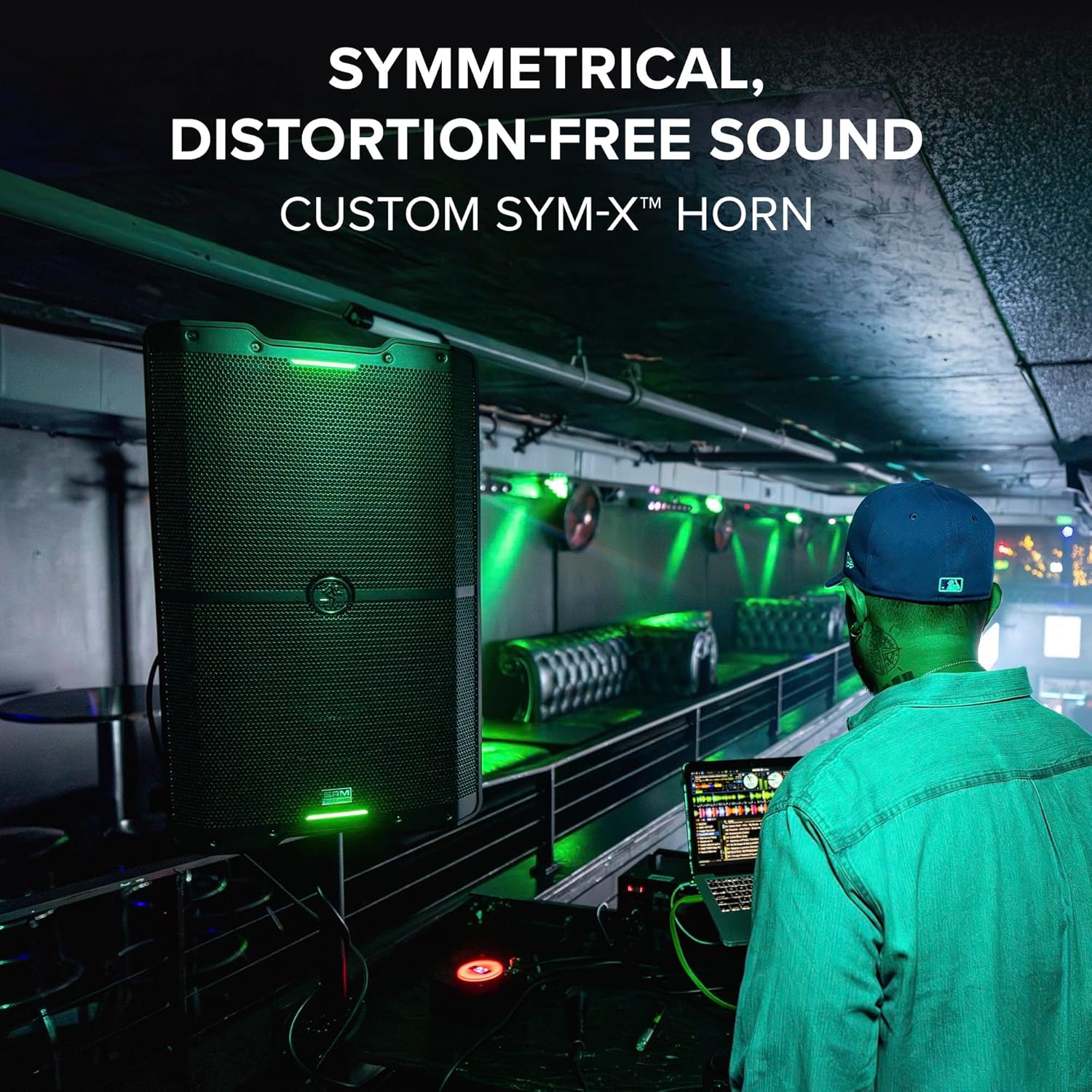
Immaġni: A Mackie SRM215 V-Class loudspeaker positioned on its side, demonstrating its use as a floor monitor.
Konnessjoni tal-Enerġija
- Ensure the loudspeaker's power switch is in the OFF position.
- Connect the supplied AC power cord to the AC inlet on the rear panel.
- Ipplaggja t-tarf l-ieħor tal-korda tal-enerġija f'sokit tal-AC ertjat.
Konnessjonijiet Awdjo
The SRM215 V-Class features a built-in SRM Mix Control 4-channel mixer.
- Kanali 1 u 2: Connect microphones, line-level devices, or instruments using XLR or 1/4" TRS cables.
- Channel 3/4 (Bluetooth): Wirelessly connect a Bluetooth audio source.
- Ħallat: Use the XLR Mix Out to send the combined signal to another loudspeaker or a subwoofer.

Immaġni: Close-up of the rear control panel of the Mackie SRM215 V-Class, showing the input and output jacks, gain controls, and display.
Istruzzjonijiet Operattivi
Tixgħel/Jitfi
- To power on, press the power switch on the rear panel. The front LED will illuminate.
- To power off, press the power switch again.
SRM Mix Control (4-Channel Mixer)
The integrated 4-channel digital mixer allows for precise control over your audio.
- Buttuni tal-Gwadann: Aġġusta l-livell tad-dħul għal kull kanal.
- Volum Prinċipali: Jikkontrolla l-livell ġenerali tal-ħruġ tal-ispiker.
- Wirja b'Kulur Sħiħ: Provides visual feedback for settings and levels.
Modi ta' Lewn
Select from various voicing modes to optimize the loudspeaker's performance for different applications:
- Mużika: Enhanced for general music playback.
- Live: Optimized for live sound reinforcement.
- Klabb: Provides a punchier bass response suitable for dance music.
- Monitor: Tailored for stagApplikazzjonijiet ta 'monitoraġġ.
Bluetooth Pairing & SRM Connect App
The SRM215 V-Class offers Bluetooth connectivity for audio streaming and wireless control via the SRM Connect app.
- Tqabbil tal-Awdjo: Activate Bluetooth on your device and select the SRM215 V-Class to stream audio.
- Control Pairing: Download the SRM Connect app. Use the app to link two loudspeakers for stereo or dual mono operation and control all mixer settings remotely.

Immaġni: A smartphone displaying the SRM Connect app interface, showing channel faders and control options for the loudspeaker.
Speċifikazzjonijiet
| Karatteristika | Speċifikazzjoni |
|---|---|
| Output ta 'Qawwa | 2000 Watts |
| Daqs tal-Kelliem | 15 Pulzier |
| Ampitwal Tip | Klassi D |
| Konnettività | Bluetooth, XLR |
| Metodu ta' Kontroll | App |
| Dimensjonijiet (D x W x H) | 17.56"D x 28.75"W x 15.43"H |
| Piż tal-oġġett | 48.8 liri (22.2 kg) |
| Isem tal-Mudell | SRM215 V-Class |

Immaġni: Ġenb view of the Mackie SRM215 V-Class loudspeaker with its key dimensions (depth, width, height) clearly indicated.
Manutenzjoni
- Keep the loudspeaker clean and free from dust and debris.
- Evita li tesponi l-unità għal temperaturi jew umdità estremi.
- Regularly check all cables and connections for wear or damage.
- For detailed cleaning instructions, refer to the full user manual.
Issolvi l-problemi
- Ebda Qawwa: Ensure the power cord is securely connected and the outlet is functional. Check the power switch position.
- Ebda Ħsejjes: Verify all audio cables are correctly connected. Check input gain levels and main volume. Ensure the correct input source is selected.
- Ħoss Mgħawġ: Reduce input gain or main volume to prevent clipping. Check cable integrity.
- Kwistjonijiet ta' Konnessjoni Bluetooth: Ensure the loudspeaker is in pairing mode and within range. Disconnect and reconnect the device.
- For further assistance, consult the comprehensive user manual or contact Mackie support.
Garanzija u Appoġġ
The Mackie SRM215 V-Class loudspeaker comes with an extended warranty. Please refer to the included Quick Start Guide or visit the official Mackie website for complete warranty details and registration information. For technical support, product registration, or to download the full user manual, please visit the Mackie Store.


