1. Prodott Aktarview
The Brook Fighting Board Cable is an essential accessory for enthusiasts building custom arcade sticks or modifying existing ones. It simplifies the wiring process by integrating common action and option buttons into a single harness, significantly reducing installation time. This package includes both a 20-pin harness for main button and joystick connections and a 4-pin harness for additional button simulations like R3/L3 or touchpad functions.

Figure 1: Brook Fighting Board Cable in its retail packaging.
2. Karatteristiċi ewlenin
- Installazzjoni Plug-and-Play: Designed for ease of use, allowing quick connection of common action and option buttons, saving significant installation time.
- Kompatibilità Għolja: The .110 Female Connector is compatible with mainstream arcade buttons such as Sanwa Denshi, Seimitsu, and GameFinger.
- Kostruzzjoni Durabbli: Made with robust materials to ensure longevity and reliability for DIY projects.
- Konnettività versatili: Features a 5-PIN JST PH connector for Sanwa JLF-series, Seimitsu LS-series, and Hori Hayabusa joysticks. The 4-PIN connector supports R3/L3 simulation and PS4 touchpad simulation when the fighting board supports this function.
- Broad Fighting Board Compatibility: Works seamlessly with various Brook Fighting Boards, including Universal Fighting Board, Zero-Pi Fighting Board Easy Version, PS3/PS4 Fighting Board Plus, XB Fighting Board, Wireless Fighting Board, and PS4+ Audio Fighting Board.
3. Kontenut tal-Pakkett
Upon opening your Brook Fighting Board Cable package, please verify that all components are present and in good condition:
- 1 x 20-Pin Button & Joystick Harness
- 1 x 4-Pin Button Harness
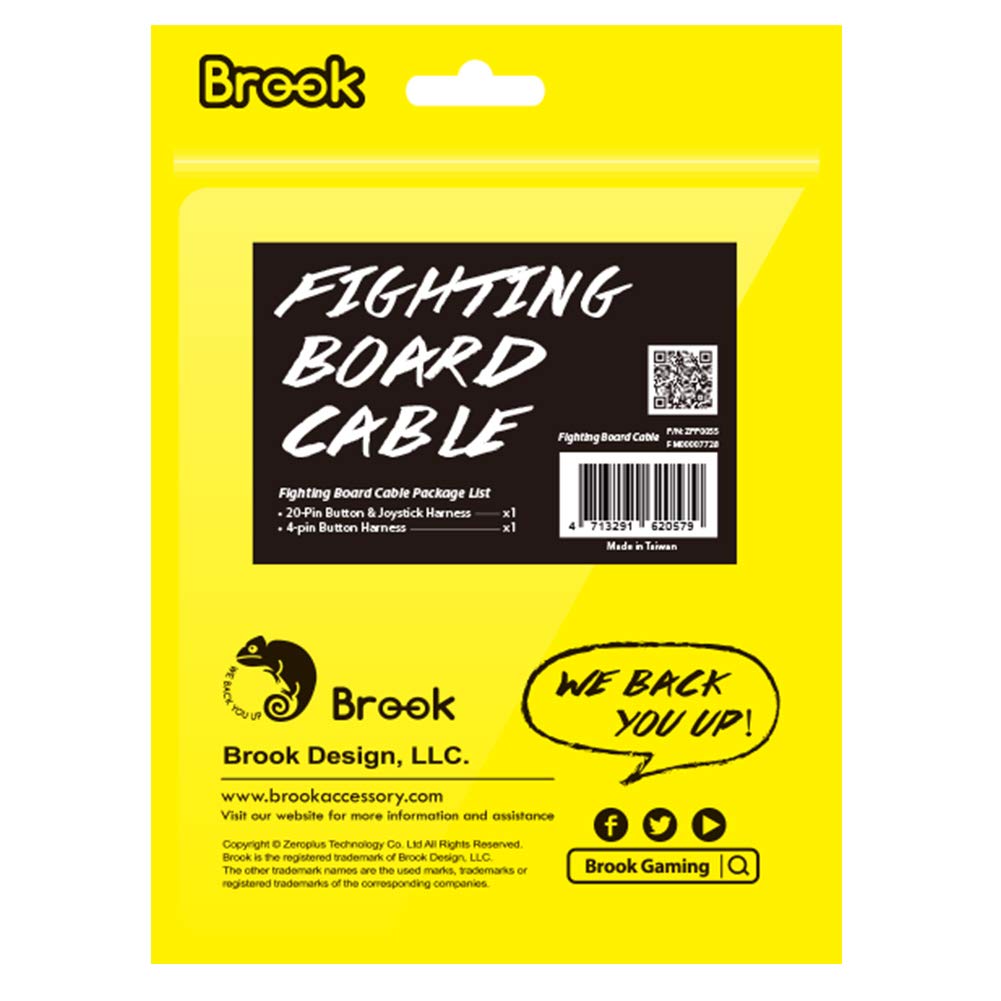
Figure 2: Rear packaging detailing package contents.
4. Setup u Installazzjoni
4.1 Identifying the Cables
Before beginning installation, familiarize yourself with the two main components of the cable set:
- 20-Pin Harness: This is the larger harness with a 20-pin connector on one end and multiple individual wires with .110 female connectors on the other. It handles main action buttons (punch, kick, etc.) and joystick inputs.

Figure 3: The 20-pin button and joystick harness.
- 4-Pin Harness: This smaller harness has a 4-pin connector on one end and individual wires with .110 female connectors. It is typically used for additional functions like R3/L3 or touchpad simulation buttons.

Figure 4: The 4-pin button harness.
4.2 Connecting to Buttons
Connect the individual .110 female connectors from both the 20-pin and 4-pin harnesses to the corresponding terminals on your arcade buttons. Ensure a firm connection for each wire. The .110 connectors are designed to slide onto the button terminals easily.

Figure 5: Connecting the 4-pin button harness to arcade buttons.
4.3 Connecting to the Fighting Board
Once all buttons and the joystick (if applicable) are wired, connect the main 20-pin connector of the harness to the corresponding 20-pin header on your Brook Fighting Board. Similarly, connect the 4-pin harness to its designated header on the fighting board. Ensure the connectors are oriented correctly before applying pressure.

Figure 6: Connecting the 20-pin harness to a Brook Fighting Board.
4.4 Wiring Diagram Reference
For precise pin assignments and button functions, refer to the detailed wiring guide provided. This diagram illustrates which wire color corresponds to which button input (e.g., 1P/X, 2P/Y, Start, Select, etc.) and joystick direction.

Figure 7: 20-PIN & 4-PIN Wiring Guide.
In some setups, you might need to connect the Brook Fighting Board Cable to another cable, such as a Hitbox cable, to complete the wiring. Ensure these connections are secure and follow any specific instructions provided with your fighting board or other accessories.

Figura 8: Eżample connection with a Hitbox cable.
5. Istruzzjonijiet Operattivi
The Brook Fighting Board Cable is a passive component designed to facilitate connections. Its operation is directly tied to the proper functioning of your fighting board and connected buttons/joystick. Once installed correctly, the cable ensures reliable signal transmission between your input devices and the fighting board.
- Ensure all connections are secure before powering on your gaming console or PC.
- Test each button and joystick direction to confirm proper functionality after installation.
- Refer to your specific fighting board's user manual for software configuration or driver installation, if required.
6. Manutenzjoni u Kura
To ensure the longevity and optimal performance of your Brook Fighting Board Cable, follow these maintenance guidelines:
- Immaniġġja b'Kura: Avoid excessive bending, pulling, or twisting of the cables, especially near the connectors, as this can damage the internal wires.
- Żomm Niexef: Protect the cables and connectors from moisture and liquids, which can cause corrosion or short circuits.
- Naddaf bil-mod: If necessary, gently wipe the cables with a dry, soft cloth to remove dust or debris. Do not use harsh chemicals or abrasive materials.
- Ħażna xierqa: Meta ma tkunx qed tuża l-kejbil, aħżen il-kejbil f'post frisk u niexef, idealment imkebba b'mod laxk biex tevita li jitgħawweġ.
7 Issolvi l-problemi
If you encounter issues with your Brook Fighting Board Cable, consider the following troubleshooting steps:
| Problema | Kawża Possibbli | Soluzzjoni |
|---|---|---|
| Buttons or joystick not responding. | Loose or incorrect connection; damaged wire. | Check all .110 connections to buttons and the 20-pin/4-pin connections to the fighting board. Refer to the wiring diagram (Figure 7) to ensure correct pin assignments. Inspect wires for visible damage. |
| Intermittent input. | Poor connection; slight wire damage. | Ensure all connectors are fully seated. Gently wiggle wires at connection points to identify loose contacts. Replace cable if damage is suspected. |
| Device not recognized by console/PC. | Fighting board issue; driver issue (not cable). | Verify your fighting board is correctly connected and powered. Check fighting board drivers/firmware. Test the fighting board with a different cable if possible. |
8. Speċifikazzjonijiet tal-Prodott
| Karatteristika | Dettall |
|---|---|
| Brand | Brook |
| Tip ta' Konnettur | 20 Pin, 4 Pin |
| Tip ta' Cable | 20-pin, 4-pin Harness |
| Apparati Kompatibbli | Gaming Console (via compatible fighting board) |
| Karatteristika Speċjali | Installazzjoni faċli Plug-and-Play |
9. Informazzjoni dwar Garanzija
The Brook Fighting Board Cable is manufactured with high-quality standards. For detailed information regarding the product warranty, including terms, conditions, and duration, please refer to the official Brook webis-sit jew ikkuntattja l-appoġġ għall-klijenti tagħhom direttament. Żomm il-prova tax-xiri tiegħek għal kwalunkwe talba ta' garanzija.
10. Appoġġ għall-Klijent
If you require further assistance, have questions about installation, or need to report an issue, please contact Brook customer support through their official channels:
- Uffiċjali Websit: Żur www.brookaccessory.com għal informazzjoni dwar il-prodott, FAQs, u riżorsi ta' appoġġ.
- Brook Store on Amazon: Tista 'wkoll iżżur il- Brook Store on Amazon for product details and to contact the seller.


