Prodott Overview
The Anlapus H.265+ 1080p Home Wired Security Camera System provides comprehensive surveillance for your home or business. This system includes an 8-channel 5MP Lite DVR and 8 high-definition 1080p weatherproof surveillance cameras, designed for reliable 24/7 monitoring.
Key features include advanced H.265+ video compression for efficient storage, flexible 4-in-1 DVR compatibility (AHD, TVI, CVI, CVBS), and customizable motion detection with instant alerts.
X'hemm fil-Kaxxa
The following components are included in your Anlapus Security Camera System package:

Image: A visual representation of the packing list, showing each component with its quantity.
- 1 x 8 Channel DVR (no hard drive included)
- 8 x 1080p HD Bullet Cameras
- 8 x 60FT BNC+DC CCTV Cables
- 1 x USB Mouse
- 2 x 1 to 4 Power Splitters
- 3 x 12V 2A Power Supplies
- 8 x Boroż tal-Viti tal-Immuntar
- 1 x Manwal tal-Istruzzjonijiet (dan id-dokument)
- 8 x Stikers ta' Twissija
Komponenti tas-Sistema u Konnessjonijiet
Familiarize yourself with the main components and their connection points:

Image: A detailed diagram illustrating the various ports on the DVR and the camera, including video input, monitor outputs (HDMI, VGA), audio input/output, USB ports, and power connections.
- DVR (Reġistratur tal-Vidjo Diġitali): The central unit for recording, storing, and managing video footage. It features multiple video input ports for cameras, and output ports for connecting to a monitor.
- Kameras: 1080p HD bullet cameras with 3.6mm lenses, IR-Cut filter for crisp images, and 24 IR LEDs for up to 80ft night vision. They are IP66 weatherproof for outdoor use.
- BNC+DC Cables: These cables transmit both video signal and power to the cameras, simplifying installation.
- Provvisti tal-Enerġija: Provide power to the DVR and cameras.
Gwida ta' Setup
1. Konnessjoni Inizjali tal-Ħardwer
Before powering on, ensure all connections are secure.

Image: Illustrates the wired connection process, showing cameras connected to the DVR via BNC cables, the DVR connected to a router and a monitor, and all components powered.
- Qabbad il-Kameras: Connect each camera to a video input port on the DVR using the provided BNC+DC cables. Ensure the power connection is also made via the same cable.
- Qabbad id-DVR mal-Monitor: Use an HDMI or VGA cable to connect the DVR to a monitor or TV.
- Qabbad il-Maws USB: Ipplaggja l-maws USB f'wieħed mill-portijiet USB fuq id-DVR.
- Qabbad man-Netwerk (Mhux obbligatorju iżda Rakkomandat): Connect the DVR's LAN port to your router using an Ethernet cable for remote viewkapaċitajiet.
- Qawwa Mixgħul: Connect the power adapters to the DVR and cameras, then plug them into a power outlet. The system will boot up automatically.
2. Hard Drive Installation (If Applicable)
This DVR supports one internal 3.5-inch SATA hard drive (up to 8TB capacity). If your system did not come with a pre-installed hard drive, you will need to install one for video recording.
- Ħoll u neħħi l-għatu ta' fuq tad-DVR.
- Qabbad il-kejbil tad-dejta SATA u l-kejbil tal-enerġija mid-DVR mal-hard drive.
- Secure the hard drive inside the DVR using the provided screws.
- Erġa' poġġi l-għatu ta' fuq u waħħalha bil-viti.
- Once powered on, navigate to the DVR's menu to format the newly installed hard drive.
3. Mobile App Download and Setup
Għal remoti viewing and alerts, download the Anlapus mobile application.
Image: Shows a smartphone displaying the Anlapus app download page and a live view from a security camera.
- Scan the QR code on the DVR or in the quick start guide, or search for "Anlapus" in your app store.
- Niżżel għal Android: Google Play Store
- Niżżel għal iOS: Apple App Store
- Register an account and add your DVR by scanning its QR code or manually entering its ID.
It-tħaddim tas-Sistema
Live View
Ladarba s-sistema tkun issettjata, tista' view foo ħajtage from your cameras on the connected monitor or through the Anlapus mobile app/AVSS software on your computer.

Image: Displays live camera feeds on a smartphone, laptop, and desktop monitor, demonstrating multi-device access.
Daqq tal-Vidjo
Review irreġistrat footage directly from the DVR or remotely via the app.

Video: An Anlapus brand video demonstrating various features and applications of their security systems, including live view and playback functionalities.
On the DVR, use the mouse to navigate the menu, select 'Playback', choose the date and time, and select the cameras you wish to review. On the mobile app, access the playback feature to view avvenimenti rreġistrati.
Sejbien ta' Moviment u Twissijiet
Configure motion detection to receive alerts only when activity is detected in specified areas.

Image: Shows a person walking past a camera and a smartphone receiving an instant app push notification for detected movement.
- Setup Detection Zones: Access the DVR settings to define specific areas within each camera's view where motion detection should be active. This helps reduce false alarms.
- Aġġusta s-Sensittività: Modify the sensitivity level of motion detection to suit your environment.
- Tipi ta' Twissija: The system supports APP push notifications, email alerts, and an audible buzzer from the DVR when motion is detected.
H.265+ Video Compression
The system utilizes H.265+ video compression technology, which significantly improves compression and transmission efficiency without compromising video quality. This allows for maximized storage space on your hard drive and reduced bandwidth usage for remote viewing.

Image: A comparison graphic showing how H.265+ compression allows for longer recording times compared to H.264 with the same hard drive capacity.
Night Vision and Weatherproof Design
The cameras are equipped with infrared (IR) LEDs for clear night vision up to 80 feet, ensuring continuous surveillance even in complete darkness. With an IP66 weatherproof rating, the cameras are designed to withstand various outdoor conditions, including rain, snow, and extreme temperatures (-10°C to 60°C / 14°F to 140°F).
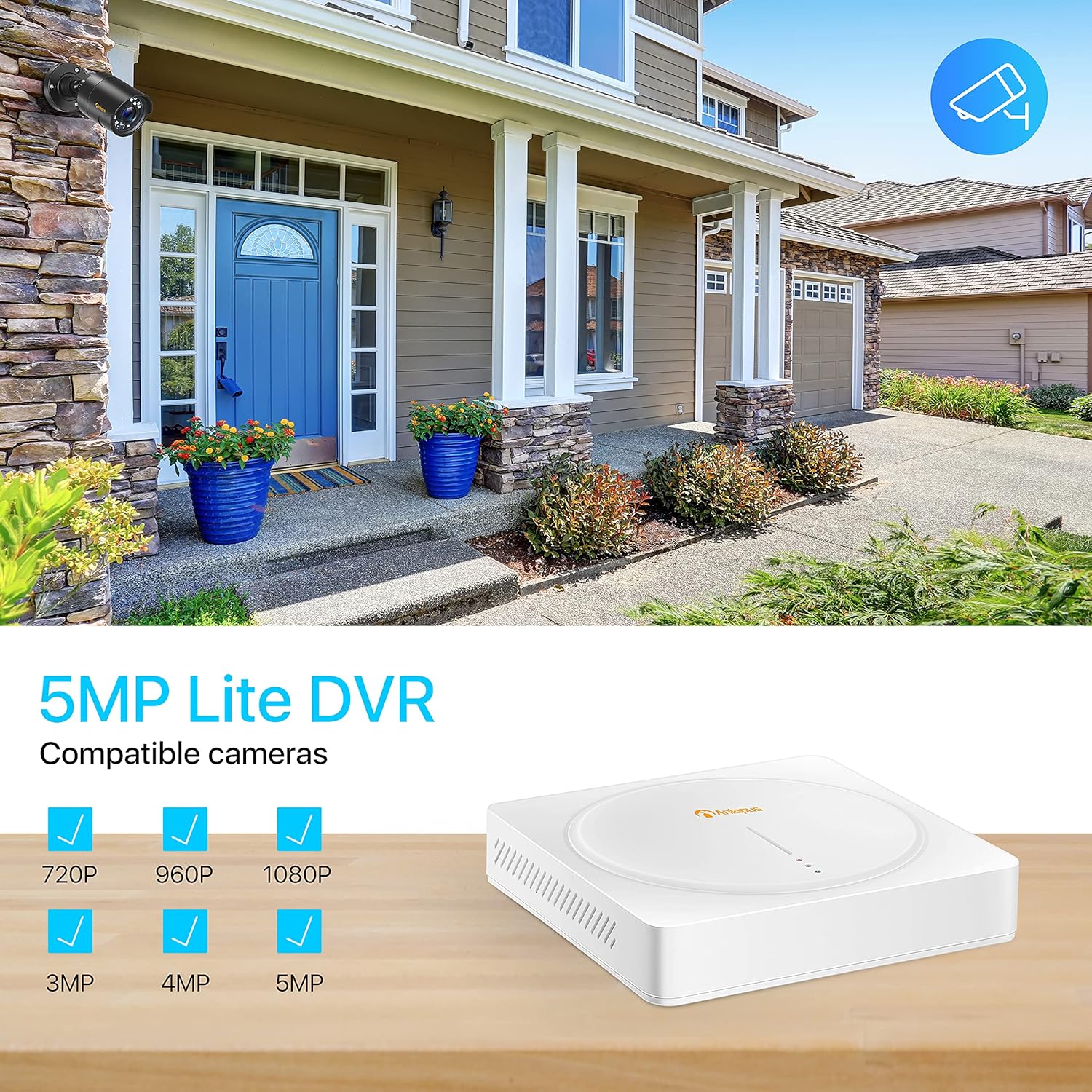
Image: Demonstrates the 1080p Full HD capability, showing a clear color image during the day and a sharp black and white image at night, highlighting the 80ft night vision range.

Image: A camera mounted outdoors under simulated rain, emphasizing its IP66 weatherproof rating and ability to operate in various weather conditions.
Manutenzjoni
- Tindif regolari: Naddaf il-lentijiet tal-kamera perjodikament b'drapp artab u dryer.amp drapp biex tiżgura kwalità ta' immaġni ċara. Evita prodotti tat-tindif li joborxu.
- Spezzjoni tal-Cable: Routinely check all cables for any signs of wear, damage, or loose connections. Secure or replace as needed.
- Saħħa tal-Hard Drive: If a hard drive is installed, monitor its health through the DVR's system settings. Back up important footage regolarment.
- Aġġornamenti tal-Firmware: Check the Anlapus official website or app for any available firmware updates for your DVR. Updates can improve performance and add new features.
Issolvi Problemi Kwistjonijiet Komuni
- Ebda Sinjal tal-Vidjo:
- Check all BNC and power connections between the camera and DVR.
- Ensure the camera is receiving power (check power adapter and splitters).
- Verify the video input channel on the DVR is correctly selected.
- Ebda Reġistrazzjoni:
- Ensure a hard drive is installed and properly connected.
- Check if the hard drive has been formatted in the DVR settings.
- Verify recording schedules or motion detection settings are configured correctly.
- Remote Viewing Issues (App/Software):
- Ensure the DVR is connected to the internet and has a stable network connection.
- Check your router's internet connectivity.
- Verify the DVR's network settings (DHCP enabled or static IP configured correctly).
- Kun żgur li l-app hija aġġornata għall-aħħar verżjoni.
- If experiencing persistent issues with the app, try reinstalling it or checking for alternative compatible software (e.g., AVSS for PC).
- Kwalità Fqira tal-Immaġni:
- Naddaf il-lenti tal-kamera.
- Ensure the camera is within its optimal operating temperature range.
- Iċċekkja għal sorsi ta' dawl qawwija li jkunu qed iħarsu direttament lejn il-kamera.
Speċifikazzjonijiet Tekniċi
| Karatteristika | Speċifikazzjoni |
|---|---|
| Brand | Anlapus |
| Numru tal-Mudell | AS8T2W-4B80S--124S |
| Teknoloġija tal-Konnettività | Bil-fili |
| Riżoluzzjoni tal-Qbid tal-Vidjo | 1080p, 1920p |
| Karatteristiċi Speċjali | App Control, Night Vision, Weatherproof |
| Numru ta 'Kanali | 8 |
| Kapaċità tal-Ħżin tal-Memorja | 8 TB (Max, for internal HDD) |
| Sors tal-Enerġija | Corded Elettriku |
| Format tas-Sinjal | Analog (AHD, TVI, CVI, CVBS) |
| Teknoloġija tad-Dawl Baxx | Viżjoni bil-lejl |
| Modalità ta' Reġistrazzjoni | Sejbien tal-Moviment |
| Input tal-Vidjo | BNC |
| Output tal-vidjo | HDMI, VGA, BNC |
| Piż tal-oġġett | 16.66 liri (Sistema) |
| Data L-Ewwel Disponibbli | 2 ta’ Jannar, 2020 |
Garanzija u Appoġġ għall-Klijent
Anlapus products typically come with a manufacturer's warranty. Please refer to the warranty card included in your package or visit the official Anlapus websit għal termini u kundizzjonijiet dettaljati tal-garanzija.
For technical assistance, troubleshooting, or warranty claims, please contact Anlapus customer support. You can often find contact information on the Anlapus brand store on Amazon or their official websit.
Visit the Anlapus Store for more information and support: Anlapus Amazon Store


