1. Introduzzjoni
Grazzi tax-xiriasing the E-YOOSO Z-7900 Gaming Mouse. This manual provides detailed instructions for setting up, operating, and maintaining your new gaming mouse. Please read this manual thoroughly to ensure optimal performance and longevity of your device.

Figure 1: E-YOOSO Z-7900 Gaming Mouse and its storage case.
2. Karatteristiċi tal-prodott
- Disinn Ergonomiku: Engineered for comfort during extended use, reducing hand fatigue.
- Sensor Ottiku ta' Preċiżjoni Għolja: Utilizes an optical sensor for accurate movement detection.
- 14 Buttuni Programmabbli: Customize functionality for various tasks and gaming scenarios.
- DPI aġġustabbli: Up to 10000 DPI for precise movement control.
- Kompatibilità Wiesgħa: Compatible with Windows 8, Windows 7, Windows Vista, Windows XP, and Windows 10 operating systems.
- Weight Tuning Set: Allows for adjustment of mouse weight to suit user preference.
- Dawl RGB: Effetti tad-dawl RGB li jistgħu jiġu personalizzati.

Figure 2: Illustration of the ergonomic design for comfortable grip.
3. Kontenut tal-Pakkett
Jekk jogħġbok iċċekkja l-kontenut tal-pakkett meta tiftaħ il-kaxxa:
- E-YOOSO Z-7900 Gaming Mouse
- Weight Tuning Set (pre-installed or separate)
- Manwal għall-Utent (dan id-dokument)
- Note: Software CD may not be included. Refer to Section 5 for software installation.
4. Setup
- Qabbad il-Maws: Plug the USB connector of the E-YOOSO Z-7900 Gaming Mouse into an available USB port on your computer.
- Installazzjoni tas-sewwieq: Your operating system (Windows) should automatically detect and install the necessary drivers. This is a plug-and-play device for basic functionality.
- Installazzjoni tas-Softwer (Mhux Obbligatorja iżda Rakkomandata): For full customization of programmable buttons, DPI settings, and RGB lighting, install the dedicated software. Refer to Section 5 for detailed instructions.

Figure 3: The mouse is compatible with various Windows operating systems.
5. Software Installation and Customization
To unlock the full potential of your E-YOOSO Z-7900 Gaming Mouse, including macro programming, advanced DPI settings, polling rate adjustments, and RGB lighting customization, you will need to install the dedicated software.
5.1 Obtaining the Software
As a physical software CD may not be included, please visit the official E-YOOSO support website or the product page where you purchased the mouse to find the download link for the latest software. Look for a link typically labeled "Driver Download" or "Software."
5.2 Passi ta' Installazzjoni
- Download the software package to your computer.
- Sib l-imniżżel file (usually a .exe or .zip file) and extract it if necessary.
- Mexxi l-installatur u segwi l-istruzzjonijiet fuq l-iskrin biex tlesti l-installazzjoni.
- Once installed, launch the software. Ensure your mouse is connected to the computer.
5.3 Għażliet ta' Personalizzazzjoni
- Assenjazzjoni tal-Buttuna: Reassign functions to any of the 14 programmable buttons, including keyboard keys, multimedia controls, or macros.
- Settings DPI: Adjust DPI levels and create custom profiles għal applikazzjonijiet jew logħob differenti.
- Rata tal-votazzjoni: Modify the mouse's polling rate (e.g., 125/250/500/1000Hz) for faster response times.
- Dawl RGB: Customize lighting effects, colors, and brightness.
- Editur Makro: Create and assign complex macro sequences to programmable buttons.

Figure 4: The mouse supports macro editing for customizable keys.
6. Istruzzjonijiet Operattivi
6.1 Operazzjoni Bażika
- Ikklikkja Xellug: Azzjoni primarja.
- Ikklikkja bil-lemin: Menù sekondarju ta' azzjoni/kuntest.
- Scroll Wheel: Skrollja 'l fuq/'l isfel, ikklikkja bil-buttuna tan-nofs.

Figure 5: Main click buttons and scroll wheel.
6.2 Aġġustament DPI
The mouse features dedicated DPI buttons (usually located near the scroll wheel) to cycle through preset DPI levels. You can customize these levels using the software.
- Agħfas il- DPI+ button to increase sensitivity.
- Agħfas il- DPI- button to decrease sensitivity.
- Default DPI settings typically include 500, 1000, 2000, 3000, 5000, and up to 10000 DPI.
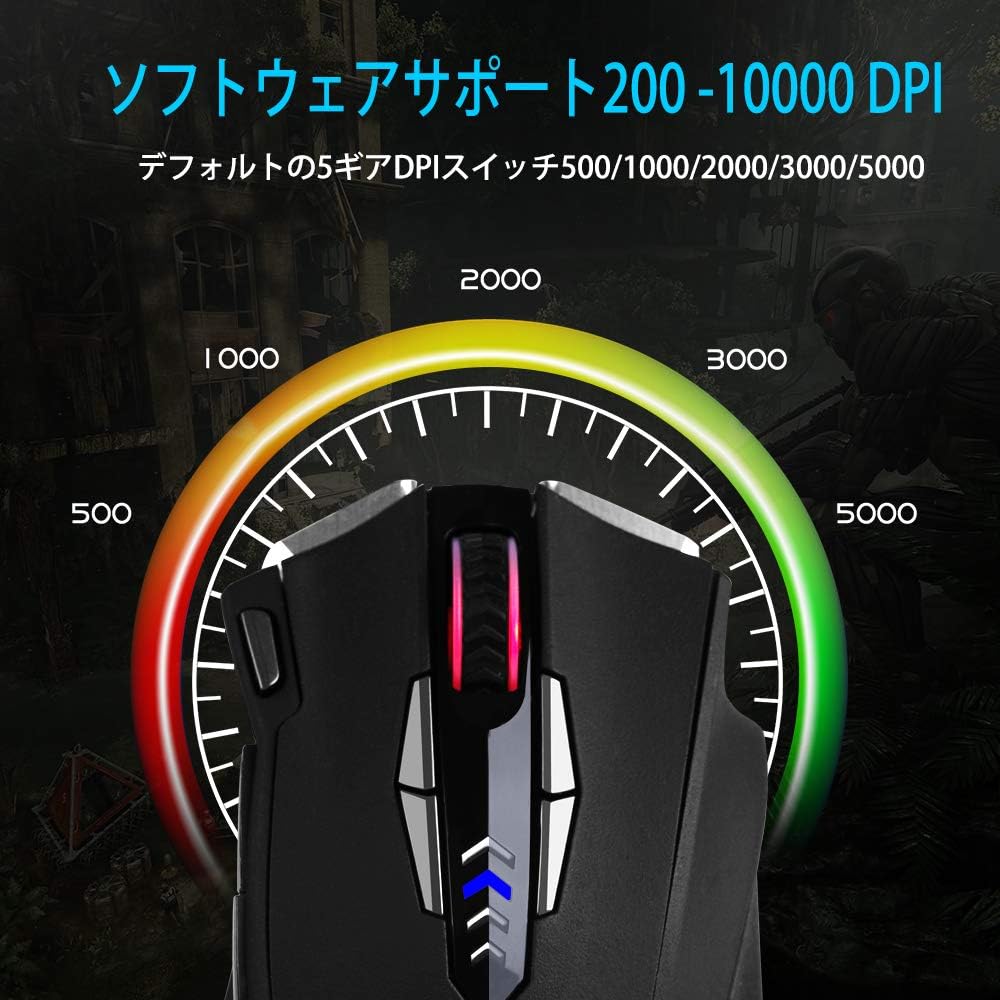
Figure 6: Visual representation of adjustable DPI levels.
6.3 Aġġustament tar-Rata tal-Votazzjoni
The polling rate determines how often the mouse reports its position to the computer. A higher polling rate results in faster response times. This can typically be adjusted via the software or a physical switch on the mouse's underside.
- Common polling rates: 125Hz, 250Hz, 500Hz, 1000Hz.
- Adjust the polling rate according to your preference and system capabilities.

Figure 7: Polling rate switch located on the underside of the mouse.
7. Manutenzjoni
Manutenzjoni xierqa tiżgura l-lonġevità u l-prestazzjoni tal-maws tal-logħob tiegħek.
- Tindif: Uża drapp artab u niexef biex timsaħ il-wiċċ tal-maws. Għal ħmieġ iebes, nixxef ftit.ampLaħlaħ id-drapp bl-ilma jew b'soluzzjoni ħafifa tat-tindif. Evita kimiċi ħarxa.
- Tindif tas-Sensor: Occasionally clean the optical sensor on the underside of the mouse with a cotton swab to prevent tracking issues.
- Kura tal-Cable: Evita liwjiet qawwija jew ġbid eċċessiv tal-kejbil USB biex tevita l-ħsara.
- Ħażna: When not in use, store the mouse in a clean, dry environment, away from extreme temperatures.
8 Issolvi l-problemi
| Problema | Kawża Possibbli | Soluzzjoni |
|---|---|---|
| Il-ġurdien ma jirrispondix | Konnessjoni USB maħlula, port USB difettuż, problema bis-sewwieq. |
|
| Traċċar mhux preċiż jew qabżiet tal-cursor | Dirty sensor, unsuitable mouse pad surface, high DPI setting. |
|
| Buttuni programmabbli mhux qed jaħdmu | Software not installed, incorrect button assignment, software conflict. |
|
| Dawl RGB mhux qed jaħdem | Software setting, power issue. |
|
9. Speċifikazzjonijiet
| Karatteristika | Dettall |
|---|---|
| Brand | E-YOOSO |
| Numru tal-Mudell | Z-7900 |
| Teknoloġija tal-Konnettività | USB, bil-fili |
| Teknoloġija ta 'Sejbien tal-Moviment | Ottiċi |
| Numru ta' Buttuni | 14 (including scroll wheel click) |
| Firxa tad-DPI | Sa 10000 DPI (Aġġustabbli) |
| Ir-Rata tal-Votazzjoni | 125/250/500/1000Hz (Aġġustabbli) |
| Karatteristika Speċjali | Ergonomic Design, Programmable Buttons, RGB Lighting, Weight Tuning |
| Dimensjonijiet tal-Prodott | 4.8 x 2.8 x 1.5 pulzieri |
| Piż tal-oġġett | 4.6 uqija |
| Kompatibilità | Windows 8, 7, Vista, XP, 10 |
10. Garanzija u Appoġġ
E-YOOSO products are designed for reliability and performance. For specific warranty information, please refer to the warranty card included with your product or visit the official E-YOOSO website. For technical support, driver downloads, or further assistance, please contact E-YOOSO customer service through their official channels.
Nota: L-ispeċifikazzjonijiet u l-karatteristiċi tal-prodott jistgħu jinbidlu mingħajr avviż minn qabel.


