1. Introduzzjoni
The TicPods 2 Pro are advanced true wireless earbuds designed for a seamless audio experience and intuitive control. Featuring Bluetooth 5.0, dual-mic noise cancellation, and smart gesture controls, they offer high-quality sound and convenience for various activities. This manual provides detailed instructions for setup, operation, maintenance, and troubleshooting to ensure optimal use of your earbuds.

Image: TicPods 2 Pro Ice earbuds and their charging case.
2. X'hemm fil-Kaxxa
- 1 x TicPods 2 Pro Ice Earbuds
- 1 x Baċir tal-Iċċarġjar
- 1 x Gwida għall-Utent

Image: The package contents, including earbuds, charging dock, and user guide.
3. Gwida ta' Setup
3.1 Iċċarġjar inizjali
Before first use, fully charge your TicPods 2 Pro. Place the earbuds into the charging case. Connect the charging case to a power source using the provided Type-C cable. A 5-minute charge provides 1 hour of playing time, and a full charge offers 4 hours of playback, extending to 23 hours with the charging case.
3.2 It-tqabbil mat-Tagħmir Tiegħek
The TicPods 2 Pro feature quick pairing via Bluetooth 5.0 for a stable connection within 10 meters. Simply open the charging case, and the earbuds will enter pairing mode. Select 'TicPods 2 Pro' from your device's Bluetooth settings.
Video: Demonstrates quick pairing and Bluetooth 5.0 connectivity.
3.3 Mobvoi App Installation
For enhanced features and to ensure optimal performance, install the Mobvoi app on your smartphone. The app allows for OTA updates, smart control customization, and battery life monitoring.

Image: Screenshot of the Mobvoi app interface, showing device connection and features.
4. Istruzzjonijiet Operattivi
4.1 Smart Controls
The TicPods 2 Pro offer various intuitive control methods:
- Tickle Feature: Control playback and calls without taking out your smartphone.
- Ikklikkja darbtejn: Play the next song or hang up a call.
- Agħfas u Żomm (2 sekondi): Wake up voice assistant or reject a call.
- Slide Up/Down: Żid jew tnaqqas il-volum.
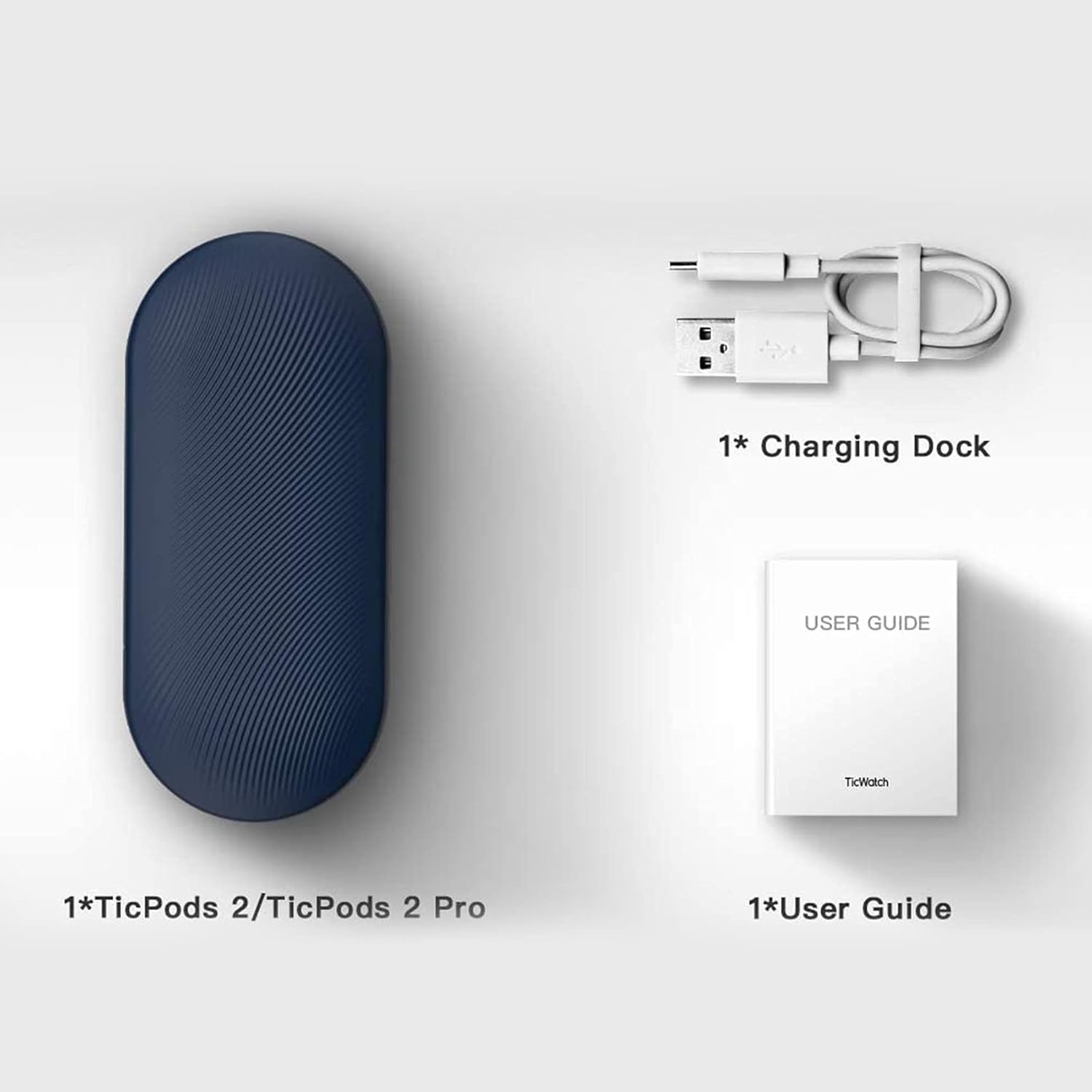
Image: A person demonstrating interaction with the earbuds, highlighting AI human-machine interaction.
4.2 Head Gesture Controls
Answer or reject calls with simple head movements:
- Nod Twice: Pick up an incoming call.
- Shake Head: Tiċħad telefonata li tkun deħlin.
4.3 Quick Commands
Use voice commands for common actions without a wake word:
- Say "Play music" to start playback.
- Say "Hey Tico" to activate your default voice assistant.
4.4 Sejbien fil-Widna
High-precision sensors automatically play or pause music the moment you wear or remove the earbuds.
4.5 Kwalità tal-Awdjo
Experience superior sound with 13mm moving coils. The earbuds support Hi-Fi protocols such as aptX and AAC, delivering an audio sensitivity of 132dB@1kHZ for an immersive listening experience.

Image: Diagram illustrating the dual-mic system for noise cancellation.
4.6 Reżistenza għall-Ilma
The TicPods 2 Pro are IPX4 rated, providing protection against splashes and sweat, making them suitable for workouts and outdoor activities.
5. Manutenzjoni
To ensure the longevity and optimal performance of your TicPods 2 Pro, follow these maintenance guidelines:
- Tindif: Imsaħ il-earbuds u l-kaxxa tal-iċċarġjar regolarment b'ċarruta ratba, niexfa u mingħajr suf. Evita li tuża materjali li joborxu jew kimiċi ħarxa.
- Ħażna: Meta ma tkunx qed tużahom, aħżen il-earbuds fil-kaxxa tal-iċċarġjar tagħhom biex tipproteġihom mit-trab u l-ħsara. Żommhom f'post frisk u niexef 'il bogħod minn temperaturi estremi.
- Kuntatti tal-Iċċarġjar: Periodically check and gently clean the charging contacts on both the earbuds and inside the case to ensure a proper connection.
6 Issolvi l-problemi
If you encounter issues with your TicPods 2 Pro, refer to the following common solutions:
- Il-earbuds mhux qed jitqabbdu: Ensure both earbuds are in the charging case, then open the lid to activate pairing mode. Check your device's Bluetooth settings and forget previous connections if necessary.
- L-ebda ħoss minn earbud wieħed: Poġġi ż-żewġ earbuds lura fil-kaxxa tal-iċċarġjar, agħlaq l-għatu, stenna ftit sekondi, imbagħad iftaħ mill-ġdid. Dan spiss jerġa' jissinkronizzahom.
- Kwistjonijiet tal-iċċarġjar: Verify that the charging cable and adapter are working correctly. Clean the charging contacts on the earbuds and case to remove any debris.
- Il-kontrolli ma jirrispondux: Ensure the earbuds are properly seated in your ears. Try restarting the earbuds by placing them in the case and taking them out again.
- Aġġornamenti tas-Software: Regularly check for and install the latest firmware updates via the Mobvoi app to resolve potential bugs and improve performance.
For persistent issues, please contact Ticwatch customer support.
7. Speċifikazzjonijiet
| Karatteristika | Speċifikazzjoni |
|---|---|
| Isem tal-Mudell | TicPods 2 Pro Ice |
| Teknoloġija tal-Konnettività | Mingħajr fili (Bluetooth 5.0) |
| Medda Bluetooth | 10 Meters |
| Livell ta 'Reżistenza għall-Ilma | IPX4 (Li ma jgħaddix ilma minnha) |
| Ħajja tal-Batterija (Ċarġ Uniku) | 4 Sigħat |
| Ħajja tal-Batterija (bil-Kaxxa tal-Iċċarġjar) | 23 Sigħat |
| Daqs tas-Sewwieq tal-Awdjo | 13 Millimetru |
| Sensittività | 132 dB |
| Tip ta' Kontroll | Touch, Voice Assistant |
| Piż tal-oġġett | 6.4 uqija |
| Dimensjonijiet tal-Prodott | 2.8 x 1.26 x 0.94 pulzieri |

Image: Diagram illustrating key technical specifications of the TicPods 2 Pro.
8. Garanzija u Appoġġ
Ticwatch offers a replacement for quality-related issues for 12 xhur from the date of your purchase. You can extend this by an additional 6 months (total 18 months) by joining the Mobvoi membership program at mobvoi.com/membership.
For further assistance or to report issues, please visit the official Ticwatch support websit jew ikkuntattja lis-servizz tal-konsumatur tagħhom.


