1. Prodott Aktarview
The Waterdrop WD-G2CF filter is a pre-sediment and carbon block filter designed for use with Waterdrop G2 Reverse Osmosis (RO) filtration systems. This filter is compatible with models WD-G2-W, WD-G2-B, WD-G2P600-W, and WD-G2MNR-W.
Its 2-in-1 composite design effectively reduces various impurities from your water, ensuring clean and pure output. The filter utilizes a combination of a sediment PP membrane and a natural activated carbon block to target contaminants.
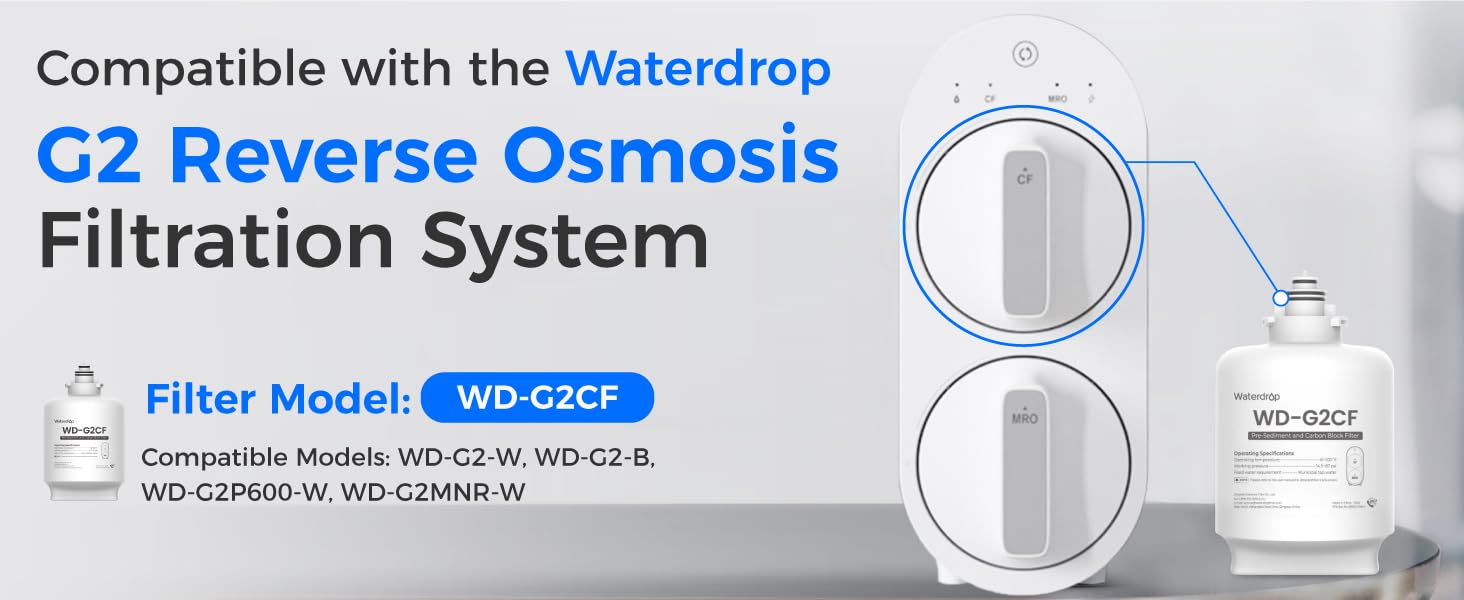
Image: Waterdrop WD-G2CF Filter shown with a compatible G2 Reverse Osmosis System.
Filtration Capabilities:
- Effectively reduces sand, rust, particulates, and suspended solids.
- Efficiently reduces chlorine, taste, and odor.
- Targets organics and other impurities.
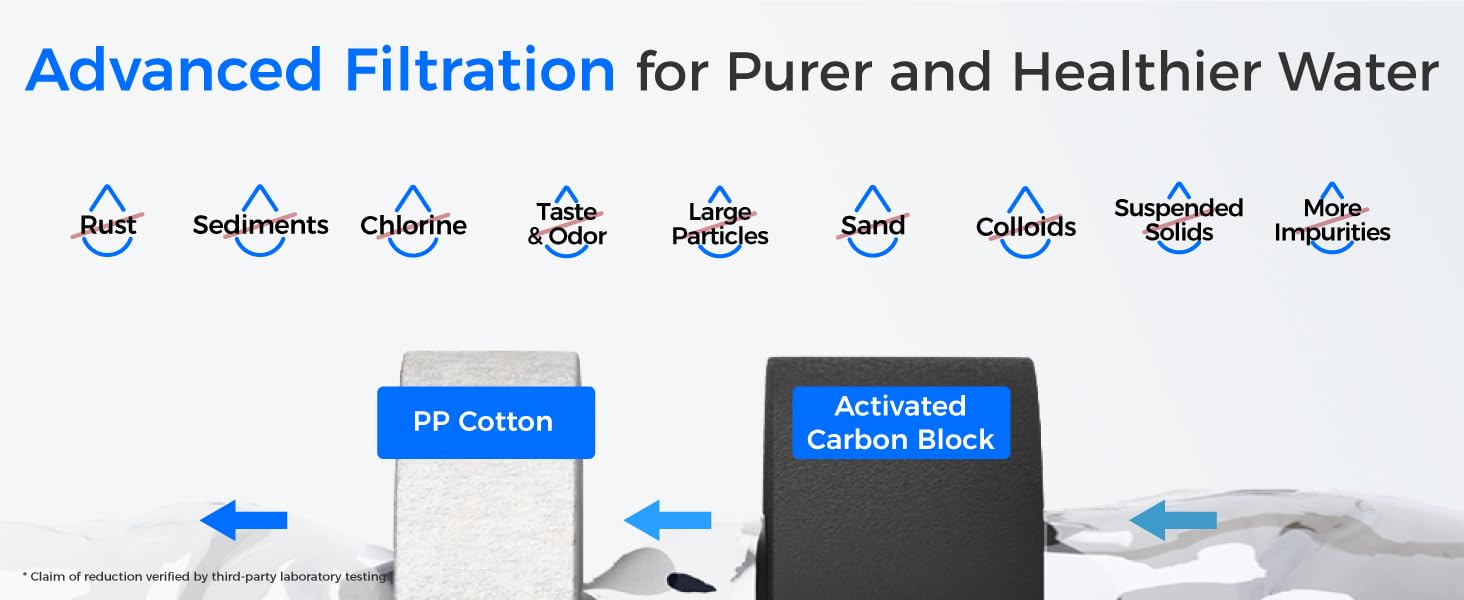
Image: Diagram illustrating the advanced filtration stages of the WD-G2CF filter, including PP Cotton and Activated Carbon Block.
2. Filter Installation and Replacement
The WD-G2CF filter is designed for quick and easy replacement, requiring no special tools. Follow these steps to replace your filter:
- Itfi l-provvista tal-ilma: Before removing the old filter, turn off the water valve to the RO system to prevent leaks.
- Neħħi l-filtru l-qadim: Locate the CF filter on your Waterdrop G2 system. Twist the filter handle counter-clockwise until it unlatches, then pull it out.
- Ipprepara l-filtru l-ġdid: Remove the shrink wrap and any protective caps from the new WD-G2CF filter.
- Install the new filter: Align the arrow on the new filter with the corresponding mark on the system housing. Insert the filter and twist it clockwise until you hear a click, indicating it is securely locked in place.
- Turn on the water supply: Open the water valve to the RO system.
- Laħlaħ is-sistema: Run water from the RO faucet for at least 5 minutes to flush out any carbon fines and ensure proper operation.

Image: Visual guide demonstrating the simple twist-and-pull method for filter replacement.
3. Istruzzjonijiet Operattivi
After successful installation, your Waterdrop G2 RO system is ready for use. The system features smart indicators to help you monitor filter status.
Indikaturi tal-Ħajja tal-Filtru:
- Purple Light & Beeping: If the CF indicator light turns purple and the system beeps twice when dispensing water, it signifies that the filter needs to be replaced soon.
- Red Light & Continuous Beeping: If the CF indicator light turns red and the system continuously beeps when dispensing water, the filter needs immediate replacement.

Image: Close-up of the Waterdrop G2 system's smart indicators, showing different light colors for filter status.
4. Manutenzjoni
Regular maintenance, primarily filter replacement, is crucial for optimal performance and water quality.
It-tul tal-ħajja tal-filtru:
The WD-G2CF filter has a lifespan of up to 12 months or 1,100 gallons, whichever comes first. This may vary depending on your local water conditions and usage.

Image: Infographic detailing the 12-month or 1,100-gallon lifespan of the WD-G2CF filter.
Resetting the Filter Life Indicator:
After replacing the WD-G2CF filter, you must reset the filter life indicator on your RO system:
- Press and hold the reset button (usually located above the CF indicator) for 5 seconds until the CF indicator light starts blinking.
- While the light is blinking, press the reset button again for an additional 5 seconds until the CF indicator light turns a permanent blue. This confirms the reset is complete.
5 Issolvi l-problemi
If you encounter any issues after installing your new filter, consider the following:
- Fluss ta' Ilma Baxx: Ensure the water supply valve is fully open. Check if the filter is correctly seated and twisted into place.
- Togħma/Riħa Mhux tas-Soltu: Ensure the new filter has been flushed for the recommended 5 minutes to remove any carbon fines.
- L-Indikatur tal-Filtru Mhux Qed Jirrisettja: Double-check the reset procedure, ensuring you hold the button for the correct duration and observe the light changes.
- Tnixxijiet: Verify that the filter is properly installed and sealed. Ensure all connections to the RO system are tight.
6. Speċifikazzjonijiet
| Karatteristika | Dettall |
|---|---|
| Numru tal-Mudell | WD-G2CF |
| Compatible RO Systems | Waterdrop WD-G2-W, WD-G2-B, WD-G2MNR-W, WD-G2P600-W |
| Tip ta 'filtru | Pre-Sediment and Carbon Block Filter (2-in-1) |
| Iffiltra l-Ħajja | Sa 12 xhur jew 1,100 gallun |
| Materjal | PP Cotton & Activated Carbon Block |
| Dimensjonijiet tal-Prodott | 4.9"D x 4.9"W x 8.1"H |
| Piż tal-oġġett | 2.61 liri |
| Ċertifikazzjoni ta' Ittestjar Estern | CE |
7. Garanzija u Appoġġ
For any questions regarding your Waterdrop WD-G2CF filter or compatible RO system, please contact our customer support team.

Image: Waterdrop customer service team available for support.
Informazzjoni ta' Kuntatt:
- Telephone (U.S.): 1-888-352-3558
- Email: service@waterdropfilter.com
Please refer to the user manual provided with your Waterdrop RO system for detailed warranty information and additional support resources.