1. Introduzzjoni
Thank you for choosing the Anlapus 1080p DVR 8 Channel CCTV Camera System. This Digital Video Recorder (DVR) is designed to provide reliable 24/7 surveillance recording for your home or business. It supports various camera types including analog, HD-TVI, CVI, and AHD, offering flexibility for your security needs. This manual provides detailed instructions for setup, operation, and maintenance of your DVR system.
Please read this manual thoroughly before installation and operation to ensure proper use and to maximize the performance and longevity of your device.

Image: The Anlapus 1080p DVR unit, shown with a 1TB hard drive for storage.
2. X'hemm fil-Kaxxa
Upon opening the package, please verify that all components listed below are present and in good condition. If any items are missing or damaged, contact Anlapus customer support immediately.
- Anlapus 8 Channel DVR Unit
- Adapter tal-Enerġija
- Ġurdien USB
- Manwal għall-Utent (dan id-dokument)
- (Optional) 1TB Security Grade Hard Drive (if purchased with HDD)

Image: The package contents including the DVR, USB mouse, power adapter, 1TB hard drive, and user manual.
3. Karatteristiċi tal-prodott
The Anlapus DVR system is equipped with advanced features to enhance your surveillance experience:
- DVR Ibridu 4 f'1: Supports analog, HD-TVI, CVI, and AHD cameras, allowing connection of up to 8 cameras (720P, 1080P, 3MP, 4MP, 5MP).
- Advanced H.265+ Video Format: Doubles data compression ratio while maintaining high video quality, maximizing storage space and enabling ultra-long recording times.
- Sejbien ta' Mozzjoni Personalizzabbli: Set specific motion zones and receive instant app pushes and email alerts with snapshots when motion events occur.
- Multiple Record Modes: Choose from continuous, scheduled, motion-activated, or recycle recording modes for each camera.
- Backup USB: Easily transfer video files to a memory stick or external hard drive via USB.
- Remote Viewing: Aċċess live view and playback from anywhere using the associated mobile application on your phone, tablet, or computer.
- Encryption tad-Data: Utilizes high-level encryptions and private protocols for secure remote access, ensuring your privacy.

Immaġni: Fuqview of Anlapus 5MP LITE DVR features including channels, FHD, H.265+, HDMI, Remote Connectivity, Recording, and 4-in-1 compatibility.

Image: Diagram illustrating data encryption features, including high-level encryptions, private protocols, activation password, and verification code.
4. Gwida ta' Setup
Follow these steps to set up your Anlapus DVR system:
4.1. Konnessjoni tad-DVR
- Qabbad il-Kameras: Connect your CCTV cameras to the BNC video input ports on the back of the DVR. The DVR supports up to 8 cameras.
- Qabbad il-Monitor: Connect a monitor (TV or PC monitor) to the DVR using either the HDMI or VGA port. HDMI is recommended for best video quality.
- Qabbad il-ġurdien: Plug the included USB mouse into one of the USB ports on the DVR (front or back).
- Connect Network (Optional but Recommended): Għal remoti viewing and updates, connect an Ethernet cable from your router to the LAN port on the DVR.
- Qabbad l-Enerġija: Plug the power adapter into the DVR's power input, then plug the adapter into a power outlet. The DVR will power on automatically.

Image: Detailed diagram of the Anlapus DVR's back panel, showing ports for video input, audio in/out, VGA, HDMI, LAN, USB, and power.

Image: Visual guide for easy installation, showing simple connection, downloading the free app, and viewing cameras.
4.2. Inizjali Setup Wizard
Upon first boot, the DVR may guide you through an initial setup wizard. Follow the on-screen prompts to:
- Set language and region.
- Oħloq password b'saħħitha għall-kont tal-amministratur.
- Configure network settings (DHCP is usually sufficient for most home networks).
- Aġġusta s-settings tad-data u l-ħin.
- Format the hard drive (if a new one is installed).
5. Istruzzjonijiet Operattivi
5.1. Ħaj View
Once the DVR is set up, you can view live feeds from your cameras on the connected monitor. Use the USB mouse to navigate the on-screen interface. Double-click a camera view to enlarge it, and double-click again to return to multi-camera view.
5.2. Modi ta' Reġistrazzjoni
The DVR offers flexible recording options:
- Reġistrazzjoni Kontinwa: Rekords 24/7.
- Reġistrazzjoni Skedata: Records only during specified time periods.
- Reġistrazzjoni ta 'Sejbien tal-Moviment: Records only when motion is detected in designated areas.
- Ir-riċiklaġġ tar-reġistrazzjoni: Jikteb awtomatikament fuq l-eqdem ikeltage meta l-hard drive ikun mimli.
To configure recording modes, access the DVR's main menu, navigate to "Record" or "Schedule" settings, and adjust preferences for each camera channel.

Image: Illustration of customized motion detection zones and alerts, showing a child and dog in a yard.
5.3. Daqq
Biex terġa 'view irreġistrat footage:
- From the main menu, select "Playback".
- Choose the camera channel and date/time range you wish to review.
- Uża l-kontrolli tal-plejbek (plejbek, pawża, veloċi 'l quddiem, rewind) biex tinnaviga fil-footage.
5.4. Remote Viewing (Applikazzjoni Mobbli)
The Anlapus DVR supports remote viewing via a dedicated mobile application. Follow these steps:
- Niżżel l-App: Fittex għal the "Anlapus" app (or specified app name in the DVR interface) on the Google Play Store or Apple App Store.
- Irreġistra Kont: Create a new user account within the app.
- Żid Apparat: Scan the QR code displayed on your DVR's monitor (usually found in Network settings or P2P Cloud settings) or manually enter the device ID to add your DVR to the app.
- View Live/Playback: Ladarba żżidha, tista' view live feeds, play back recorded footage, and receive alerts directly on your smartphone or tablet.

Image: Depiction of live view functionality accessible from various devices including phone, tablet, laptop, and PC.
6. Manutenzjoni
Regular maintenance ensures optimal performance and longevity of your DVR system:
- Żomm Nadif: Gently wipe the DVR unit with a soft, dry cloth. Avoid using liquid cleaners or aerosols.
- Ventilazzjoni: Kun żgur li d-DVR jitqiegħed f'żona ventilata sew biex tevita li jisħon iżżejjed. Timblokkax il-fetħiet tal-ventilazzjoni.
- Aġġornamenti tal-Firmware: Periodically check the Anlapus official website or app for firmware updates. Keeping the firmware updated can improve performance and security.
- Sigurtà tal-Password: Regularly change your DVR and app passwords to strong, unique combinations.
- Backup tad-Data: Għal ikel kritikutage, regularly back up data to an external USB drive.
7 Issolvi l-problemi
If you encounter issues with your Anlapus DVR, refer to the following common problems and solutions:
| Problema | Kawża / Soluzzjoni Possibbli |
|---|---|
| L-ebda Ħruġ tal-Vidjo fuq il-Monitor |
|
| "Video Loss" Message |
|
| Ma nistax naċċessa d-DVR mill-bogħod |
|
| No Recording / Hard Drive Not Detected |
|
If the problem persists after trying these solutions, please contact Anlapus customer support for further assistance.
8. Speċifikazzjonijiet
| Karatteristika | Dettall |
|---|---|
| Numru tal-Mudell | A1R-M8A4-B1K or M1H08T4 |
| Input tal-Vidjo | 8 Channels (BNC), supports Analog/HD-TVI/CVI/AHD |
| Kompressjoni tal-vidjo | H.265 + |
| Output tal-vidjo | hdmi, vga |
| Input/Output Awdjo | Iva (RCA) |
| Riżoluzzjoni ta' Reġistrazzjoni | Up to 5MP (12.5fps), 4MP (12.5fps), 3MP (12.5fps), 1080p, 720p |
| Kapaċità tal-Ħżin | Supports 1TB HDD (pre-installed or user-installed) |
| Interfaċċa tan-Netwerk | RJ45 10M/100M Ethernet |
| Interface USB | 2 x USB 2.0 |
| Dimensjonijiet (L x W x H) | 23 x 23 x 4.3 ċm |
| Piż | 1.77 kg |
| Provvista tal-Enerġija | DC 12V |
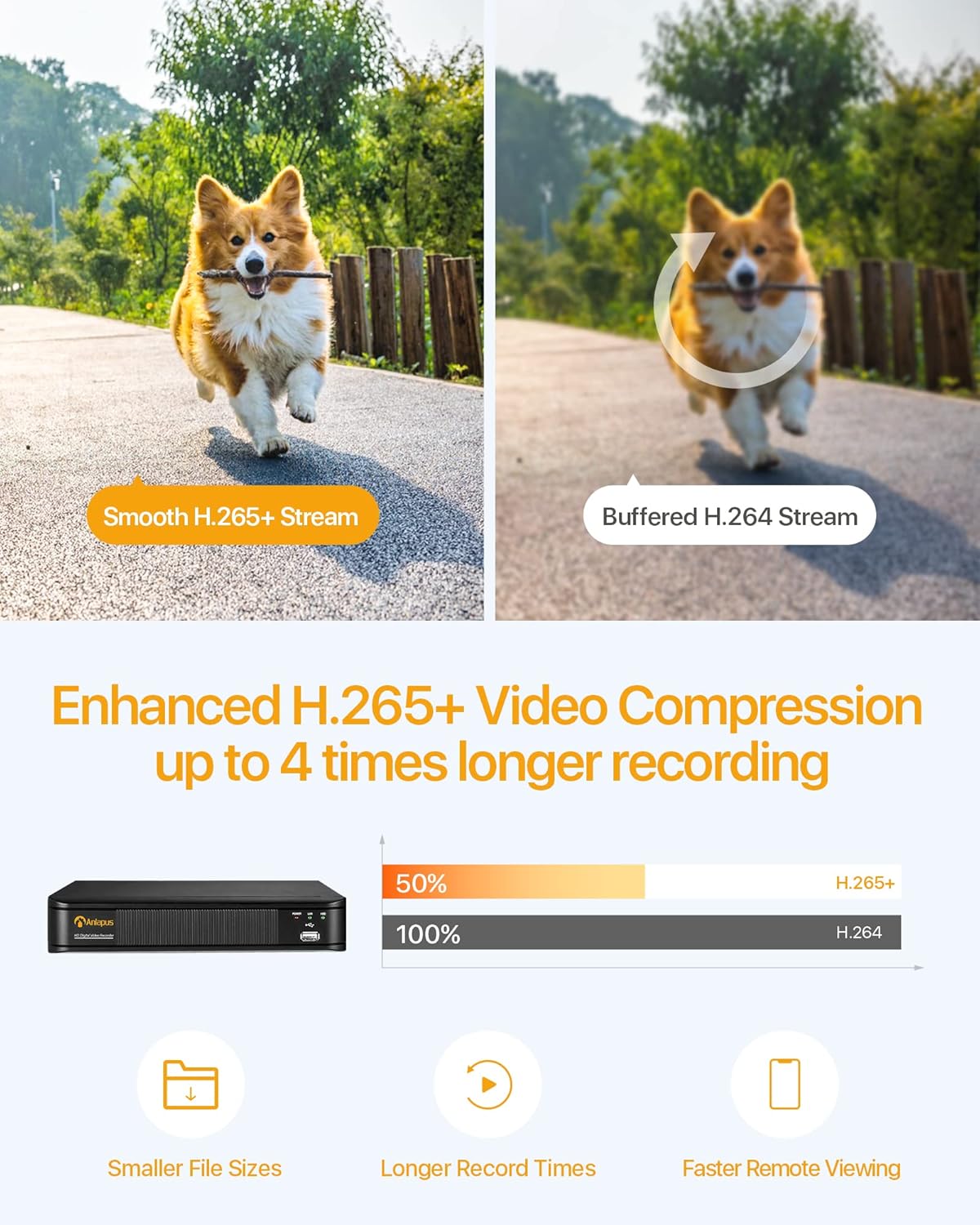
Image: Comparison illustrating the efficiency of H.265+ video compression, offering smaller file sizes and longer record times compared to H.264.
9. Garanzija u Appoġġ
Anlapus provides comprehensive support for its products. For warranty information, technical assistance, or customer service, please refer to the contact details provided with your product packaging or visit the official Anlapus websit.
Il-prodott jinkludi Free Lifetime Support.

Image: Icons representing 24/7 Secure Recording, Scheduled Recording, Customizable Individual Cameras, and Free Lifetime Support.


