1. Prodott Aktarview
The Nitecore NU05MI is a compact and versatile mini infrared (IR) signal light, also featuring a green light for various applications. Designed for outdoor enthusiasts and tactical users, it is rechargeable via a standard Micro-USB cable and boasts an integrated lithium-ion battery providing up to 20 hours of runtime. Its user-friendly single-button operation ensures ease of use in diverse environments.

Figura 1.1: Quddiem view of the Nitecore NU05MI Headlamp, wirjaasing its compact design and clear casing.
2. Karatteristiċi
- Integrated Infrared (IR) signal light (940 nm) for tactical or signaling purposes.
- Green light illumination for general visibility or specific signaling.
- Built-in rechargeable lithium-ion battery with up to 20 hours runtime.
- Micro-USB charging port for convenient recharging.
- Simple and intuitive single-button interface.
- Durable and robust construction from high-quality materials.
- Innovative rear clip design for easy attachment to MOLLE systems or backpacks.
- Includes a lightweight hook-and-loop (Velcro) mount for secure helmet attachment.
- Compact and lightweight design (10 grams).
3. Kontenut tal-Pakkett
Malli tiftaħ il-pakkett, jekk jogħġbok ivverifika li l-oġġetti kollha huma preżenti u f'kundizzjoni tajba:
- 1x Nitecore NU05MI Headlamp
- 1x Mikro-USB Charging Cable
- 1x Hook-and-loop (Velcro) Mount

Figure 3.1: The Nitecore NU05MI Headlamp shown alongside its included Micro-USB charging cable.
4. Twaqqif u Immuntar
The NU05MI offers multiple mounting options for various uses:
4.1. MOLLE System / Backpack Attachment
The innovative rear clip design allows for easy and secure attachment to standard MOLLE (Modular Lightweight Load-carrying Equipment) systems found on tactical vests, backpacks, or other gear.

Figure 4.1: The NU05MI attached to a MOLLE system on a tactical vest, demonstrating its rear clip design.
4.2. Helmet Attachment
For helmet mounting, utilize the included lightweight hook-and-loop (Velcro) mount. This system ensures a firm and secure attachment. Additional security can be achieved by using helmet cords or rubber bands through the side slots to prevent accidental loss due to vibrations or impacts.
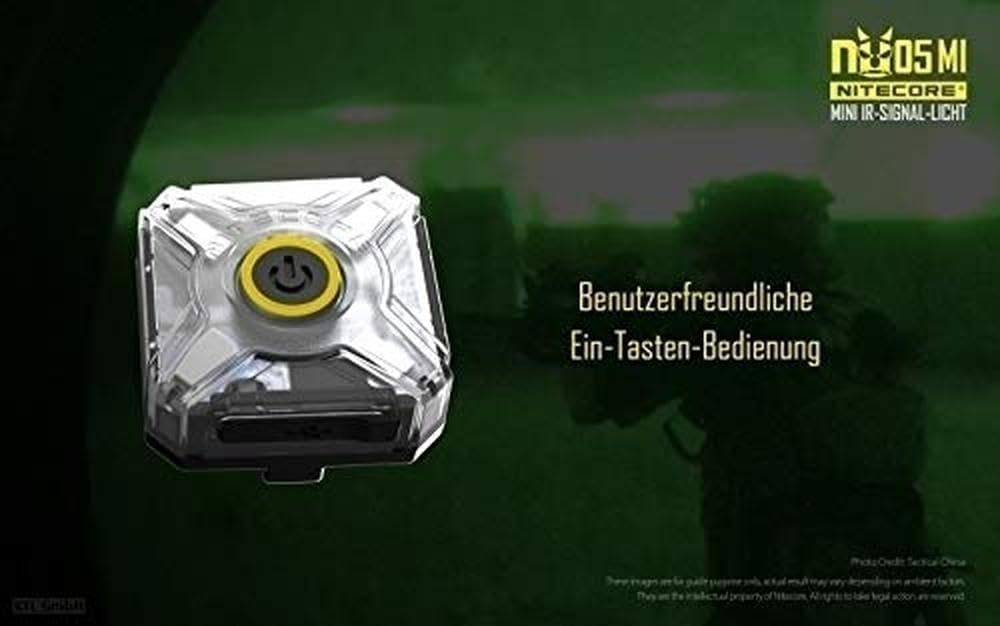
Figure 4.2: The NU05MI with its hook-and-loop mount securely attached to a helmet, showing the versatility of its mounting options.
5. Operazzjoni
The Nitecore NU05MI features a user-friendly single-button interface for all functions.

Figura 5.1: Fuq view of the NU05MI, highlighting the central power button for easy operation.
5.1. Power On/Off
- To turn on the device, press and hold the power button for approximately 1 second.
- To turn off the device, press and hold the power button for approximately 1 second while it is on.
5.2. Qlib tal-Modalità
Once the device is on, short press the power button to cycle through the available light modes. The NU05MI typically features an IR signal mode and a green light mode.

Figure 5.2: The NU05MI emitting green light, demonstrating one of its operational modes.
5.3. Indikatur tal-Enerġija
The NU05MI has a built-in power indicator to display the remaining battery level. Refer to the specific blinking patterns or color changes in the indicator light for battery status (details typically found in the full product manual or Nitecore's websit).

Figure 5.3: The NU05MI with its power indicator visible, providing information on remaining battery life.
6. Iċċarġjar
The Nitecore NU05MI is equipped with an integrated lithium-ion battery and a Micro-USB charging port for convenient recharging.
- Connect the Micro-USB charging cable (included) to the charging port on the NU05MI.
- Connect the other end of the USB cable to a USB power source (e.g., computer USB port, USB wall adapter, power bank).
- The charging indicator light will typically show the charging status (e.g., solid light when fully charged, blinking while charging).
- A full charge provides up to 20 hours of runtime, depending on the mode used.

Figure 6.1: The NU05MI connected to a Micro-USB cable, illustrating the charging process.
7. Manutenzjoni
To ensure the longevity and optimal performance of your Nitecore NU05MI, follow these maintenance guidelines:
- Tindif: Imsaħ l-apparat b'artab, damp drapp. Tużax tindif jew solventi li joborxu.
- Ħażna: Aħżen l-apparat f'post frisk u niexef 'il bogħod mix-xemx diretta u minn temperaturi estremi.
- Kura tal-batterija: For prolonged storage, charge the battery every 3-6 months to maintain its health. Avoid fully discharging the battery frequently.
- Reżistenza għall-Ilma: While robust, avoid submerging the device in water unless specified as waterproof. Protect the USB port from moisture when not charging.
8 Issolvi l-problemi
If you encounter issues with your Nitecore NU05MI, consider the following common troubleshooting steps:
| Problema | Kawża Possibbli | Soluzzjoni |
|---|---|---|
| L-apparat ma jixgħelx. | Batterija baxxa jew eżawrita. | Charge the device using the Micro-USB cable. |
| L-output tad-dawl huwa baxx jew inkonsistenti. | Batterija baxxa. | Iċċarġja l-batterija kompletament. |
| Apparat mhux jiċċarġja. | Kejbil jew sors tal-enerġija difettuż; port tal-iċċarġjar maħmuġ. | Try a different USB cable or power source. Clean the charging port gently. |
| Button unresponsive. | Device might be locked or frozen. | Attempt a soft reset by holding the button for an extended period (e.g., 10-15 seconds) or allow battery to fully deplete and then recharge. |
If the issue persists after attempting these steps, please contact Nitecore customer support for further assistance.
9. Speċifikazzjonijiet
| Attribut | Dettall |
|---|---|
| Brand | Nitecore |
| Numru tal-Mudell | NU05MI |
| Dimensjonijiet (L x W x H) | 6.7 x 3.4 x 2.6 ċm (2.64 x 1.34 x 1.02 pulzieri) |
| Piż | 10 gramma (0.35 uqija) |
| Tip ta 'batterija | 1 Lithium-ion (inkluża) |
| Port tal-Iċċarġjar | Mikro-USB |
| Sors tad-Dawl | Infrared (940 nm), Green Light |
| Max Runtime | Sa 20 sigħat |
| Materjal | Aluminju |
| Kulur | Iswed |
| Pajjiż ta' Oriġini | Iċ-Ċina |
10. Garanzija u Appoġġ
Nitecore products are generally covered by a warranty. Please refer to the official Nitecore website or the warranty card included with your product for specific warranty terms and conditions, including duration and coverage details.
For technical support, service, or inquiries regarding spare parts, please contact Nitecore customer service directly through their official channels. Information regarding spare parts availability was not provided in the product details.
You can typically find contact information and support resources on the official Nitecore websit: www.nitecore.com


