1. Prodott Aktarview
The WiMiUS P30 is a portable 1080P Full HD projector designed for home entertainment. It features 5500 lumens brightness, a native resolution of 1280x800 (supporting 1080P input), and a dynamic contrast ratio of 6000:1. This projector offers a large display size up to 200 inches and includes a zoom function for flexible image sizing without moving the unit. Integrated stereo speakers with SRS sound enhance the audio experience.
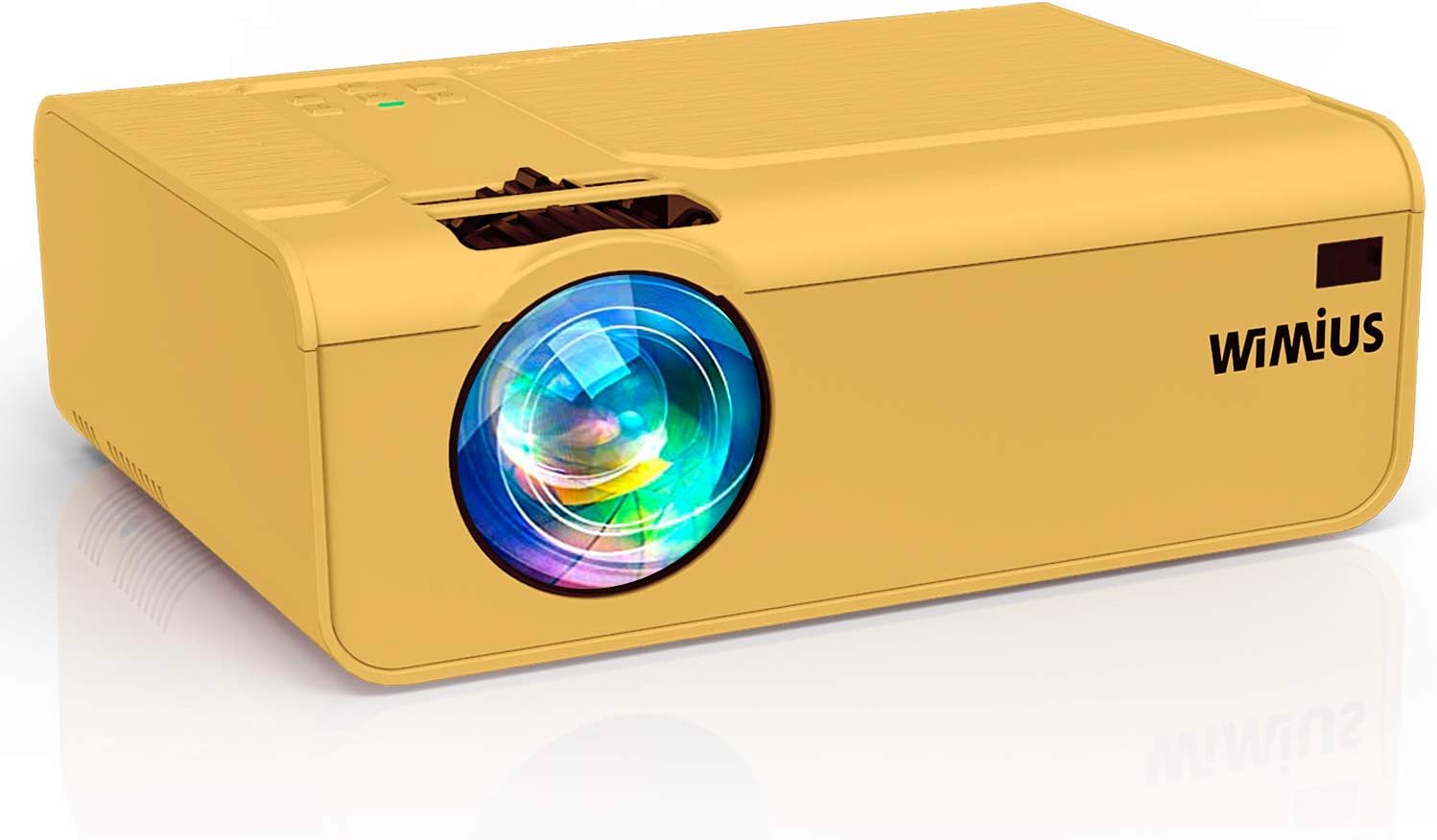
Immaġni: Quddiem view of the WiMiUS P30 Projector, showcasing its lens and compact design.
2. Istruzzjonijiet tas-Sigurtà
- Do not block the ventilation openings. Ensure adequate space around the projector for proper airflow.
- Avoid direct exposure to the projector lens light.
- Do not place the projector in unstable locations.
- Żomm il-proġettur 'il bogħod mill-ilma jew minn kwalunkwe likwidu.
- Uża biss l-adapter tal-enerġija li jiġi mal-proġettur.
- Skonnettja l-proġettur waqt maltempati bis-sajjetti jew meta ma jintużax għal perjodi twal.
- Tippruvax tiftaħ jew issewwi l-proġettur int stess. Irreferi għal kull manutenzjoni f'idejn persunal kwalifikat.
3. Kontenut tal-Pakkett
Ivverifika li l-oġġetti kollha huma preżenti fil-pakkett:
- WiMiUS P30 Projector
- Kejbil tal-Enerġija
- Cable HDMI
- AV Cable
- Kontroll mill-bogħod (batteriji mhux inklużi)
- Manwal għall-Utent
4. Gwida ta' Setup
4.1 Tqegħid
Place the projector on a stable, flat surface or mount it securely. Ensure the projector lens is perpendicular to the projection surface for optimal image geometry. Maintain a suitable distance from the screen to achieve the desired image size (50 to 200 inches).
4.2 Konnessjoni tal-Enerġija
- Qabbad il-kejbil tal-enerġija mal-port tad-dħul tal-enerġija tal-proġettazzjoni.
- Ipplaggja t-tarf l-ieħor tal-kejbil tad-dawl fi żbokk tad-dawl.
- Id-dawl indikatur tal-enerġija fuq il-proġettazzjoni se jixgħel.
4.3 Konnessjoni tas-Sors
Connect your media device (PC, laptop, PS4, TV Box, USB drive, etc.) to the projector using the appropriate cable:
- HDMI: For high-definition video and audio. Connect an HDMI cable from your device to the projector's HDMI port.
- USB: For playing media directly from a USB flash drive. Insert the USB drive into the USB port.
- VGA: For connecting older computers. Connect a VGA cable from your PC to the projector's VGA port. (Audio will need a separate connection if not handled by the PC).
- TA’: For connecting devices with composite video output. Use the provided AV cable.
- Karta TF: Insert a TF card into the designated slot for direct media playback.
- Smartphone/tablet: Requires an additional adapter or wireless dongle (not included) for connection.
4.4 Aġġustament tal-Fokus u l-Keystone
- Ixgħel il-proġekter u uri immaġni.
- Aġġusta l- ċirku tal-fokus near the lens until the image appears sharp and clear.
- If the image is trapezoidal, use the korrezzjoni keystone dial or menu option to adjust it to a rectangular shape.
5. Istruzzjonijiet Operattivi
5.1 Power On/Off
- Qawwa Mixgħul: Press the power button on the projector or the remote control. The indicator light will change.
- Itfi: Press the power button again. Confirm shutdown if prompted. Allow the projector to cool down before unplugging.
5.2 Għażla tas-Sors tal-Input
Press the 'Source' button on the remote control or the projector's control panel. Use the navigation buttons to select the desired input source (e.g., HDMI1, USB, VGA, AV) and press 'OK' to confirm.
5.3 Aġġustament tal-Immaġni
- Funzjoni Żum: The P30 projector features a digital zoom function (100% to 75%). Use the zoom controls on the remote control to adjust the image size without physically moving the projector.
- Proporzjon tal-aspett: Adjust the image aspect ratio (e.g., 16:9, 4:3) through the projector's menu settings to match your content.
- Modalità Stampa: Select from various picture modes (Standard, Dynamic, Movie, User) to optimize image quality for different content types.
5.4 Settings tal-awdjo
The projector has built-in stereo speakers. You can adjust the volume using the remote control. For external audio, connect external speakers or a sound system to the projector's 3.5mm audio output port.
6. Manutenzjoni
6.1 Tindif tal-Lentijiet
Use a professional lens cleaning cloth and solution to gently clean the projector lens. Avoid using abrasive materials or harsh chemicals that could scratch the lens.
6.2 Ventilation Cleaning
Regularly check and clean the projector's ventilation openings to prevent dust buildup, which can lead to overheating. Use a soft brush or compressed air to remove dust.
6.3 Ħażna
When not in use, store the projector in a cool, dry, and dust-free environment. Use the original packaging or a protective bag to prevent damage.
7 Issolvi l-problemi
| Ħruġ | Kawża Possibbli | Soluzzjoni |
|---|---|---|
| Ebda immaġini murija | Sors ta' input mhux korrett magħżul; Konnessjoni tal-kejbil maħlula; Apparat mhux mixgħul. | Select the correct input source; Check all cable connections; Ensure the source device is powered on. |
| Immaġini mċajpra | Mhux iffukat; Distanza ta' projezzjoni mhux korretta. | Adjust the focus ring; Adjust the projector's distance from the screen. |
| L-immaġni hija trapezojdali | Il-proġettur mhux perpendikolari mal-iskrin. | Adjust the keystone correction dial or menu setting. |
| L-ebda ħoss | Volume too low; Muted; Incorrect audio output selected on source device. | Increase volume; Unmute; Check audio settings on the source device. |
| Il-kontroll mill-bogħod ma jaħdimx | Batteriji mejta; Ostruzzjoni bejn ir-remote u l-proġettazzjoni. | Replace batteries; Ensure clear line of sight to the IR receiver. |
8. Speċifikazzjonijiet
| Brand | WiMiUS |
| Numru tal-Mudell | P30 (CCK01001) |
| Teknoloġija tal-Wiri | LCD |
| Riżoluzzjoni Nattiva | 1280 x 800 (Supports 1920 x 1080 Full HD) |
| Riżoluzzjoni Massima Appoġġjata | 4K |
| Luminożità | 5500 Lumens |
| Proporzjon ta' Kuntrast | 6000:1 |
| Proporzjon ta' l-aspett | 16:9 (Nattivi) |
| Daqs tal-Projezzjoni | 50 - 200 pulzieri |
| Livell ta' Storbju | 30 Deċibel |
| Interfaces tal-Input | HDMI, USB, VGA, AV, TF Card |
| Output Interface | 3.5mm Awdjo Out |
| Sors tal-Enerġija | AC |
| Dimensjonijiet tal-Prodott | 23 x 15 x 6.5 ċm |
| Piż tal-Prodott | 1.1 kg |
9. Garanzija u Appoġġ
The WiMiUS P30 Projector comes with a minimum 3-year warranty, providing extended assurance for your purchase. This warranty covers manufacturing defects and ensures reliable performance.
For technical support, warranty claims, or any questions regarding your projector, please contact WiMiUS customer service. Refer to the contact information provided in your product packaging or on the official WiMiUS website for assistance. Our support team aims to provide a prompt resolution within 24 hours.


