Introduzzjoni
The Ansmann Powerline 4 Ultra is a versatile battery charger and capacity tester designed for 1-4 AAA, AA, C, D NiMH batteries, and Li-Ion batteries ranging from size 10340 to 26650. It features four independent charging programs, a USB port for charging external devices, and a clear LCD display for monitoring battery status. This manual provides detailed instructions for safe and efficient use of your device.

Image: Ansmann Powerline 4 Ultra Battery Charger, showing the display and four battery slots.
Istruzzjonijiet tas-Sigurtà
- Aqra l-istruzzjonijiet kollha qabel ma tuża l-ċarġer.
- Do not charge non-rechargeable batteries. This can lead to leakage, rupture, or explosion.
- Uża biss l-adapter tal-enerġija pprovdut.
- Tesponix il-ċarġer għax-xita jew l-umdità.
- Żarmax jew timmodifikax il-ċarġer.
- Żomm iċ-ċarġer 'il bogħod mit-tfal u l-annimali domestiċi.
- Żgura ventilazzjoni xierqa waqt l-iċċarġjar.
- If the charger is damaged, discontinue use immediately.
Kontenut tal-Pakkett
- Ansmann Powerline 4 Ultra Battery Charger
- Adapter tal-Qawwa AC
- Manwal għall-Utent (dan id-dokument)
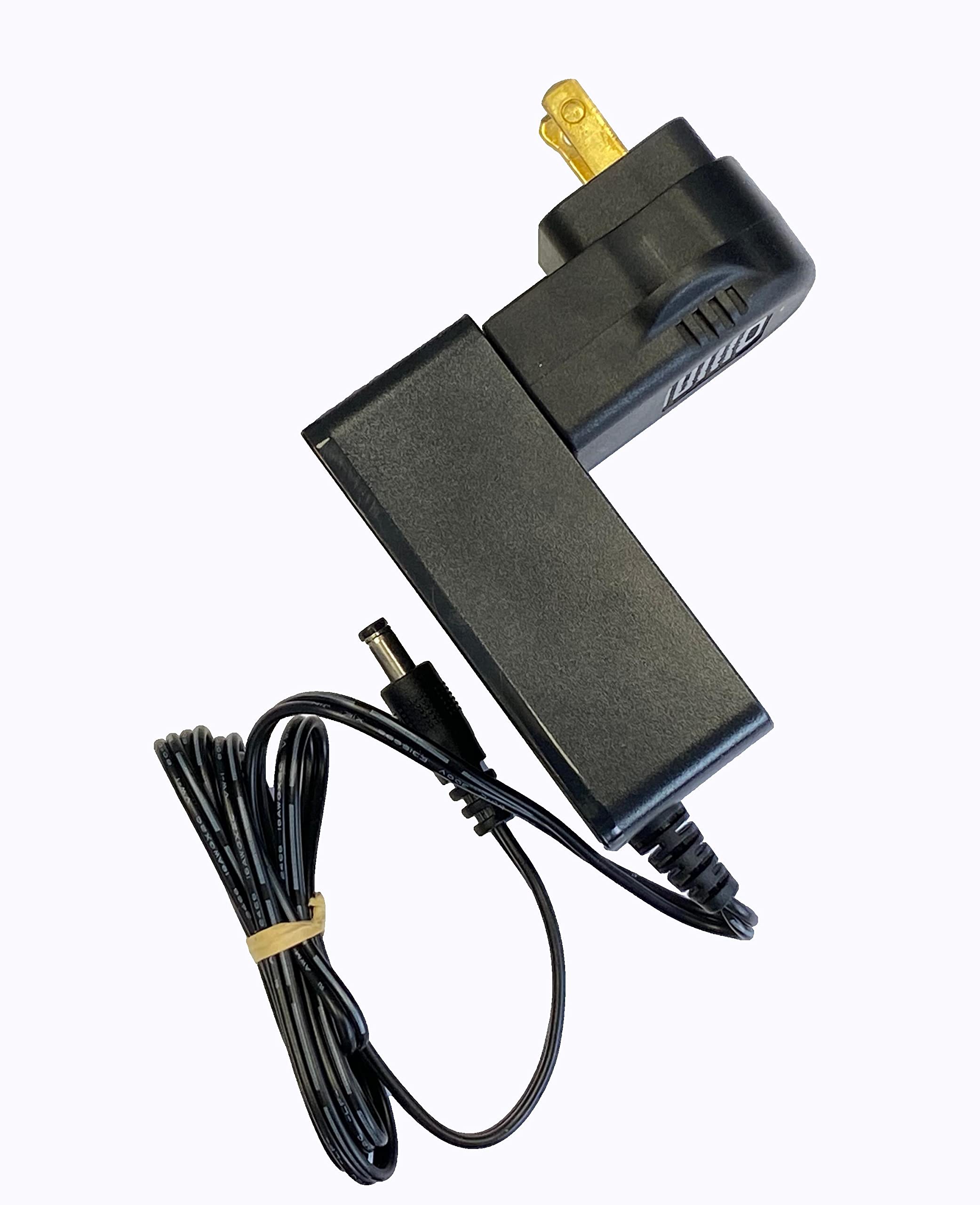
Image: The AC power adapter for the Ansmann Powerline 4 Ultra charger.
Setup
- Unpack the Ansmann Powerline 4 Ultra charger and its accessories.
- Connect the AC power adapter to the charger's power input port.
- Plug the AC power adapter into a standard wall outlet. The charger's LCD display will illuminate, indicating it is ready for use.
Istruzzjonijiet Operattivi
Daħħal Batteriji
The charger features four universal charge bays. Insert rechargeable batteries into the bays, ensuring correct polarity (+ and -). The charger can accommodate battery cells with a diameter up to 33mm and a length of 70mm, supporting NiMH batteries from AAA to D sizes, and Li-Ion batteries from 10400 to 32650. Up to four batteries can be charged simultaneously, though the number may be reduced for larger diameter batteries.

Immaġni: Fuq view of the charger with various battery types inserted into the charging bays.
Funzjoni tal-Iċċarġjar
Upon insertion, the charger automatically initiates the charge mode, charging each battery individually. Batteries of different types, capacities, and charge conditions can be mixed. Once fully charged, the charger transitions to pulse maintenance charging to ensure the battery remains at 100%. Individual battery cells can be removed or inserted without affecting the charging process in other bays.
Adjustable Programming
The device allows for individual adjustment of the charge program and current for each bay. Use the "Mode" button to select the charge mode and the "Current" button to select the charge current. The default charging current is 500mA. For faster charging, three rechargeable batteries can be charged at 1500mA, or two rechargeable batteries at 2000mA.
Tester tal-Kapaċità
The Powerline 4 Ultra can individually test the capacity of an inserted battery. The digital readout on the LCD display will show the remaining capacity, providing insight into the battery's health and performance.
Informazzjoni dwar il-Wiri LCD
The large LCD display provides clear information for each charge bay, including:
- Batterija rikarikabbli voltage (V)
- Charge/discharge current (mA)
- Kapaċità (mAh)
- Charge duration (h)
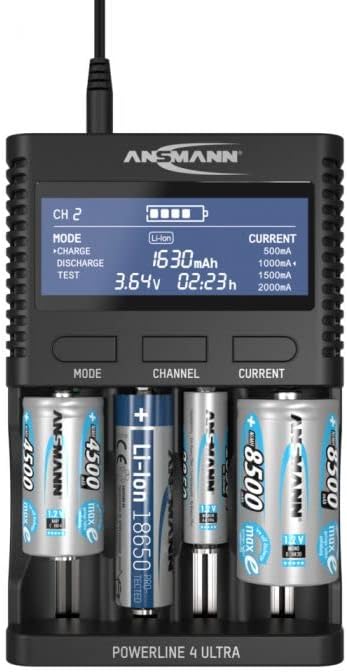
Immaġni: Quddiem view of the charger with batteries, highlighting the detailed information on the LCD display.
Konnessjoni USB
The charger includes a USB port (5V/2A) for charging conventional USB devices such as power banks, cameras, smartphones, and tablets. This feature is convenient for travel, reducing the need for multiple chargers.
Manutenzjoni
- Tindif: Disconnect the charger from the power outlet before cleaning. Use a soft, dry cloth to wipe the exterior. Do not use liquid cleaners or solvents.
- Ħażna: Aħżen il-ċarġer f'post frisk u niexef 'il bogħod mix-xemx diretta u minn temperaturi estremi meta ma jkunx qed jintuża.
- Kuntatti tal-batterija: Periodically check the battery contacts for any debris or corrosion. Clean gently with a cotton swab if necessary.
Issolvi l-problemi
| Problema | Kawża Possibbli | Soluzzjoni |
|---|---|---|
| Charger display is off. | Ebda konnessjoni tal-enerġija. | Ensure the power adapter is securely connected to the charger and the wall outlet. |
| Il-batterija mhix qed tiċċarġja. | Incorrect battery insertion or non-rechargeable battery. | Check battery polarity. Ensure the battery is rechargeable. Clean battery contacts if necessary. |
| L-apparat USB mhux qed jiċċarġja. | USB cable issue or device incompatibility. | Try a different USB cable. Ensure the USB device is compatible with 5V/2A charging. |
| Id-displej juri messaġġ ta' żball. | Battery fault or incompatible battery. | Remove and reinsert the battery. If the error persists, the battery may be faulty or not supported. |
Speċifikazzjonijiet
- Numru tal-Mudell: 1001-0080
- Dimensjonijiet tal-Prodott: 6.69 x 4.31 x 1.48 pulzieri (17.0 x 10.9 x 3.7 ċm)
- Piż tal-oġġett: 1.28 libbra (580 gramma)
- Tipi ta' Batteriji Kompatibbli: NiMH (AAA, AA, C, D), Li-Ion (10400 to 32650)
- Ħruġ Voltage: 3.7 Volts (DC) for Li-Ion (Charging voltage varies by battery type)
- Output USB: 5V/2A
- Manifattur: Ansmann
Informazzjoni dwar Garanzija
Ansmann products are typically covered by a manufacturer's warranty against defects in materials and workmanship. Please refer to the warranty card included with your product or visit the official Ansmann websit għat-termini u l-kundizzjonijiet speċifiċi tal-garanzija applikabbli għar-reġjun tiegħek. Żomm l-irċevuta tax-xiri tiegħek bħala prova tax-xiri għal talbiet ta' garanzija.
Appoġġ
Għal aktar assistenza, appoġġ tekniku, jew biex view other Ansmann products, please visit the official Ansmann store or contact their customer service department.
Visit the Ansmann Store on Amazon


